

A self-hosted Frigate NVR appliance is five parts working together: a small Intel N150 mini PC to run the software, a Hailo accelerator to do the object detection, a PoE switch to power the cameras over one cable each, a surveillance hard drive to hold the footage, and the cameras themselves. Put those together and you own the whole pipeline. The video never leaves your network, there is no monthly subscription, and nobody else holds your recordings.
This is the build to reach for when a Synology or UniFi NVR feels closed and a cloud camera plan feels like renting your own driveway. It costs more up front than a single cloud cam, but it scales to a yard full of cameras with local AI detection and no recurring bill. Below is the exact parts list, why each part is chosen for Frigate specifically, how the pieces wire together, and the Docker and detector config to bring it up. If you have not stood up the base software yet, our guide to installing Frigate in Docker covers that side; this one is about the hardware appliance around it. Every part below was re-checked against its datasheet and live listing in October 2026, and every config block and inference figure against Frigate’s current documentation in September 2026.
What goes into the appliance
Here is the full parts list as a shopping cart. The prices are bands because hardware moves, so treat them as a guide and check the live price before you buy. Everything here is a concrete, currently-buyable pick, not a category placeholder.
| Part | What we use | Role in the build | Approx price |
|---|---|---|---|
| Mini PC | Beelink Mini S13 (Intel N150) | Runs Frigate; iGPU decodes the camera streams | $360 to 400 |
| Accelerator | Hailo-8 M.2 (26 TOPS) | Object detection, the replacement for a Coral | $210 to 230 |
| PoE switch | TP-Link TL-SG1008P | One cable carries data and power to each camera | $40 to 60 |
| Recording drive | WD Purple 8TB | Continuous recordings, surveillance-rated | around $425 |
| Boot and cache | Acer Predator GM7 1TB | OS, Frigate, and clip cache on fast NVMe | $180 to 200 |
| Camera (each) | Amcrest 4K PoE bullet | What Frigate actually sees | $100 to 115 |
A mid build with one camera lands around $1,320 to $1,430 fully loaded, with most of that jump coming from a 2026 memory-and-flash squeeze that pushed NVMe and surveillance drives well above their old prices. You can start nearer $880 to $975 by skipping the Hailo at first (the mini PC’s Intel iGPU detects for free, more on that below), dropping to a 4TB drive, and running a single camera. The appliance grows from there, one camera and one drive at a time.
How the pieces connect
The data path is short. Each PoE camera runs a single Ethernet cable back to the TP-Link switch, which powers the camera and carries its video. The switch links to the mini PC, which runs Frigate in Docker. Frigate pulls each camera’s RTSP stream once through its built-in go2rtc restreamer, hands a small low-resolution copy to the Hailo for detection, and writes the full-resolution stream to the WD Purple drive for recording. The fast NVMe holds the operating system and Frigate’s working cache.
From there Frigate slots into the rest of a smart home. Point a Home Assistant instance at it for notifications and automations, whether you run Home Assistant in Docker on the same box or on a separate host. The whole appliance sits happily alongside the rest of an open-source homelab.
The mini PC: an Intel box with two M.2 slots
The host has two jobs that pull in different directions. It decodes several camera streams continuously, which wants Intel QuickSync, and it has to physically hold both an NVMe boot drive and the Hailo accelerator, which both want an M.2 slot. The Beelink Mini S13 is picked for the second reason more than the first.

The N150’s Intel graphics handle hardware decode for several streams, and that same iGPU runs Frigate’s OpenVINO detector, so a fresh Mini S13 can detect objects with no accelerator at all. The reason this model earns the slot is its two M.2 2280 slots. The NVMe goes in one and the Hailo M.2 goes in the other, with no fight over a single connector. Put the fast boot NVMe in the primary slot and the Hailo in the second, where the couple of PCIe lanes it gets are far more than a two-watt detector needs. That dual-slot layout is the gotcha that catches people on single-slot boxes, where the accelerator and the boot drive want the same hole.
Who it’s for: anyone who wants one quiet, low-power box that can both decode streams and host a Hailo M.2 (around $360 to $400, check the live price). Skip it if: you need ECC memory or more than 16GB of RAM, since the N150 tops out at 16GB. Confirm the exact SKU’s second slot is wired for PCIe and not occupied by a SATA SSD, because Beelink configurations vary. If you want the wider field on which small machines have the spare slots and lanes, our notes on choosing a mini PC for a homelab go deeper.
Is an Intel N150 enough for Frigate?
For a typical home install, yes. Frigate’s own hardware page names the N100-based Beelink EQ13 as the maintainer’s favorite server and says it can run object detection on several 1080p cameras with low to medium activity. The N150 is the same Intel design with more clock: Intel lists a 3.6 GHz turbo and a 1 GHz, 24-execution-unit iGPU, where the N100 runs a 3.4 GHz turbo and a 750 MHz iGPU. Frigate’s benchmark table puts the N150 at about 15 ms per inference on its OpenVINO detector, the same as the N100 on the default MobileNetV2 model.
The key insight is where the work actually goes. Frigate decodes only the detect stream, and it writes recordings directly from the camera stream without re-encoding them. So the 4K main feed from each camera costs disk writes, not decode time, and the N150’s video engine only has to unpack the small substream, typically 640×480 or 720p at five frames per second. That is why a 6W chip keeps up with cameras whose headline resolution suggests a much bigger box.
Detection capacity follows the arithmetic Frigate’s docs give for the Coral: 1,000 divided by the inference time in milliseconds gives the most detections per second one detector instance can run. Detection only fires on regions where motion was found, so a quiet camera costs almost nothing and a busy driveway can use several detections a second. Here is how the options for this box compare, using the inference times Frigate publishes:
| Detector on this build | Model | Inference time | Ceiling (detections/s) | Extra cost |
|---|---|---|---|---|
| N150 iGPU (OpenVINO) | MobileNetV2, bundled | ~15 ms | ~67 | $0 |
| N150 iGPU (OpenVINO) | YOLOv9 small, 320 | 24 ms | ~42 | $0 |
| Hailo-8L | YOLOv6n, default | ~11 ms | ~90 | less than the Hailo-8 |
| Hailo-8 M.2 | YOLOv6n, default | ~7 ms | ~140 | around $220 |
Read that table as a ceiling, not a camera count, because the real load depends on how much motion your scenes have. What it does show is that the Hailo-8 roughly doubles detection headroom over the bundled iGPU model and, more importantly, takes detection off the iGPU so the iGPU is left for decoding. One constraint shapes the upgrade: Frigate cannot mix detector types for object detection, so adding the Hailo replaces the OpenVINO detector rather than working alongside it. The practical path is to start on OpenVINO, watch the detector’s inference time and the skipped-detection counts on the System metrics page, and add the Hailo once detections start to back up.
One N150 box to avoid: Frigate’s hardware page currently warns against the Beelink EQ14 over known compatibility issues. That warning is one reason this build uses the Mini S13 rather than the EQ14, even though both carry the same chip.
The accelerator: a Hailo-8 M.2 for detection
Frigate’s own hardware documentation no longer recommends the Google Coral for new installs, and the practical replacement is a Hailo. The full reasoning, and the one config edit that switches Frigate from a Coral to a Hailo, sit in their own guide. For this build the short version is: drop a bare Hailo-8 M.2 module into the mini PC’s second slot.
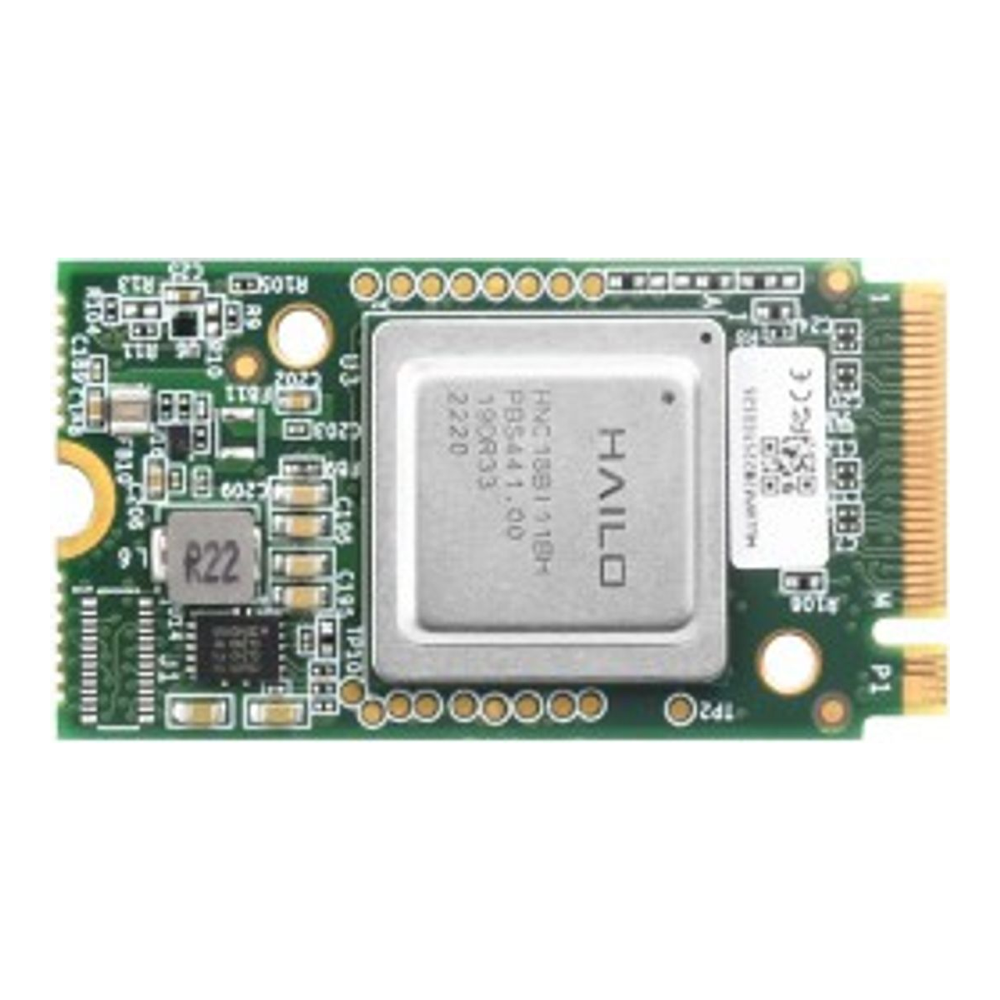
The 26 TOPS Hailo-8 draws only a couple of watts, fits the same M.2 slot a Coral M.2 used, and Frigate supports it first-class. It presents to Linux as /dev/hailo0 once the HailoRT driver is loaded, and Frigate auto-downloads a compatible YOLOv6n model on first start, so there is no model to train or convert. The cheaper Hailo-8L (13 TOPS) is plenty for a couple of cameras; the 26 TOPS part buys headroom to add streams later. If you want the numbers behind that choice, the Hailo-8 versus Hailo-8L versus Coral comparison lays out the inference times.
Hold off on the newer Hailo-10H for this build. Frigate’s detector documentation covers only the Hailo-8 and Hailo-8L, and the 10H runs today through an unofficial add-on from a Hailo developer, while users in a discussion on Frigate’s GitHub are still asking the maintainers for official support. That add-on targets Home Assistant OS on a Raspberry Pi 5, not a Docker host like this mini PC, so a 10H bought today has no supported way into this build.
Who it’s for: any x86 Frigate box that needs a maintained, low-watt detector (around $210 to $230, check the live price). Skip it if: the only free M.2 slot on your mini PC is SATA-keyed or lacks PCIe lanes, because the Hailo needs PCIe. And skip it entirely at first if your box has an Intel iGPU and you only run a few cameras, since OpenVINO on that iGPU detects for free and you can add the Hailo when you scale.
Building on a Raspberry Pi 5 instead of a mini PC? The cleanest route there is the official AI HAT+, which solders the Hailo onto a board that sits on the Pi’s connector, so there is no separate module to seat.
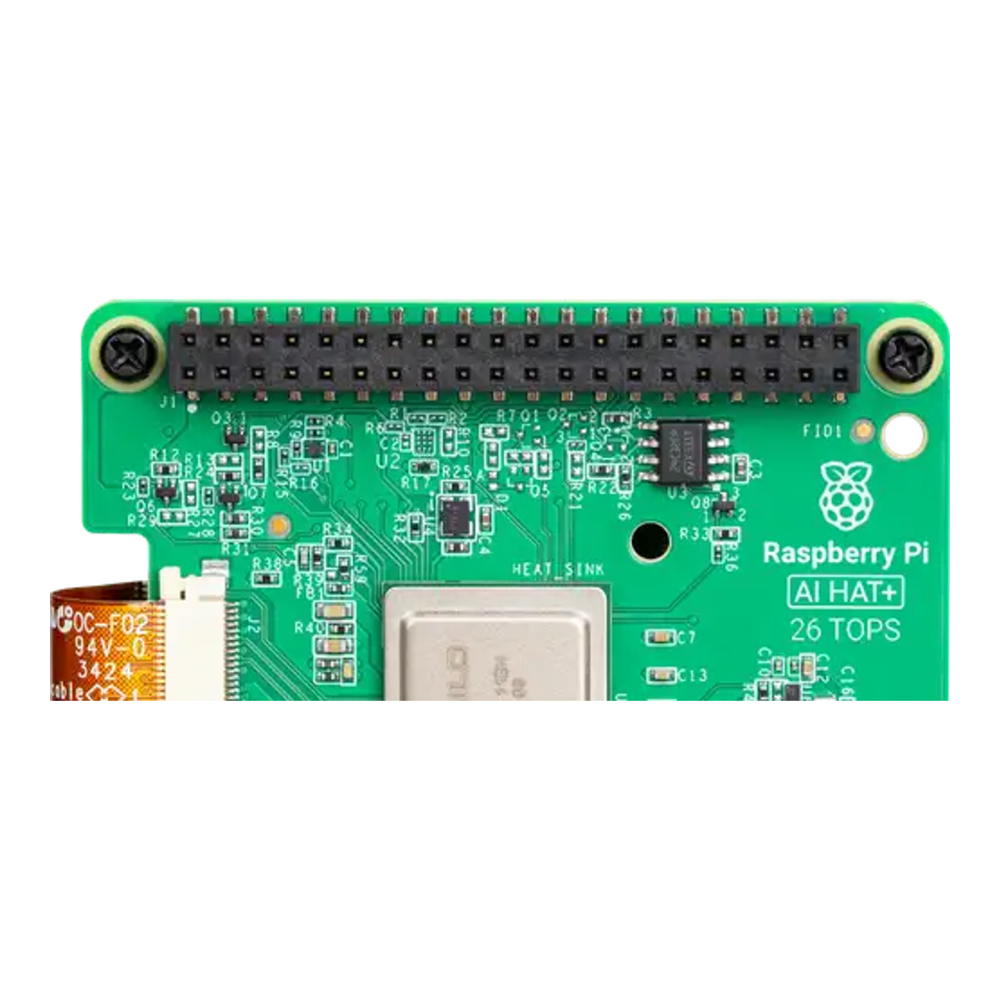
The Pi route makes the most compact, lowest-power appliance, but a Pi has one camera-recording weakness: storage. You still need a real surveillance drive hanging off it over USB or a HAT, and the x86 box handles more cameras and recordings comfortably. The AI HAT+ comes in a 26 TOPS version (around $250, check the live price) and a 13 TOPS sibling (around $110, check the live price).
The PoE switch: one cable per camera
PoE is the reason this build stays tidy. Each camera takes a single Ethernet run that carries both its video and its power, so there is no wall adapter at every camera location. A small unmanaged PoE+ switch is all the appliance needs.
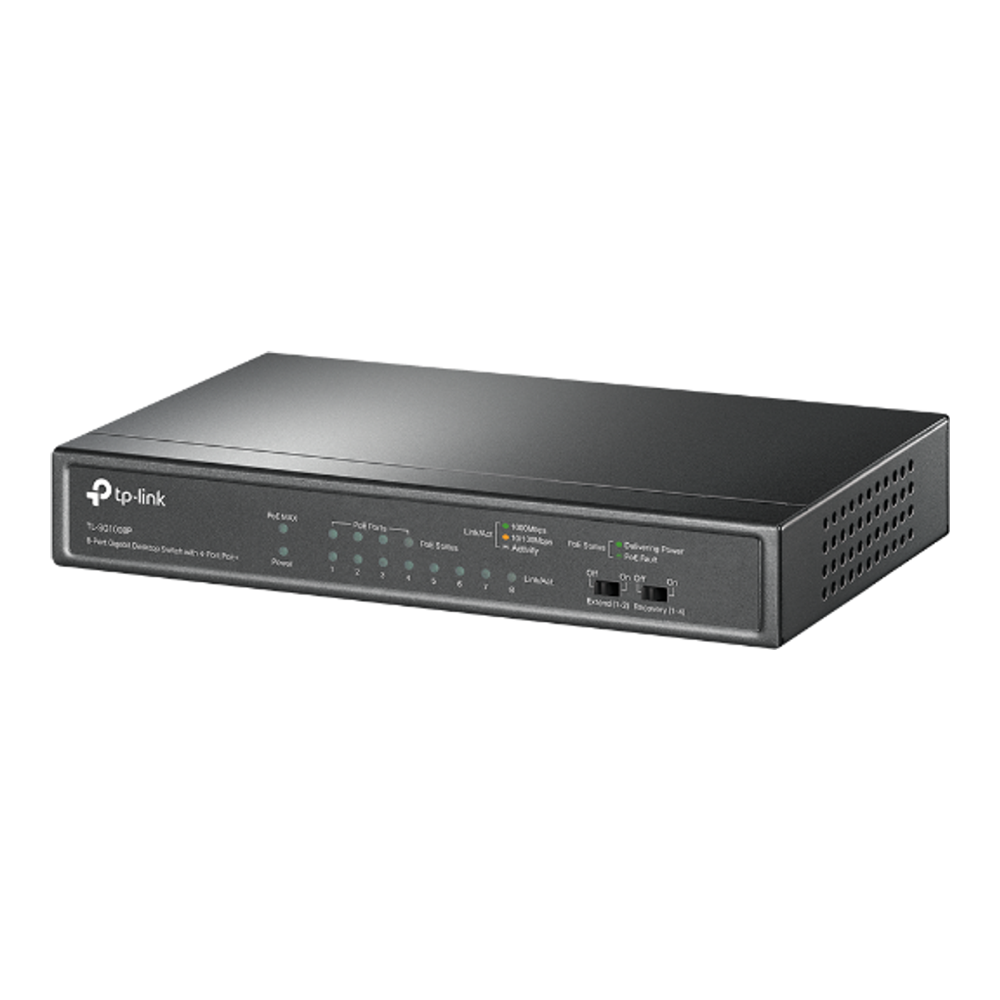
The TL-SG1008P gives you four PoE+ ports on a 64W power budget, with the other four ports plain gigabit for the uplink to the mini PC and anything else. The math that matters is the budget: 64W across four cameras is about 16W each, and a typical fixed turret or bullet camera draws four to nine watts, so four cameras fit with room to spare. It is fanless, so it makes no noise on a shelf.
Who it’s for: a four-camera appliance that wants the simplest possible cabling (around $40 to $60, check the live price). Skip it if: you plan to run pan-tilt-zoom cameras, whose motors and infrared can pull 15 to 25W each, or you want five or more PoE cameras. Both cases overrun the 64W budget, so step up to a switch with more PoE ports and a bigger power budget.
Storage: a surveillance drive plus an NVMe
Surveillance recording is a punishing workload: several streams writing continuously, all day, every day. That is exactly what surveillance-rated drives are built for, and it is why a desktop drive or a shingled (SMR) drive is the wrong choice here.
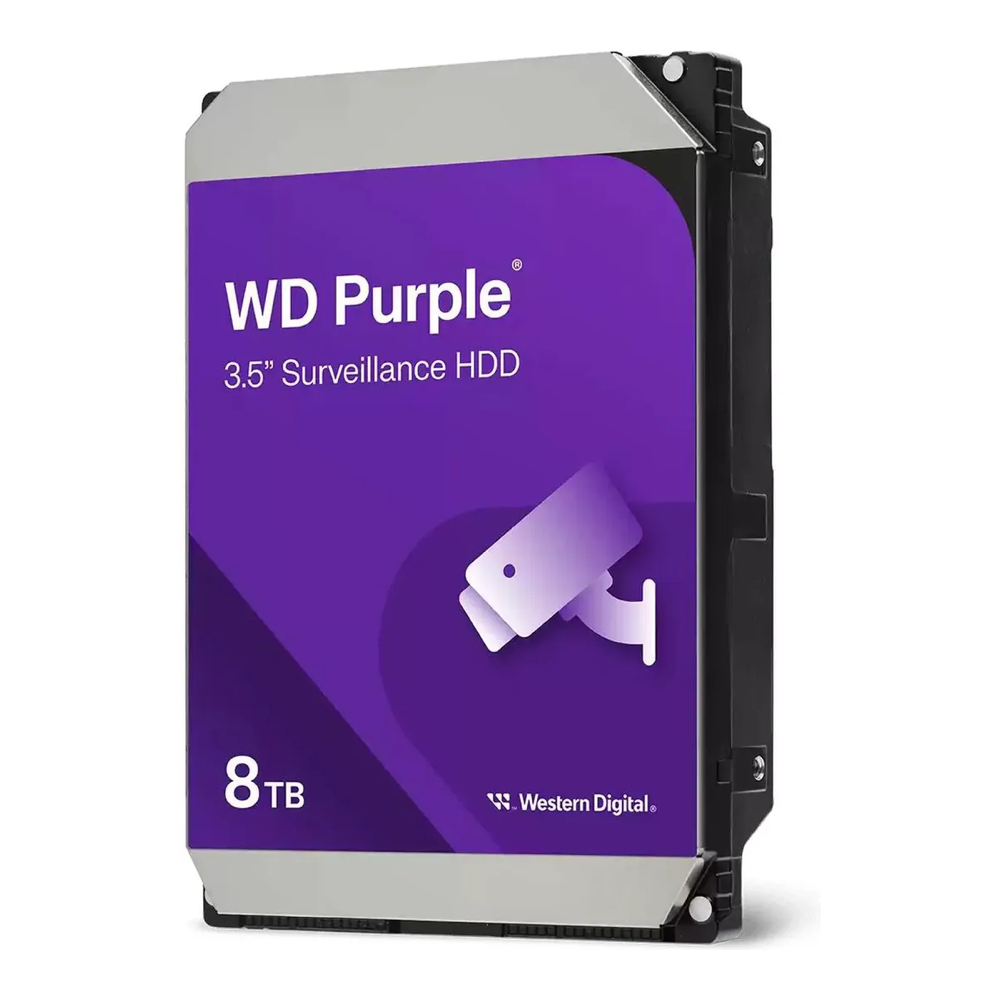
The WD Purple 8TB is a CMR drive (conventional recording, not the slower shingled kind), rated for a 180TB-per-year workload and continuous duty across many camera streams. CMR matters because shingled drives slow to a crawl under the sustained random writes that a multi-camera NVR produces, and some bare desktop drives quietly ship as SMR. WD lists the Purple line as CMR, which is the spec to insist on for any NVR drive. The Seagate SkyHawk 8TB (also CMR) is an equal alternative if it is cheaper on the day.
The operating system, Frigate itself, and its working cache live on a fast NVMe instead, which keeps the slow spinning drive free to do nothing but record. A mainstream 1TB Gen4 drive is plenty.

Who it’s for: the WD Purple suits anyone recording more than a camera or two continuously (8TB around $425, check the live price); the Acer Predator GM7 1TB, a PCIe 4.0 drive rated for 600TBW with a five-year warranty, is the boot drive (around $180, check the live price). Skip it if: you only record one low-bitrate camera, where a 4TB Purple saves money, or you intend to push heavy clip caching onto the NVMe, where a drive with onboard DRAM holds write speed better than the DRAM-less GM7, which borrows host memory (HMB) instead. Reviews of launch units found YMTC TLC flash, but Biwin, which makes the drive under license from Acer, does not publish the NAND type, so read the GM7 as rated by its endurance figure rather than its flash. NVMe pricing is also running high right now, so check the band before you commit.
The cameras: what Frigate actually sees
Frigate runs detection on whatever the camera hands it, so the camera sets the ceiling on the whole system. The traits that matter are a configurable substream (a small second stream Frigate uses for detection), an H.264 main stream for compatibility, and a larger sensor for usable night images. The Amcrest IP8M-2796EW-AI covers the codec: Amcrest cameras are rebranded Dahuas, which Frigate’s own docs note, so it speaks standard RTSP with H.264 on the main stream. Its substream is the budget kind, fixed at VGA (640×480) on Amcrest’s datasheet, which is fine for detection but means you set Frigate’s detect size to match it. Its other trade is the sensor, a smaller 4K sensor that is excellent in daylight and on a lit porch but a step behind the big-sensor cameras when a scene is dark.

One camera is enough to prove the build out, then you add the rest as the budget allows. Picking the right camera for each spot (varifocal versus fixed, turret versus bullet, doorbell, color-at-night) is its own decision, so the full lineup lives in our guide to the best PoE cameras for a Frigate NVR. For this appliance, any camera with a configurable substream and an H.264 stream will slot into the config below (the Amcrest linked here runs around $100 to $115, check the live price).
Assemble the appliance
The physical build is short. With the mini PC powered off and opened, seat the NVMe in one M.2 slot and the Hailo-8 module in the second, each held by its single retention screw. Close the case. Boot it once to confirm both M.2 devices appear in the firmware, then install your Linux distribution and Docker onto the NVMe.
Mount the camera, run one Ethernet cable from it to a PoE port on the TP-Link switch, and link a plain port on the switch to the mini PC. Give the camera a static lease on your network so its address does not move under Frigate. Install the surveillance drive (the Mini S13 has no SATA port or drive bay, so the 3.5-inch drive goes in an externally powered USB 3.5-inch enclosure) and mount it where the recordings will live:
sudo mkdir -p /mnt/recordings
sudo mount /dev/sda1 /mnt/recordings
Add it to /etc/fstab so it remounts on boot. With the drive in place and Docker installed, the appliance is ready for software.
Bring up Frigate on the box
Frigate runs as a single container. The full base install, including the complete Compose file and the web UI setup, is covered in the Frigate on Docker guide; what follows are the parts specific to this appliance. First the Compose file, which passes the Hailo device through to the container and points recordings at the surveillance drive. Open it:
sudo vim ~/frigate/docker-compose.ymlThe device and volume lines are the ones that matter here:
services:
  frigate:
    container_name: frigate
    image: ghcr.io/blakeblackshear/frigate:stable
    restart: unless-stopped
    privileged: true
    shm_size: "256mb"
    devices:
      - /dev/hailo0
    volumes:
      - ./config:/config
      - /mnt/recordings:/media/frigate
    ports:
      - "8971:8971"
      - "8554:8554"
The shm_size of 256MB shown here is enough for one or two cameras; raise it as you add more, following Frigate’s per-camera shared-memory formula, or detection will fail with shared-memory errors. Next the Frigate config, where the Hailo detector and the camera streams are defined. Open it:
sudo vim ~/frigate/config/config.ymlDeclare the Hailo as the detector and add the matching model block. Use hailo8 for the 26 TOPS module or hailo8l for the 13 TOPS part:
detectors:
  hailo:
    type: hailo8
    device: PCIe

model:
  width: 320
  height: 320
  input_tensor: nhwc
  input_pixel_format: rgb
  input_dtype: int
  model_type: yolo-generic
  labelmap_path: /labelmap/coco-80.txt
Starting without the Hailo? Point Frigate at the N150’s iGPU instead, and delete the /dev/hailo0 line from the Compose file, because Docker refuses to start a container whose device path does not exist. The OpenVINO detector ships with an SSDLite MobileNetV2 model already inside the container, so there is nothing to download or convert, and this block replaces the Hailo detector and model above:
detectors:
  ov:
    type: openvino
    device: GPU

model:
  width: 300
  height: 300
  input_tensor: nhwc
  input_pixel_format: bgr
  path: /openvino-model/ssdlite_mobilenet_v2.xml
  labelmap_path: /openvino-model/coco_91cl_bkgr.txt
Whichever detector you pick, turn on hardware decoding explicitly. Frigate detects some hardware acceleration on its own, but the N150’s iGPU is Intel’s gen12 Xe-LP design, and for that generation Frigate’s docs recommend the VAAPI preset (the QuickSync presets also work), so setting it removes the guesswork. Add it at the top level of the config:
ffmpeg:
  hwaccel_args: preset-vaapi
The Compose file above runs the container privileged, which already exposes the iGPU. If you drop privileged mode, pass /dev/dri/renderD128 through as a device alongside /dev/hailo0, or both decoding and the OpenVINO detector lose the GPU.
Now the camera. The pattern that keeps detection cheap is to let Frigate’s go2rtc pull both streams from the camera once, then feed the small substream to detection and the full stream to recording. Define the two streams and the camera that uses them:
go2rtc:
  streams:
    front_door:
      - rtsp://admin:[email protected]:554/cam/realmonitor?channel=1&subtype=0
    front_door_sub:
      - rtsp://admin:[email protected]:554/cam/realmonitor?channel=1&subtype=1

cameras:
  front_door:
    ffmpeg:
      inputs:
        - path: rtsp://127.0.0.1:8554/front_door
          input_args: preset-rtsp-restream
          roles:
            - record
        - path: rtsp://127.0.0.1:8554/front_door_sub
          input_args: preset-rtsp-restream
          roles:
            - detect
    detect:
      width: 1280
      height: 720
      fps: 5
    record:
      enabled: true
      retain:
        days: 7
        mode: motion
The subtype=0 stream is the camera’s full-resolution main feed, used for recording; subtype=1 is the low-resolution substream, used for detection. That RTSP path is the Dahua format that Amcrest and EmpireTech cameras use; other brands use a different path, so check your camera’s documentation. Detection runs at 1280×720 and five frames per second because Frigate’s model only sees a 320×320 region anyway, so a bigger detect stream wastes CPU without improving accuracy. That size assumes a camera whose substream can be set to 720p. The Amcrest linked above only offers a VGA substream, so for it set width: 640 and height: 480 instead; Frigate’s docs advise matching the detect size to the stream’s real resolution and aspect ratio rather than upscaling. This config records video only; if you want the camera’s microphone in the recordings, the Frigate install guide shows the audio preset to add. Recordings land on the WD Purple through the /media/frigate volume mapped in Compose. Recreate the container and Frigate comes up with the Hailo detector active.
Confirm detection is running on the Hailo
Before trusting the appliance, confirm the accelerator is actually doing the work. On the host, check that the Hailo device exists:
ls -l /dev/hailo0If the device node is missing, the HailoRT driver is not loaded, and Frigate will fall back to the CPU or fail to start the detector. Frigate’s installation documentation covers installing the driver and disabling the in-kernel one so its version is the one in use. Once the container is running, open the Frigate web UI and look at the System metrics page: the detector should be listed as the Hailo with an inference time of a few milliseconds, not tens of milliseconds. A low, steady inference time is the sign the Hailo is carrying detection and the CPU is free for decoding and recording. If detection runs slower than expected, Frigate may have cached a model compiled for the other Hailo variant (a common Hailo-8 versus Hailo-8L mismatch); delete the cached model under /config/model_cache/hailo and restart so it fetches the right one.
Check decoding in the same pass. Frigate’s container log says at startup whether it detected hardware acceleration automatically. With preset-vaapi set, a clean log is the confirmation, because Frigate has no CPU fallback for a configured hardware preset: a broken GPU passthrough shows up as ffmpeg errors in the log, not as a silent switch to CPU decoding.
From here, wire the appliance into Home Assistant for notifications, expose a camera card on a dashboard, and add the next camera by copying the two go2rtc streams and the camera block with a new name and address.
What it costs, and where to spend or save
A one-camera appliance with everything on this list runs roughly $1,320 to $1,430, and most of that is fixed regardless of how many cameras you eventually run, so the cost per camera drops fast as you grow. If the up-front number is too high, there are three honest places to cut and two places not to.
Cut the Hailo first. With a handful of cameras the mini PC’s Intel iGPU detects perfectly well through OpenVINO at no cost, and you can add the Hailo M.2 later when you outgrow it. Cut the drive next: a 4TB surveillance drive instead of 8TB cuts the recording drive’s cost by close to half if you keep fewer days of footage. That starter build lands closer to $880 to $975. A third cut is the GM7: the Mini S13 ships with its own 500GB M.2 SSD, which can carry the OS and Frigate if you skip the upgrade, taking roughly $180 to $200 off either total.
The two places not to save are the recording drive’s type and the PoE budget. A cheap desktop or shingled drive will choke under continuous multi-camera writes, so the surveillance-rated CMR drive is worth its premium. And undersizing the switch means a fifth camera or a single power-hungry pan-tilt-zoom unit silently fails to power up. When you do scale past four cameras, the switch and the drive are the two parts to upsize together: more PoE ports and budget, more recording capacity. Everything else in the appliance carries the extra cameras without changing.




Hi
Really good article – this appliance guide has got me think about how to Spotify this.
Have you looked at the beelink me pro 2 bay nas (n150) – in your opinion would this be a good fit? It has spare m.2 nvme 3.0 slots for the hailo-8 and space for 3.5 surveillance disk.
Yes, it’s a good fit, and it fixes this build’s one compromise: the two internal bays take a 3.5-inch surveillance drive, so you don’t need a USB enclosure. It’s the same N150, so the OpenVINO and VAAPI config carries over unchanged. Its M.2 slots are PCIe 3.0 (one x2, two x1, with the boot SSD in one of them), and a single lane is plenty for a Hailo-8, which runs over one lane on the Raspberry Pi AI HAT+ as well. Get the M-key version of the module to match those slots.