Most Frigate buying advice still assumes the detector is a separate purchase, which is how the Hailo vs Coral question became the first one people ask. That assumption stopped holding for a lot of builds. If your Frigate NVR runs on an Intel mini PC, the integrated GPU it already has can run object detection through OpenVINO, so the cheapest detector for a new build is often the one you don’t buy.
Our verdict, and it’s ours rather than Frigate’s: start on OpenVINO with the Intel iGPU, and buy a Hailo only once inference time or skipped detections show that iGPU is saturated. Among accelerators you would actually pay for, Hailo beats Coral for a new install. Below we map each realistic host to the capacity wording on Frigate’s own hardware page. Each one also gets the detection ceiling its published inference time allows. The detector figures here were checked against Frigate 0.18.2 and its hardware documentation in October 2026.
Which Frigate detector should you buy?
For most new builds you shouldn’t buy one yet. The table puts each detector next to the inference time Frigate publishes for it and the ceiling that time allows, and the model column matters because the docs measure each detector on a different default model. Read the rows as each detector’s own default, not as a race on identical work.
| Detector | Model (docs) | Inference (docs) | Ceiling, detections/s | Extra cost | Fits |
|---|---|---|---|---|---|
| Intel N100/N150 iGPU, OpenVINO | MobileNetV2 | ~15 ms | ~67 | $0, already in the box | New Intel mini PC builds, the default |
| Intel Iris Xe iGPU, OpenVINO | MobileNetV2 | ~10 ms | ~100 | $0 | A laptop-class Intel box you own |
| Intel NPU, OpenVINO | MobileNetV2 | ~6 ms | ~167 | $0 on a Core Ultra | Core Ultra hosts |
| Hailo-8 (26 TOPS) | YOLOv6n | ~7 ms | ~140 | M.2 module or AI HAT+, see below | The accelerator to buy |
| Hailo-8L (13 TOPS) | YOLOv6n | ~11 ms | ~90 | AI HAT+ 13 TOPS, see below | A Pi 5 build on a budget |
| Google Coral | Not listed | Not listed by Frigate | No figure published | None if you already own one | An install that already works; don’t buy new |
The nearest like-for-like comparison comes from two more Hailo rows. On SSD MobileNet v1 the docs list the Hailo-8 at about 6 ms and the Hailo-8L at about 10 ms, close to the Intel NPU and Iris Xe times on MobileNetV2. Those are related but different models, so read it as a rough match rather than a tie. The Hailo ceilings above use YOLOv6n because that is what Frigate loads by default, and we round them the same way as our Frigate appliance build does.
How an inference time becomes a camera budget
Frigate’s docs give the arithmetic in their Coral section: 1,000 divided by the inference time in milliseconds is the most frames one detector can process per second. The docs show it only for the Coral, but the same arithmetic applies to any detector, and we read it as detections per second. A 15 ms iGPU tops out near 67 a second, and a 7 ms Hailo-8 near 140. That number is a throughput limit, and it says nothing yet about cameras, because the detector never sees most frames.
Detection works as a two-stage filter. The CPU watches each camera’s detect stream for motion, and only the regions that moved get sent to the detector. A quiet back garden therefore costs close to nothing, while a street-facing driveway at rush hour can ask for several detections every second. When the requests outrun the ceiling, Frigate skips detections instead of waiting on them, and that is the signal to watch. In order, the load works out like this:
- Motion detection: the CPU scans every detect frame for change, which costs CPU and decode time but no detector time.
- Region requests: each moving region becomes one inference, so a busy frame can cost more than one detection.
- Detector limit: requests above the ceiling show up as skipped detections on the System metrics page.
So the useful formula is the ceiling divided by the detections per second your busiest cameras actually request, which you can read off your own install. Here is an illustration only, and its input is our assumption rather than a Frigate figure. If a busy driveway camera triggered about 5 detections a second, a 67 a second ceiling would leave room for roughly a dozen such cameras before detections start being skipped. Quiet cameras use far less, which is why Frigate’s docs describe capacity in words instead of camera counts.
Which box fits your camera load
Frigate’s hardware page describes three of these hosts in words, and we quote those words exactly instead of turning them into camera numbers. Where the docs give no capacity phrase, the table says so and leaves only the ceiling.
| Host | Detector | What Frigate’s docs say | Ceiling, detections/s |
|---|---|---|---|
| N100/N150 mini PC (docs name the Beelink EQ13) | OpenVINO on the iGPU | “Can run object detection on several 1080p cameras with low-medium activity” | ~67 (MobileNetV2) |
| 12th-gen Core P-series mini PC (docs label it “Intel 1120p” and link an i3-1220P) | OpenVINO on the iGPU | “Can handle a large number of 1080p cameras with high activity” | No time listed for this chip |
| Intel Iris Xe iGPU | OpenVINO on the iGPU | No capacity phrase | ~100 (MobileNetV2) |
| Core Ultra 125H with NPU | OpenVINO on the NPU | “Can handle a significant number of 1080p cameras with high activity”, with the note “Includes NPU for more efficient detection in 0.17+” | ~167 (MobileNetV2) |
| N150 mini PC plus Hailo-8L or Hailo-8 M.2 | Hailo | “even with multiple cameras running concurrently, Frigate has demonstrated consistent performance” | ~90 (8L) or ~140 (8), YOLOv6n |
| Raspberry Pi 5 with AI HAT+ | Hailo | Same Hailo wording; x86 “with dual PCIe lanes, yields further improvements” over the Pi | Treat ~90 or ~140 as an upper bound |
| Coral on hardware you already run | Edge TPU | “A single Coral can handle many cameras using the default model and will be sufficient for the majority of users” | No figure published |
Across that table, the cheap Intel tiers already carry the docs’ “several cameras” wording. The step up to “high activity” comes from a bigger Intel chip or an NPU before it comes from an add-in card. Each tier has a reason to pick it or skip it:
- N100/N150 mini PC: the docs’ favourite server class and the cheapest full build. The Beelink Mini S13 (N150) is the box our appliance build uses, and its spare M.2 slot leaves room for a Hailo later.
- Iris Xe or 12th-gen P-series: an Iris Xe iGPU you already own runs detection faster than an N150 for nothing extra, and the docs give the P-series their “large number of 1080p cameras” wording without a time.
- Core Ultra with NPU: the docs’ pick for busy scenes, such as the MINISFORUM M1 Pro-125H the hardware page links. The detector docs note that Home Assistant OS lacks the NPU firmware, so run Frigate on a regular Linux host to use it. Our mini PCs with an NPU guide covers the alternatives.
- N150 plus Hailo: the upgrade path once the iGPU runs out, with detection moved off the iGPU so it’s left for video decode.
- Pi 5 with AI HAT+: the low-power route where no Intel iGPU exists, with a single PCIe lane between the Pi and the Hailo.
- Coral on existing hardware: keep it running, and plan the swap at your next rebuild.
If the same box also runs Home Assistant, the Home Assistant mini PC picks weigh the rest of that workload, and the camera side of the budget sits in our PoE cameras for Frigate guide.
Why the Intel iGPU comes first
OpenVINO on the iGPU comes first because it costs nothing and its docs time is already good enough for the “several cameras” tier. Frigate’s OpenVINO detector runs on 6th-gen and newer Intel iGPUs, Arc cards and Intel NPUs. The hardware page also asks for an Intel CPU with AVX and AVX2 in any server you pick. An N150 lands at about 15 ms on MobileNetV2, and an Iris Xe at about 10 ms. That Iris Xe figure is not a compromise detector. It gives a ceiling close to a Hailo-8L’s, on a different model, for the price of a config line.
Detection shares the iGPU with video decoding, and that is where a busy install eventually feels it. Two details from the docs shape the upgrade. The N100 and the HD 530 rows carry the note “Can only run one detector instance”, so you can’t scale those chips by adding a second OpenVINO detector. The detector docs also say “Multiple detectors can not be mixed for object detection”, which means a Hailo replaces OpenVINO instead of working beside it.
One N150 box is worth avoiding while you shop, even though it carries the same chip as our pick. Frigate’s hardware page warns that “the Beelink EQ14 has some known compatibility issues, so you should avoid that model for now.”
Hailo-8 vs Hailo-8L: what the extra TOPS buy
Hailo is the accelerator we’d buy, and the Hailo vs Coral comparison is not close for a new install. Frigate drives both chips through one detector type, hailo8l, picks the right default model by itself, and lists the Hailo-8 at about 7 ms and the Hailo-8L at about 11 ms on YOLOv6n. That gap is the real difference between the two: the Hailo-8 gives roughly 140 detections a second against roughly 90, plus room for larger models. Raspberry Pi notes that models compiled for the 8L run on the 8, though not always the reverse.
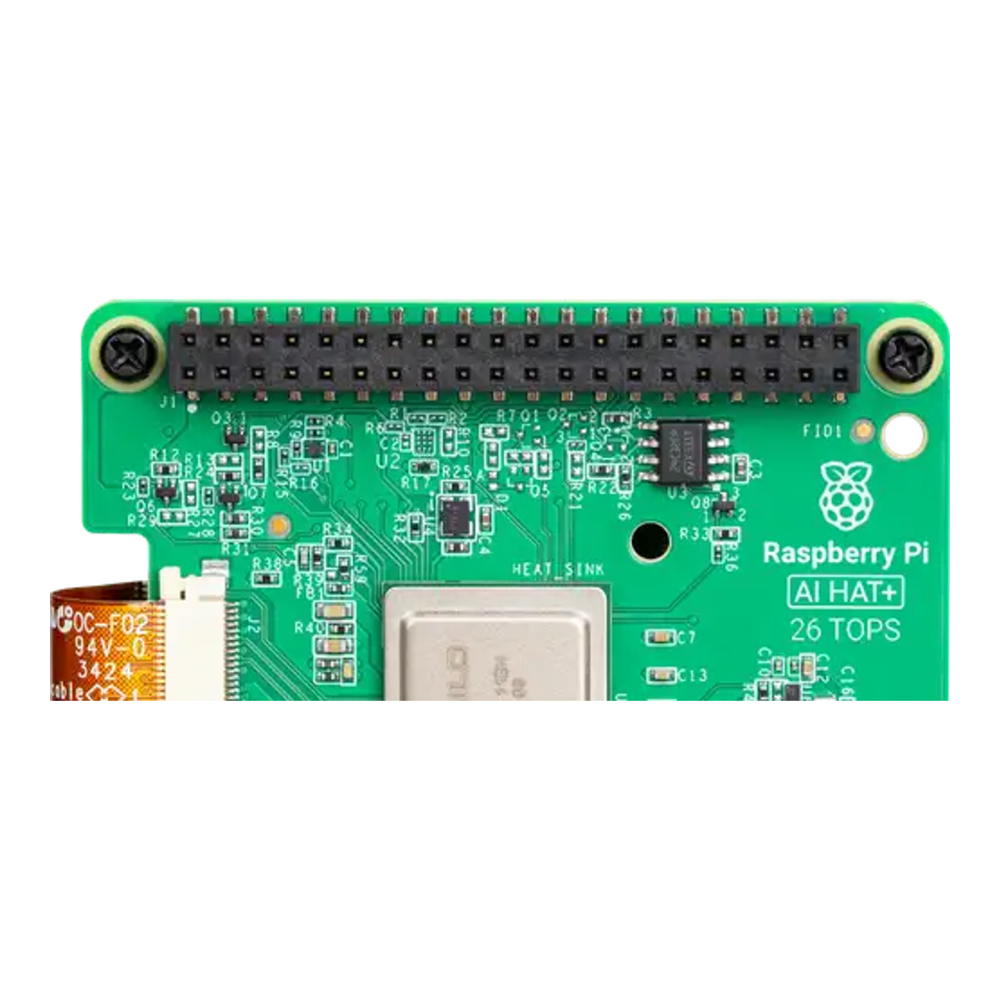
Hailo’s three products sell at very different prices, so we keep them apart:
| Product | Chip | Host | Price |
|---|---|---|---|
| Hailo-8 M.2 module | Hailo-8, 26 TOPS | x86 mini PC with a free M.2 slot | Around $220 when our appliance build priced it, check the live price |
| AI HAT+ 26 TOPS | Hailo-8 | Raspberry Pi 5 | $110 Raspberry Pi launch price; Amazon listings run higher, check the live price |
| AI HAT+ 13 TOPS | Hailo-8L | Raspberry Pi 5 | $70 Raspberry Pi launch price; check the live price |
On an x86 box the M.2 Hailo-8 is the one to buy, because it fits an M-key M.2 slot and gets the dual-lane advantage the docs mention. Check the key first. An A+E key Coral sat in a Wi-Fi style slot, and this card cannot use one. On a Pi 5 our judgement is that the 26 TOPS HAT+ is worth the extra over the 13 TOPS one, unless your metrics show a light load. Our Raspberry Pi 5 AI accelerator comparison covers the Pi side, including the AI HAT+ 2, whose Hailo-10H targets small language models rather than Frigate.
Where the Google Coral stands now
Frigate still supports the Coral and still rates it highly for efficiency. It no longer points new users at it, though. The hardware page says the Coral “is no longer recommended for new Frigate installations, except in deployments with particularly low power requirements or hardware incapable of utilizing alternative AI accelerators for object detection.” The same page says “a single Coral can handle many cameras using the default model and will be sufficient for the majority of users.” Both statements are true at once, and they describe two different readers.
If you own a Coral that works, the second quote is about you: keep it, because it still carries a typical home install. If you’re buying today, the first quote applies, and our judgement is that the docs’ low-power exception rarely tips the scale toward a new Coral when a Hailo or an iGPU you already own is available. The PCIe and M.2 Corals also need the gasket driver on the host, which the USB stick avoids. We cover the reasons and the config change in moving Frigate from the Coral to a Hailo.
What an NVIDIA GPU is good for
An NVIDIA card is worth using only when it’s already in the machine. Frigate runs NVIDIA detection through the onnx detector type and lists an RTX 3050 at 8 ms on YOLOv9 tiny at 320, with larger models still fast. The catch is idle power and price, which make no sense for detection alone. A box that already runs local LLMs or transcoding can lend Frigate spare capacity, and that is the case where the GPU wins.
When to add an accelerator
Add one when your own metrics say so, not when a spec sheet does. Frigate’s System metrics page shows the detector’s inference speed and each camera’s detection and skipped rates. An inference time that climbs well above the docs figure, or skipped detections that keep appearing during normal activity, mean the iGPU is saturated, and that is the point where a Hailo pays for itself. Tuning motion masks comes first, as the docs advise for the Coral, because a tree swaying in the wind can eat the budget on its own.
Our appliance build shows the N150 to Hailo-8 path end to end, and the Docker install guide covers detector config on a plain Linux host. Put together, the picks look like this:
- New build on an Intel mini PC: OpenVINO on the iGPU, nothing extra to buy, then a Hailo-8 M.2 if the metrics show saturation.
- Core Ultra host: OpenVINO on the NPU, which the docs time at about 6 ms.
- Raspberry Pi 5: the AI HAT+, with the 26 TOPS model as our default and the 13 TOPS one when the budget is tight and the scenes are quiet.
- Coral already working: keep it, and switch when you rebuild.
Storage scales with camera count far more than detection does, so size the recording drive with the surveillance hard drive guide once the detector is settled.
Where TOPS ratings mislead
Reading TOPS as detections is the most common mistake. The Hailo-8 is rated at 26 TOPS and the Hailo-8L at 13, yet Frigate’s YOLOv6n times are 7 ms and 11 ms, not a clean factor of two, most likely because a tiny model can’t keep the larger chip fully busy. The ceiling you get depends on the model, the host bus and the detector, which is why we quote Frigate’s measured times and not the vendor rating.
Treating any ceiling as a camera count is the second. A ceiling of 140 detections a second covers a lot of quiet cameras and far fewer busy ones, and only your own skipped-detection numbers tell you which side you’re on. The third is assuming the Coral is end of life: Frigate says it’ll keep supporting the Coral “for as long as practicably possible,” so a working one is not a problem to fix today.