

Frigate runs its object detection on whatever the camera hands it, so the camera decides what the whole system can see. The best PoE cameras for Frigate are not the ones with the biggest megapixel number; they are the ones that hand it a clean, reliable stream plus a separate low-resolution substream for detection. The accelerator you pick (a Hailo, a Coral or an Intel iGPU) sets how fast detection runs, but the camera sets the resolution, the night image, and whether the stream stays up at all.
This Black Friday the problem is stock, not price. Two of the six award picks from September went out of stock new on Amazon within a month, the varifocal alternative we named disappeared too, and the PTZ moved to backorder. We re-checked every pick for new-condition stock and swapped or re-linked the ones that failed. The stream behavior described here was checked against the Frigate 0.18 docs, and every listing against live Amazon stock, on October 30, 2026.
Which PoE camera to buy for Frigate: the verdict
For most Frigate builds, buy the EmpireTech IPC-T54PRO-AS. It is a Dahua turret on a large 1/1.8″ sensor, which is the brand and the sensor class Frigate’s hardware page recommends, and it offers four video streams, where Frigate’s docs say higher-end Dahuas put their mid-resolution detect streams (EmpireTech does not publish this model’s third and fourth stream resolutions). The table links each award to the listing we checked, with the price band we saw on October 30. Prices move daily in November, so treat the band as a reference and check the live price before you buy.
| Award | Camera | Why it wins for Frigate | Price band (Oct 30) |
|---|---|---|---|
| Best overall | EmpireTech IPC-T54PRO-AS | 1/1.8″ sensor, IR plus warm light, four video streams | ~$200 to $220 |
| Best value in 4K | Amcrest IP8M-2796EW-AI (new, from Amcrest) | 4K Dahua rebrand with standard RTSP paths, VGA detect stream | ~$115 listed new on amcrest.com, ~$77 renewed on Amazon |
| Best budget | Reolink RLC-520A | 5MP, inside the band Frigate’s docs recommend for Reolink | ~$65 to $75 |
| Best color at night | EmpireTech IPC-Color4M-TL (3.6mm) | F1.0 lens on a 1/1.8″ sensor with warm lights, color all night | ~$110 (low stock) |
| Best PTZ for autotracking | EmpireTech PTZ1A4M-4X-S2 | The camera Frigate’s autotracking was developed on | ~$195 (backordered) |
| Best PoE doorbell | Reolink Video Doorbell PoE | Wired, RTSP and ONVIF, documented two-way talk recipe | ~$110 to $130 |
Two awards carry a stock warning, and we would rather you read it here than at checkout. The Color4M-TL showed four units left on Amazon and none on EmpireTech’s own store, and the PTZ1A4M-4X-S2 still takes orders on Amazon but ships on a later delivery date. Each section below names the in-stock fallback we checked, so a sold-out listing does not leave you without a plan.
How we picked these for Frigate specifically
A generic “best 4K camera” list optimizes for the wrong thing. Frigate has its own requirements, and they decide which cameras are pleasant to run and which fight you. Each pick was chosen against Frigate’s documentation, the maker’s spec sheet and the live retailer listing, and we weighed four traits in this order.
First, a configurable substream. Frigate’s docs say Dahua-family cameras offer multiple substreams at configurable resolutions and frame rates, so detection can run on a small stream while the main stream records at full resolution. Higher-end models add a mid-resolution third stream at 1280×720 or 1920×1080, and that is the stream the docs use for detection on their reference Dahua 5442.
Second, the codec. Frigate’s docs say H.264 with AAC audio offers the most compatibility with all features, including Home Assistant playback, and they warn against “smart” codecs such as H.264+ because those drop keyframes. H.265 saves storage and most of these cameras support it, but browser support for it is uneven, so we note where a model gives the choice.
Third, the stream has to stay up. PoE beats WiFi here, which is why every pick is wired: Frigate discourages WiFi cameras because their streams drop, and a dropped stream is a gap in your recording. This is also where the Reolink caveat lives. Many users report problems with its 4K-plus models, so Frigate’s docs say to stick to 5MP-and-under Reolinks, for which they recommend http-flv.
Fourth, the sensor over the megapixel count. Frigate’s own advice is that a larger sensor beats a higher resolution, especially at night, because detection loses the extra pixels when it resizes the image anyway. By that rule, a 4MP camera with a 1/1.8″ sensor is the better night camera than an 8MP one with a tiny sensor.
How the cameras compare at a glance
The column that decides most Frigate builds is the detect stream. A camera with a 720p or 1080p substream lets you run detection at the resolution the docs recommend, while a D1 or VGA substream still works but gives the model less to see at distance.
| Camera | Sensor / resolution | Lens | Detect substream | Night | Price band (Oct 30) | Best for |
|---|---|---|---|---|---|---|
| EmpireTech IPC-T54PRO-AS | 1/1.8″ 4MP | Fixed 3.6mm (2.8mm listing too) | Yes (4 streams; sub1 is D1, 704×576) | IR to 60m + warm light to 50m | ~$200 to $220 | The all-round Frigate pick |
| Amcrest IP8M-2796EW-AI | 8MP (4K) | Fixed, 129° view | VGA only (640×480) | Color night to ~49ft | ~$115 listed new on amcrest.com, ~$77 renewed | 4K on a budget |
| Reolink RLC-520A | 1/2.7″ 5MP | Fixed 4mm | Yes (ext stream) | IR to 30m | ~$65 to $75 | Cheapest safe entry |
| EmpireTech IPC-Color4M-TL | 1/1.8″ 4MP, F1.0 | Fixed 3.6mm | D1 only (704×576) | Warm light to 30m, no IR | ~$110 | Color at night |
| EmpireTech PTZ1A4M-4X-S2 | 1/2.8″ 4MP | Varifocal 2.8 to 12mm, 4x | Yes (720p third stream) | IR to 20m | ~$195 | PTZ with autotracking |
| Reolink Video Doorbell PoE | 1/2.7″ 5MP (1920×2560) | Fixed wide, 100×135° view | Yes (ext stream) | Night vision | ~$110 to $130 | A front door |
Best overall: EmpireTech IPC-T54PRO-AS
The T54PRO-AS pairs a 1/1.8″ 4MP low-light sensor (rated to 0.0004 lux in color) with a fixed 3.6mm lens and smart dual lights: infrared for grey night vision, plus a warm white light it can switch on for full color. It is a Dahua under the EmpireTech label, which means the standard Dahua RTSP paths, a clean configurable substream, and the rock-solid streaming Frigate’s docs praise. Both lens versions were in stock new at the same price on October 30, and the 2.8mm listing is the one to take for a wide corner view.

The 4MP-on-a-big-sensor trade is deliberate. Frigate’s docs rank a larger sensor above a higher resolution at night, which is exactly when you want detection to fire. Who it is for: anyone building a new Frigate system who wants one reliable camera model to standardize on. Look elsewhere if you need 4K resolution for license plates at distance, or you are filling many positions on a tight budget. The Amcrest 4K bullet and the Reolink 520A below cost far less per camera. Check the 3.6mm price or the 2.8mm price before buying.
If you came here for a varifocal turret, the T54PRO-ZE we suggested in September is out of stock on Amazon with no new listing to replace it. The in-stock EmpireTech turret with a motorized lens is the IPC-Color4M-TZ (about $260): the same 1/1.8″ 4MP sensor class with a 2.7 to 12mm lens, IR and warm light to 50m, and a 1080p substream. The extra $50 over the fixed-lens AS lets you frame a gate or the far end of a long driveway from the eave. A wide lens would leave a person there only a few dozen pixels tall. It draws up to 12.8W on 802.3at PoE+, so plan the switch port for it.
Best value in 4K: Amcrest IP8M-2796EW-AI
Amcrest cameras are rebranded Dahuas, which Frigate’s docs note directly, so you get the same Dahua stream layout as the EmpireTech picks at a lower price. The IP8M-2796EW-AI is a 4K bullet with a wide 129 degree view, color night vision to around 49 feet, and onboard person and vehicle detection that Frigate ignores in favor of its own model. The catch is the substream: it is fixed at VGA (640×480), so detection on this camera works from a smaller frame than the 720p one a camera with a mid-resolution third stream can offer.

Where you buy it changed this month. Amazon no longer sells this camera new: the new listing shows “Currently unavailable”, and the units in stock there are renewed. Amcrest lists it new on its own store at about $115. If you are happy with a refurbished unit for a secondary angle, Amcrest Direct’s renewed listing on Amazon sat near $77 with only a few units left. That is the cheapest 4K Dahua-family stream on this page.
The honest weakness against the overall pick is light, not pixels. Frigate’s own rule that a larger sensor beats a higher resolution at night applies here: the 8MP stream carries more pixels in daylight, but Amcrest does not publish the sensor size, so do not count on the low-light image of the 1/1.8″ turrets. For a well-lit driveway or a porch with a light, that is a fine compromise for the price. Who it is for: someone who wants 4K coverage and standard Dahua behavior near the $100 mark. Pass on it if the scene is dark and unlit, where a larger sensor earns its money. The Reolink RLC-820A sells new near $90, but it is one of the older 4K Reolinks that Frigate’s docs steer you away from, so it did not make the list.
Best budget pick: Reolink RLC-520A
The RLC-520A is the cheapest camera here that still behaves with Frigate. It is a 5MP fixed-lens dome on a 1/2.7″ sensor, and 5MP is the line Frigate’s docs draw for Reolink: at this resolution, Reolink streams are reliable, where the 4K-plus Reolinks get flagged for problems. It encodes H.264 or H.265, and Frigate’s docs recommend http-flv for Reolinks at 5MP and under.
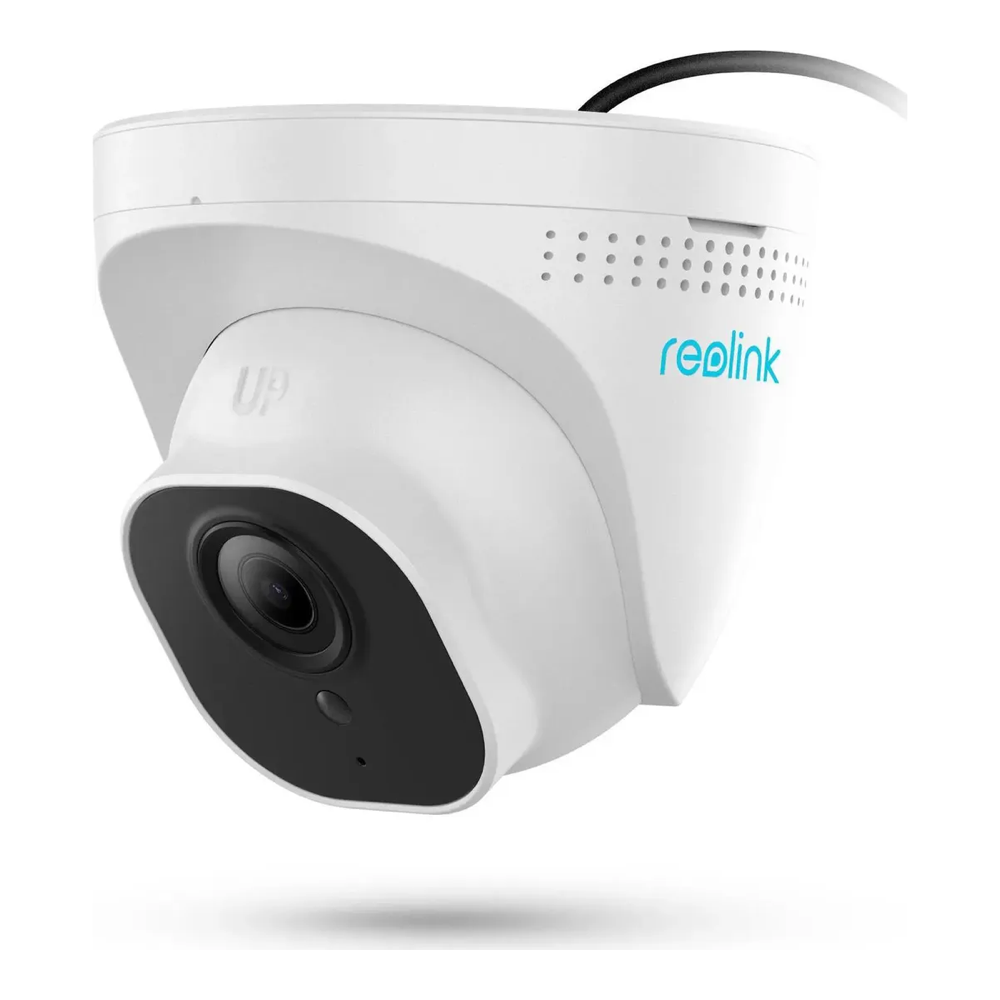
It has neither a large sensor nor a varifocal lens, so it is a daytime-and-IR workhorse rather than a low-light star. But at this price you can put cameras on every side of a house and let Frigate watch them all. Who it is for: a first Frigate build, or filling in secondary angles cheaply. Not the right buy if you want color at night or the configurability of the Dahua substream. It already sat a few dollars under its list price on October 30, and it is the pick on this page most likely to drop further in a sale, so confirm the current price.
Best for color at night: EmpireTech IPC-Color4M-TL
When you want a usable color picture in the dark instead of grey infrared, this is the camera. The IPC-Color4M-TL carries a 1/1.8″ 4MP sensor behind an F1.0 lens with two warm lights that reach about 30m. It has no IR LEDs at all, so it stays in color through the night rather than switching to monochrome at dusk.

The 2.8mm version we linked in September is out of stock, so the link now points to the 3.6mm listing, which is the same camera with a narrower 94 degree view. Its weak spot for Frigate is the substream: the camera offers only two streams and the second tops out at D1 (704×576), so detection runs on a smaller frame than on a camera with a 1080p substream. Who it is for: the one or two scenes where night color genuinely matters, like a driveway or front path. Wrong pick if the area is already well lit, or if the last few units sell out. In that case the in-stock IPC-Color4M-T (about $200) is the better Frigate camera anyway: same sensor size, IR plus warm light, and a 1080p substream, at roughly $90 more.
Best PTZ for autotracking: EmpireTech PTZ1A4M-4X-S2
A PTZ that follows a moving person has to speak the right ONVIF dialect, and most do not. Frigate’s autotracking needs relative movement in the field-of-view translation space, and its docs name the camera the feature was developed on: the Dahua SD1A404XB-GNR, “now sold as the EmpireTech PTZ1A4M-4X-S2”. That is as close to a guarantee as this hobby offers. It has a 1/2.8″ 4MP sensor, a 2.8 to 12mm 4x zoom, IR to 20m, a 720p second substream for detection, and draws at most 13W on plain 802.3af PoE.
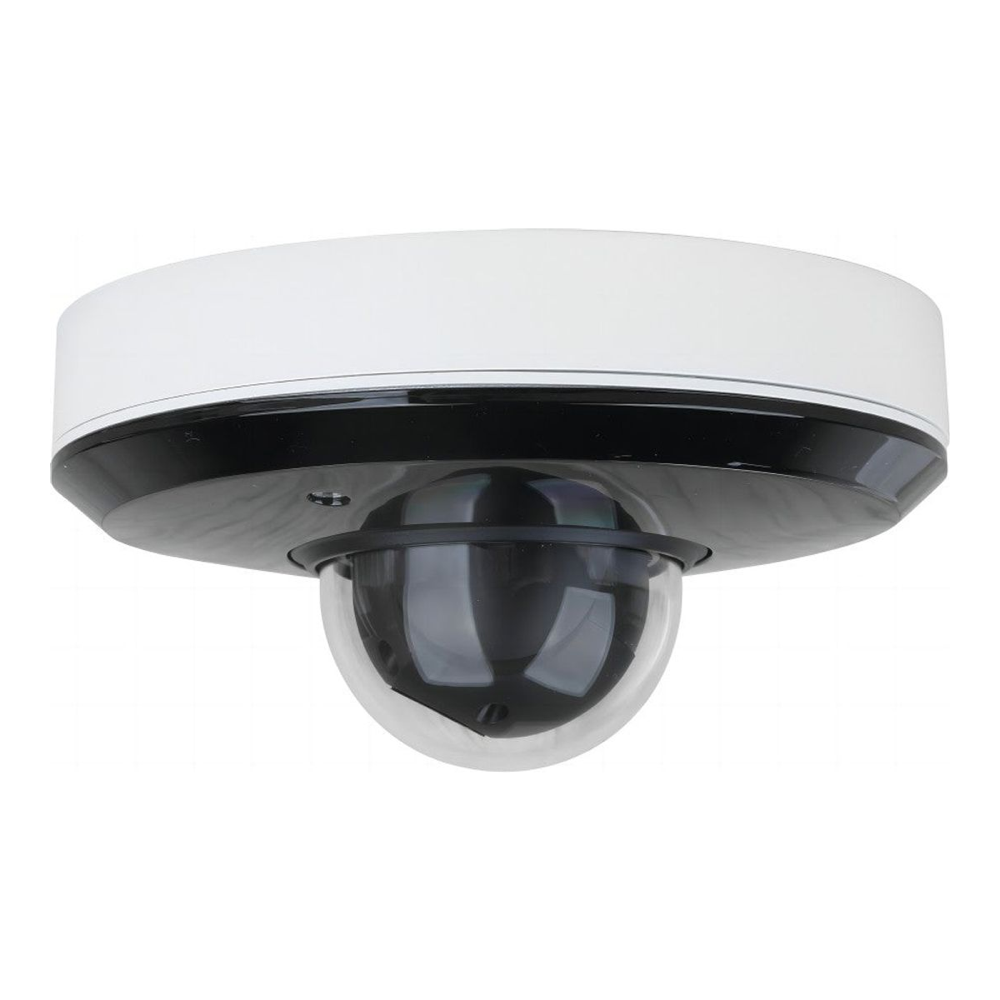
Stock is the problem this month. Amazon still takes orders at about $195, but the listing ships on a later delivery date instead of from stock, and EmpireTech’s own store showed three left. If you need a PTZ in hand before the holidays, the in-stock EmpireTech PTZ4M-4X (about $180) has the same sensor size, zoom range and three-stream layout. Its spec table lists no IR illuminator and no audio, and we found no report of Frigate autotracking working on it. Buy it for preset and manual PTZ control, not for tracking.
This is also the place to warn off a tempting alternative. The Reolink TrackMix PoE looks like a bargain dual-lens PTZ, but Frigate’s docs state that no current Reolink PTZ supports the ONVIF FOV relative movement autotracking needs. Its video and basic PTZ controls work while the headline feature does not, and the docs report a similar firmware bug on Hikvision PTZs. Who it is for: one overview position where you want Frigate to track a subject across a wide area. Skip the PTZ entirely when you only need fixed coverage, since a turret is cheaper, simpler, and has nothing to wear out.
Best PoE doorbell: Reolink Video Doorbell PoE
Doorbells are the hardest category to get working in Frigate, because most are battery WiFi units locked to a vendor cloud. The Reolink Video Doorbell PoE is the exception with a documented path. It is wired, it exposes RTSP and ONVIF, and Frigate’s camera docs give a working recipe that runs http-flv for stable video and adds a second RTSP stream purely for two-way audio.
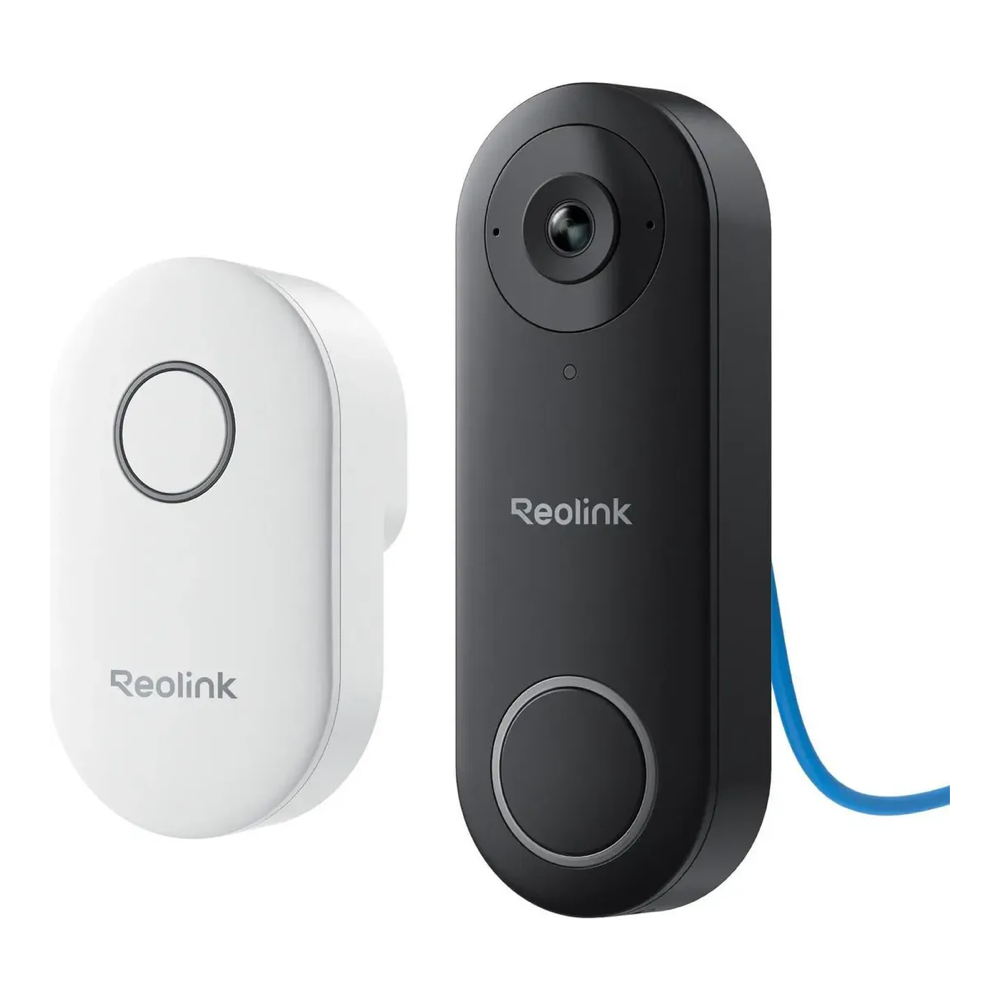
It is a 5MP portrait image (1920×2560) on a 1/2.7″ sensor, a tall frame that covers the step as well as the visitor, and it encodes H.264 only, which is the codec Frigate prefers anyway. Being PoE, it draws power and data from one cable into your existing switch. Who it is for: anyone who wants the front door inside the same Frigate and Home Assistant view as the rest of the cameras. Leave it on the shelf if your door has no PoE run, or you want two-way talk without setting up WebRTC and HTTPS in Frigate first. See the live price before committing.
Which camera brands work with Frigate
Frigate’s own camera recommendations are short and blunt: Dahua, then Hikvision, then Amcrest, in that order, with WiFi cameras discouraged and Reolink limited to 5MP and under. Brand by brand, that ranking plays out as follows, including the brands that did not make the picks.
Dahua, EmpireTech and Loryta
These are the first choice, and they are one family: EmpireTech and Loryta are the store labels Dahua cameras sell under in the US. Frigate’s docs call their streams rock solid, with multiple substreams at configurable resolutions and frame rates, and they describe Dahua and EmpireTech PTZs as the ones most consistently reported to work with autotracking. The docs’ own recommended list names two Loryta turrets, the IPC-T54IR-AS and the full-color IPC-T549M-ALED-S3. The T549M listings on Amazon all show out of stock, which is why the night-color pick above is the Color4M-TL on the same 1/1.8″ sensor size.
Hikvision
Frigate ranks Hikvision second, and the docs are explicit that Dahua edges it out only because Dahua is easier to find and order, not because the cameras are better. The docs list a main stream, a substream and a mid-resolution third stream on higher-end models, and note user reports that newer Hikvision cameras needs its authentication settings changed before Frigate can connect. Many Hikvision units on Amazon come from third-party sellers as “international” versions, so check who backs the warranty before you buy one.
Amcrest
Amcrest is the fallback recommendation because the cameras are rebranded Dahuas, so they share Dahua’s stream layout. The docs also warn that Amcrest rebrands the lower-end models, with smaller sensors or fewer configuration options. The 4K pick above shows the trade in practice: more pixels in daylight, but a detect substream fixed at VGA.
Reolink
Reolink works, with rules. Frigate’s docs recommend http-flv for Reolinks at 5MP and lower, the newest 6MP-plus generation (the Duo 3 and CX-8 series) works over http-flv with Frigate’s default ffmpeg 8.0 or over RTSP, and older 4K models such as the RLC-8 series need RTSP. Many users report problems with 4K-plus Reolinks, so the best Reolink cameras for Frigate are the 5MP models: the RLC-520A and the PoE doorbell above. Avoid the TrackMix if you want autotracking, since it lacks ONVIF relative movement.
UniFi Protect
Frigate’s docs say UniFi cameras work through go2rtc with a modified RTSPS link, but G5 and newer cameras need a UniFi Protect server to enable that stream at all, so they cannot feed Frigate in standalone mode. The docs also note an audio change in the UniFi 2.0 update that Frigate handles with its own recording preset.
TP-Link VIGI
Frigate’s docs report that VIGI recordings can fail to play, with Firefox aborting playback after a few seconds, unless the camera’s main stream uses plain H.264 with Smart Coding off. Check that the model you buy lets you turn Smart Coding off.
WiFi cameras such as Wyze
Frigate does not recommend WiFi cameras, because their streams drop and lose video, and the problem grows once more than a few share the air. Some Wyze owners get better results by flashing the open Thingino firmware, but a wired PoE camera from the list above avoids the problem entirely for a similar price.
What makes a camera good for Frigate
If none of the picks fit your scene, or a Black Friday deal tempts you toward a camera that is not on this list, judge it against the same checklist we used. These are the traits that decide whether a camera is a pleasure or a problem inside Frigate.
- An independent substream. You want a camera that offers a second stream at roughly 1280×720 for detection while the main stream records at full resolution. Frigate’s docs advise that the two share an aspect ratio (a 16:9 main pairs with a 640×360 sub, not 640×480), so check the substream resolutions on the datasheet.
- H.264 where you can get it. It is the most compatible codec across Frigate and Home Assistant. H.265 saves disk, but browser support for it varies, and Frigate’s docs advise against “smart” codec modes.
- A real sensor, not just megapixels. A larger sensor outperforms a higher pixel count at night. That is Frigate’s own advice, and it is why the picks here favor 1/1.8″ sensors.
- New condition, from a seller that backs it. Holiday listings fill up with renewed units and third-party “international” versions. Both can be fine, but price them as what they are, and read the condition line before the deal badge.
- ONVIF only matters for PTZ. Fixed cameras record fine over plain RTSP. You only need ONVIF relative movement if you want autotracking, so do not pay for PTZ features on a static wall mount.
- Budget the PoE switch with headroom. Draw varies widely, so check each datasheet: the dual-light T54PRO-AS is rated 802.3at (PoE+) at up to 24.2 watts, while the mini PTZ here stays on 802.3af at 13 watts. Size the switch around 30 percent above your total camera draw. Our PoE switch guide for cameras works out how many cameras a given switch can actually power.
- Size the detector to the camera count. Frigate’s docs give the formula: 1000 divided by the detector’s inference time in milliseconds is the most detections it can run per second. An Intel N100 iGPU at about 15 ms tops out near 66, enough for a dozen cameras all detecting at 5fps at the same moment, and motion gating means they rarely all fire at once. The docs no longer recommend a Coral for new installs except where power is tight, which our Hailo vs Coral comparison covers in detail.
- Do the storage math early. A 4MP H.265 stream at around 6Mbps continuous is roughly 65GB per camera per day. Multiply by your camera count and retention days, and recording only on motion cuts it. Continuous writes from many streams are the workload surveillance and NAS-rated hard drives are built for.
Settle the camera and the rest of the system falls into place. Put Frigate on a small mini PC for Home Assistant and Frigate; the docs still favor the N100 Beelink EQ13 with dual NICs, so the cameras can live on their own isolated network. They currently warn against the EQ14. Our Frigate NVR appliance build covers wiring these cameras into Frigate, the guide to installing Frigate with Docker covers the software side, and the whole system slots neatly into an open-source homelab. You live with the camera for years, so choose it on the spec Frigate cares about, not the one printed largest on the box or the biggest discount badge this month.


