

Debugging is the process of identifying, analyzing, and fixing errors, or bugs in software or hardware to restore expected performance. It involves discovering the root cause of the error and applying a fix.
- Effective debugging improves software reliability and quality.
- Although time-consuming, it is essential for building competitive software products.
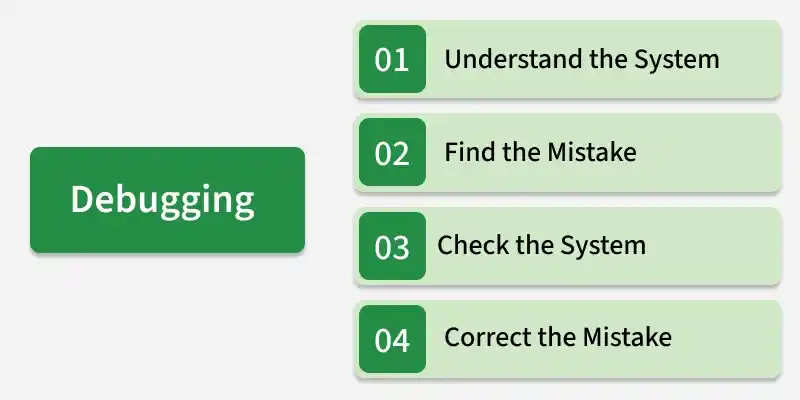
Importance of Debugging
- Fixing Bugs: Debugging helps identify and fix errors or bugs in computer programs.
- Managing Complexity: Programming involves multiple layers of abstraction that must work together correctly.
- Finding Errors: Errors can be difficult to locate because computers execute programs in machine language.
- Improving Efficiency: Debugging tools and strategies help developers find and solve problems faster.
- Improving Software Quality: Debugging ensures that software works correctly and reliably.
- Better User Experience: Well-debugged software provides a smoother and more reliable experience for users.
Process of Debugging
Debugging is a crucial skill in programming. Here’s a simple, step-by-step explanation to help you understand and execute the debugging process effectively:
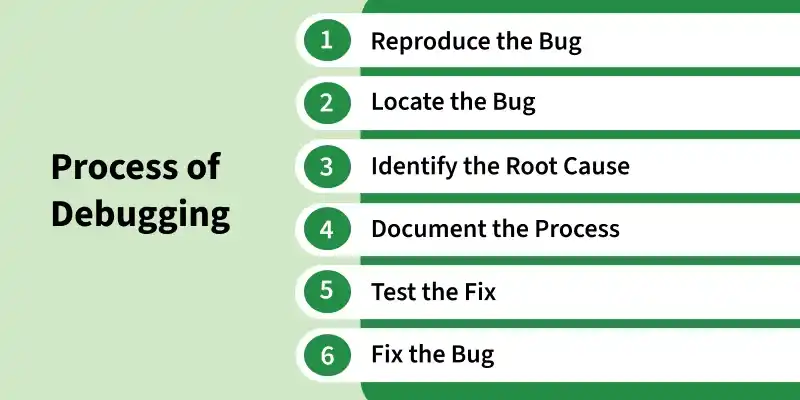
Step 1: Reproduce the Bug
- To start, you need to recreate the conditions that caused the bug. This means making the error happen again so you can see it firsthand.
- Seeing the bug in action helps you understand the problem better and gather important details for fixing it.
Step 2: Locate the Bug
- Next, find where the bug is in your code. This involves looking closely at your code and checking any error messages or logs.
- Developers often use debugging tools to help with this step.
Step 3: Identify the Root Cause
- Now, figure out why the bug happened. Examine the logic and flow of your code and see how different parts interact under the conditions that caused the bug.
- This helps you understand what went wrong.
Step 4: Fix the Bug
- Once you know the cause, fix the code. This involves making changes and then testing the program to ensure the bug is gone.
- Sometimes, you might need to try several times, as initial fixes might not work or could create new issues.
- Using a version control system helps track changes and undo any that don't solve the problem.
Step 5: Test the Fix
After fixing the bug, run tests to ensure everything works correctly. These tests include:
- Unit Tests: Check the specific part of the code that was changed.
- Integration Tests: Verify the entire module where the bug was found.
- System Tests: Test the whole system to ensure overall functionality.
- Regression Tests: Make sure the fix didn’t cause any new problems elsewhere in the application.
Step 6: Document the Process
- Finally, record what you did. Write down what caused the bug, how you fixed it, and any other important details.
- This documentation is helpful if similar issues occur in the future.
Debugging Approaches/Strategies
- Brute Force: Study the system for a longer duration to understand the system. It helps the debugger to construct different representations of systems to be debugged depending on the need. A study of the system is also done actively to find recent changes made to the software.
- Backtracking: Backward analysis of the problem which involves tracing the program backward from the location of the failure message to identify the region of faulty code. A detailed study of the region is conducted to find the cause of defects.
- Forward analysis of the program involves tracing the program forwards using breakpoints or print statements at different points in the program and studying the results. The region where the wrong outputs are obtained is the region that needs to be focused on to find the defect.
- Using A debugging experience with the software debug the software with similar problems in nature. The success of this approach depends on the expertise of the debugger.
- Cause elimination: it introduces the concept of binary partitioning. Data related to the error occurrence are organized to isolate potential causes.
- Static analysis: Analyzing the code without executing it to identify potential bugs or errors. This approach involves analyzing code syntax, data flow, and control flow.
- Dynamic analysis: Executing the code and analyzing its behavior at runtime to identify errors or bugs. This approach involves techniques like runtime debugging and profiling.
- Collaborative debugging: Involves multiple developers working together to debug a system. This approach is helpful in situations where multiple modules or components are involved, and the root cause of the error is not clear.
- Logging and Tracing: Using logging and tracing tools to identify the sequence of events leading up to the error. This approach involves collecting and analyzing logs and traces generated by the system during its execution.
- Automated Debugging: The use of automated tools and techniques to assist in the debugging process. These tools can include static and dynamic analysis tools, as well as tools that use machine learning and artificial intelligence to identify errors and suggest fixes.
Examples of error during debugging
Some common example of error during debugging are:
- Syntax error
- Logical error
- Runtime error
- Stack overflow
- Index Out of Bound Errors
- Infinite loops
- Concurrency Issues
- I/O errors
- Environment Dependencies
- Integration Errors
- Reference error
- Type error
Debugging Tools
Debugging tools help developers identify, analyze, and fix software errors efficiently. They provide features such as breakpoints, error tracking, code inspection, and remote debugging to simplify the debugging process and improve software reliability. Here are some of the most commonly used debugging tools:
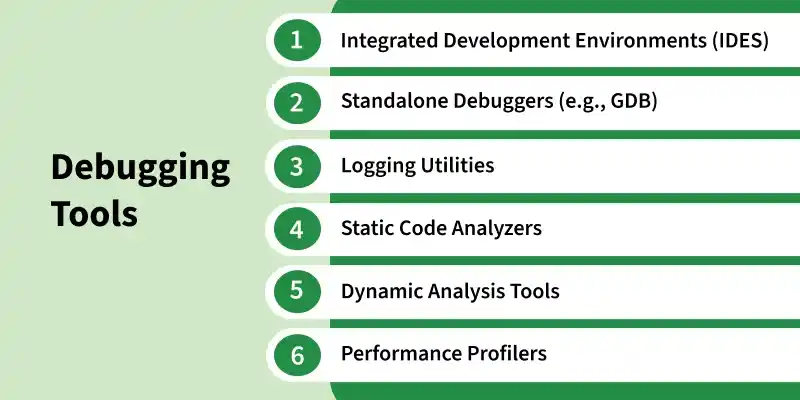
1. Integrated Development Environments (IDEs): IDEs like Visual Studio, Eclipse, and PyCharm offer features for software development, including built-in debugging tools. IDEs support many programming languages and scripting languages, often through open-source plugins. These tools allow developers to:
- Execute code line-by-line (step debugging)
- Stop program execution at specific points (breakpoints)
- Examine the state of variables and memory
2. Standalone Debuggers: Standalone debuggers like GDB (GNU Debugger) provide advanced debugging features:
- Conditional breakpoints and watchpoints
- Reverse debugging (running a program backwards)
3. Logging Utilities: Logging utilities log a program’s state at various points in the code, which can then be analyzed to find problems. Logging is particularly useful for debugging issues that only occur in production environments.
4. Static Code Analyzers: Static code analysis tools examine code without executing it to find potential errors and deviations from coding standards. They focus on the semantics of the source code, helping developers catch common mistakes and maintain consistent coding styles.
5. Dynamic Analysis Tools: Dynamic analysis tools monitor software as it runs to detect issues like resource leaks or concurrency problems. These tools help catch bugs that static analysis might miss, such as memory leaks or buffer overflows.
6. Performance Profilers: Performance profilers help developers identify performance bottlenecks in their code. They measure:
- CPU usage
- Memory usage
- I/O operations
Advantages
- Improved Software Quality: Debugging helps identify and fix bugs, making software more reliable and stable.
- Reduced Development Costs: Finding and fixing bugs early can reduce the time and resources required for later fixes.
- Improved Security: Debugging helps identify vulnerabilities that could be exploited by attackers.
- Better Understanding of the System: Debugging helps developers understand the code, system behavior, and interactions between components.
- Facilitates Change: Debugging makes it easier to identify and fix issues introduced by changes to the software.
Disadvantages
- Time-Consuming: Debugging can take significant time, especially when bugs are difficult to reproduce or locate.
- Requires Specialized Skills: Effective debugging requires knowledge of debugging techniques, tools, and the software system.
- Difficult to Reproduce: Some bugs occur only under specific conditions, making them difficult to reproduce and investigate.
- Difficult to Diagnose: Bugs involving interactions between multiple components can make identifying the root cause challenging.
- Difficult to Fix: Bugs caused by fundamental design or architectural issues may require significant changes to the software.
