A used Dell R730 that idles at 98 W draws 2,575 kWh in three years. At the US average residential rate that is about $468, more than many refurbishers ask for the chassis. That figure, not core count, decides which used rackmount server for a homelab is worth buying. The chassis is the cheap part, and the best used server for a homelab is the one whose memory, HBA, rails and electricity you have priced before the auction ends.
This refresh adds the HPE DL380 Gen10 and the Lenovo ThinkSystem SR630 and SR650 to the Dell R730, R740 and DL380 Gen9. It also adds a power table, a remote-console licence table and a section on server RAM in the 2026 DRAM shortage. The cost maths uses the August 2026 EIA tariff (re-checked October 2026 against Dell, HPE and Lenovo spec sheets). Each wattage cites a published measurement, and rows without one are marked illustrative.
Best used rackmount server for a homelab: quick picks
The ranking weighs friction and running cost over raw performance. Any of these dual-socket boxes has more cores and memory channels than a first homelab will saturate:
- Best first server: Dell PowerEdge R730 or R730xd. It is among the cheapest to buy, the easiest to part out, and the best documented. Its two annoyances, fan noise and idle power, both have documented and reversible fixes.
- Best newer platform: Dell PowerEdge R740 or R740xd. It brings Xeon Scalable, DDR4 up to 2933 MT/s and iDRAC9. It is also the priciest Dell, and later iDRAC9 firmware removed manual fan control.
- Best HPE option: ProLiant DL380 Gen10 over the Gen9. It matches the R740 generation and declares one of the lowest idle sound power figures in the group. The post-boot remote console in iLO 5 still needs a licence.
- Best Lenovo option: ThinkSystem SR650 (2U), or the SR630 when rack space matters more than noise. XClarity Controller Standard has no remote console, so check the licence tier on the listing.
A tower belongs in a different comparison. The Lenovo ThinkSystem ST250 V3 is a single-socket Xeon E-2400 tower with four DDR5 ECC UDIMM slots and a 128 GB ceiling. It is covered with the other quiet options in the tower server guide for homelabs.
R730 vs R740 vs DL380 Gen10 vs ThinkSystem specs
Six platforms span two generations. The R730 and DL380 Gen9 run Xeon E5-2600 v3/v4 on DDR4-2400. The R740, DL380 Gen10, SR630 and SR650 run first- or second-generation Xeon Scalable with six memory channels per socket. All six have 24 DIMM slots, so the RAM bill for a full server is the same sum on every row.
| Server | Form | CPU (max cores/socket) | DIMM slots, top speed | PSU options | Front drive bays | BMC |
|---|---|---|---|---|---|---|
| Dell R730 / R730xd | 2U | Xeon E5-2600 v3/v4 (22) | 24, DDR4-2400 | 495, 750, 1100 W Platinum; 750 W Titanium | 16 x 2.5″ or 8 x 3.5″ (xd: up to 24 SFF or 12 LFF) | iDRAC8 |
| Dell R740 / R740xd | 2U | Xeon Scalable 1st/2nd gen (28) | 24, DDR4-2933 (2nd gen, one DIMM per channel) | 495 to 2400 W | 16 x 2.5″ or 8 x 3.5″ (xd: 24 x 2.5″ or 12 x 3.5″) | iDRAC9 |
| HPE DL380 Gen9 | 2U | Xeon E5-2600 v3/v4 (22) | 24, DDR4-2400 | Flex Slot (not re-checked) | SFF and LFF cages | iLO 4 |
| HPE DL380 Gen10 | 2U | Xeon Scalable 1st/2nd gen (28) | 24, DDR4-2933 (Gold 6200 / Platinum 8200) | 500, 800, 1600 W Flex Slot Platinum | 8 or 24 SFF, 8 or 12 LFF, up to 20 NVMe | iLO 5 |
| Lenovo SR630 | 1U | Xeon Scalable 1st/2nd gen | 24, up to 2933 (Performance+ DIMMs at 2 per channel) | 550, 750, 1100 W Platinum; 750 W Titanium | 4 x 3.5″ or 8/10 x 2.5″ | XClarity Controller |
| Lenovo SR650 | 2U | Xeon Scalable 1st/2nd gen | 24, up to 2933 | SR630 list plus 1600 W | up to 24 SFF or 12 LFF (plus rear bays) | XClarity Controller |
The table draws on the Dell R740 owner manual, the Dell R730 and R740xd manuals and spec sheets, the HPE DL380 Gen10 QuickSpecs, and Lenovo Press LP1049 (SR630) and LP1050 (SR650). On every Xeon Scalable row the 2933 MT/s ceiling comes with a condition. Dell supports it at one DIMM per channel only. HPE ties it to Gold 6200 and Platinum 8200 CPUs, and a Silver 4200 runs memory at 2400. Lenovo needs Performance+ DIMMs to hold 2933 at two DIMMs per channel, so a full Silver-CPU box runs well below the headline speed.
Storage is the other split. Only the Gen10, the R740xd and the SR650 offer front NVMe bays in quantity, which matters for a fast ZFS special vdev or Ceph OSDs. The R730 and Gen9 are SAS and SATA machines, so NVMe there means a PCIe adapter card and a free slot.
Dell PowerEdge R730: the one to start with
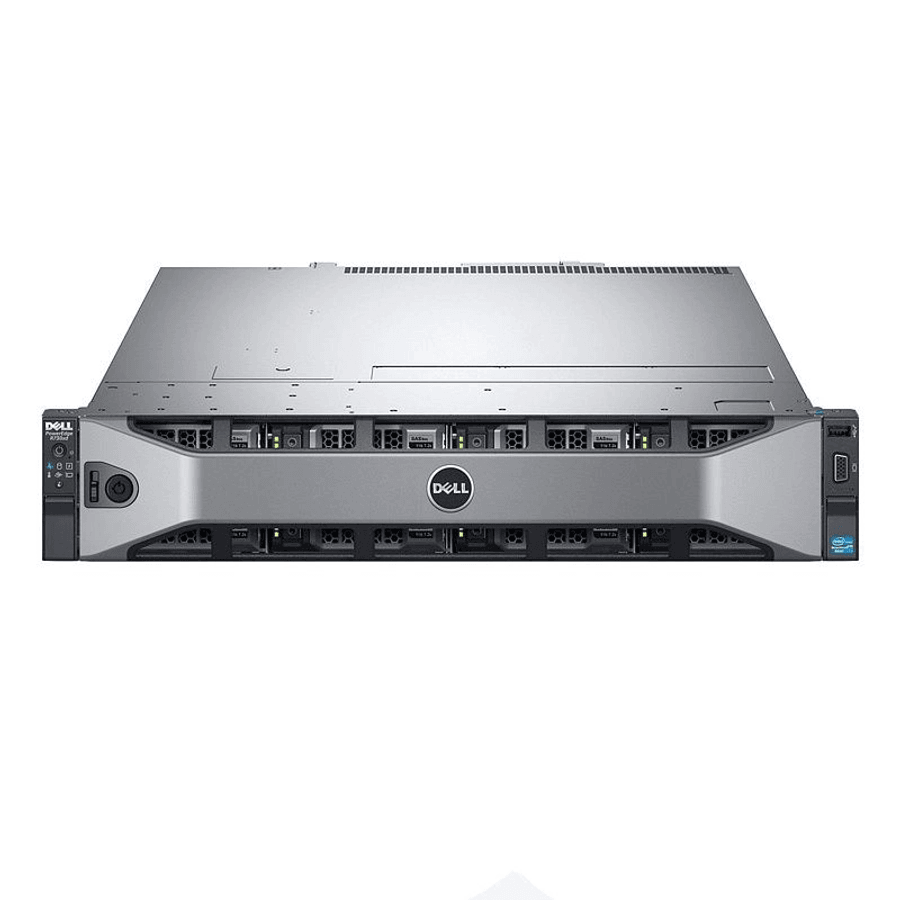
The R730 is the default first homelab server for a reason that has nothing to do with speed. It is among the cheapest of the group to buy, the easiest to part out, and it has the largest community writing about every quirk. It takes two Xeon E5-2600 v3 or v4 CPUs (up to 22 cores each) and 24 DDR4 slots, for 768 GB with 32 GB RDIMMs or 3 TB with LRDIMMs. The R730xd variant carries up to 24 SFF or 12 LFF bays for a storage build.
It is also the low-friction choice to live with:
- Fans: two reversible IPMI commands quiet it (see the fan section below), where the R740 and the HPE boxes need firmware work.
- Storage: the PERC H730 can be replaced or paired with a proper HBA, so ZFS sees raw disks.
- Price: refurbishers listed R730s from around $324 in our July 2026 research pass, and bare eBay units went lower.
There is no affiliate link for the chassis because it is not an Amazon product, so check sold listings before you budget. Verify the iDRAC licence on any listing too. The Dell R730 spec sheet lists iDRAC8 Express as the default and Enterprise as the upgrade, and Express lacks the remote console a headless box needs (licence table below). A NetApp KB adds that Express also has no dedicated iDRAC network port, so management shares one of the onboard 1GbE ports. Enterprise keys are a common add-on in eBay listings, and a listing that includes one is worth a small premium.
Dell PowerEdge R740: newer, faster, pricier
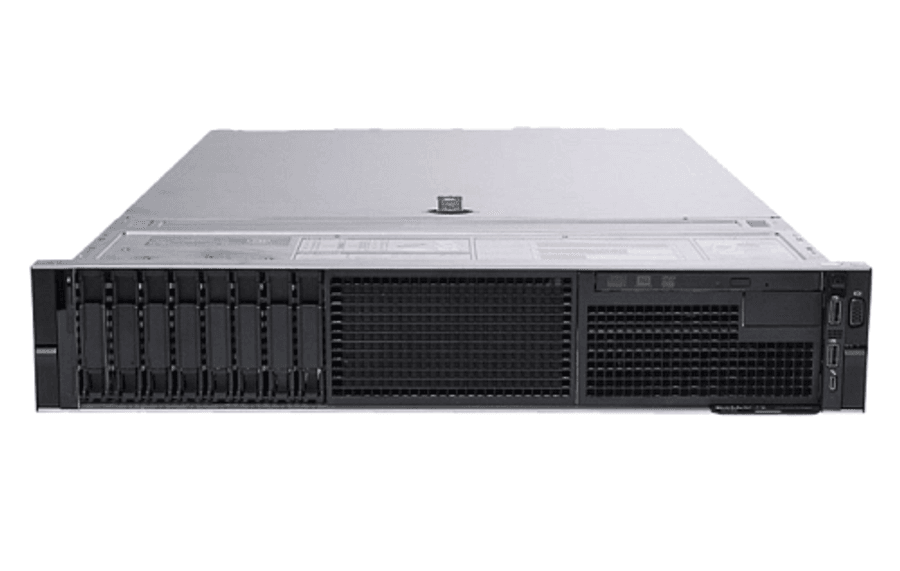
The R740 is the generation up: Xeon Scalable (Skylake and Cascade Lake, up to 28 cores per socket), DDR4 at 2666 or 2933 MT/s, more PCIe and iDRAC9. If the budget stretches to it, it is the better long-term platform. Configured units ran from roughly $715 to well past $2,000 in the July 2026 listing pass, the most expensive Dell route by a wide margin; check current sold listings before you budget.
The catch for a quiet build is firmware. Dell removed manual IPMI fan control from iDRAC9 at 3.34.34.34, so quieting an R740 means older firmware or the coarser thermal offset controls. The commands for each generation are in the iDRAC and iLO fan and power tuning guide.
Power is the other gap in the record. We found no dated wall measurement of an R740 at idle with its configuration stated. The only published floor is a SPECpower run that Dell submitted (power table below), and it used a single SSD and no data drives.
HPE DL380 Gen9 vs Gen10 for a homelab
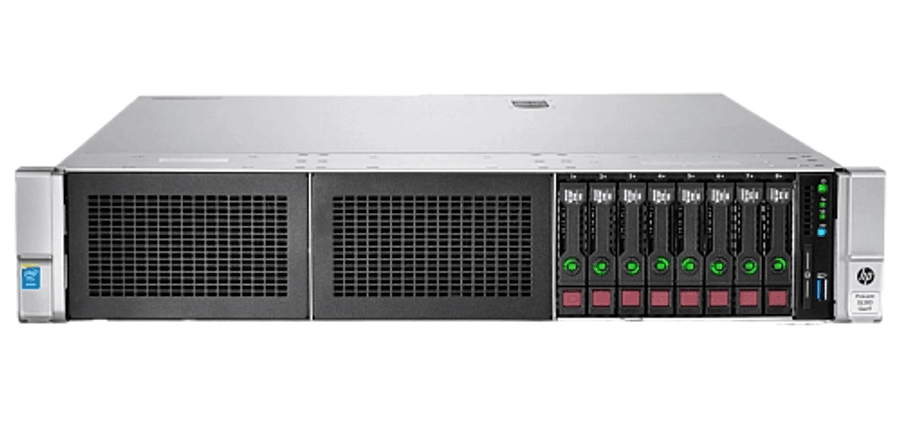
The DL380 Gen9 is the HPE twin of the R730: Xeon E5 v3/v4, 24 DIMM slots and DDR4-2400. It is often the cheapest barebones chassis of the group, with eBay units from around $110 in the July 2026 pass (re-check current listings). The Gen10 is the twin of the R740, with Xeon Scalable up to 28 cores, 1.54 TB of RDIMM or 3 TB of LRDIMM, iLO 5 and up to 20 NVMe bays. When the price gap is small, buy the Gen10, because it fixes the platform age without changing the management model.
The Gen9 carries three known frictions for a first owner:
- Fans: HPE agentless management inflates the reported temperature of non-HPE drives and ramps the fans hard. The community fix is patched iLO 4 firmware, with a real brick risk.
- Console: the remote graphical console and virtual media need iLO Advanced.
- ZFS: the stock P440ar causes boot problems, so the usual path is legacy BIOS plus an LSI IT-mode HBA. That non-HPE card re-triggers the loud fans.
Noise is where the Gen10 earns its place. The HPE QuickSpecs give a declared sound power (LWAd) of 4.4 to 4.8 B at idle and in operation, measured to ISO 7779 at 23 C. The bystander figure is 31 to 37 dBA across the Base, Performance and Entry configurations. HPE does not define those three configurations on the page, so treat the range as a floor for a lightly loaded box, not a chassis full of third-party disks. For comparison, the Dell 14G acoustics paper puts the R740 at 5.0 to 5.2 B idle, measured as upper-limit sound power at 25 C, so the two vendors’ conditions differ.
Lenovo ThinkSystem SR630 and SR650
The SR630 (1U) and SR650 (2U) are the Lenovo equivalents of the R740 and DL380 Gen10, with the same Xeon Scalable generations, 24 DIMM slots, memory up to 2933 MT/s and a 3 TB ceiling. Fewer homelab write-ups exist for them, so fan and firmware quirks are less documented than on a Dell. Buy the SR650 for a home rack. Lenovo Press lists both at 4.9 B idle in minimum configuration, but in operation the 2U SR650 declares 5.1 B against 5.3 B for the 1U SR630.
ServeTheHome measured an SR650 with a Xeon Gold 6150 and a single PSU at 93 W idle and 261 W at full load in 2018. The reading came from a 208 V APC PDU rather than a wall meter. That puts it within a few watts of the published R730 and DL380 Gen9 idle figures in the power table. The newer SR630 V2 and SR650 V2 (Ice Lake, 32 DIMM slots, DDR4-3200) are now withdrawn, but they sit in the next price band and stay outside this comparison.
iDRAC Enterprise, iLO Advanced and XClarity licences
A homelab server lives headless in a rack. The BMC feature that matters is a remote console that works after the OS boots, plus virtual media to mount an ISO for a reinstall, and every vendor sells that above the default tier. Where we could not load a vendor feature matrix, the cell says so:
| BMC (servers) | Default tier | Remote console after OS boot | Virtual media | Source and confidence |
|---|---|---|---|---|
| iDRAC8 (R730) | Express | Enterprise | Enterprise (unconfirmed) | Dell R730 spec sheet for the tiers; NetApp KB for the console gate (vendor KB, not a Dell matrix) |
| iDRAC9 (R740) | Express (Datacenter also exists) | Enterprise | Enterprise (unconfirmed) | Dell spec sheets list Express, Enterprise and Datacenter; console tier from a Dell Community forum thread, Dell matrix not loaded |
| iLO 4 (DL380 Gen9) | Standard | iLO Advanced | iLO Advanced | July 2026 research pass; HPE offers a free evaluation licence |
| iLO 5 (DL380 Gen10) | Standard | Licence required on non-blade servers | iLO Advanced (not confirmed on an HPE matrix) | HPE iLO 5 User Guide, remote console page |
| XClarity Controller (SR630, SR650) | Standard | Advanced (upgrade 4L47A09132) | Enterprise (upgrade 4L47A09133, on top of Advanced) | Lenovo Press LP1049, confirmed |
Lenovo is the only vendor whose product guide spells out the split. XClarity Standard covers power control and firmware updates with no remote console, Advanced adds remote video, keyboard and mouse, and only Enterprise adds ISO mounting. The HPE iLO 5 User Guide states that “a license must be installed to use the integrated remote console after the OS is started” on non-blade servers.
A Lenovo box sold with Advanced therefore reinstalls from a USB stick or PXE, and a Standard box needs both upgrade parts to reach Enterprise. On any of these servers, an IP-KVM for homelab use is the vendor-neutral way around a missing licence.
Idle power and the 3-year electricity cost
Three years of continuous running is 26,280 hours, so the energy in kWh is the idle wattage times 26.28. The US column multiplies that by 18.16 cents per kWh, the August 2026 residential average in EIA Electric Power Monthly Table 5.6.A (released 23 October 2026, preliminary). The EU column uses the Eurostat household average for the second half of 2025, EUR 0.2896 per kWh with taxes. Each wattage names its source and how it was taken:
| Configuration | Watts | Kind of figure | 3-year kWh | 3-year cost, US | 3-year cost, EU |
|---|---|---|---|---|---|
| R730, 2x E5-2699 v3, untuned FreeBSD (Langille, Jan 2024) | 330 | Measured, usual load, not true idle | 8,672 | $1,575 | EUR 2,512 |
| Same R730 after powerd++ and the BIOS power profile (same source) | 200 | Measured, usual load | 5,256 | $954 | EUR 1,522 |
| Illustrative stock dual-CPU box | 150 | Illustrative, no single source | 3,942 | $716 | EUR 1,142 |
| R730, 2x E5-2699 v4, 160 GB, 4x SAS (sgeb.io, Mar 2023) | 98 | Measured idle, meter not stated | 2,575 | $468 | EUR 746 |
| SR650, 1x Gold 6150, one PSU (STH, Nov 2018) | 93 | Measured idle at the PDU | 2,444 | $444 | EUR 708 |
| DL380 Gen9, 2x E5-2695 v3, 64 GB, 2x SAS (ITPro, Sep 2014) | 90 | Press review, measured idle | 2,365 | $430 | EUR 685 |
| Illustrative tuned single-CPU, one PSU | 45 | Illustrative, no single source | 1,183 | $215 | EUR 342 |
| N100 fanless 4x 2.5GbE box (STH, Jun 2023) | 11 | Measured idle, 10.5 to 12 W | 289 | $52 | EUR 84 |
Two platforms have no homelab idle measurement we could link. The SPECpower run of an R740 that Dell submitted (two Platinum 8180, 192 GB, one 120 GB SSD, one 750 W PSU) recorded 52.3 W at active idle and 457 W at full load. A DL380 Gen10 run submitted by HPE recorded 49.3 W and 461 W. Those benchmark configurations carry no data drives, so they set a floor. Every disk, HBA and NIC you add raises idle draw, and a card that blocks deep C-states raises it most.
Read the table as a range, not a ranking. The measured idle figures for an R730, an SR650 and a DL380 Gen9 sit between 90 and 98 W, so choosing among those three moves a 3-year US bill by less than $40. Tuning moves it far more: the same R730 costs $1,575 untuned and $954 tuned, a $621 difference. The gap between a 98 W server and an 11 W N100 box is $416 at the US rate and EUR 662 at the EU rate.
DDR4 RDIMM prices in the 2026 DRAM shortage
Server memory is now the largest single line in a homelab server build, and it is getting more expensive. TrendForce reported blended server DRAM contract prices up 53 to 58 percent quarter on quarter in 2Q26, and estimated another 13 to 18 percent for 3Q26. Its September release forecasts conventional DRAM up 10 to 15 percent in 4Q26, and in August it said memory contract prices would “remain broadly elevated in 2027”.
Those are blended contract prices for the whole server segment, not retail prices for used DDR4 RDIMMs. No source we found quantifies a DDR4 ECC trend on its own, so read them as direction rather than a per-stick forecast. The full fact base is in the RAM prices in 2027 outlook.
Our own price pull gives an upper bound. On 24 October 2026 the OWC 32GB (2x16GB) DDR4-2666 ECC RDIMM kit was about $270, or $8.41 per GB, and it still listed at that price on 30 October (check the live price before you order). It is the dearer of the in-stock options we checked: the single Samsung 32GB DDR4-2400 RDIMM linked in the kit section below listed at about $219 on 30 October, near $6.84 per GB. At the OWC price, filling a server with 16 GB sticks costs:
- 128 GB (8 x 16 GB): about $1,077, enough for a Proxmox host with a dozen small VMs.
- 384 GB (24 x 16 GB): about $3,230 for every slot on any server in the table, roughly ten times the July 2026 price of a refurbished R730.
- 64 GB in one order: the OWC 4x16GB DDR4-3200 RDIMM kit at about $554, or $8.65 per GB. In an R740 or Gen10 it runs at 2933 MT/s at best.
Used and pulled RDIMMs are usually cheaper than new kits, but this page does not quote a used price. We found no dated sold-listing source, only live asking prices, so budget from the new-kit figure and treat anything lower as a saving. A Samsung 32GB DDR4-2666 RDIMM (M393A4K40CB2-CTD) was also offered at about $259 by a server reseller. Samsung no longer hosts a datasheet for it, and one retailer lists it as end of life. The DDR4 RAM kit guide compares these kits with desktop memory.
One rule applies to every server here: do not mix RDIMMs and LRDIMMs. The Dell R730 and R740 owner manuals both state that “RDIMMs and LRDIMMs must not be mixed”. The HPE Gen10 QuickSpecs say mixing is not supported, and Lenovo says memory types cannot be intermixed. If a listing ships with LRDIMMs, every stick you add must also be an LRDIMM.
The kit that turns a chassis into a homelab server
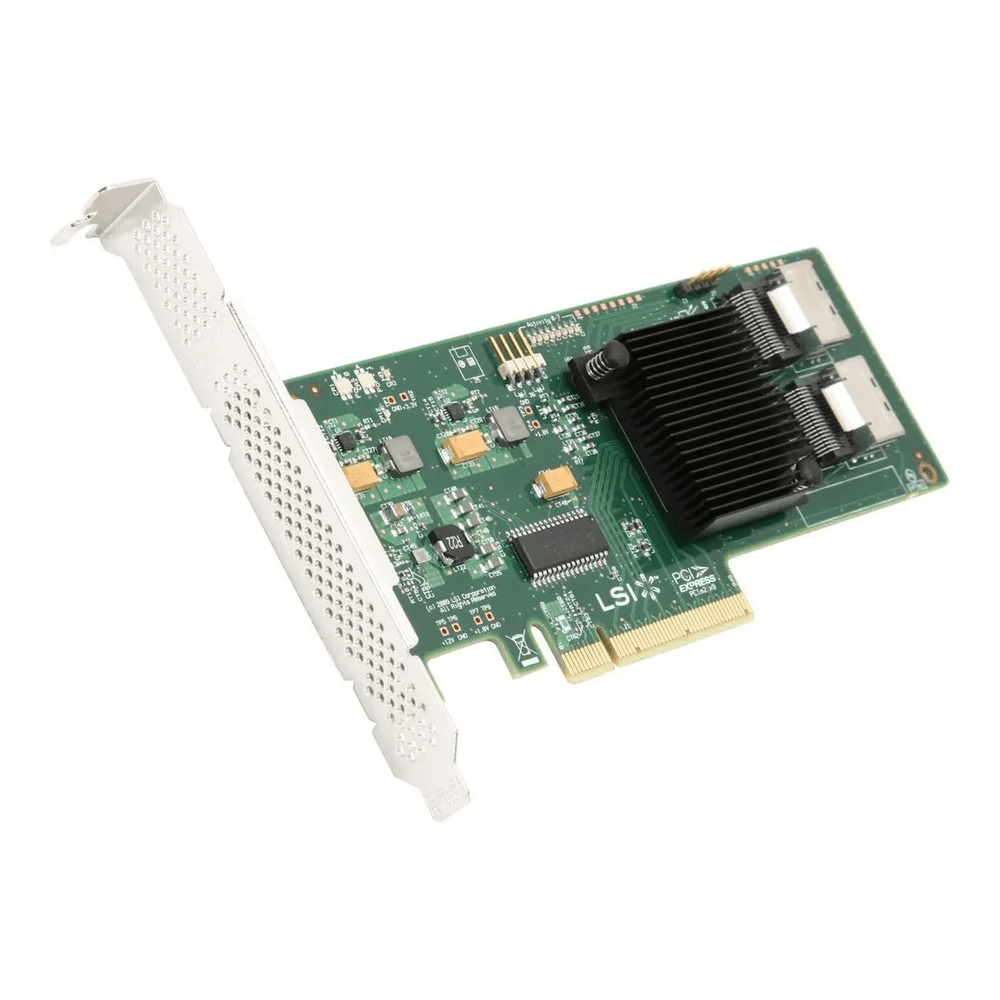
A bare eBay chassis is rarely ready to run, and unlike the servers, the parts that finish it are stocked on Amazon. An IT-mode HBA comes first for anyone running ZFS or TrueNAS, because a RAID controller hides the disks behind its own abstraction and ZFS wants raw drives. An LSI 9211-8i (a Dell H310 flashed to IT mode) presents eight 6Gb/s SAS or SATA disks over two SFF-8087 connectors on a PCIe 2.0 x8 card. The R730 and R740 hot-swap backplanes use SFF-8643 (Mini-SAS HD) connectors, so the card needs SFF-8087 to SFF-8643 cables long enough to reach the backplane, plus the low-profile bracket if your riser calls for it. On an R730, a Dell HBA330 Mini in the internal storage slot avoids the cabling question entirely.
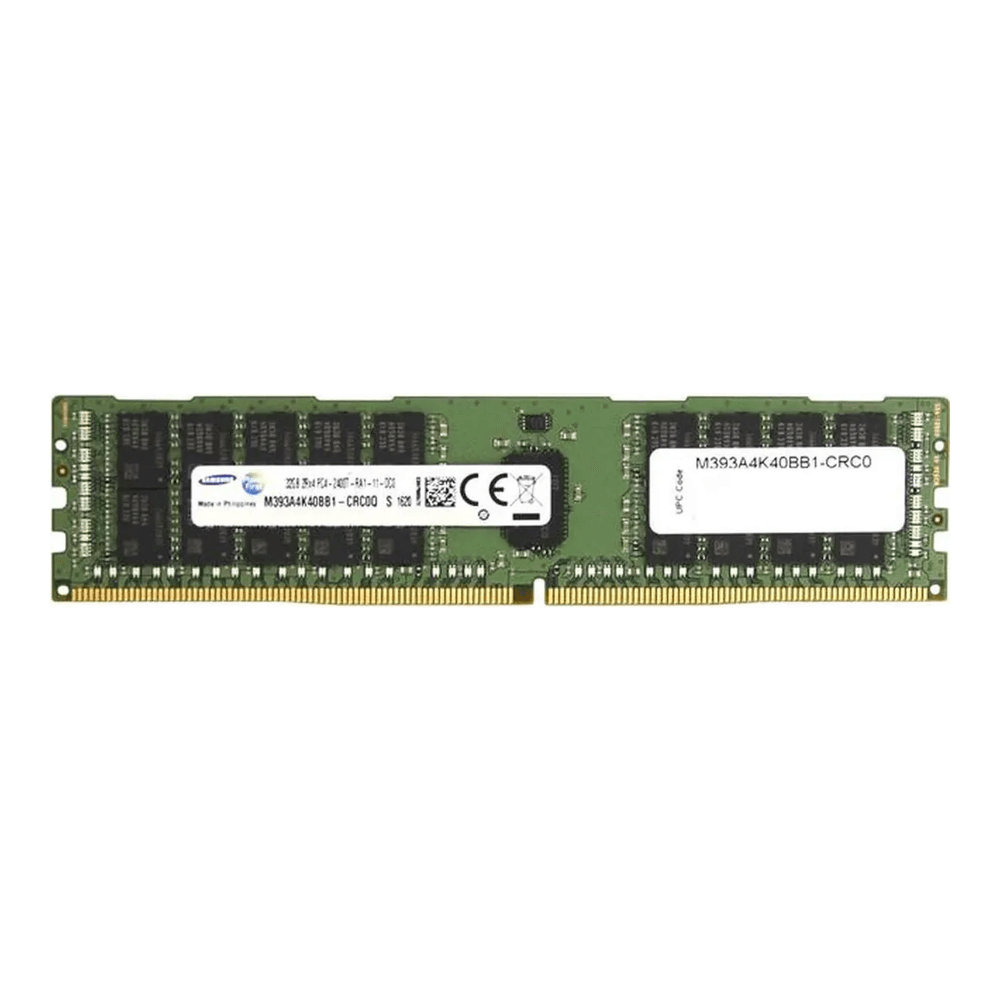
Memory comes next. Enterprise servers take registered ECC (RDIMM) at the rated platform speed: DDR4-2400 on an R730 or DL380 Gen9, up to 2666 or 2933 on the Xeon Scalable boxes. For an R730, a 32GB 2Rx4 DDR4-2400 ECC RDIMM is the matching building block, bought in matched sets to fill channels evenly. Faster 2666 sticks such as the OWC kit also work in an R730, where they run at 2400.
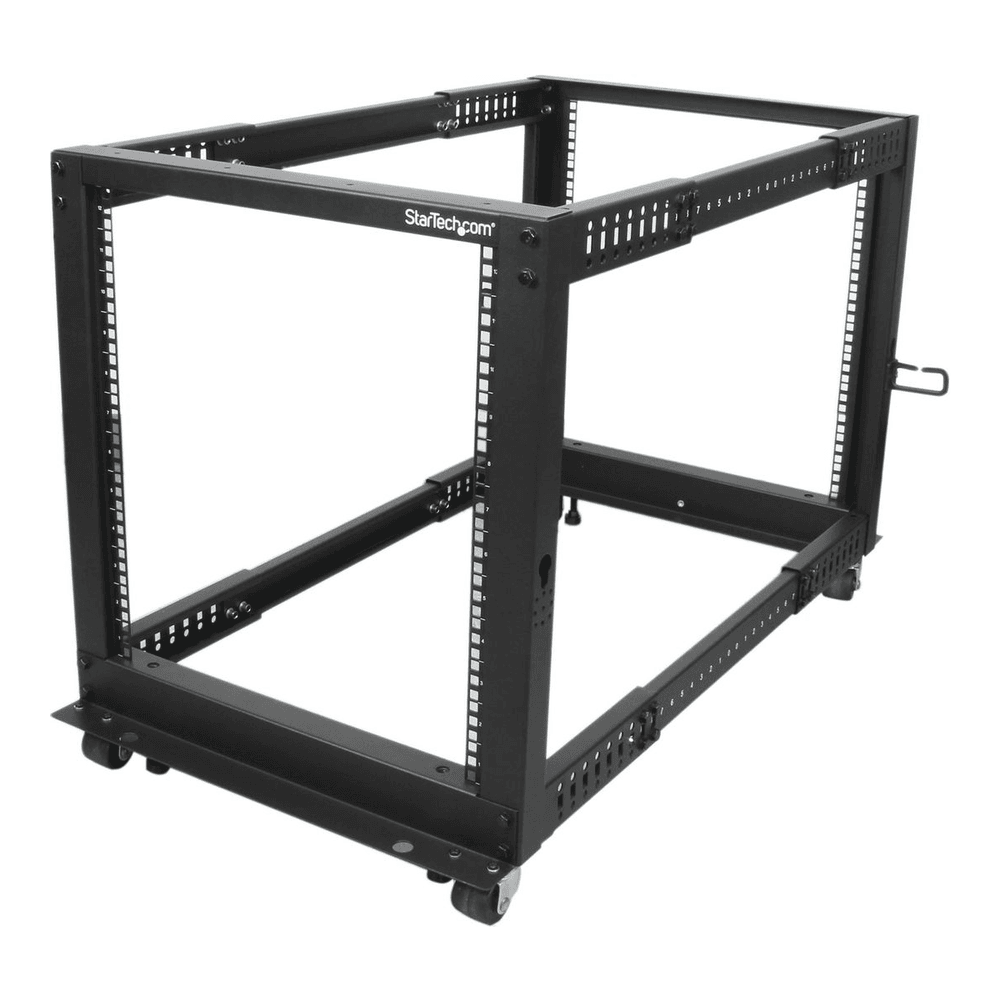
Then the thing to put it in. A 2U server is heavy and full-depth, so it needs a four-post rack, not a two-post frame or a shelf. An open-frame 12U like the StarTech 4POSTRACK12U adjusts from 22 to 40 inches deep and is rated for 1,200 lb. The server rack guide for homelabs compares depths and enclosed options.
Three smaller items round out the build, each with a fit rule that catches first owners:
- Rails: a bare Dell chassis usually ships without them, so budget for the Dell ReadyRails 2U sliding kit (part H4X6X, 770-BBIN) that fits the R730 and R740. The Amazon listings we checked on 30 October were refurbished or multi-model, so buy rails from a server parts seller and match the rail type to the square or round holes of your rack.
- 10GbE NIC: a used Mellanox ConnectX-3 is the cheap way to link the server to a NAS, and the 10GbE NIC guide for Proxmox covers which cards behave.
- PDU: servers take C14 inlets, so a rackmount C13 PDU is the correct shape. The StarTech PDU08C13H ships with a NEMA 5-20P plug, which needs a 20 A outlet rather than a standard 15 A one, and the rack PDU guide covers the alternatives.
Quiet it down and cut the power draw
The complaint every first owner has is noise, and on an R730 it is the easiest to fix. An R730 idles its fans around 43 percent and jumps to 66 percent once a third-party PCIe card is installed, according to a Dell Community thread on quieting the R730xd. Community write-ups also describe iDRAC8 accepting raw IPMI commands that put the fans under manual control at a fixed percentage. That needs IPMI over LAN enabled in the iDRAC network settings. The setting reverts to automatic on an iDRAC reset, and the firmware should get control back if temperatures climb. The full procedure for each generation is in the iDRAC and iLO tuning guide.
The same manual control stops working on the R740 from iDRAC9 firmware 3.34.34.34, as a Dell Community thread records, and on the DL380 Gen9 the equivalent needs patched iLO 4 firmware with the brick risk covered above. That firmware gap keeps the R730 the quiet-build pick here. The R740 is still the newer platform.
Idle power responds to tuning more than to the choice of server, as the R730 rows in the power table show. Langille’s write-up credits two changes: the BIOS system profile set to Performance per Watt (OS), so the operating system drives the C-states, and an OS power daemon (powerd++ on FreeBSD). On a Linux host such as Proxmox VE, powertop’s auto-tune mode plays the same role. Its tunables do not survive a reboot and can autosuspend USB devices and NICs, so keep the BMC console within reach when you try it.
The Langille R730 with two E5-2699 v3 CPUs dropped from 321 to 336 W to 196 to 210 W after powerd++ on FreeBSD plus the Performance per Watt (OS) BIOS profile, about a third. One device without power management holds the whole package out of deep sleep states, so a box that will not drop usually has one card to blame. For ZFS on Proxmox, skip the PERC “HBA mode”, which still routes through the RAID firmware, and use a real IT-mode HBA.
Buying used: what to check when it arrives
eBay sellers and refurbishers sell the same pulled hardware with different guarantees. A refurbisher usually tests and warranties the box, while an eBay seller sells it as listed. Amazon Renewed listings exist for some of these models but rarely match a specific configuration, so we do not link them. Run these checks in the first week, while the return window is open:
- BMC event log: read the iDRAC Lifecycle log, the iLO Integrated Management Log or the XClarity event log for ECC errors, PSU faults and thermal trips.
- Licence state: confirm the BMC tier against the listing, since Express or Standard means no post-boot remote console.
- PSU part numbers: Dell requires both supplies to match in wattage and type.
- Drive caddies and backplane: count the caddies, since empty bays without them cost money to fill, and check whether the backplane is SAS, SATA or NVMe.
- Memory type: check whether the installed DIMMs are RDIMM or LRDIMM before ordering more, since the two types cannot be mixed.
When a used tiny PC or workstation beats a rack server
The power table settles most of these cases before the specs do. An 11 W N100 box costs $52 to run for three years at the US rate, against $468 for a measured 98 W R730. The server earns that $416 only when your homelab needs something a small box cannot give. On the figures above, a tiny PC or a workstation is the better buy in these cases:
- The workload fits in 64 GB of RAM: a few containers, Home Assistant and a handful of VMs fit a used tiny PC for the homelab at a tenth of the idle draw.
- The server would sit in a living space: a 2U chassis at 4.4 to 6.1 B declared sound power belongs in a closet or a garage.
- Your electricity costs EU prices: at EUR 0.29 per kWh the 98 W server costs EUR 746 over three years, more than most used chassis.
- You want one fast GPU in a quiet box: a used Xeon W or Threadripper Pro tower from the used workstation guide gives PCIe lanes and RAM without the rack.
- You need 3.5-inch bays but not 24 DIMM slots: a tower server or a purpose-built Proxmox box holds the disks at a lower idle draw.
The rack server wins the opposite case: 256 GB or more of RAM, a dozen drives, out-of-band management, and a room where 90 W of heat and fan noise do not matter. For that build the R730 remains the easiest way in, and the DL380 Gen10 or SR650 the better long-term box. Price the licence, the memory type and the electricity first.