

If someone on your gift list spends more nights on hotel Wi-Fi than at home, a travel router with Tailscale is the present they will actually use. It sits between their devices and the untrusted network, brings up a WireGuard or Tailscale tunnel on its own, and every laptop and phone behind it lands on the home network without per-device setup. That is the job you are paying for. The Wi-Fi radio matters far less than the CPU that does the encryption.
GL.iNet still owns this category because its OpenWrt-based firmware ships WireGuard, OpenVPN and a Tailscale toggle in the stock admin panel, which UniFi and TP-Link travel routers still don’t. For this Black Friday refresh we re-checked every price, stock state and firmware build at the end of October 2026, and we pulled GL.iNet’s current firmware images apart on a lab VM to read which Tailscale version each one really ships. The WireGuard and OpenVPN speeds below are GL.iNet’s published figures, not our bench runs, and we label them that way.
Top picks at a glance
Each box wins for a different traveller, so the award matters more than the rank. Every link goes to the exact model on Amazon, and the full reasoning and the honest downside for each one follow further down:
- Best travel router for Tailscale and WireGuard: GL.iNet Beryl 7 (GL-MT3600BE). Quad-core CPU, WireGuard up to 1,100 Mbps, dual 2.5G ports and Wi-Fi 7 in a 205 g box. The one to put in the bag. Check the price on Amazon.
- Best for the home end: GL.iNet Flint 2 (GL-MT6000). WireGuard up to 900 Mbps and a full home router that the travel box dials back into. Check the price on Amazon.
- Best budget travel router and stocking-stuffer pick: GL.iNet Beryl AX (GL-MT3000). Pocket-sized, a 2.5G WAN port, and the cheapest Tailscale-capable travel router among our picks. Check the price on Amazon.
- Best travel router with a touchscreen: GL.iNet Slate 7 (GL-BE3600). Wi-Fi 7, dual 2.5G, and a status screen with a guest-network QR code. Check the price on Amazon.
- Best always-on VPN gateway: GL.iNet Brume 2 (GL-MT2500A). No Wi-Fi, just a small wired box that stays home as a WireGuard server or Tailscale subnet router. Check the price on Amazon.
- Best 5G travel router with Tailscale: GL.iNet Mudi 7 (GL-E5800). Its own 5G link with dual SIM and eSIM, a battery, and Tailscale support. Check the price on Amazon.
Our sourcing and lab checks
This is a spec-and-firmware guide, and we want to be plain about what that means. We did not put each router on a bench and record throughput. Every pick was checked against GL.iNet’s product page and Tailscale documentation, against the live Amazon listing for the exact model, and against an independent review. The VPN figures are GL.iNet’s published maximums on a local link. They are the fairest like-for-like comparison across the range, but real speed drops when the router acts as the server or when the hotel uplink is the bottleneck.
What we could test was the software, because all of these boxes run OpenWrt under GL.iNet’s interface. We downloaded the current stable firmware for the Beryl 7 and Beryl AX from GL.iNet’s firmware server, verified each checksum, unpacked the images on an Ubuntu 26.04 lab VM, and read the Tailscale package version out of them. We also checked what the OpenWrt package feeds ship, which matters if you would rather flash plain OpenWrt. Those results are in the firmware section below. If you already run a WireGuard server on Linux or use the Tailscale client on a Linux box, none of the router side will surprise you.
Comparison table with current prices
The table puts all nine routers side by side on the specs that change the buying decision, with a direct link on every row. On 30 October the GL.iNet store and Amazon listed every model at the same price, with no discount on either, so the list price column is also the bar any Black Friday deal has to beat.
| Model | Best for | Wi-Fi | WireGuard | Ethernet | List price (30 Oct) | Buy |
|---|---|---|---|---|---|---|
| Beryl 7 (GL-MT3600BE) | Travel, Tailscale and WireGuard | Wi-Fi 7 | 1,100 Mbps | 2x 2.5G | $129.99 | Amazon |
| Flint 2 (GL-MT6000) | Home end | Wi-Fi 6 | 900 Mbps | 2x 2.5G + 4x 1G | $169.99 | Amazon |
| Beryl AX (GL-MT3000) | Travel, budget | Wi-Fi 6 | 300 Mbps | 1x 2.5G + 1x 1G | $98.99 | Amazon |
| Slate 7 (GL-BE3600) | Travel, touchscreen | Wi-Fi 7 | 490 Mbps | 2x 2.5G | $159.99 | Amazon |
| Slate AX (GL-AXT1800) | Travel, two LAN ports | Wi-Fi 6 | 550 Mbps | 3x 1G | $119.99 | Amazon |
| Brume 2 (GL-MT2500A) | Headless VPN gateway | None (wired) | 355 Mbps | 1x 2.5G + 1x 1G | $89.99 | Amazon |
| Flint 3 (GL-BE9300) | Wi-Fi 7 home flagship | Wi-Fi 7 | 680 Mbps | 5x 2.5G | $209.99 | Amazon |
| Mudi 7 (GL-E5800) | 5G travel, battery | Wi-Fi 7 | 600 Mbps | 1x 2.5G | $419.99 | Amazon |
| Spitz Plus (GL-X2000) | 4G for a van or backup WAN | Wi-Fi 6 | 190 Mbps | 2x 1G | $175.99 | Amazon |
Two rows reward a second look. The Beryl 7 posts the highest WireGuard figure in the table and costs less than the Slate 7, Flint 2 and Flint 3, which is why it holds the top award. The Flint 3 sits below the cheaper Flint 2 on WireGuard because its Qualcomm crypto path is slower, so it is a radio and port upgrade, not a tunnel upgrade.
1. GL.iNet Beryl 7 (GL-MT3600BE): best travel router for Tailscale and WireGuard
The Beryl 7 is the travel router we would pack now, and the reason is the CPU rather than the Wi-Fi. GL.iNet moved the Beryl line from a dual-core 1.3 GHz MediaTek to a quad-core 2 GHz chip, and the published VPN figures jumped with it: 1,100 Mbps on WireGuard and 1,000 Mbps on OpenVPN with data-channel offload. That ties the pricier Slate 7 Pro for the fastest travel router GL.iNet makes. NASCompares saw WireGuard approach the ceiling in its review, with VPN traffic about 20 to 25 percent below the unencrypted rate. Both Ethernet ports are 2.5G, it runs from a USB-C PD charger at 5, 9 or 12 V, and at 120 x 83 x 34 mm and 205 g it is the same size as the Beryl AX.

Who it’s for: the traveller whose tunnel is Tailscale or WireGuard back home, who wants headroom to keep it fast while the router also runs AdGuard Home and a guest network. It is also the safest gift for a remote worker, because it is the newest Wi-Fi-only travel router in this guide.
Skip it if: you want 6 GHz or a screen. Its Wi-Fi 7 runs on 2.4 and 5 GHz only, with 160 MHz channels rather than 320 MHz, and the single USB port means choosing between tethering and storage. If the trip does not justify the price, the Beryl AX does the basic job for about thirty dollars less. Check the current Beryl 7 price on Amazon.
2. GL.iNet Flint 2 (GL-MT6000): best for the home end
The Flint 2 is the router we would put at the other end of the tunnel, even though it never leaves the house. Its quad-core 2 GHz MediaTek and 1 GB of RAM push a published 900 Mbps on WireGuard and 880 Mbps on OpenVPN with offload, so the VPN stops being the thing that throttles a gigabit line. Dual 2.5G ports and four gigabit LAN ports let it anchor a home network. When you travel, the small box goes in the bag and the Flint 2 stays home as the server it dials into.
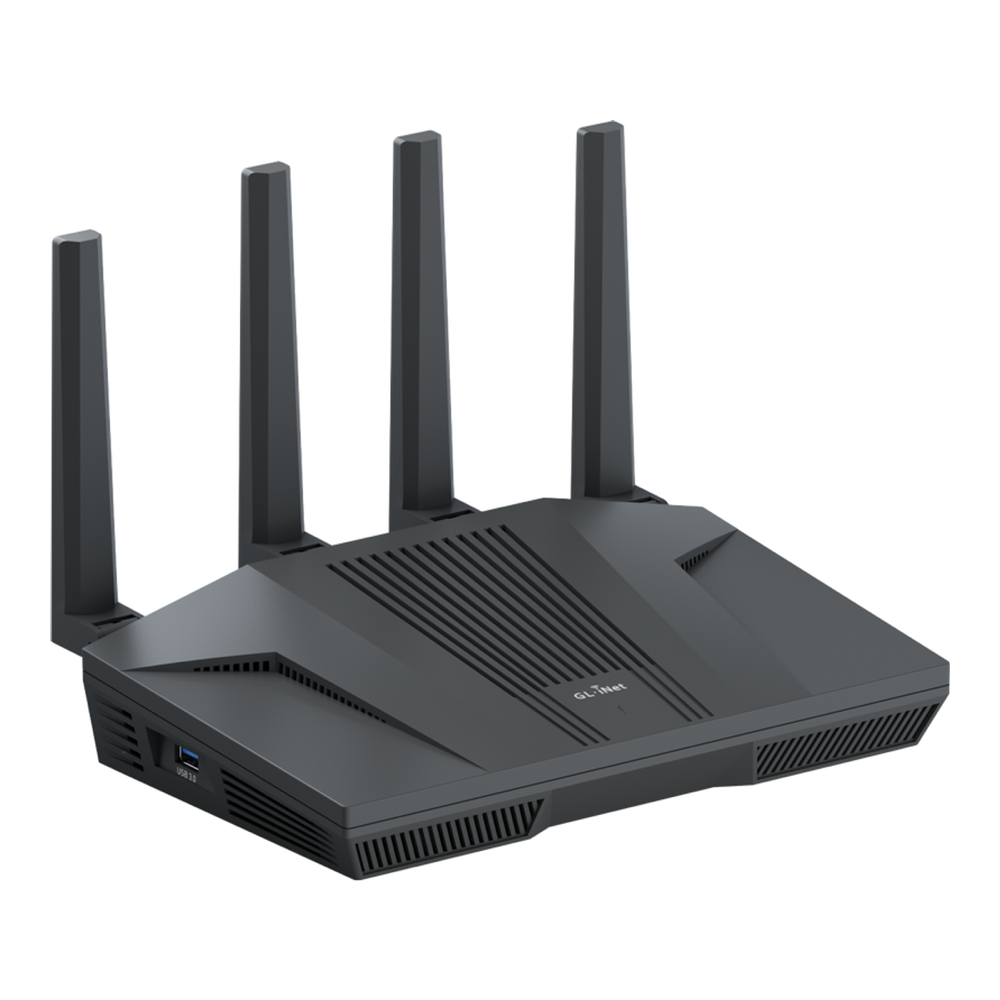
Who it’s for: anyone who wants one box to run the home network and terminate VPN traffic at line speed, paired with a smaller router for the actual travel. With over 3,000 Amazon ratings it has a long track record, too.
Skip it if: you need something for the bag, or you want Wi-Fi 7 at home. The Flint 2 is Wi-Fi 6, and the Flint 3 covers Wi-Fi 7 at a higher price. Check the current Flint 2 price on Amazon.
3. GL.iNet Beryl AX (GL-MT3000): best budget travel router
The Beryl AX is still the right answer when the budget is under a hundred dollars, and it is the cheapest Tailscale-capable travel router among our picks. It is a dual-core box, so WireGuard tops out around 300 Mbps. That ceiling still beats the real bandwidth of almost every hotel, cafe or cruise-ship link you will tunnel over. The 2.5G WAN port matters more than the headline speed, because it lets a fast wired drop in a rental run above gigabit. With over 5,000 Amazon ratings it is also the most widely owned GL.iNet router here, so forum answers for its quirks are easy to find.
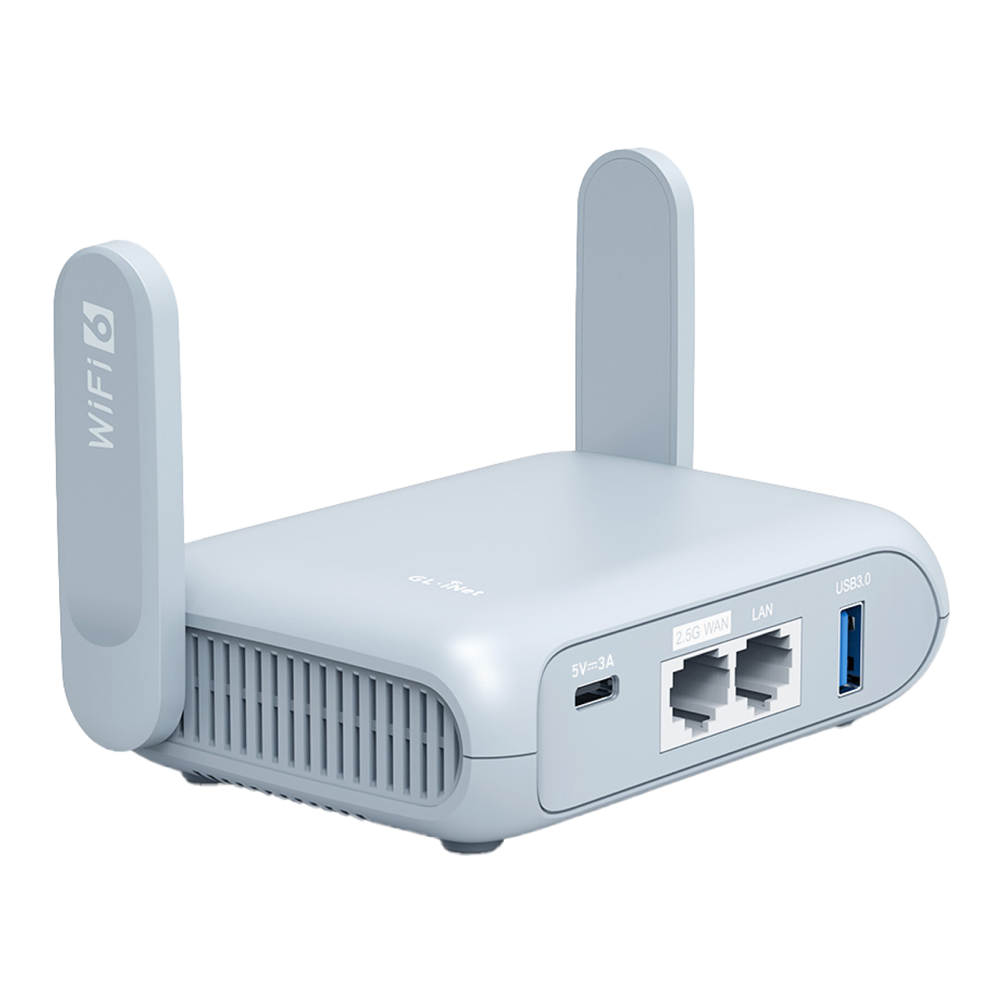
Who it’s for: the traveller who wants one small box that joins any hotel Wi-Fi, brings up the tunnel automatically, and puts every device on a network they trust. As a gift for a student or a first-time traveller, it is the one we would wrap.
Skip it if: Tailscale is your main tunnel or you need to fill a fibre line through the VPN. The Beryl 7 costs about thirty dollars more at list price and posts more than three times the WireGuard figure. Check the current Beryl AX price on Amazon.
4. GL.iNet Slate 7 (GL-BE3600): best travel router with a touchscreen
The Slate 7 is the travel box for people who want status at a glance. It is dual-band Wi-Fi 7 with two 2.5G ports, and its small touchscreen shows connection state and a QR code for the guest network. On the road the Wi-Fi 7 radio matters less than you’d think, because public Wi-Fi is the bottleneck, not your router. WireGuard runs to a published 490 Mbps, which puts it between the Beryl AX and the Slate AX.
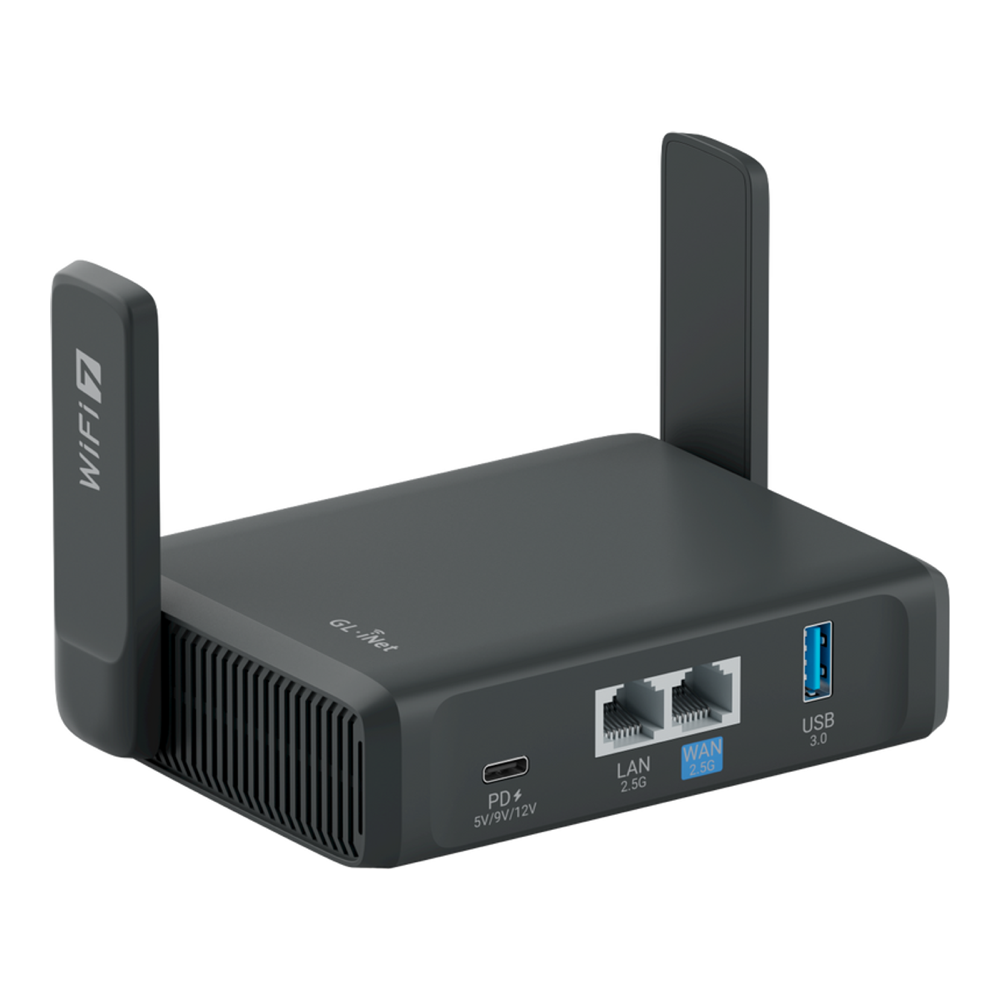
Who it’s for: the traveller who wants connection state and a guest QR code without opening the admin panel, along with dual 2.5G and Wi-Fi 7. A less technical recipient will get more from the screen than from a faster CPU.
Skip it if: VPN speed matters more than the screen. The Beryl 7 has the same published Wi-Fi rates and dual 2.5G ports, costs less, and more than doubles the Slate 7’s WireGuard and OpenVPN figures (490 and 385 Mbps). Check the current Slate 7 price on Amazon.
5. GL.iNet Slate AX (GL-AXT1800): best pocket router with two LAN ports
The Slate AX is the older Wi-Fi 6 travel router, and its quad-core Qualcomm IPQ6000 still posts 550 Mbps on WireGuard and 560 Mbps on OpenVPN with offload, both above the Slate 7. What keeps it on the list is the port layout: three gigabit ports, one WAN and two LAN, so a laptop dock and a streaming stick can both be wired in a hotel room without a switch. The cost is gigabit only, Wi-Fi 6, and the slowest firmware track of the travel picks. Its newest stable build was still 4.8.3 at the end of October, while the Beryl 7, Beryl AX and Slate 7 had stable builds at 4.9 or later.
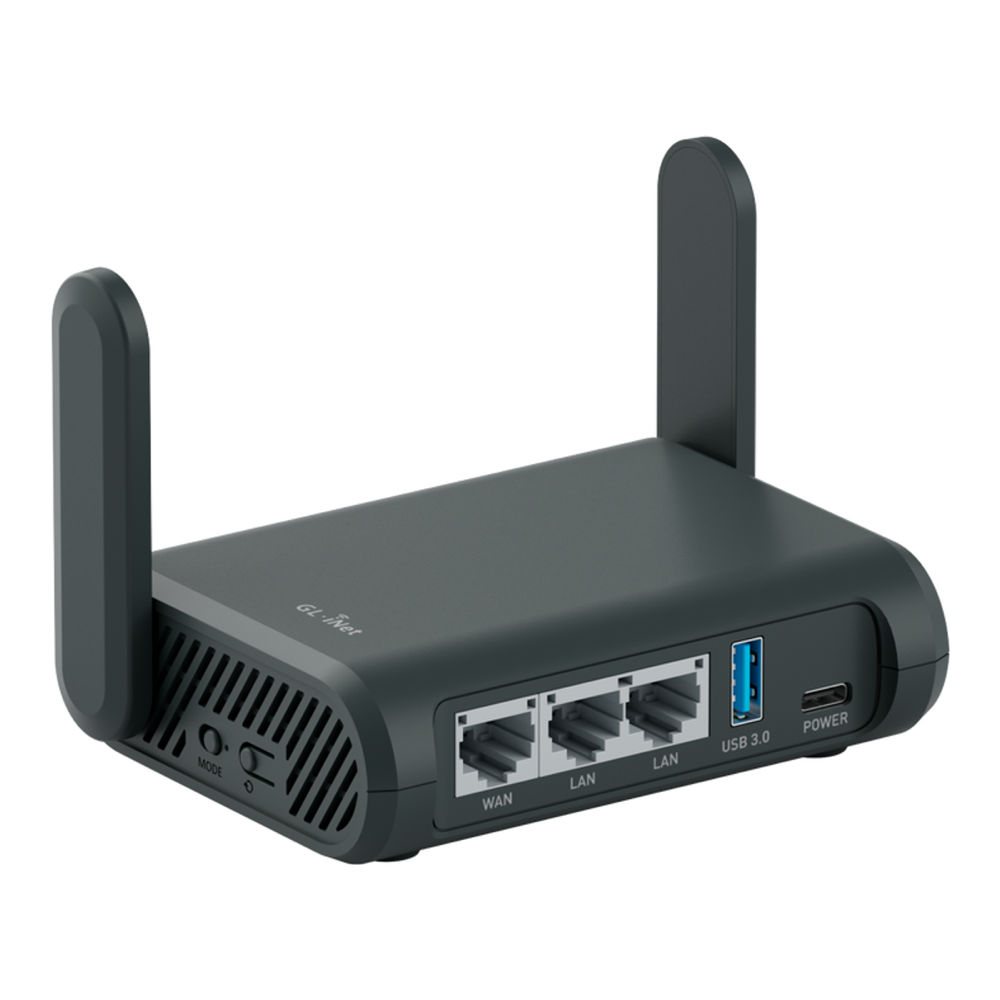
Who it’s for: the traveller who needs two wired devices behind the router and doesn’t care about 2.5G or Wi-Fi 7. It is the one to buy only if a holiday sale drops it well below the Beryl 7.
Skip it if: you want the fastest tunnel, a multi-gig port, Wi-Fi 7 or the newest Tailscale features. The Beryl 7 beats it on all four for about ten dollars more at list price. Check the current Slate AX price on Amazon.
6. GL.iNet Brume 2 (GL-MT2500A): best always-on VPN gateway
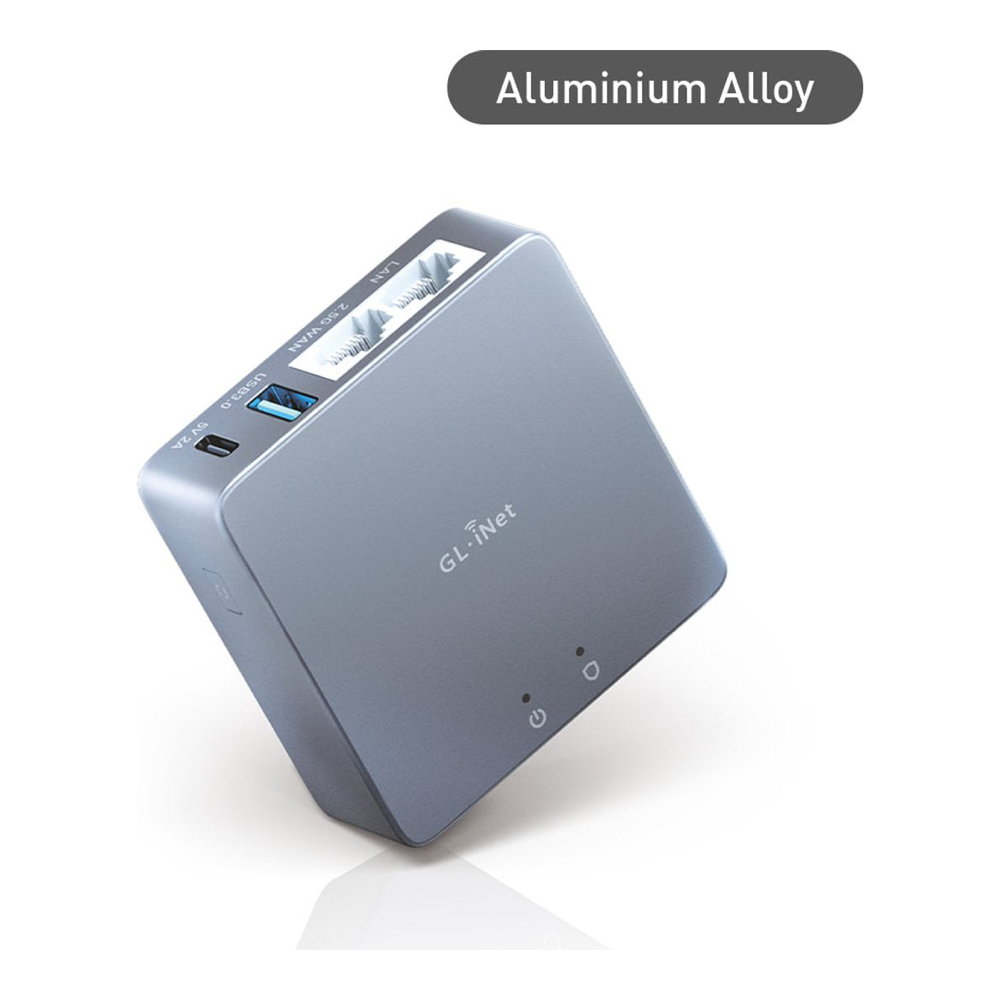
The Brume 2 has no Wi-Fi at all, and that is the point. It is a small fanless wired box built to sit at home as the always-on end of your setup: a WireGuard or OpenVPN server, a Tailscale subnet router, or a site-to-site gateway. Leave it behind your home router, dial into it from the travel router, and your traffic leaves from home. Our WireGuard gateway build on the Brume 2 covers that server side step by step. The linked ASIN is the aluminium GL-MT2500A; the plastic GL-MT2500 has the same internals and was sold out in GL.iNet’s US store on 30 October.
Who it’s for: the homelabber who wants a low-power VPN endpoint at home to pair with a travel router. If you’d rather virtualise it, you can run OpenWrt in a Proxmox VM or put Tailscale in a Proxmox container instead of buying hardware.
Skip it if: you need Wi-Fi, or you want the router itself to be a Tailscale exit node on stable firmware. The Brume 2’s newest stable release is 4.7.4 from March 2025, and the Run Exit Node toggle only arrived in 4.9, which GL.iNet still ships for this model as a testing build. For an exit node at home, the Flint 2 is the better buy today. Check the current Brume 2 price on Amazon.
7. GL.iNet Flint 3 (GL-BE9300): best Wi-Fi 7 home flagship
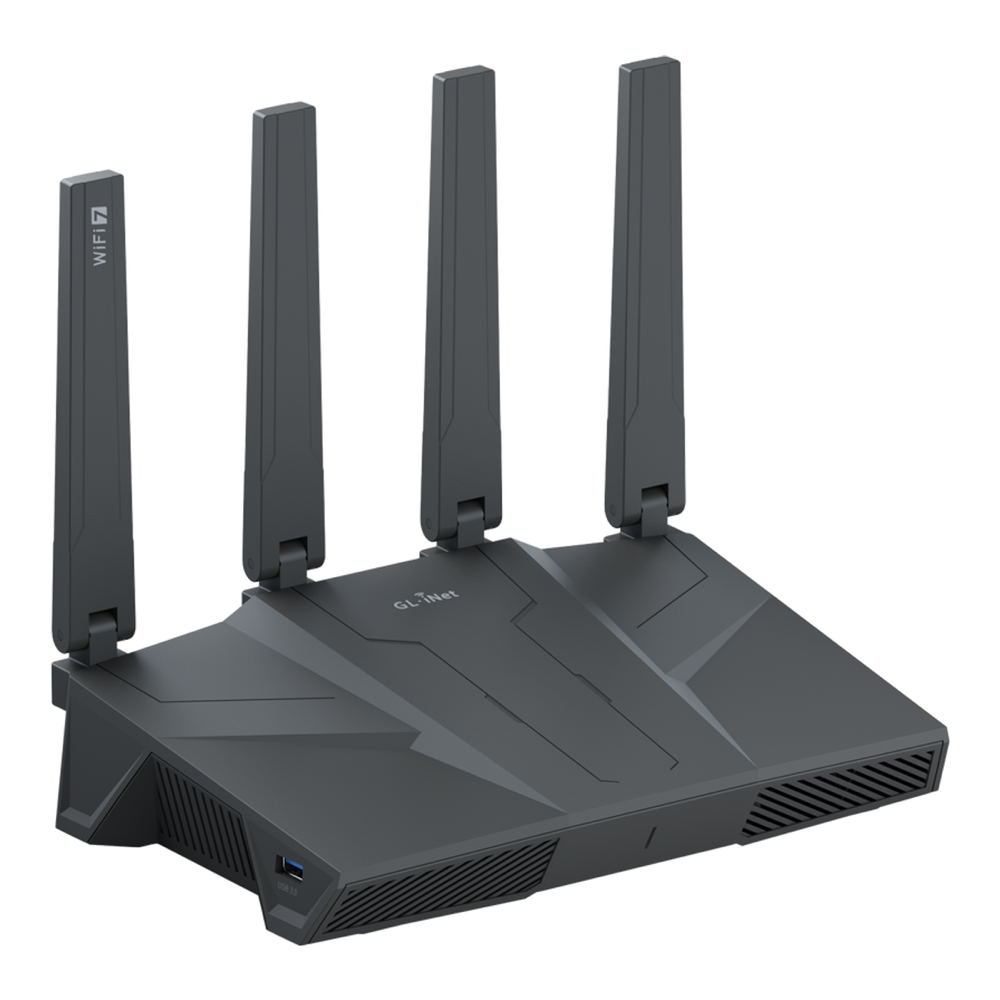
The Flint 3 is the Wi-Fi 7 home flagship in this guide: tri-band Wi-Fi 7, a quad-core Qualcomm, and five 2.5G Ethernet ports, which makes it a small multi-gig switch as well as a router. Check one number before you pay the premium. Its published WireGuard throughput is 680 Mbps, lower than the Flint 2’s 900 Mbps, because the crypto path on the two platforms differs. You buy the Flint 3 for the radios and the ports.
Who it’s for: the reader building a Wi-Fi 7 home network who wants multi-gig ports and a VPN server in the same box, and who already has the Wi-Fi 7 clients and the internet plan to use them.
Skip it if: your internet is gigabit or slower and your devices are Wi-Fi 6, because the cheaper Flint 2 will push your VPN faster. One owner also reported slow Tailscale exit-node uploads on its 4.8.4 firmware, before the official Run Exit Node toggle arrived, as the speed section below explains. Check the current Flint 3 price on Amazon.
Tailscale support across GL.iNet models
Every GL.iNet router in this guide runs Tailscale from the stock firmware. GL.iNet added it in firmware v4.2, and its Tailscale documentation lists the Beryl 7, Beryl AX, Slate 7, Slate AX, Flint 2, Flint 3 and both Brume 2 variants as supported, alongside newer models such as the Slate 7 Pro, Flint 3e and Brume 3. The trap sits at the cheap end, and it matters most in a holiday sale. The same page names v4 models that lack the memory for Tailscale:
- Opal (GL-SFT1200): the cheapest current GL.iNet travel router at $39.99 list and the one most likely to be discounted, but no Tailscale. The Mango 2 (GL-MG1300), $49.99 at GL.iNet but sold out in its US store on 30 October, is the cheap model that is on the supported list.
- Original Beryl (GL-MT1300) and Slate (GL-AR750S): older models that still turn up in clearance listings.
- Mudi (GL-E750), Mango (GL-MT300N-V2) and Shadow (GL-AR300M): small and cheap, and unsupported for the same reason.
Check the model code on the box or listing before you buy one as a Tailscale gift. GL.iNet still labels the feature beta in its documentation, and Tailscale’s own blog notes the integration is GL.iNet’s work, not Tailscale’s. GL.iNet also warns against running Tailscale alongside the router’s WireGuard or OpenVPN client, ZeroTier, AstroWarp or GoodCloud site-to-site, because they fight over routing. In practice each box runs one tunnel type at a time.
The Tailscale page in the admin panel (APPLICATIONS, then Tailscale) has five switches beyond the main toggle. Firmware v4.9 renamed the two subnet options and added the last two, which matters because not every model has a stable v4.9 build yet.
| Toggle | What it does | What you do in the Tailscale console |
|---|---|---|
| Advertise LAN Subnets (Allow Remote Access LAN before v4.9) | Tailnet devices can reach the devices behind the router | Approve the subnet route |
| Advertise WAN Subnets (Allow Remote Access WAN before v4.9) | Tailnet devices can reach the network upstream of the router | Approve the subnet route |
| Custom Exit Nodes | Sends internet traffic from everything behind the router out through an exit node on your tailnet | Approve the router’s subnet routes, or turn on IP Masquerading instead |
| Run Exit Node (v4.9 and later) | Makes this router an exit node other tailnet devices can use | Tick “Use as exit node” and disable key expiry for the router |
| IP Masquerading (v4.9 and later) | Rewrites LAN clients to the router’s Tailscale IP so they reach the tailnet without approved routes | Nothing |
The two-box setup most readers want is Run Exit Node on the Flint 2 at home and Custom Exit Nodes on the travel router, and our GL.iNet Tailscale exit node guide walks both sides, including the approval clicks. GL.iNet’s docs flag one DNS problem up front. If the router’s DNS points at a private address only reachable locally, clients can lose internet once an exit node is active, and a public resolver under NETWORK, then DNS, fixes it.
Firmware and Tailscale versions in October 2026
Stock and price are only half of a holiday check, because the firmware decides which Tailscale features the recipient gets on day one. We read the newest stable (“release” stage) build for each pick from GL.iNet’s firmware server on 30 October, then unpacked the Beryl 7 and Beryl AX images on an Ubuntu 26.04 lab VM to read the Tailscale package inside.
| Model | Newest stable firmware | Released | Run Exit Node on stable | Tailscale in the image |
|---|---|---|---|---|
| Beryl 7 (GL-MT3600BE) | 4.9.0 | 7 Jul 2026 | Yes | 1.92.5 |
| Beryl AX (GL-MT3000) | 4.11.0 | 28 Sep 2026 | Yes | 1.92.5 |
| Flint 2 (GL-MT6000) | 4.11.0 | 28 Sep 2026 | Yes | – |
| Slate 7 (GL-BE3600) | 4.10.1 | 20 Sep 2026 | Yes | – |
| Flint 3 (GL-BE9300) | 4.10.1 | 20 Sep 2026 | Yes | – |
| Mudi 7 (GL-E5800) | 4.10.0 | 1 Sep 2026 | Yes | – |
| Slate AX (GL-AXT1800) | 4.8.3 | 22 Apr 2026 | No (4.9.0 is a snapshot only) | – |
| Brume 2 (GL-MT2500 and MT2500A) | 4.7.4 | 28 Mar 2025 | No (4.9.0 is in testing) | – |
| Spitz Plus (GL-X2000) | 4.7.13 | 20 Jun 2025 | No (4.9.0 and 4.10.0 are in testing) | – |
Both images we unpacked carry the same Tailscale build, package version 1.92.5-1 with a tailscaled binary of about 30 MB, on top of an OpenWrt 21.02 base. Upstream Tailscale reached 1.104.4 on 28 October, so the router side of your tailnet runs a client several releases older than the laptop you’ll pair it with. The version moves only when GL.iNet ships firmware that bumps it, as the 4.9.0 release notes did (“Upgraded Tailscale to version 1.92.5”), or 4.10.0 on the Mudi 7, and no later 4.10 or 4.11 stable notes change the Tailscale version. For a buyer, that firmware track has three consequences:
- No Run Exit Node below 4.9: the Slate AX, Brume 2 and Spitz Plus are still below 4.9 on stable, so the router cannot be an exit node without a pre-release build (a 4.9 testing build on the Brume 2 and Spitz Plus, only a 4.9 snapshot on the Slate AX).
- Client features arrive late: every model gets new Tailscale client releases on GL.iNet’s schedule, not Tailscale’s.
- Active firmware tracks: the Beryl 7, Beryl AX, Flint 2, Slate 7, Flint 3 and Mudi 7 all got stable releases between July and September 2026, which makes them the safer gifts.
If you need a feature from a recent Tailscale release on the router itself, check GL.iNet’s release notes for the model before you buy, because on stock firmware the Tailscale version moves with GL.iNet’s releases. Community updater scripts exist, but they replace a package GL.iNet tests, so we would not use one on a gift.
Flashing plain OpenWrt is not an automatic fix. We queried the official package feeds from each release’s x86-64 rootfs on the same VM, and the version you get depends entirely on the release you run:
- OpenWrt 23.05 (23.05.5 tested, same package in the current 23.05.6 feed): tailscale 1.58.2, far older than GL.iNet’s build.
- OpenWrt 24.10 (24.10.4 tested, same package in the current 24.10.8 feed): tailscale 1.80.3, also older than GL.iNet’s; the installed tailscaled binary measured 23.2 MB.
- OpenWrt 25.12 (25.12.1 tested, same package in the current 25.12.6 feed): tailscale 1.104.1, the same 1.104 minor release as upstream, plus a new luci-app-tailscale-community package for a LuCI page. The binary grew to 29.1 MB.
So the OpenWrt 25.12 branch is the only way we found to run a current Tailscale client on a router without building it yourself, and it costs you GL.iNet’s UI, its AdGuard Home integration and its support. A binary near 30 MB also fits with GL.iNet leaving its low-memory models off the Tailscale list. For most readers, GL.iNet’s slightly older build on a supported model is the better trade.
How fast is Tailscale on a travel router?
Slower than the WireGuard figure, and sometimes much slower. Tailscale rides on WireGuard, so GL.iNet’s WireGuard number is the ceiling, and Tailscale’s own write-up on the Beryl AX says as much. Its client uses wireguard-go, the userspace implementation, rather than the kernel module GL.iNet’s plain WireGuard client uses. Traffic that cannot connect peer to peer also falls back to Tailscale’s DERP relays, which GL.iNet notes add latency and are bandwidth-throttled.
Owner reports bear this out. In one GL.iNet forum thread, a Flint 3 on firmware 4.8.4 run as a Tailscale exit node held remote uploads to about 1.2 to 2 Mbps over a direct connection, with the CPU near idle, while native WireGuard on the same unit managed 87.6 Mbps. That points at the integration rather than the hardware. The poster later reported the problem seemed fixed on the 4.9.0 beta, but only together with a third-party patch (RemoteToHome’s gl-tailscale-fix plugin), and a second owner, on 4.8.x stable with an updated Tailscale binary, saw about 300 kbps uploads that the patch did not cure, so check the forum for your model and firmware before you make Tailscale the only tunnel. Where the tunnel is CPU-bound, the Beryl 7’s quad-core chip has headroom the dual-core Beryl AX lacks.
What Tailscale costs for this setup
Nothing, for personal use. Tailscale’s free Personal plan covers up to six users with unlimited user devices, and subnet routers and exit nodes are included, so a home box, a travel router and the family’s phones and laptops fit easily. The plan is for non-commercial use; a tailnet created on a custom company domain starts a 14-day Enterprise trial instead. An exit node you tag counts as a tagged resource, and Tailscale’s pricing page includes 50 of those on Personal. If you would rather not depend on Tailscale’s coordination servers, plain WireGuard to your own endpoint keeps third parties out, and Headscale replaces the coordination server on your own Linux host.
Tailscale on routers from other brands
Tailscale in the stock firmware is the reason GL.iNet is the default answer, because most other brands still leave it out. We checked the usual alternatives against each vendor’s product page and Tailscale’s documentation on 30 October.
| Router or platform | Tailscale in stock firmware | How you get it |
|---|---|---|
| GL.iNet (every pick above) | Yes, a GUI toggle (still labelled beta) | APPLICATIONS, then Tailscale in the admin panel |
| UniFi Travel Router (UTR) and UTR Long-Range | No | WireGuard client plus UniFi Teleport, with OpenVPN listed for future firmware on the store page; Tailscale only through an unofficial community script |
| TP-Link Roam 6 (TL-WR1502X) | No | OpenVPN and WireGuard, as client or server, only |
| ASUS (stock Asuswrt) | No | Flash the third-party Asuswrt-Merlin firmware, then install Tailscale through Entware |
| OpenWrt | Package | The tailscale package from the OpenWrt feed; see the version check above |
| pfSense Plus and CE | Package | Tailscale package in the pfSense package manager, with exit node and subnet routing |
| OPNsense | Plugin | The os-tailscale community plugin under System, Firmware, Plugins |
For a travel router with Tailscale in the GUI, GL.iNet is still the only mainstream choice. Ubiquiti now lists two travel routers, the $79 UTR and a $99 Long-Range model with a folding antenna (sold out in the US store on 30 October), and both are tidy WireGuard boxes if the rest of the network is UniFi. Neither joins a tailnet without an unofficial install, so in the UniFi travel router vs Tailscale choice the UTR pairs with UniFi Teleport, not with a tailnet.
At home, a pfSense or OPNsense firewall makes a strong subnet router and exit node. Tailscale documents one caveat for both: their default outbound NAT is the endpoint-dependent “hard” kind, which pushes LAN clients onto DERP relays until you add a static-port outbound NAT rule or enable NAT-PMP. Netgate also notes its package uses the userspace wireguard-go. Our guide to pfSense and OPNsense hardware covers the boxes worth running either on, and the best OpenWrt routers roundup covers the plain-OpenWrt route.
Is there a Tailscale modem? 5G travel routers that run it
Not in the sense most people mean. A cable, DSL or fibre modem bridges the line to Ethernet and cannot run the Tailscale client, so Tailscale belongs on the router behind it. Where “modem” does make sense is cellular. GL.iNet’s 4G and 5G routers carry the modem inside, and several are on its Tailscale list: the Mudi 7 (GL-E5800), Spitz AX (GL-X3000), Puli AX (GL-XE3000) and Spitz Plus (GL-X2000). Their predecessors, the Mudi (GL-E750), Spitz (GL-X750) and Puli (GL-XE300), are unsupported for lack of memory, and they are the ones that turn up cheap.
The Mudi 7 is the one for travel. It’s a palm-sized 5G router with a 2.2 GHz Qualcomm quad-core, 2 GB of RAM, tri-band Wi-Fi 7 including 6 GHz, two nano-SIM slots plus an eSIM, one 2.5G port, a 2.8-inch touchscreen, and a 5,150 mAh battery that GL.iNet’s product page rates for up to 13.5 hours (its launch datasheet listed 5,380 mAh). GL.iNet publishes up to 600 Mbps on WireGuard and 700 Mbps on OpenVPN with offload, which is rarely the bottleneck on cellular. At about $420 it costs more than three Beryl 7s, so it earns the money only if you often work where no Wi-Fi is worth repeating. Buy the NA or EU version for where you travel, since each covers its own region’s bands; the Amazon listing is the NA version. Check the Mudi 7 price on Amazon.
The Spitz Plus is the cheaper cellular option at about $176, built for a van or a shelf rather than a bag. It is a 4G LTE Cat 12 router with Wi-Fi 6, dual SIM slots, two gigabit ports and external antennas, powered from 12 V or anything between 9 and 36 V. Its dual-core 1 GHz Qualcomm posts a published 190 Mbps on WireGuard, enough for LTE. It also works as a backup WAN for the home router, which keeps the home Tailscale node reachable when the fibre drops, and our 5G and LTE failover router guide covers that role in depth. Check the Spitz Plus price on Amazon.
Specs that decide a VPN travel router
If none of the picks is an obvious fit, these are the specs that decide it, roughly in the order they matter for a router whose main job is the tunnel:
- WireGuard throughput: plan around WireGuard, which is faster than OpenVPN on the same CPU on most boxes here. The published figure is the router acting as a client on a local link, so as a server or behind slow hotel Wi-Fi it will be lower. For pure WireGuard travel, anything above about 200 Mbps outruns the venue.
- Native Tailscale and its firmware track: the toggle turns the travel box and the home box into two nodes on one tailnet, with no port opened. Check that the model is on GL.iNet’s supported list and has a stable v4.9 build if you need Run Exit Node.
- 2.5G ports: they only help when the uplink beats gigabit, which is rare on the road and increasingly common at home. Pay for them on the home router first.
- Wi-Fi generation: Wi-Fi 7 does little against public Wi-Fi, so on a travel router it is headroom for later. On a home flagship like the Flint 3 it earns its keep.
- AdGuard Home and the OpenWrt base: every model here ships AdGuard Home for network-wide DNS filtering, and the OpenWrt base keeps SSH and LuCI as an escape hatch for packages the GL.iNet UI does not expose.
The OpenWrt base is also why the skills transfer both ways: it is the same platform you would run if you chose to build an OpenWrt router in a VM. If access-point coverage at home is the real problem, that is a different purchase, and our roundup of Wi-Fi 7 access points is a better starting point than any router here.
Black Friday and gift buying notes
Holiday travel and gift demand peak in November and December, and that is when GL.iNet has discounted before. GL.iNet’s 2025 Black Friday and Cyber Monday sale ran from 20 November to 1 December, and its 2024 sale ran from 11 November to 2 December with up to 42 percent off. On 30 October 2026 neither GL.iNet nor Amazon had announced a 2026 sale, so treat those dates as precedent, not a promise. These are the checks we would run before buying one as a gift:
- Compare against the list price: the table above shows what each model cost on 30 October with no discount, on both Amazon and GL.iNet’s store. A “deal” at or above that number is not one.
- Read the model code on the listing: the Opal, original Mudi and Mango are the routers most likely to be cut hardest, and none of them runs Tailscale.
- Check the seller and the ASIN: the listings linked here sold at list price, while a third-party Beryl AX listing asked $197.98 during our check, twice the list price.
- Match the gift to the recipient: a Beryl AX for a student or first trip, a Beryl 7 for a remote worker, a Slate 7 for someone who will never open an admin panel, and a Brume 2 for the homelabber who already owns a travel router.
Pack the travel router with the rest of the kit. Every travel pick here runs from USB-C, so our guides to USB-C power banks and a portable homelab with a travel router and battery cover what goes in the same bag.
The two-box budget
If you buy one box, buy the Beryl 7. For about thirty dollars more than the Beryl AX at list price it brings a quad-core CPU with more than three times the published WireGuard figure, dual 2.5G ports and Wi-Fi 7, and that CPU is what Tailscale leans on. If the budget is tight, the Beryl AX still puts every device behind a VPN on any network, and its 300 Mbps WireGuard ceiling outruns most hotel Wi-Fi.
The two-box setup is where this range pays off. A Flint 2 at home as the always-on server and exit node, plus a Beryl 7 in the bag, comes to about $300 at today’s list prices, and both join the same tailnet so you never open a port. Swap the Flint 2 for a Brume 2 behind your existing router and the pair drops to about $220, as long as you’re happy to run it as a WireGuard server or subnet router until its v4.9 firmware leaves testing. Either pairing costs less than a mid-range mesh system and gives you a private network that follows you. If you are kitting out the same rack, the box to pair with it is often an IP-KVM for out-of-band access to the machine behind the gateway.





