In 2026, AI sports product video ads are being made in an afternoon, not a shoot week. A brand photographs one shoe, writes one brief, and generates a handful of shots that look like a campaign film. However, the first attempt usually disappoints.Then come the practical worries: what a generation costs, which model to trust, and whether the output is safe to publish.
This tutorial removes those blockers in order. You will build a five-shot, 15-second AI sports product video ad from one product photo: prepare the reference pack, write a single brief, generate each shot with a copy-ready prompt, debug what failed, choose the model by job, and finish the cut.
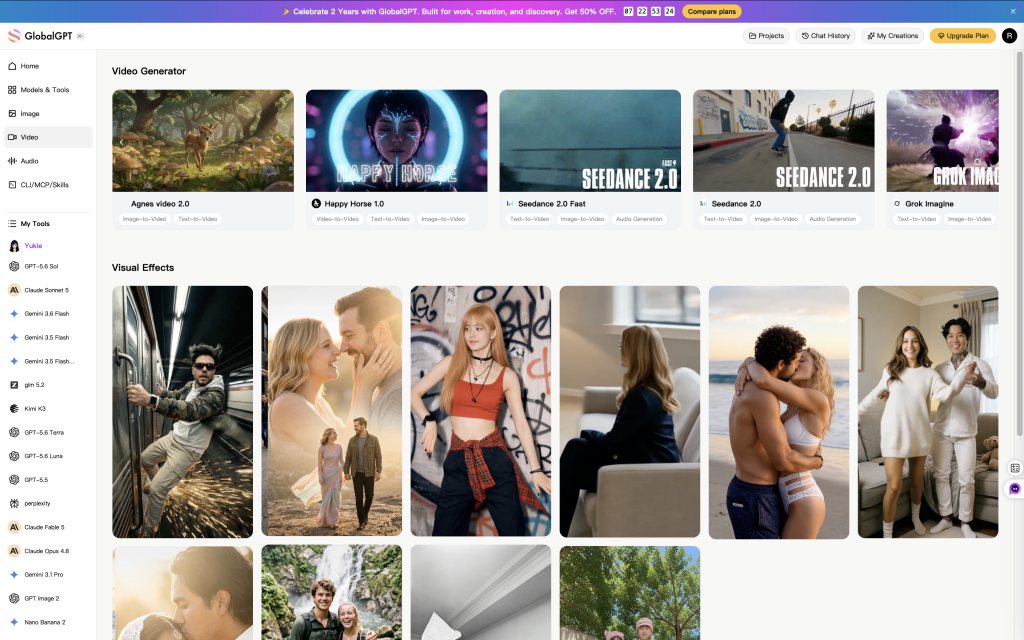
All of it runs in GlobalGPT, where writing, image generation and the current video models share one workspace. Test the same brief across Seedance, Kling, Sora and the cheaper routes, compare what each one preserves, then decide where to spend.
What you need before you start
Put these five things in one folder before you open a model. Skipping this step is the most common reason a first generation looks nothing like the product.
- Five to seven product photos. Front, side, 45 degrees, material detail, outsole or tread, packaging. If you only have one photo, keep the camera move small and avoid hands.
- One action. A stride, a grip, a landing, a board skimming concrete. One action per clip, not a whole story.
- One accurate claim. Write it before the shots, not after.
- An editor. Any editor that can cut to music, add captions and export 9:16, 1:1 and 16:9.
- A credit budget. Decide how many retries a shot gets. Three is a useful default.
Step 1 — Assemble the product truth pack
Upload the photos and ask the writing tool to audit them before you describe any motion. This takes two minutes and prevents most product drift.
List the product details a buyer must see in a 15-second sports video: silhouette, material, colourway, logo placement, closure, sole or tread, and one packaging detail. Then list which of these are visible in the attached photos and which are missing. Do not guess or invent details.
Fill the gaps with a real photo. If the outsole is missing, shoot it on your phone instead of asking the model to invent it. A generated detail becomes a false product claim the moment it reaches an ad.
Name the files so you can find them later: product-front.jpg, product-45.jpg, product-sole.jpg. You will attach the same set to every shot.
Step 2 — Write one brief for all five shots
Write the brief once, then reuse its language in every prompt. A brief that changes between shots produces five different products.
Subject: a 25-year-old Asian female runner in a white racing tank and black tights, sprinting under a city overpass, torso forward, arms driving.
Scene: 6 a.m. at the edge of the city, wet asphalt, blurred glass towers in the distance.
Camera: ground-level low angle, 35mm wide, tracking, subject entering from frame right.
Light: cold blue morning light from behind, wet ground reflection, rim light.
Texture: cinematic sports ad, subtle film grain, high contrast, real skin texture, flying water droplets.
Now paste the product anchor in front of every shot prompt. Keep it word-for-word identical across all five.
Product anchor: white racing shoe, engineered mesh upper, thick foam midsole, exposed black carbon plate, three diagonal stripes on the side, logo centred on the tongue. Preserve the silhouette, colourway, structure and logo placement shown in the supplied product photos. Do not invent a detail the photos do not show.
multiple people, four-panel grid, cluttered collage, bad anatomy, twisted limbs, extra fingers, wrong grip, broken equipment, garbled text, distorted logo, cheap fitness ad, over-smoothed skin, plastic look.
Read the brief aloud. If a sentence would not help a camera operator, delete it. “Cinematic” is not an instruction; “ground-level, 35mm, tracking from frame right” is.
Step 3 — Generate the five shots
Generate in story order, one job per shot. Make three versions of each, keep the best, and move on. Do not polish shot five before shot one works.
Shot 01 · 0–0.8s
Stop the thumb with an anomaly
Do this: put the camera on the ground and let the product tear into frame. Inspect: is there a visible event in the first half-second?
Ground-level low angle, extreme close-up of a white running shoe entering frame right at full sprint, gravel and water spraying toward the lens, red light trail ripping open behind the shoe, black track, cold blue dawn light, motion blur on the background only, product sharp, cinematic sports ad, 9:16, no text.
Avoid spending the first second on a logo alone. Give viewers something moving to follow.
Shot 02 · 0.8–4s
Reveal the real product
Do this: start on material, then pull back. Inspect: laces, outsole pattern, plate, stripe count, tongue logo.
Macro product shot of the exact white racing shoe from the reference photo, three-quarter view, laces and engineered mesh in sharp focus, single hard light from upper left, deep black background, slow 15-degree camera arc, no deformation, preserve the outsole pattern, side stripes and tongue logo exactly, 9:16.
Do not open on a full shot. Half a second of detail earns the pull-back.
Shot 03 · 4–8s
Make speed visible
Do this: show what speed does to the ground, air and light. Inspect: does the environment react, or is it just a fast shoe?
Side tracking shot at ankle height, runner sprinting through shallow water on a black track, sheet of spray backlit by a low sun, water droplets frozen at the edges, background dragged into horizontal streaks, camera pans with the stride, realistic physics, high shutter look, 9:16.
Slow motion is a result, not proof. The spray and drag are the proof.
Shot 04 · 8–12s
Hold on one human second
Do this: cut to sweat, breath and eyes. Inspect: skin texture, stray hair, whether the face looks retouched.
Close-up of a runner’s face at the end of a sprint, fine sweat on the skin, slight breath, eyes focused past the camera, natural overcast light, no beauty retouching, visible pores and stray hair, shallow depth of field, documentary sports photography, 9:16.
Shot 05 · 12–15s
Close with one line and one action
Do this: return to a clean, approved still and leave space for type. Inspect: is the product identical to shot two?
Clean end frame: the exact product centred on a black seamless background, soft top light, generous negative space on the left for a short headline, brand colour accent at the lower third, no text in the image, no logo changes, 9:16.
One line, one job. Put the actual offer in the editor, not in the prompt.
A real 4-second test generated with Seedance 2.5 from the Shot 01 brief. Judge motion and product drift here, not the final art direction.
If a shot fails twice, change the approach rather than the adjective: shorten the action, add a start frame, or replace the generated contact with real footage. Repeated retries on the same broken prompt are the most expensive habit in this workflow.
Step 4 — Fix the prompt before you retry
Change one variable at a time. Keep the anchor and light fixed. Change only camera, action or scene, then compare.
Replace adjectives with evidence. “Premium” becomes “single hard light from upper left, deep black background, visible mesh texture.”
Shorten before you add. A 90-word prompt with two actions will fail. Cut to one action per clip.
Re-state the product after the action. Models drift toward the last object described. Name the move, then repeat the anchor.
Use start and end frames when supported. Keyframes pin the silhouette at both ends and let the model invent only the middle.
Watch once at normal speed, once at half speed. The first pass tests the story; the second exposes a jumped seam, a missing lace or a thicker sole.
If the camera wanders, fix the camera line before switching models. If the product changes, the reference pack is usually the cause. The prompt adherence comparison shows how differently models follow the same instruction.
Step 5 — Choose a video model by job
Do not pick one model for the whole ad. Pick by the job of the shot: cheap motion tests first, then the model that protects the detail you cannot lose.
| Model | Default clip | Credits | ≈ Cost | Use it for | Check first |
|---|---|---|---|---|---|
| Runway Gen 4 Turbo | 5s | 200 | $0.11 | Cheap B-roll and camera moves | Product fidelity on close-ups |
| Sora 2 | 4s, 16:9 | 600 | $0.32 | Coherent scene and continuity | Logo and seams frame by frame |
| Kling 3.0 | 3s, 720p | 700 | $0.38 | Human motion, native audio option | Short default clip |
| Agnes Video 2.5 | 5s, 720p | 420 | $0.23 | Fast, low-cost iteration | Complex contact shots |
| MiniMax-H3 | 4s, 768p | 1,100 | $0.59 | Start and end keyframes | Both frames must be right |
| Seedance 2.5 | 4s, 480p | 1,300 | $0.70 | Prompt following, camera moves | Low default resolution |
| FLUX 3 Video | 5s, 720p | 2,300 | $1.24 | Graphic, stylised frames | Highest cost per test |
| Veo 3.1 | 720p | 1,500 | $0.81 | Physics, dialogue and lip-sync | Reserve for the key shot |
| Grok Imagine 1.5 | 1s, 720p | 150 | $0.08 | Very quick motion sketches | One second is not a shot |
Read from the GlobalGPT model picker on 31 October 2026 at each model’s default settings. Cost uses the Pro annual rate (240,000 credits for US$129.60 a year, about US$0.00054 per credit). Credits are platform credits, not API dollars; check the Generate button before a batch.
Speed: in our own test, a 4-second Seedance 2.5 clip at 480p took about 2 minutes 20 seconds from submit to download. Queue time moves with the hour and the model, so time three runs before you plan a same-day delivery.
Quality: score four things, not “realism” in general — product identity, sports logic, camera control and finish (artefacts, text, seams, hands). Run the same brief through two models, watch at normal speed, then pause on the first, middle and last frame beside the real photo. The model that keeps the product wins over the model that makes the prettier frame.
A practical split: use Agnes or Runway for motion tests, Seedance or Kling for the product and human beats, and Veo for the shot where physics or speech decides the ad. The Seedance for ads workflow, Sora 2 prompt collection and Kling 3.0 guide go deeper on each route.
Step 6 — Cut 15 seconds that work on mute
Open the editor with all five clips and build the timeline before you judge any single shot. The ad has to work as a sequence, not as five nice clips.
- 0–0.8s: motion and anomaly. No logo yet.
- 0.8–4s: the real product, one detail then the full shape.
- 4–8s: the action and what it does to the environment.
- 8–12s: one human beat — face, grip, breath.
- 12–15s: product, six-word line, one action.
Cut on movement, not on the beat alone. Keep captions to keywords, because most feed viewers start muted. Put the logo, price, offer and CTA in the editor so a change costs nothing. Export three crops — 9:16, 1:1 and 16:9 — and check the safe areas on a phone before you upload.
Here are the five approved clips and the product photo. Suggest a 15-second edit: in-point and out-point for each clip, the one frame to hold, where the six-word line lands, and which shot to drop if the cut runs long. Keep the product visible for at least two seconds in the middle section. Do not add claims that are not in the brief.
Step 7 — Budget for the full ad workflow
Before media spend, answer four questions in writing. A pass on the first three does not settle the fourth.
- Is it still the same product? Compare the first, middle and last frame with the real photos.
- Does the sport make sense? Grip, weight, stride, board position, string contact.
- Can a viewer read one next step? One line, one action, legible on mute.
- Can the team publish it? Image rights, athlete likeness, music, voice, claims and platform rules.
Keep every rejected version in the budget. Cost per approved ad = (generation charges + licensed assets + editing time) ÷ approved ads. That number, not the price of a single clip, tells you whether the workflow is working.
Six worked examples you can copy
These are illustrative, not quotes. Each row uses the default-clip prices from Step 5 and a real editing rate; swap in your own numbers and the same arithmetic gives your cost per approved ad.
| Scenario | Generation | Licensed assets | Editing | Total | Approved ads | Cost per approved ad |
|---|---|---|---|---|---|---|
| 1. Solo creator, one shoe, cheap tests 12 attempts × Agnes $0.23 | $2.76 | $0 | 3h × $25 = $75 | $77.76 | 1 | $77.76 |
| 2. Small brand, mixed models 10 × Agnes $0.23, 6 × Seedance $0.70, 2 × Veo $0.81 | $8.12 | $60 | 4h × $35 = $140 | $208.12 | 2 | $104.06 |
| 3. Agency batch, four ads 40 attempts at an average $0.55 | $22.00 | $240 | 16h × $45 = $720 | $982.00 | 4 | $245.50 |
| 4. Premium hero shot with Veo 6 attempts × $0.81 | $4.86 | $120 | 6h × $40 = $240 | $364.86 | 1 | $364.86 |
| 5. Retry trap, same cheap model 30 attempts × Agnes $0.23, only one ships | $6.90 | $0 | 8h × $30 = $240 | $246.90 | 1 | $246.90 |
| 6. Cheap clips, heavy edit 40 attempts × Grok $0.08 | $3.20 | $0 | 5h × $20 = $100 | $103.20 | 2 | $51.60 |
Read the rows by shape, not by the exact dollar. Row 1 and row 6 are the same workflow at different scales; row 5 is the same model as row 1 with a worse approval rate.
What the numbers make obvious
- Generation is 1–4% of the bill. In every row above, the clips cost less than the edit. Choosing a model to save $0.40 a clip is optimizing the smallest line.
- Editing is 66–97%. Row 5 spends $6.90 on generation and $240 on editing. If the cut takes eight hours, no model choice fixes the budget.
- Approval rate decides the final number. Row 1 and row 5 use the same model; row 5 generates 2.5× more clips but ends at 3.2× the cost per approved ad because only one of thirty ships.
- Batch pricing only works with approvals. Row 3 is $245.50 per ad at four approvals. At two approvals the same spend is $491 per ad, which is why agencies quote a batch, not a clip.
Build your own row in five lines
- Add every generation, including rejected attempts: attempts × price per clip at the model’s default settings.
- Add licensed assets: music, stock footage, voice, fonts, anything you pay to use.
- Multiply editing hours by your real hourly rate, not by an aspirational one.
- Divide the total by approved ads, never by clips generated.
- If the result is above your target, change one variable at a time: fewer retries, cheaper test model, or more approvals from the same session.
A practical band for this workflow: $50–100 per approved ad for a solo creator shipping organic content; $100–250 for a small brand with a hero product and paid social; $250–500 for an agency batch or a premium key shot. Above $500, check whether the ad is doing a job a photo or a real shoot cannot.
For model-specific terms, read the Veo 3.1 commercial-use guide and the Sora 2 licensing guide before you plan a paid campaign.
Three templates you can reuse
Once the five-shot cut works, reuse the structure instead of starting from a blank prompt. These three cover most sports launches.
Template A — Record Breaker
For racing shoes, cycling and triathlon. Four elements: black track, giant number added in the edit, one product, one energy line.
Cinematic sports brand concept, photoreal, black track, red speed trail, white racing shoe centred, clear empty space above the shoe for “1:59:30” to be added later, ground-level low angle, flying gravel, air tearing, high-contrast lighting, dark city backdrop, 9:16. Preserve the exact shoe in the product references.
Template B — Ground Level
For basketball, skate, tennis and cycling. Anchor the camera to the gear: on the ball, by the truck, on the front wheel.
Real high-end sports photography, extreme wide angle, camera placed on the court surface beside the ball, strong near-far perspective, clear blue sky and blue court, acid yellow-green and fluorescent orange accents, one solid jagged burst graphic behind the athlete, clear space for an oversized headline added later, film grain, 9:16, no illustration, no 3D, no cyberpunk.
Template C — One Image, One Ad
For e-commerce launches and teams without a crew. One product photo, one brief, a five-shot plan and three openings.
Help me make a 15-second sports product ad from the attached product photo. Product: [name and category]. Audience: [who buys it]. One accurate benefit: [benefit]. Action: [shop / sign up]. Placement: 9:16 feed. Write three opening hooks, recommend one, then give a five-shot plan with duration, camera position, action and the product detail that must stay visible in each shot. Keep the exact product shape, colourway and logo from the photo. Do not invent features.
What to fix when the ad goes wrong
- The shoe keeps changing. Tighten the reference pack and repeat the anchor after the action. Check the outsole and logo at the start, middle and end.
- The sport looks wrong. Rewrite the hand, weight and direction. For grip shots, say which fingers touch what and where the body weight sits.
- The text turns to alien glyphs. Remove text from the prompt and add it in the editor. Keep only a short English headline if you must generate type.
- Every shot flies. Cut motion against stillness. Follow a fast shot with a locked-off detail or a human beat.
More finished routes are collected in product video ad examples; the video generator comparison and credits explainer help with the next buying decision.
Frequently asked questions
How long does it take to make an AI sports product video ad?
About 40 minutes for a first 15-second candidate if the product photos and brief are ready. Queues, retries, claim approval and rights checks add time. Plan for a second session before anything goes live.
Can I make one with a single product photo?
Yes, if the motion is restrained: a reveal, a slow arc, a clean end frame. Add more angles or real footage when the shot needs hands, grip, a landing or a hard-to-fake contact.
How many shots should I generate?
Five for a 15-second cut, six to eight if you expect to drop one. One job per shot; three versions each; keep the best and move on.
Which model should I start with?
Start with a cheap route for motion tests, then move the winning shot to a model with stronger product fidelity or physics. In the current picker, Agnes Video 2.5 and Runway Gen 4 Turbo are inexpensive first passes; Seedance 2.5, Kling 3.0 and Veo 3.1 are the ones to test when camera control, human motion or physics decides the shot.
How much does one ad cost?
In the Pro plan, the default clips above run from about US$0.08 to US$1.24 before retries. Add editing, music and approval time, then divide by approved ads rather than by generations.
How do I stop it looking fake?
Describe action, camera and light instead of adjectives; attach a product anchor; use a negative prompt where supported; keep one human imperfection; and finish with editing and licensed sound. Those steps improve control, not guarantee realism.