

A second machine buys you memory, not speed. That decides whether a Mac Studio cluster over Thunderbolt 5, a stack of Strix Halo mini PCs or two DGX Sparks is worth the money. If your model fits on one box, one box runs it faster. You cluster when it does not fit, and the link between the boxes then sets how much of the extra memory you can use.
We compare three ways to cluster local LLMs across machines: RDMA over Thunderbolt 5 with exo, Ryzen AI Max+ 395 boxes with llama.cpp RPC, and two DGX Sparks on a 200GbE cable. We did not have two of each box, so hardware speeds are cited and labelled. The llama.cpp RPC setup all three can run was tested on two lab nodes, and every command below was run on Ubuntu 26.04.1 LTS with llama.cpp build 7aca0d2 in October 2026.
Pick a cluster by the model you want to run
Start from the size of the model in memory, not from the hardware you like. A 128GB box holds about 115 to 120GB for weights and KV cache once you raise the GPU memory limit (a kernel parameter on Strix Halo, the iogpu.wired_limit_mb sysctl on a Mac), so the decision goes like this:
- Under 110GB: one box, no cluster
- 110GB to 230GB on a budget: two Strix Halo boxes
- 110GB to 230GB with fast decode: one Mac Studio M5 Ultra with 256GB, no cluster
- CUDA, vLLM or fine-tuning across nodes: two DGX Sparks
- 230GB to about 480GB: one M5 Ultra with 512GB, or three to four Strix Halo boxes on a budget
- Beyond one box with speed scaling: Macs over Thunderbolt 5 or Sparks over QSFP with RDMA
Our pick for most people who already know they need a cluster is two Strix Halo boxes. They reach a 256GB pool for about $3,000 less than a pair of 128GB Mac Studios. Mac buyers in that range should look at a single M5 Ultra first, which Apple configures to 256GB or 512GB with 1.2 TB/s of bandwidth. One box beats two. A Mac cluster earns its place past what one Ultra holds, or when you already own a Mac. The Spark pair wins when the job is CUDA rather than chat. The picks below are the specific boxes we’d buy for each path.
Best value node: Bosgame M5
Bosgame’s M5 is the cheapest 128GB Ryzen AI Max+ 395 box we could find in stock on Amazon, at around $3,600 (check the live price, stock was marked scarce). Its weak spot for clustering is a single 2.5GbE port, so plan on a USB4 cable between nodes.

Buy it if you want 256GB of pooled memory for under $8,000 and you’re happy on llama.cpp. Skip it if you need vLLM tensor parallel across nodes, because ROCm multi-node serving on these boxes is still a hobby project, not something you can count on. Check the Bosgame M5 on Amazon.
In-stock alternative: GMKtec EVO-X2
GMKtec’s EVO-X2 costs about $3,650 on Amazon (check the live price) and has the same dual USB4 and single 2.5GbE layout as the Bosgame, so two of them link with one cable and no switch. It is the safer second pick because it was in normal stock when we checked, not scarce.
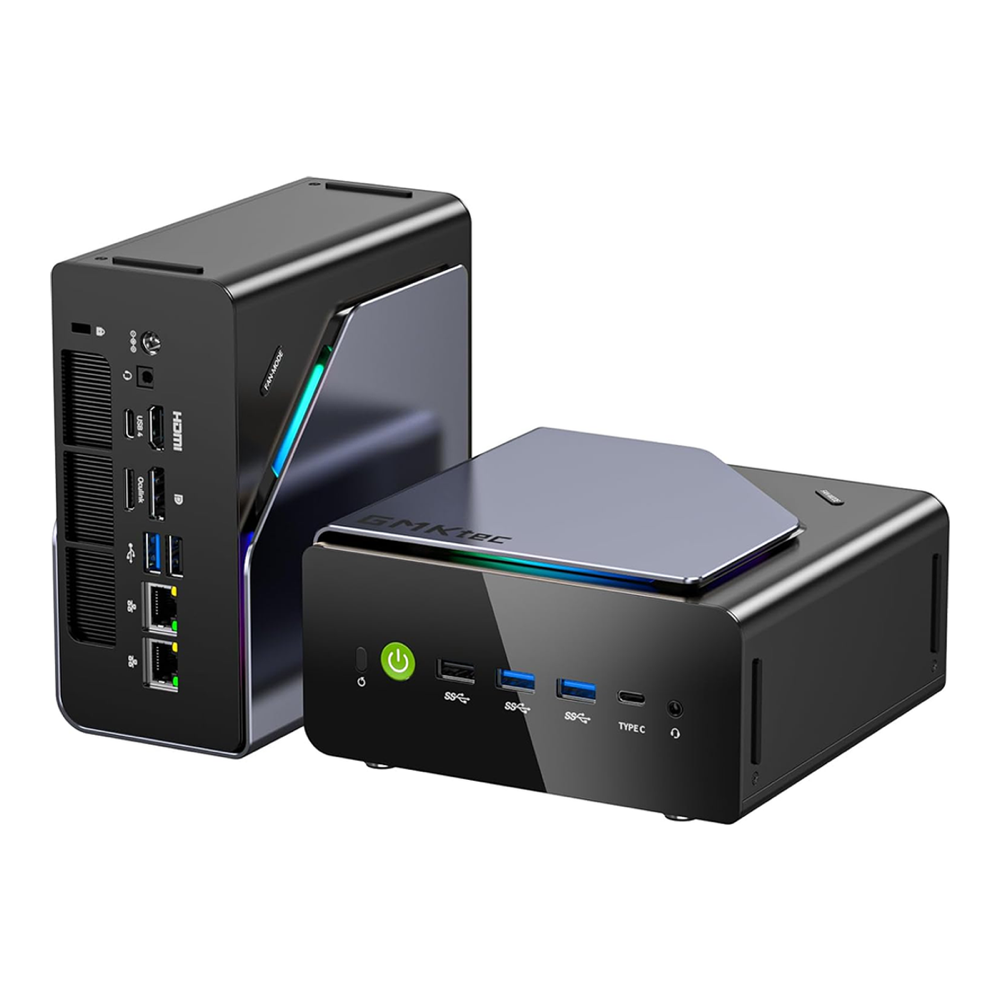
Skip it if you expect USB4 to behave like 40Gb/s networking. Jeff Geerling’s four-node Framework cluster only got about 10Gb/s out of USB4 links between Strix Halo boards, so treat it as a 10GbE substitute. See the EVO-X2 listing.
Fastest decode: Mac Studio M5 Max
Of the three, only the Mac Studio gives you RDMA over a cable you can buy at the Apple Store. Read the configuration carefully before you click: the Amazon unit is the base M5 Max with 36GB for about $2,300 (check the live price), which is a fine exo node for small models but not a cluster building block. The 40-core M5 Max with 128GB and 614 GB/s of memory bandwidth is an Apple configure-to-order build, listed at about $5,099 when we checked Apple’s configurator in October (check the current price).

Skip a pair of these if one M5 Ultra holds your model, and skip the Mac entirely if your stack is CUDA or you want Linux on the metal. Every Mac in an RDMA cluster also needs the exact same macOS version, so you will be holding updates until all nodes can take them together. Check the base Mac Studio M5 Max on Amazon.
Best for CUDA: NVIDIA DGX Spark
NVIDIA lists the 128GB DGX Spark at about $6,950, and partner 64GB units start at about $4,999 (list prices from October 2026, check current pricing). Both Amazon listings we track (NVIDIA’s own and the ASUS Ascent GX10) were out of stock on October 27, so the link below goes to NVIDIA’s product page rather than a retailer.

Buy two if your target is vLLM, TensorRT-LLM or a multi-node training job you’ll later move to real DGX hardware. Skip it for plain chat inference, because two 128GB Sparks cost about $3,800 more than two 128GB Mac Studios and decode slower per node (273 GB/s against 614 GB/s). See the DGX Spark on NVIDIA’s site.
Check what we tested and what we cited
We split the evidence in two and kept the halves apart. The part we measured is the software layer every platform here shares: llama.cpp’s RPC backend, built from source and run across two Ubuntu 26.04 VMs. The part we cited is anything that needs two Mac Studios, two Strix Halo boxes or two Sparks on a desk, which we did not have. Those numbers come from:
- Jeff Geerling’s four-Mac RDMA cluster and his Framework Desktop cluster
- AMD’s four-node Framework Desktop guide running a one-trillion-parameter model
- NVIDIA’s clustering playbook and two-Spark reports on its developer forum
- Amazon’s catalog API for prices and stock, read on October 27, 2026
Our lab nodes were two VMs with 4 vCPUs and 8GB of RAM each on the same Proxmox host. Their “network” is a virtual bridge, where iperf3 measured 21.6 Gbit/s and ping 0.41 ms. That is faster than any real cable here, so we added 2 ms of latency with tc netem to see how much the link matters. Treat our tokens per second as a demonstration of behaviour, not a hardware ranking. CPU-only nodes are slow on purpose: they show the memory split clearly without a GPU hiding it.
Compare the three cluster builds
Read the link column before the box column. Pipeline splits (layers on different machines) send only a small activation tensor per token across the wire, so they tolerate slow links. Tensor parallel splits every layer across nodes and talks on every step, which is why only the RDMA links in this table make it pay off.
| Two-node build | Link | Pooled memory | Bandwidth per node | Software | Approx. cost for two |
|---|---|---|---|---|---|
| Mac Studio M5 Max 128GB | Thunderbolt 5, RDMA (up to 120Gb/s) | 256GB | 614 GB/s | exo (MLX), llama.cpp RPC | about $10,300 incl. cable |
| Strix Halo 128GB (Bosgame M5 or EVO-X2) | 2.5GbE, or USB4 at about 10Gb/s | 256GB | 256 GB/s | llama.cpp RPC (ROCm or Vulkan) | about $7,200 to $7,300 |
| DGX Spark 128GB | QSFP112, 200GbE with RDMA | 256GB | 273 GB/s | vLLM, TensorRT-LLM, NCCL, llama.cpp RPC | about $14,100 incl. cable |
| DGX Spark 64GB (partner) | QSFP112, 200GbE with RDMA | 128GB | 273 GB/s | same as above | from about $10,200 incl. cable |
Two things stand out. The 64GB Spark pair only reaches the memory of one 128GB Strix Halo box for nearly three times the money, so it makes sense only if you already standardise on CUDA. The Mac pair costs about $3,000 more than the Strix Halo pair, and what that buys is 2.4 times the memory bandwidth per node plus a link that supports tensor parallel.
Connect a Mac Studio cluster over Thunderbolt 5
macOS 26.2 added RDMA over Thunderbolt 5, and that’s what turned a Mac Studio cluster from a curiosity into the fastest consumer option. According to Jeff Geerling, RDMA cuts memory access latency between Macs from about 300 microseconds to under 50, and he puts real-world Thunderbolt throughput at around 50 to 60 Gb/s. exo uses that link for tensor parallel through MLX, and the exo README claims up to 1.8 times the single-device speed on two devices and 3.2 times on four.
You will trip over these rules if nobody tells you, so here they are from the exo README:
- macOS 26.2 or later on every node, the exact same build
- RDMA enabled once per Mac from Recovery with
rdma_ctl enable - A full mesh: every Mac cabled to every other Mac with Thunderbolt 5
- Not the Thunderbolt 5 port next to the Ethernet port on a Mac Studio
- Thunderbolt Bridge disabled on the RDMA ports
Full mesh is the real limit. No Thunderbolt 5 switch exists, so two Macs need one cable, three need three and four need six, which is why every public Mac RDMA cluster we found stops at four. Apple’s certified Thunderbolt 5 Pro cable (1m) runs about $69 on Amazon, and the Anker Prime Thunderbolt 5 cable is about $38 if you’re buying six (check live prices for both).
Geerling’s cluster used four M3 Ultra Mac Studios, not M5 Max, so read his numbers as the shape of the curve rather than what a new M5 pair will do. On Qwen3 235B he reported about 32 tokens per second from exo across four Macs. runaihome.com, citing an identical four-M3-Ultra setup and an unnamed model, puts exo with RDMA at 26.2 tokens per second on two nodes and 31.9 on four, against 17.2 and 15.2 without RDMA. Geerling’s own text says llama.cpp RPC scales but loses speed as you add nodes. That is the pattern to remember: a layer-split cluster gets slower per node added, while exo with RDMA gets faster. llama.cpp can now use RDMA too when it is built against macOS’s librdma and pointed at the Thunderbolt address, so that gap may shrink, but we found no published Mac numbers for the new transport yet.
Run Strix Halo boxes over Ethernet or USB4
Strix Halo clusters run llama.cpp RPC, and that is the whole software story for now. exo runs only on CPU on Linux according to its own README, and vLLM on ROCm across nodes is not something we would ask you to debug. A layer split does not need a fast wire, though, so 2.5GbE works.
AMD’s own proof is the strongest data point. Its developer guide ran Kimi K2.5 at the UD_Q2_K_XL quant, 375GB in eight GGUF shards, on four Framework Desktops joined by 5Gb/s Ethernet. Each node’s GPU memory was raised from the 96GB BIOS limit to about 120GB through the ttm.pages_limit and amdgpu.gttsize kernel parameters. It decoded 128 tokens at 9.45 tokens per second with flash attention on and processed prompts at up to 100.77. A 4,096-token prompt still took 39.7 seconds to the first token. That is usable for a private assistant and painful for anything that feeds long documents.
USB4 looks like the cheap fix and mostly is not. Geerling’s Framework mainboards topped out around 10Gb/s over USB4 networking, and llama.cpp RPC hit a segfault on DeepSeek R1 in that cluster (llama.cpp issue 15055 at the time). If you cluster these boxes, keep the model in GGUF, use llama.cpp’s RPC path below, and do not expect USB4 to turn a layer split into a fast cluster. The Ryzen AI Max+ 395 mini PC comparison covers the per-box differences (ports, cooling, power) that matter more than the link.
Connect two DGX Sparks with one QSFP cable
Two Sparks connect directly with a single QSFP112 direct-attach cable between the ConnectX-7 ports, port 0 to port 0 or port 1 to port 1. NVIDIA’s Connect Multiple Sparks playbook is explicit that a second cable doesn’t add performance. Three Sparks go in a ring of three cables, four in a ring of four, and anything past that needs a 200Gb/s switch with one link per Spark. The playbook requires the April 2026 DGX OS release or later, and NVIDIA Sync’s cluster assistant does the network setup in about ten minutes for up to three directly cabled Sparks or four through a switch. A four-Spark ring needs the manual path.
Most wasted money goes on the cable. NVIDIA keeps an approved list in its Spark clustering docs. It names Amphenol and Luxshare QSFP112 DAC parts, and NVIDIA asks for a supported QSFP112 DAC in Ethernet mode. The closest thing on Amazon is the ASUS Ascent GX10 QSFP112 400G DAC cable (0.4m) at about $173 (check the live price). ASUS sells it for its own GB10 cluster, but it is not on NVIDIA’s list, so buy from the approved parts if you want no doubt. Cheap 200G QSFP56 cables show up in the same searches and are not on the list either.
Published two-Spark speeds are scattered and early. NVIDIA says two 64GB units pool 128GB and run up to 1.7 times faster than a single system on its Qwen test, which is a vendor figure. The most detailed owner report was posted on NVIDIA’s developer forum in December 2025. It measured Qwen3 235B at 12.5 tokens per second over llama.cpp RPC on the 200GbE cable, against the 11.73 the poster cites as NVIDIA’s own figure. That owner fell back to llama.cpp because vLLM with Ray and TensorRT-LLM with NVFP4 both failed on GB10 at the time, even though NCCL itself moved 39.34 GB/s over the link. Expect better numbers on current DGX OS, but do not buy two Sparks for a speed you’ve only read on a forum. If CUDA serving is your goal, the vLLM production install is the stack you will end up running on them.
Build a two-node llama.cpp RPC cluster
llama.cpp RPC is the one method that runs on all three platforms, Mac, Strix Halo and Spark, and you can mix them in one cluster. The head node loads the GGUF file and schedules the graph; each worker runs ggml-rpc-server and lends its memory and compute over TCP. With the 7B model loaded, the lab looked like this:

Your worker never reads the model file. It receives tensors over the wire and, with -c, keeps a copy on its own disk so the next load skips the transfer. The head node also keeps whatever layers you do not offload, which is why its memory counts toward the pool.
Build llama.cpp with RPC on every node
The lab used two nodes, node1 (10.0.1.51) as the head and node2 (10.0.1.52) as the worker, so replace those addresses with your own in every command below. Give the head node about 15GB of free disk for the build and both models. The worker needs room for its tensor cache, which reached 7.8GB after a few of our runs. Every node needs the same llama.cpp commit, because the RPC protocol changes between builds and a mismatch fails at connect time. Install the build tools on each node first:
sudo apt-get update
sudo apt-get install -y build-essential cmake git libcurl4-openssl-dev jq
Clone the repository and build with GGML_RPC switched on. On a CUDA node add -DGGML_CUDA=ON, and on Strix Halo AMD’s guide uses -DGGML_HIP=ON -DAMDGPU_TARGETS="gfx1151" which upstream’s build docs now name -DGPU_TARGETS. Our lab nodes were CPU-only, so only the RPC flag was set:
git clone --depth 1 https://github.com/ggml-org/llama.cpp ~/llama.cpp
cd ~/llama.cpp
cmake -B build -DGGML_RPC=ON -DCMAKE_BUILD_TYPE=Release
cmake --build build --config Release -j 4
Confirm the version and the RPC pieces once the build finishes:
./build/bin/llama-cli --version
ls build/bin | grep -i rpc
Upstream renamed the worker binary to ggml-rpc-server, but older guides, including AMD’s, still call it rpc-server, so adjust any copied commands:
version: 0.7.0-dev (build 1, commit 7aca0d2)
built with GNU 15.2.0 for Linux x86_64
ggml-rpc-server
libggml-rpc.so
libggml-rpc.so.0
libggml-rpc.so.0.27.0
test-rpc-multi-server
If ggml-rpc-server is missing from that list, the cache from an earlier configure kept RPC off. Delete the build directory and run both cmake commands again.
A shallow clone takes whatever is on master that day, so compare the commit on every node before you go further:
cd ~/llama.cpp && git log -1 --format='%h %cd %s'Both lab nodes printed the same hash:
7aca0d2 Mon Oct 26 16:56:01 2026 -0700 hexagon: add GGML_HEXAGON_VTCM_SIZE (#31221)If yours differ, re-clone the odd node, or run git fetch --unshallow there and check out the matching hash, then rebuild it. Only the head node needs the model files, because the worker gets its share of the weights over the wire.
Allow only the head node through the firewall
Fence the port off before the worker starts listening. RPC traffic carries no authentication, and anyone who reaches port 50052 can push tensors into the worker’s memory, and the upstream README says never to run it on an open network. Ubuntu ships with ufw inactive, so allow SSH first to avoid locking yourself out, then open 50052 to the head node’s address only:
sudo ufw allow OpenSSH
sudo ufw allow from 10.0.1.51 to any port 50052 proto tcp
sudo ufw --force enable
sudo ufw status verbose
You should see 50052 listed from the head node and nothing wider:
Status: active
Logging: on (low)
Default: deny (incoming), allow (outgoing), disabled (routed)
New profiles: skip

To                         Action      From
--                         ------      ----
22/tcp (OpenSSH)           ALLOW IN    Anywhere
50052/tcp                  ALLOW IN    10.0.1.51
22/tcp (OpenSSH (v6))      ALLOW IN    Anywhere (v6)
For anything beyond a home lab, put the RPC traffic on a dedicated link (the Thunderbolt or QSFP cable itself, or a VLAN) so it never shares a segment with other machines. The ufw command reference covers per-interface rules if you want to pin 50052 to that link.
Start the RPC worker
By default the worker listens on 127.0.0.1, which is useless for a cluster, so you bind it to all interfaces and turn the tensor cache on. Check its defaults first:
-H: bind address, default 127.0.0.1-p: port, default 50052-t: CPU threads, default 2-c: local tensor cache in~/.cache/llama.cpp/rpc
A thread default of 2 cost us dearly, as the numbers further down show, so set -t to the worker’s core count on CPU nodes. Run it in a tmux session or a service of your own so it outlives your SSH login:
~/llama.cpp/build/bin/ggml-rpc-server -H 0.0.0.0 -p 50052 -t 4 -cOur capture comes from the service journal, so each line carries a journald prefix you won’t see in a terminal. Expect a loud warning about binding to anything other than localhost, followed by the endpoint, cache path, device memory and transport:

Read two lines in that log. CPU ... (7936 MiB, 7936 MiB free) is the memory this worker offers to the head node, and transport : TCP means no RDMA path was found. llama.cpp negotiates RDMA only when it was built with the RDMA library present (libibverbs on Linux, librdma on macOS 26.2 and later) and --rpc points at the address of the RDMA link itself. Any other path stays on TCP without an error, and GGML_RPC_NO_RDMA=1 forces TCP when you want to compare the two.
Run a model across both nodes
Download the two test models from Hugging Face on the head node. Both are public, so no token is needed:
mkdir -p ~/models
curl -L -o ~/models/Qwen2.5-3B-Instruct-Q4_K_M.gguf https://huggingface.co/bartowski/Qwen2.5-3B-Instruct-GGUF/resolve/main/Qwen2.5-3B-Instruct-Q4_K_M.gguf
curl -L -o ~/models/Qwen2.5-7B-Instruct-Q8_0.gguf https://huggingface.co/bartowski/Qwen2.5-7B-Instruct-GGUF/resolve/main/Qwen2.5-7B-Instruct-Q8_0.gguf
To prove the cluster does something one node can’t, we used Qwen2.5 7B Instruct at Q8_0, a 7.54 GiB file, on nodes with 7.8GB of RAM each. Loaded fully into memory on node1 alone (-lm none, no memory mapping), the kernel killed it 16.8 seconds in:
Out of memory: Killed process 44479 (llama-bench) total-vm:7987688kB, anon-rss:7757788kB, file-rss:2172kB, shmem-rss:0kB, UID:1000 pgtables:15284kB oom_score_adj:0Point the same model at the worker with --rpc. In llama-bench on a CPU-only head node, the default -ngl sends every layer to the RPC device and leaves node1 only coordinating. On our 8GB worker that meant the whole model on one box again. Our first attempt with that default ended with both VMs dead and the lab host restarting. We didn’t confirm the cause and didn’t repeat it. Setting -ngl 16 puts 16 of the 29 layers on node2 and keeps the rest on node1:
./build/bin/llama-bench -m ~/models/Qwen2.5-7B-Instruct-Q8_0.gguf -p 512 -n 128 -t 4 -r 2 -lm none -ngl 16 --rpc 10.0.1.52:50052A model the kernel killed on one node runs across two, at 14.99 tokens per second for prompt processing and 3.22 for generation:

On GPU nodes the logic is the same: -ngl 99 splits layers across the local GPU and the RPC devices by free memory, and --tensor-split overrides the ratio. llama-server also defaults to -ngl auto, which fits the split to free device memory, so the explicit -ngl 16 below matters most in llama-bench. Note that recent builds dropped --no-mmap. llama-server rejects it with error: invalid argument: --no-mmap, and -lm none (load mode) replaces it in both the server and llama-bench.
Serve it and check where the layers landed
For real use, run llama-server on the head node so clients get an OpenAI-compatible API. The default log is almost silent about the split, so add -lv 4 the first time to see it:
~/llama.cpp/build/bin/llama-server -m ~/models/Qwen2.5-7B-Instruct-Q8_0.gguf --rpc 10.0.1.52:50052 -lm none -ngl 16 -c 4096 --host 127.0.0.1 --port 8080 -lv 4Filtered from the load log, these lines tell you the cluster is real:
0.00.007.855 I cmn  common_param:   - RPC0    : 10.0.1.52:50052 (7936 MiB, 7936 MiB free)
0.00.395.369 I load_tensors: offloaded 16/29 layers to GPU
0.00.395.372 I load_tensors:          CPU model buffer size =  3622.65 MiB
0.00.395.374 I load_tensors: RPC0[10.0.1.52:50052] model buffer size =  4095.03 MiB
0.32.499.947 I llama_kv_cache:        CPU KV buffer size =   104.00 MiB
0.32.501.106 I llama_kv_cache: RPC0[10.0.1.52:50052] KV buffer size =   120.00 MiB
0.32.583.954 I sched_reserve: graph: nodes = 961, splits = 2, input objects = 4, input tensors = 9
“GPU” in that log means any offload device, including the remote CPU. The worker holds 4,095 MiB of weights and node1 holds 3,623 MiB, and splits = 2 confirms one hand-off per token in each direction. Each node also carries its own slice of the KV cache, so a longer context costs memory on both. With the server up, send it a request:
curl -s http://127.0.0.1:8080/v1/chat/completions -H 'Content-Type: application/json' -d '{"messages":[{"role":"user","content":"In two sentences, what does a RAID 10 array trade off?"}],"max_tokens":120}' | jqYou get the answer back with timings, here trimmed to the message and the speed fields:
        "content": "A RAID 10 array trades off write performance and capacity for increased read performance and data redundancy."
...
    "prompt_n": 44,
    "prompt_ms": 3810.437,
    "prompt_per_second": 11.547231984152997,
    "predicted_n": 21,
    "predicted_ms": 6540.03,
    "predicted_per_second": 3.058089947599629
About 3 tokens per second is what two 4-core CPU nodes give an 8GB model, and it matches the benchmark. While it was loaded, ggml-rpc-server held about 4.15 GiB resident on node2, and free -h still showed 3.1 to 3.6 GiB available on each node once page cache is counted, so there was room to spare. Swap the CPUs for Strix Halo iGPUs or GB10s and the same two commands scale up; the llama.cpp server guide covers the server flags beyond RPC.
Read the two-node lab numbers
You can reproduce every row: each run used llama-bench with a 512-token prompt and 128 generated tokens on the head node. The 3B model (Qwen2.5 3B Q4_K_M, 1.79 GiB) fits on one node, which lets you see what RPC costs when you don’t need it:
| Run | Setup | pp512 (t/s) | tg128 (t/s) | Wall time |
|---|---|---|---|---|
| 3B, one node | local CPU, 4 threads | 51.63 | 11.43 | 78.2 s |
| 3B, two nodes | worker -t 4, cold cache | 57.06 | 11.39 | 77.0 s |
| 3B, two nodes | worker -t 2, cold cache | 32.94 | 9.06 | 116.6 s |
| 3B, two nodes | worker -t 2, warm cache | 32.80 | 9.07 | 108.9 s |
| 3B, two nodes | worker -t 2, warm cache, +2 ms latency | 33.16 | 9.01 | 108.9 s |
| 7B Q8_0, one node | -lm none | OOM-killed after 16.8 s | 16.8 s | |
| 7B Q8_0, two nodes | -ngl 16, worker -t 4 | 14.99 | 3.22 | 218.0 s |
Our 3B rows prove the opening claim. With every layer on the worker, two nodes generated at the same speed as one and processed prompts only 10% faster. With the default -ngl every layer sat on the worker, so node1 did no layer compute at all, and the run was really 4 remote threads against 4 local ones plus the network. A layer split never adds compute per token anyway, because layers run in order and only one machine works at a time. The worker’s thread count moved the result more than anything else: dropping it from 4 to the default 2 cost 42% of prompt speed and 20% of generation. Treat that gap as a rough figure, since the -t 2 runs came after the lab host restarted and both VMs shared one 4-core host, but check -t before you blame the network.
Adding 2 ms of latency changed nothing measurable at these speeds, which matches the cited results: a layer split sends one small activation per token, so on slow nodes the wire is idle most of the time. The cache saved about 8 seconds of load time on a 1.7GB worker share: 109 tensor files were written on the cold run and none on the warm one. That saving grows with model size, because a cold load pushes every weight over the link. On a 375GB model over 2.5GbE that first transfer takes many minutes, so always run workers with -c.
Error: “Out of memory: Killed process (llama-bench)”
Linux’s OOM killer took the benchmark because the model plus buffers needed more RAM than the node had, with memory mapping off. On a single box the fix is a smaller quant. On a cluster, add --rpc and lower -ngl until the available column of free -h keeps some headroom on every node, and remember the KV cache for your context length lands on every node.
Error: “error: invalid argument: –no-mmap”
Current llama.cpp builds replaced --no-mmap and llama-bench’s -mmp 0 with a single load-mode flag. Use -lm none to load weights into RAM without mapping, which is what multi-node guides written before the change mean by --no-mmap.
Choose the link before you buy the second box
Buy the link for the split you will actually run. A layer split over llama.cpp RPC works on 2.5GbE and USB4, so a Strix Halo pair is the cheapest way into 256GB, and you get roughly single-box speed with double the memory. Tensor parallel is what makes a cluster faster than one node. Today only two setups here do it in a way you can reproduce: exo over Thunderbolt 5 RDMA on Macs, and vLLM or NCCL over ConnectX-7 on Sparks.
Before spending $7,000 or more, check that your target model really does not fit one 128GB box at a sensible quant. A single Strix Halo or Mac Studio runs it faster with no networking at all. The single-box DGX Spark vs Strix Halo vs Mac Studio comparison has the per-node speeds. The best mini PC for local AI guide covers boxes under 128GB if a cluster turns out to be more than you need. If you do build one, start with two nodes, the worker’s thread count set, the cache on and the port fenced off, and add a third only after the second has paid for itself.


