



I still don’t have Claude Duet. I joined the waitlist, but it’s US-only during the research preview, and I’m not in the US. So in last week’s Q&A, everything I said about Duet came from Anthropic’s announcement. My guess was that it should be smart because it runs on Claude Opus 5.5, and on the show I said I expected that to mean it could handle long-running tasks with deeper reasoning.
That’s why I wanted episode 36 of One Shot Show. Instead of reading about Duet, I could watch two people who had been running their actual businesses through it.
Dheeraj Sharma had used it for about a week. Our guest, Ahad Amdani, is an AI Maker Lab member who writes G8N•AI and has a couple of decades in software.
Learn what Ahad writes about by subscribing to his newsletter:

He got early access about four hours after Anthropic started letting people in, and he connected Duet to the fleet of Claude agents he already runs.
Early in the show, Ahad called Duet “a really weak chief of staff.” Later, when Ahad turned the question to where Duet had worked and where it hadn’t, he described the ten tasks he’d handed it this way:
“So it wasn’t able to go from start to finish, but it was really good at nudging.”
By the end of the hour, both of them had the same conclusion: Duet’s best moments were when it noticed things before they did. It’s such a good proactive agent, but it still struggled to complete tasks. There’s a lot of nuance in between, and we’re going to uncover it in this post.
What is Claude Duet, and what can it do?
If you haven’t seen it yet, here’s the short version.
Duet is a separate Claude app on iPhone, Android, and claude.ai. Currently, it’s only available through a US-only waitlist. It runs on Claude Opus 5.5 (you can’t pick another model), on its own computer in the cloud, so it keeps working when your laptop and phone are off. It starts with the memory, skills, and connectors you already set up in Claude.
Claude Duet is Anthropic’s answer to the 24/7 personal AI agent market, competing with earlier players such as Grok Bot, OpenAI’s Dots, Instinct, Meta’s Muse, and others.
Inside the app, you work in channels, and you can sort channels into groups by area of work. Dheeraj’s groups are running the day, people, and content. Every channel shares the same memory, and each one can carry its own standing instructions. When Duet has something for you, it shows up as a card.
Despite all those capabilities, it comes with some limilations. Duet can’t see the files on your computer, and it can’t use skills or connectors that only exist in your local Claude Code setup. It can see that your Claude sessions exist, but it can’t direct them.
For me personally, I would expect Duet to be able to deploy multiple new sessions into my Claude Code environment, since I already have my own local project setup running inside it.
How Duet’s proactive nudges caught problems before anyone asked
The feature behind Duet’s best moments is the proactive nudge. You don’t have to ask Duet anything. It checks your connected accounts every few hours, and when it finds something that needs you, it messages you first. You can tell it what you want to hear about and how often.
Here are some cases that Dheeraj and Ahad shared from their experiences using it:
1. It flagged a show on the wrong day
The nudge came inside Dheeraj’s morning brief. His calendar had One Shot Show at 9 a.m. on Wednesday, but a note from an earlier conversation said the show had moved to Friday. We’d moved the show, but Dheeraj hadn’t moved the calendar event, and nobody had asked Duet to check. He described it as the kind of reminder you might miss on a busy day.
2. It flagged an outdated date in a free download
Dheeraj offers a free email kit on Maven. When someone downloaded it, Duet nudged him that the kit, which includes a PDF, still promoted a cohort date that had already passed. Dheeraj wasn’t sure how it got to the file. He said he would have kept sending that kit for months, until someone complained. The part he liked most was that the nudge told him to do something about it.
3. It connected a member’s complaint to a deploy
That same week, Dheeraj put a page behind Cloudflare’s Turnstile check, and it ended up blocking his Substack MCP (the connector he built so Claude can read and write to Substack). A paid member wrote in because the tool had stopped working for her. As soon as her message came in, Duet surfaced it and linked it to the change Dheeraj had just deployed, without him opening a Claude Code session to dig through what went wrong. The fix was to take that page off Turnstile, and Duet sent her the reply through the Substack connection. Dheeraj said it was sorted within minutes.
4. It suggested a report Ahad hadn’t thought to write.
Ahad already runs a daily search visibility check for a client. A card popped up that he says he wasn’t even thinking about: Duet had looked at those results, surfaced 59 findings, and offered to turn them into a report he could send. He said it was work he’d been meaning to do, and he hadn’t thought to package it that way until Duet offered.
I think all these cases are interesting. The reason is that AI has now evolved from something you need to prompt manually into an entity that lives in our ambient background, always watching and notifying us about things that could be important, which we might have missed because we’re too busy doing something else.
This is really similar to the experience I’ve been having with OpenAI’s Dots and Grok Bot. There have been many cases where AI has been helpful in reminding me about things that matter—for example, sponsorship inquiries, my padel match, travel plans, meetings I need to attend, emails I need to respond to, and so on.
The proactive nudge feature is one of the most important things you can expect when you use a personal AI agent that lives in the cloud 24/7.
Five flaws we found in Duet
Now that we know what it’s good at, let’s explore some of Duet’s flaws—or, we could say, its lack of capabilities.
It’s important to note that Duet is still a research preview, so some of this may change. But these are the flaws Dheeraj and Ahad ran into, in their week of use and live on the show.
1. It hands tasks back before they’re finished.
Ahad handed Duet ten open tasks, the kind of work I’d hoped Opus 5.5 would carry to the end. It got most of the way through them, then handed them back to him to finish. To its credit, he said it was “very honest about its own gaps,” which helped him adjust what he gave it.
2. Its information goes stale, and it can’t reach Github
Some of what Duet knew went out of date, and Ahad had to figure out how to keep it updated. It also has no direct access to GitHub or to his own Kanban board, so he couldn’t continue his work there.
3. It can’t launch Claude Code sessions
I asked whether Duet could, because people on X have been asking the same thing, and in my use, OpenAI’s dots can already launch Codex sessions. Ahad tried it live. He asked Duet to open a Claude Code session for his software project, and it said it was opening one. When he asked for the link, it brought him back to the same thread. No session appeared.
Dheeraj’s understanding is that Duet can kick off work in a Claude Code environment you’ve already set up in the cloud, but it can’t create one. A GitHub connector would let it read your code and answer questions about it, but not do the work.
🚨 But the good news is that, as I’m writing this post today, I came across a tweet from David Sutton, the co-creator of Claude Duet, announcing that Duet can now run Claude Code sessions:

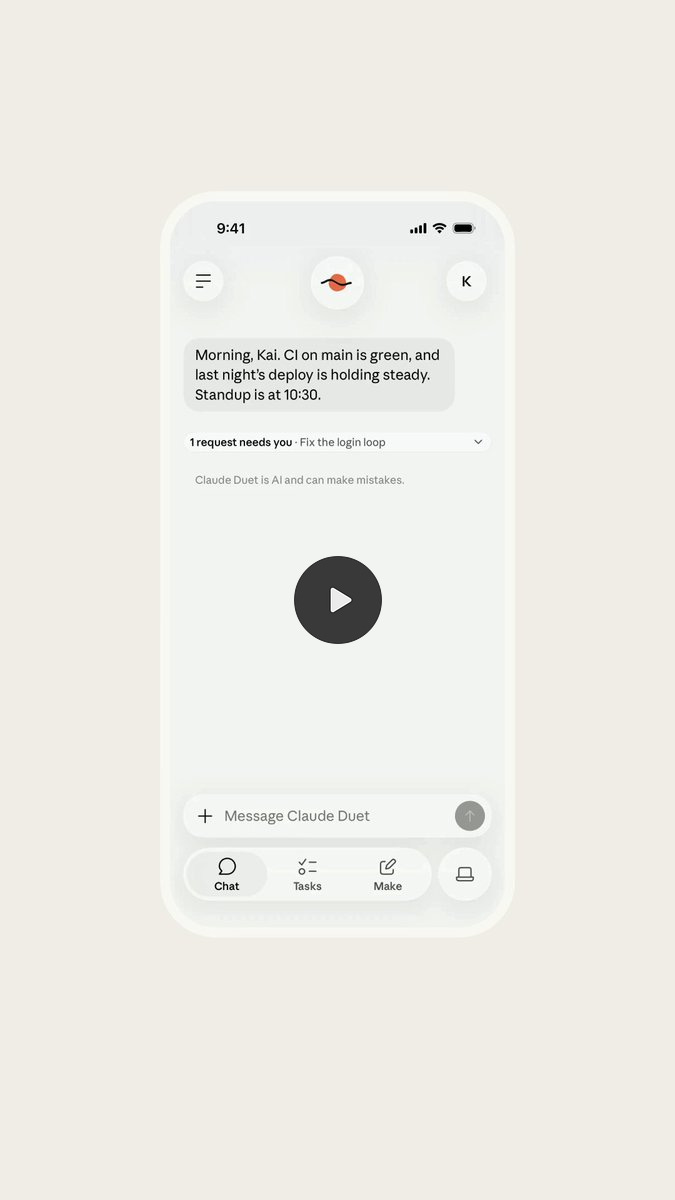
If you already have Duet, you might want to give this new feature a try.
4. It can't do anything on your computer.
Duet runs on its own computer in the cloud, so anything that lives on your laptop is out of its reach. The most it can do is point you there.
Ahad saw this in the middle of the show. He had Claude Code running in his terminal, waiting for him to answer a question. Duet posted a message in his channel: “A session on your computer needs you.” That’s a helpfuly heads-up, but Duet couldn’t answer the question or carry on the work. Ahad had to go to his terminal and do it himself. (Our best guess is that Duet could see the session at all because he has Claude Code’s remote control feature switched on, which lets you check on local sessions from other devices.)
Dheeraj ran into it too. Duet suggested turning one of his Substack posts into a YouTube Short. But the tool he uses to make Shorts runs on his Mac, so Duet could only suggest it. The actual work had to happen on his laptop, without Duet.
5. It uses up your plan quickly
Dheeraj is on Claude’s Ultra plan. During the show, he opened his usage settings. He’d already used 15% of the week, and 8 points of that came from Duet, before he’d loaded all the jobs he wants it to run. Ahad, also on Ultra, used up his limit reset within his first week, mostly because he had Duet checking in with his fleet every hour.
This is one of my main concerns with all personal agents, because letting your personal agent check in on you nonstop will use up your plan’s limits much faster. Every extra check-in you ask for comes out of the same token limit as your Claude Code work.
This is similar to my Grok bot and OpenAI’s Dot experience, where the more routines or scheduled tasks you have, the more tokens you’ll burn. But given that Duet runs on Opus 5.5, it makes sense that it burns through tokens more quickly, since it uses the most frontier model as of today.
How to set up Claude Duet for watching jobs
Give Duet the jobs where it keeps an eye on your inbox, calendar, and other connected apps, and tells you when something’s off. Keep anything that needs your laptop, your code, or a long running task in Claude Code.
Here’s the setup you can follow and apply:
1. Put the skills and connected apps you need into your Claude account
Duet only uses what’s in Claude online, under Customize: connectors, skills, and plugins. If something lives only on your laptop, Duet can’t use it until you add it there. Dheeraj’s income ledger was a file on his computer, so he made a Claude skill to give Duet access to it. You don’t need to copy over every Claude Code skill, just the ones you want everywhere, like your voice rules. Ahad now adds new connectors in Claude online first, so both Duet and Claude Code can use them.
2. Write rules at the top of each channel
Each channel keeps its own instructions, so write them when you create it. Dheeraj’s demo channel had rules like: refer to people by role (reader, student, buyer, sponsor), never by name; count sponsor emails but don’t open them; and never send, post, publish, schedule, unsubscribe, or pay without asking. Draft only. Your rules will be different, but “draft only, ask before anything goes out” is a good starting point while you learn what it does.
3. Start with simple watching jobs
Given that scheduled tasks or routines can consume a lot of tokens, start with what truly matters in your work. Don’t keep adding more and more routines just because they sound cool, or you’ll end up running out of tokens quickly.
Here are some ideas you can explore, along with their prompts:
Morning brief: “Send me a brief each morning: what’s on my calendar today, how many emails are waiting from [the people who matter most, like clients, customers, or my team], the three things I should focus on today, and one thing I can safely skip.”
Guard the calendar: “Flag any clashes and any meeting with no prep time before it, and suggest focus blocks. Don’t create or move anything.”
Who’s waiting on me: “Look across [my email and the other apps I’ve connected] and list the messages that actually need a reply from me. Skip newsletters, notifications, and anything that can wait.”
Unanswered emails: “Find emails from [clients, customers, or my team] from the last 14 days that I haven’t replied to. Group them by type and urgency, and draft replies to the five most urgent as Gmail drafts. Don’t send anything.” (Duet works with Gmail. Microsoft 365 isn’t available yet.)
Tell me when it happens: “Message me when [a client replies, a customer asks for help, or my manager emails me].” Pick the one or two moments where a late reply actually costs you.
Close the week: “Every Friday at 4 p.m., send me a review of my week from my calendar and sent email: what got done, what slipped, and three priorities for next week.”
4. Talk to it in one place and let it sort
Do most of your talking in the Everything channel, with one instruction: sort our threads and tasks into the right channels as we go. That’s how Ahad uses it, and Duet moves each conversation where it belongs and updates him accordingly.
5. Don’t make it check too often
Hourly check-ins are what used up Ahad’s reset. Start with the default, and only add extra check-ins for jobs that have a high cost if you find them late. If you do add them, copy Ahad’s condition: only message me if it’s relevant. This can save you a lot of tokens.
Where Duet fits next to Claude Code and Grok Bot
I said on the show that I’m deep in Grok Bot right now, so I watched all of this with Grok Bot in mind.
I wrote an in-depth tutorial about it if you want to explore more:

Most of my recurring chief-of-staff jobs run there, and I rarely have to open an app to prompt it. The big difference is code. Grok Bot connects to GitHub and can launch a Cursor cloud agent, so from my phone I can ask it to fix something on my website, it opens a pull request, and I tell it to push. That’s exactly the flaw Ahad hit with Duet. But for deeper work, the long tasks that need advanced reasoning, I still use Claude Code.
Dheeraj is staying with Duet anyway. He’s built a lot in Anthropic’s tools over the past year, and switching means relearning everything and then managing two systems. He’d rather wait for Duet to grow. Ahad expects it to get there with a few updates, partly because of moments like Duet offering to pass his coding request to his own agents.
Stephanie asked in the chat how Duet compares with Meta’s Muse. Dheeraj and Ahad don’t use Muse, so we couldn’t compare it fairly.
If you’re already in, start with the morning brief and the calendar guard before you give it anything bigger. If you’re on the waitlist like me, step 1 is something you can do today: put the skills and connectors you’d want Duet to use into your Claude account, so they’re ready from your first message.
Show Details
Episode: One Shot Show #36
Hosts: Wyndo and Dheeraj
Guest: Ahad Amdani
Related posts
I Never Had a Chief of Staff, So I Built One With OpenAI Dot and GrokBot
How I Use Claude Code Routines to Run Work While My Laptop Is Closed
Timestamps
01:31 Welcome to episode 36
01:55 Why I wanted this one: no Duet access outside the US
02:51 Meet Ahad Amdani
05:22 Dheeraj: Duet as a chief of staff
07:59 The eight kinds of daily work Dheeraj juggles
10:24 Ahad: weak chief of staff, strong researcher
13:00 Taking yourself out of the bottleneck
15:18 What Duet is and how to get access
16:28 Connectors from Claude.ai, nothing from your machine
18:17 Ahad on the swipeable cards
19:03 Groups and channels
20:35 Channel rules: roles not names, draft only
22:13 Where do channel instructions live?
23:00 Ahad’s groups and channel instructions
24:19 Four jobs: morning brief, calendar guard, run sheet, close the week
24:51 The tasks panel and the run sheet artifact
26:11 The calendar catch: show moved to Friday
27:00 A short morning brief prompt
28:10 Ahad: letting Duet sort threads into channels
29:06 Ahad’s hourly check-in with his fleet
29:37 “Who’s waiting on me”
30:37 The Turnstile and Substack MCP fix
31:59 Ahad’s 59-finding search visibility report
33:26 Can one channel talk to another?
35:31 “A session on your computer needs you”
37:05 Can Duet launch Claude Code sessions?
39:34 Ahad’s session link loops back to the thread
40:05 Duet suggests a Short instead of a long video
41:05 Why it can’t reach your Mac
42:00 Cloud environments versus local sessions
43:00 More jobs: weekly review, unanswered emails, newsletters you never open
45:21 Where Duet worked and where it didn’t
46:12 Ten tasks handed back, stale data, no GitHub
47:18 GitHub connector versus launching sessions
48:56 My Grok Bot and Cursor flow
50:11 Dheeraj’s money ledger
51:29 A local job that failed silently for 20 days
52:19 The backlog skill and a 30-minute Claude Code task
53:28 Grading assignments
54:09 Usage: 8 points of 15 in about a day
55:04 Ahad’s reset gone within a week
55:32 Duet offers to route the session through Ahad’s fleet
56:10 The stale cohort date in a free kit
57:06 Skills and connectors need to live in Claude.ai
59:21 The downside for shared agent memory
1:00:00 Stephanie’s question about Muse
1:01:36 Lifestyle agents and shopping
1:03:50 My take after using Grok Bot
1:06:07 Dheeraj on staying with Anthropic
1:07:12 Ahad’s start-to-finish task and what’s still missing
1:08:24 Wrap-up
Resources Mentioned
Claude Duet: Anthropic’s proactive agent, in research preview since October 21, 2026. Runs on Opus 5.5 on its own cloud computer, included with Pro, Max, and Ultra plans during the preview, and uses your plan’s limits. US-only waitlist. Anthropic’s getting-started guide lists what it can’t do yet and how the limit resets work.
Claude.ai Customize (connectors, skills, plugins): Where Duet gets its connected apps and skills. Skills and connectors that only exist in Claude Code aren’t available to Duet.
Claude artifacts: Duet built Dheeraj’s show run sheet as a page you can open from the task.
Claude Code: Where the deeper and local work stays. Dheeraj uses a Claude Code scheduled task in the desktop app to pick up backlog items every 30 minutes.
Claude Code remote control: Turned on for Ahad’s terminal sessions; our best guess for why Duet could show that a local session was waiting.
AskUserQuestion: The Claude Code tool that was waiting on Ahad’s answer when Duet flagged his terminal session.
Claude Code cloud environments and routines: Duet can trigger work in a cloud environment that’s already set up, per Dheeraj. He said on the show that his monthly $200 credit for running work in Claude’s cloud tends to run out in about 20 days, between Duet and his routines.
Claude desktop app and claude.ai: Duet is available on claude.ai and the mobile app, not inside the desktop app.
Claude Ultra plan: The new name for Max 20x as of October 30, 2026, at $200 a month per Anthropic. Dheeraj’s and Ahad’s plan.
Claude Opus 5.5 and Fable: Someone on the show guessed Duet runs on Fable or Opus 5.5. Anthropic’s help center confirms Opus 5.5.
Anthropic’s read-only financial product: Mentioned by Ahad as a sign Duet may handle more personal tasks later.
Gmail, Google Calendar, Google Drive, and Google Docs: Connectors in Dheeraj’s setup.
SubflowAI Substack MCP: Dheeraj’s custom connector, which Duet used to reply to a member.
Custom YouTube MCP: Dheeraj’s example of bringing your own connector into Claude.ai.
Maven: Where Dheeraj runs his cohort and hosts the free email kit Duet flagged.
Cloudflare Turnstile: The check that blocked Dheeraj’s Substack MCP after a deploy.
Bento: Dheeraj’s email marketing platform, where a local sync job failed silently.
GitHub and GitHub connector: Duet can read code through a connector but can’t start a coding session.
Ahad’s Kanban board: One of the places Duet couldn’t reach.
Ahad’s agent fleet: Persistent Claude sessions running in tmux, prompted by scheduled jobs on his Mac, with an orchestrator agent.
GBrain and Ahad’s meta harness: The shared agent memory Ahad uses across coding tools like Claude Code and Codex, and the setup that lets him switch between them.
Grok Bot: X’s personal agent, my main always-on agent right now. Can launch Cursor cloud agents, has its own email, and works in Todoist and Notion. On the show I also mentioned its new credit card and Shopify shopping, and Ahad mentioned X’s money account.
Cursor cloud agents and code repos: What Grok Bot launches to fix code and open pull requests from GitHub. Ahad pointed to Cursor’s repo syncing as the piece Duet is missing.
OpenAI dots and Codex: OpenAI’s always-on agent, which in my use can launch Codex sessions. Ahad also mentioned OpenAI’s Shopify integrations.
Meta Muse: Meta’s personal agent, raised by Stephanie in the chat.
Instinct: Another personal agent mentioned in the Muse discussion.
ChatGPT sites: Ahad built a company website with it in a couple of hours.
Gemini with Gmail and Google Calendar: Ahad’s example of an assistant that already gives a daily brief from your inbox and calendar.
Todoist and Notion: Where I hand tasks to Grok Bot.
GPT-6 Astra: The OpenAI model I use for deeper reasoning alongside Claude Code.


