
Nano Banana Pro is free to try in some Gemini experiences, but it is not a fully free image model. Google’s Gemini API pricing lists Gemini 3 Pro Image (Nano Banana Pro) as unavailable in the free API tier. Paid Standard API output is $0.134 per 1K/2K image and $0.24 per 4K image.
The confusing part is that people use “Nano Banana Pro price” to mean several different things. A casual user may be asking about Gemini app limits. A creator may be comparing Google AI Plus, Pro, and Ultra. A developer may need the Gemini API. A team may care about Vertex AI billing. And some users simply want a lower-friction workspace that bundles image generation with chat, search, and video tools.
If your main goal is the official Google route, start with Gemini, Google AI Studio, or the Gemini API. If your real problem is managing too many separate AI subscriptions, GlobalGPT is worth comparing because it combines Perplexity-style search, leading chat models, image tools, and video models in one workspace.
Quick answer: Nano Banana Pro is best understood as a premium Gemini 3 image model. Free use is limited, Google AI plans raise consumer access, and API users pay usage-based pricing. For 4K image output, Google’s Standard API price is listed at $0.24 per image, while 1K/2K output is listed at $0.134 per image.

Contents
What Is Nano Banana Pro?
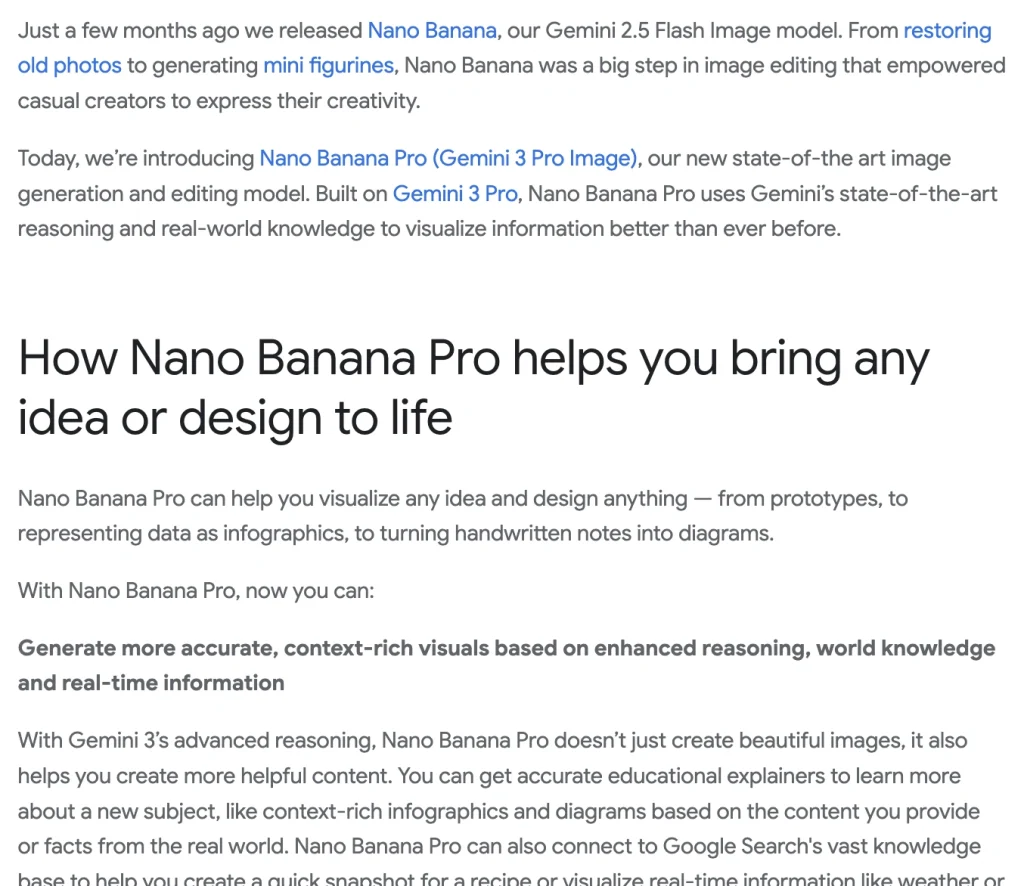
Nano Banana Pro is Google’s premium image generation and editing model, officially presented as Gemini 3 Pro Image. Google describes it as built on Gemini 3 Pro, which gives it stronger reasoning and real-world knowledge than lighter image models. That matters when you are making educational graphics, product visuals, diagrams, posters, infographics, and layouts with readable text.
The model costs more because it is built for harder visual tasks. It can handle more complex prompts, cleaner typography, search-grounded information, multi-reference workflows, and higher-resolution output. If you are still learning the basics, start with how to use Nano Banana Pro before choosing a paid route.
The separate Nano Banana 2 pricing guide covers its faster Flash Image cost structure.
Nano Banana Pro vs Nano Banana 2.1
A lot of pricing confusion comes from mixing Nano Banana Pro with Nano Banana 2. The safer way to explain it is simple: Nano Banana Pro refers to Google’s more premium Gemini 3 Pro Image route, while Nano Banana 2 is usually discussed as the faster Gemini 3.1 Flash Image path for high-volume everyday image generation.
Google also lists Nano Banana 2.1 as gemini-nano-banana-2.1. That separate model does not rename Nano Banana Pro, whose API identifier remains gemini-3-pro-image.
| Model | Practical naming | Best for | Pricing implication |
|---|---|---|---|
| Nano Banana Pro | Gemini 3 Pro Image | Professional assets, higher reasoning, 4K visuals, polished graphics | Premium access and paid API pricing |
| Nano Banana 2 | Gemini 3.1 Flash Image in many practical comparisons | Faster image generation, everyday edits, higher-volume tasks | Usually treated as the lighter/faster route |
| Nano Banana 2.1 | gemini-nano-banana-2.1 | High-efficiency image generation, clearer typography, multi-turn consistency | Separate model pricing; not Nano Banana Pro |
For a deeper comparison, use the Nano Banana 2 vs Nano Banana Pro guide. If your workflow depends on image shapes and output formats, the guide to Nano Banana 2 aspect ratios is also useful.
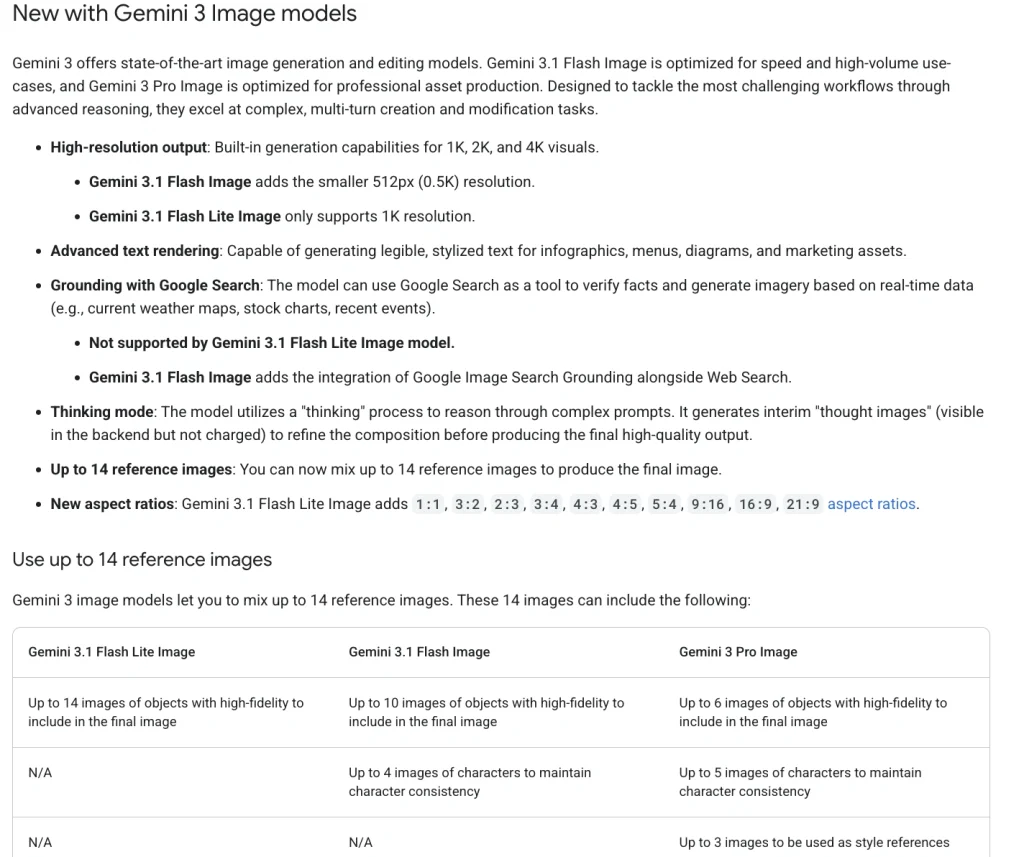
Consumer buyers should compare the Nano Banana Pro subscription price separately from API billing.
Nano Banana Pro Pricing by Access Method
There is no single Nano Banana Pro price because each access method is priced differently. Consumer plans are monthly subscriptions. The API is usage-based. A bundled platform like GlobalGPT is priced as a broader workspace. Treat these separately when comparing cost.
| Access route | Best for | Price / billing route | Main limitation |
|---|---|---|---|
| Gemini app without a Google AI plan | Trying the model casually | Limited access when available | Limits can change during high-demand periods. |
| Google AI Plus | Light paid Gemini users | Earlier US plan listing: $4.99/month | Lower usage than Pro and Ultra. |
| Google AI Pro | Regular Gemini users | Earlier US plan listing: $19.99/month | More access than Plus, but still not unlimited. |
| Google AI Ultra | Heavy creative workflows | Earlier US plan listing: $99.99/month starting price | Pricing and benefits can vary by region or promotion. |
| Google AI Studio / Gemini API | Developers and automation | Standard output: $0.134 per 1K/2K image and $0.24 per 4K image | Billing is usage-based; the free API tier is not available for this model. |
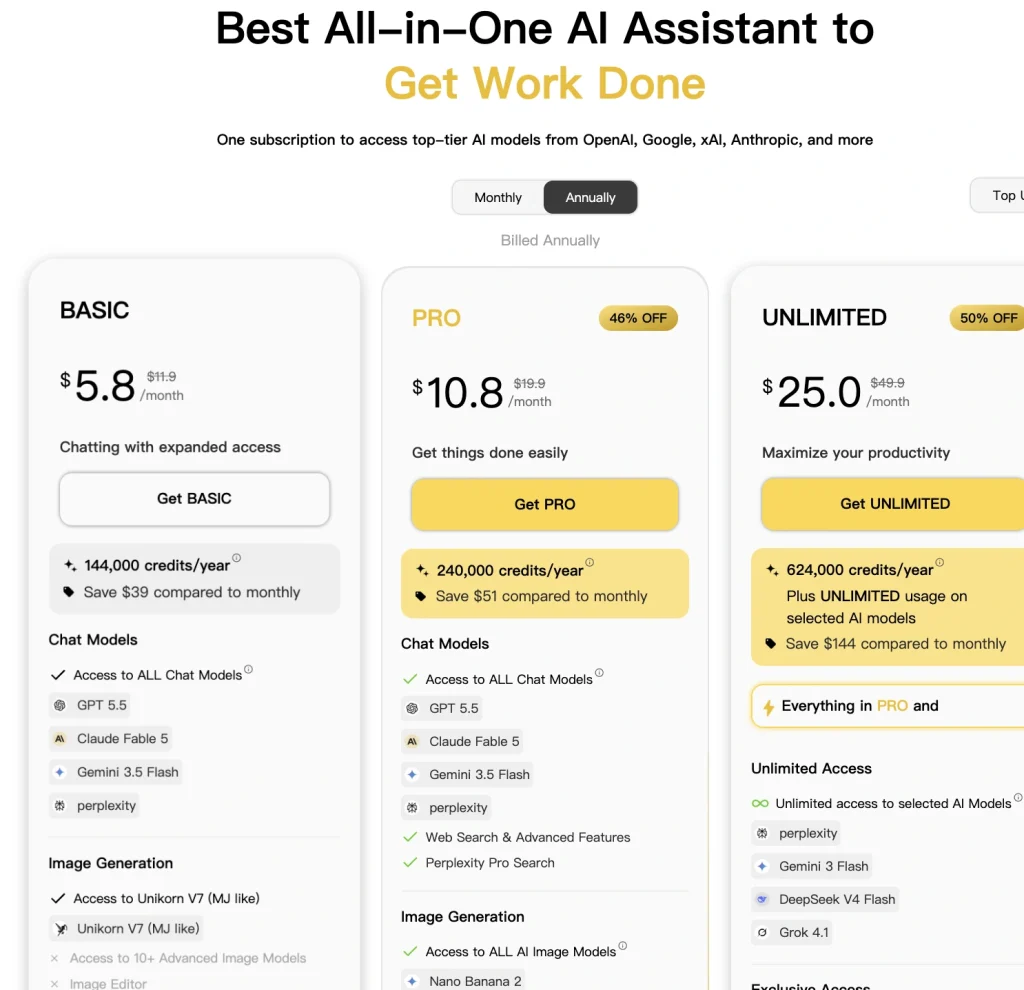
| GlobalGPT | Users who want one workspace for many AI models | Annual monthly equivalent: Basic $5.8, Pro $10.8, Unlimited $25 | Bundled workspace; platform credits are separate from Gemini API billing. |
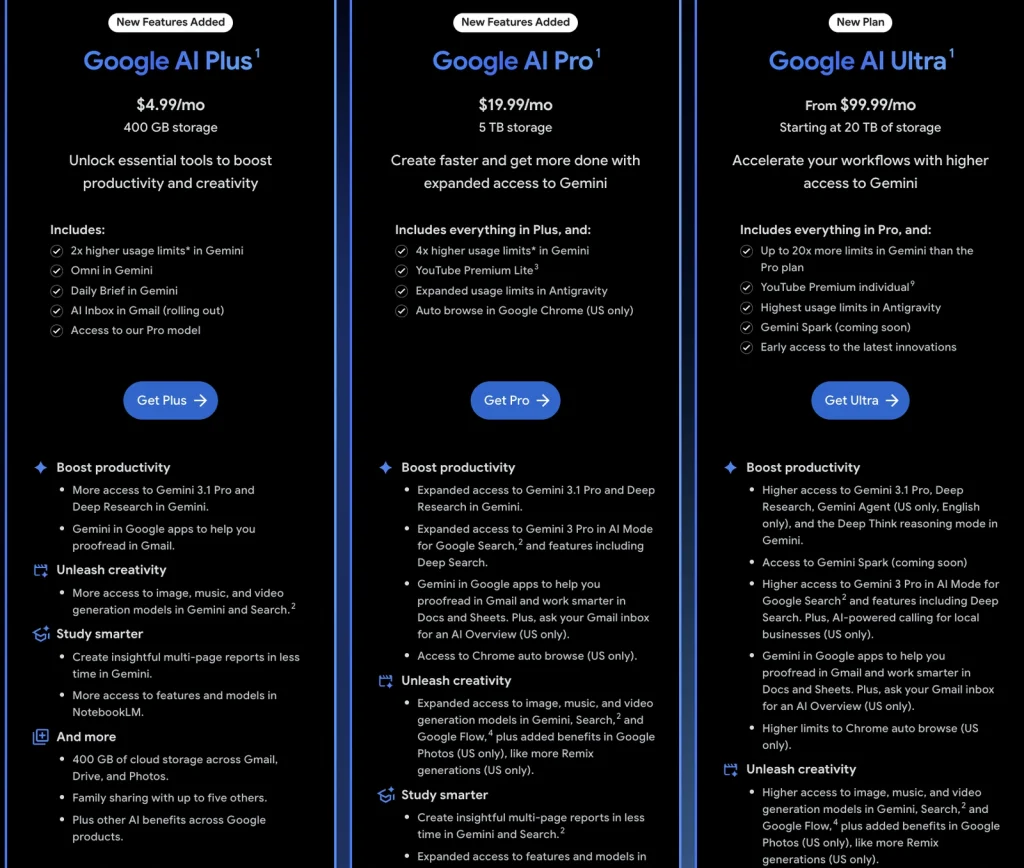
Google’s AI plan comparison separates consumer benefits and AI Studio access. The earlier US prices above are not a new regional quote. In Gemini, the current help table lists Nano Banana 2 image generation and redoing images with Nano Banana Pro separately.
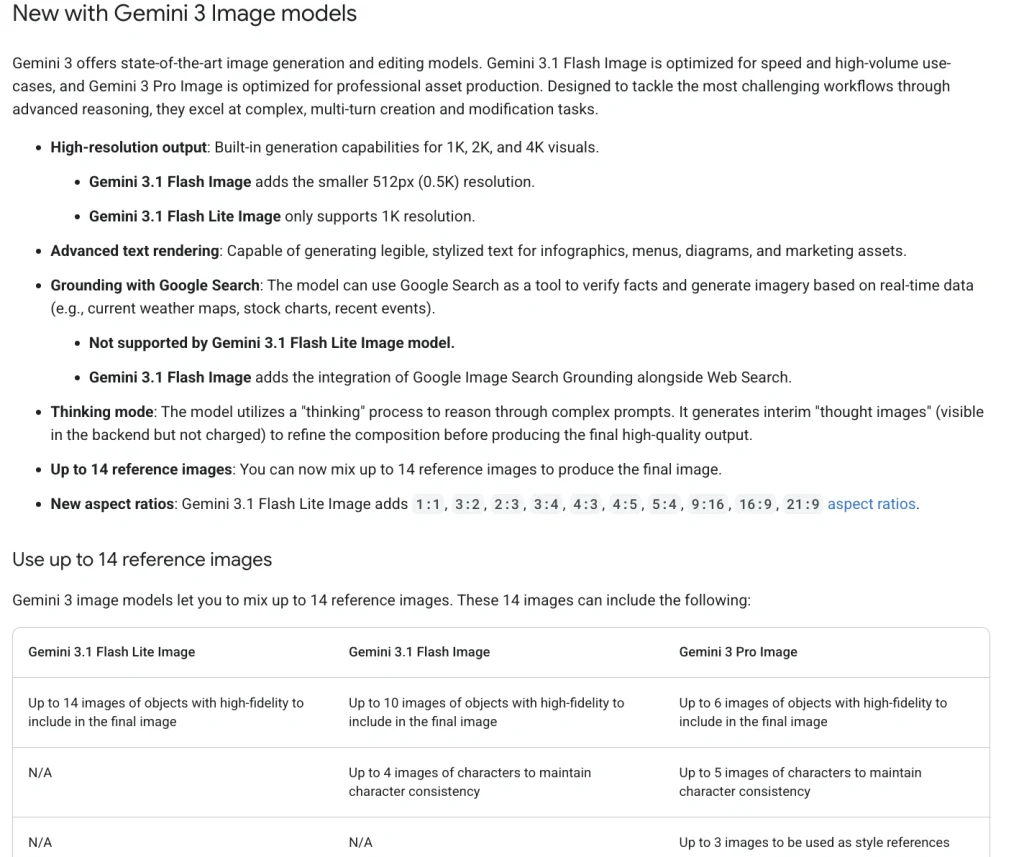
Developers can follow the Nano Banana Pro API setup guide before estimating production cost.
Official Gemini API Pricing for Nano Banana Pro
For developers, the Gemini API pricing page is the clearest cost reference. The Standard tier lists Gemini 3 Pro Image input at $2.00 per 1 million text/image tokens, with image input equivalent to $0.0011 per image. Output is $12.00 per 1 million text/thinking tokens and $120.00 per 1 million image tokens.
Google translates Standard image output into $0.134 per 1K/2K image and $0.24 per 4K image. Search grounding includes 5,000 free search requests per month shared across Gemini 3 and newer models, then costs $14 per 1,000 requests. A single customer request can trigger more than one billable search query.
| Processing mode | 1K/2K image output | 4K image output | 100 outputs / 1,000 outputs |
|---|---|---|---|
| Standard | $0.134 | $0.24 | $13.40 / $134 at 1K/2K; $24 / $240 at 4K |
| Batch | $0.067 | $0.12 | $6.70 / $67 at 1K/2K; $12 / $120 at 4K |
| Flex | $0.067 | $0.12 | $6.70 / $67 at 1K/2K; $12 / $120 at 4K |
These totals cover image output only. Text/thinking, reference-image input, Search queries, and retries add to the bill. If 100 approved 2K images take two Standard renders each, the 200 image outputs alone cost $26.80; one $0.0011 reference image in every request adds about $0.22.
If you plan to automate product mockups, ad creatives, or batches of branded visuals, estimate cost by accepted image, not only by generated image. A batch may include rejected drafts, prompt iterations, and variants. For implementation details, use the Nano Banana Pro API guide.
The Nano Banana Pro watermark guide explains visible and invisible marking by route.
Free Limits and Watermarks
The safest answer is that Nano Banana Pro may be available to try through Gemini, but free access is limited and can change. Google’s Gemini help page says usage limits may change without notice because of capacity constraints. It also says users without a Google AI plan may be limited before paid-plan users during high-demand periods.
The Gemini usage-limit table separates Nano Banana 2 generation from redoing images with Nano Banana Pro. App allowances and the API free tier are different.
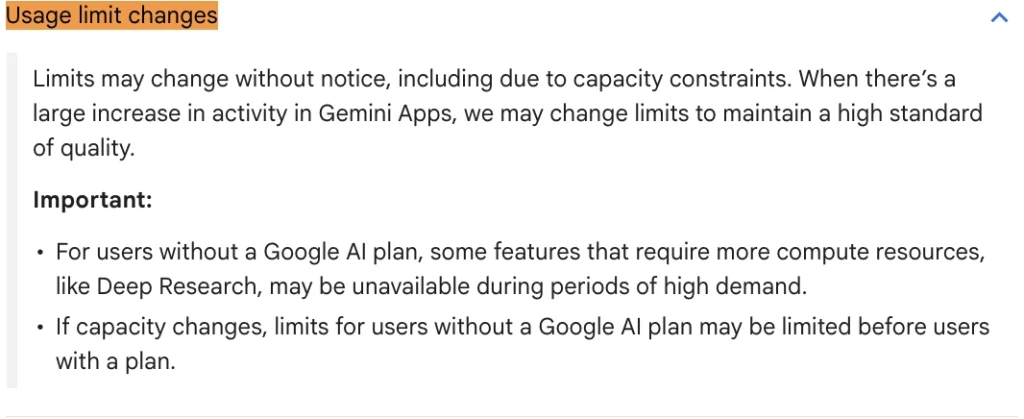
That means fixed claims such as “3 free images per day” or “unrestricted free use” should not be treated as evergreen pricing. If you need stable production access, use a paid Google plan, the API, Vertex AI, or a bundled platform with clearly stated terms. For more detail, check the Nano Banana Pro limits guide.
Does Nano Banana Pro add a watermark?
Yes, Google uses SynthID for AI-generated images. Google’s Nano Banana Pro announcement also says free and Google AI Pro tier images keep a visible Gemini sparkle watermark, while Google AI Ultra and Google AI Studio developer outputs remove the visible watermark. If visible branding matters for client work, verify the output path before committing to a production workflow.
| Route | Visible watermark | Invisible SynthID | Best use |
|---|---|---|---|
| Free Gemini access | Yes, visible Gemini sparkle | Yes | Testing and personal exploration |
| Google AI Pro | Yes, according to Google’s announcement | Yes | Regular use where visible branding is acceptable |
| Google AI Ultra | No visible watermark according to Google’s announcement | Yes | Professional visuals that need a clean canvas |
| Google AI Studio / API | No visible watermark according to Google’s announcement | Yes | Developer workflows and production integration |
For another image-model decision, compare Flux 2 with Nano Banana Pro.
Where GlobalGPT Fits
GlobalGPT should be compared as a bundled AI workspace, not as a replacement for Google’s official API. It makes the most sense when your daily workflow includes image generation, chat models, Perplexity-style search, and video tools. Instead of paying for several separate tools, you can compare one subscription that brings many models into the same place.
GlobalGPT’s annual pricing advertises Basic at $5.8/month equivalent, Pro at $10.8, and Unlimited at $25. The important wording is bundled access: the subscription includes a workspace for many models rather than a Google API balance.
If you mainly want to compare access routes, the where to buy Nano Banana Pro guide is a useful next read.
Cost Examples by Use Case
| Use case | Best route | Why |
|---|---|---|
| Testing a few prompts | Gemini app | Good enough for casual exploration if access is available. |
| Social media graphics and blog covers | Google AI Pro or GlobalGPT | Paid access is smoother than relying on changing free limits. |
| Client-ready posters, ads, or product visuals | Google AI Ultra, Google AI Studio, or API | Clean output and more reliable access matter more than the lowest monthly price. |
| Automated batches of product mockups | Gemini API or Vertex AI | Usage-based billing gives developers better volume control and integration. |
| Using several AI tools every day | GlobalGPT | A bundled workspace can be easier than switching between separate chat, search, image, and video subscriptions. |
If you are testing before paying, review the legitimate Nano Banana Pro free-access routes.
Which Route Should You Choose?
Choose the Gemini app if you only want to try Nano Banana Pro and do not mind changing limits. Choose Google AI Pro if you already use Gemini heavily and want broader access across Google’s consumer tools. Choose Ultra or Google AI Studio when you need cleaner professional outputs and a more dependable creative workflow. Choose the API when you need automation, repeatable production, or cost tracking per image.
Choose GlobalGPT if your real problem is subscription sprawl. If you are already paying for separate tools for chat, search, image generation, and video, a bundled workspace can be more practical. Just keep the claim precise: compare the live GlobalGPT model list and plan terms before assuming a specific Nano Banana Pro quota.
The simple point is this: Nano Banana Pro is worth paying for when text accuracy, layout control, and 4K output matter. For casual testing, start free. For serious visual work, pick the route that gives you stable access and a clean output path.
Nano Banana Pro FAQ
How much is Nano Banana Pro?
For API users, Google’s Standard pricing lists Gemini 3 Pro Image output at $0.134 per 1K/2K image and $0.24 per 4K image. Consumer pricing depends on your Google AI plan and region.
Is Nano Banana Pro free?
It can be free to try in some Gemini experiences, but it is not a stable free production model. Google’s API pricing page lists the free tier as not available for Gemini 3 Pro Image.
Is Nano Banana Pro the same as Nano Banana 2?
No. Nano Banana Pro is Gemini 3 Pro Image. Nano Banana 2 is commonly discussed around the faster Gemini 3.1 Flash Image path. Their pricing, use cases, and limits should be explained separately.
Does Nano Banana Pro add a visible watermark?
Google says free and Google AI Pro tier outputs keep a visible Gemini sparkle watermark. Google AI Ultra and Google AI Studio developer outputs remove the visible watermark, while SynthID remains for AI transparency.
Can I use Nano Banana Pro through Google AI Studio?
Yes. Google AI Studio is the developer route for Gemini models. For Gemini 3 Pro Image, the API route requires paid usage rather than a free API tier.
Is GlobalGPT cheaper than a Google AI plan?
It depends on what you use. If you only need official Gemini access, compare Google AI plans first. If you want one workspace for image generation, chat models, Perplexity-style search, and video tools, GlobalGPT’s bundled annual plans may be more practical.
Which plan is best for professional image work?
For clean commercial workflows, compare Google AI Ultra, Google AI Studio, and the API first. For broader everyday AI work across many models, compare GlobalGPT’s Pro or Unlimited plans with your existing subscriptions.
Where can I learn the limits before subscribing?
Start with the Nano Banana Pro limits guide and check the live Google or GlobalGPT pricing pages before purchase, because image limits and plan terms can change.
Can I use Nano Banana Pro on GlobalGPT?
Yes. GlobalGPT has a Nano Banana Pro image-generator entry. Its subscription and platform credits are separate from Google’s Gemini API bill; choose the model before rendering your image.