FLUX 3 Image is Black Forest Labs’ image generation and editing model, built for creating visuals, combining up to ten references and directing composition. Its most useful controls address a familiar creative problem: getting the right product, words and layout into the same image.
The official ways to use it are BFL’s browser Playground and its image API. Standard API output prices range from $0.041 at the 768-square tier to $0.607 at 4K. For product work, the real question is whether a revision preserves the details you already approved; the three examples below examine that.
If that image is part of a campaign, GlobalGPT also lets you use FLUX 3 Image while keeping writing, image creation and video tools in one workspace. You can develop the brief, make the product visual and carry the concept into the next creative step under one subscription.
What FLUX 3 Image is
Black Forest Labs describes FLUX 3 Image with the phrase “Control every pixel.” Its practical focus is creating a scene, editing a detail, combining references and specifying where elements belong. These controls are particularly useful when a client already knows what must stay and what must change.
That positioning makes it a useful fit for visual work that changes in stages. A marketer can begin with a campaign concept, a designer can adjust a chosen detail, and a product team can move the same reference into another scene. It also means you should judge the model by controllability and edit fidelity, not only by the attractiveness of one new image.
Core capabilities that matter in real work
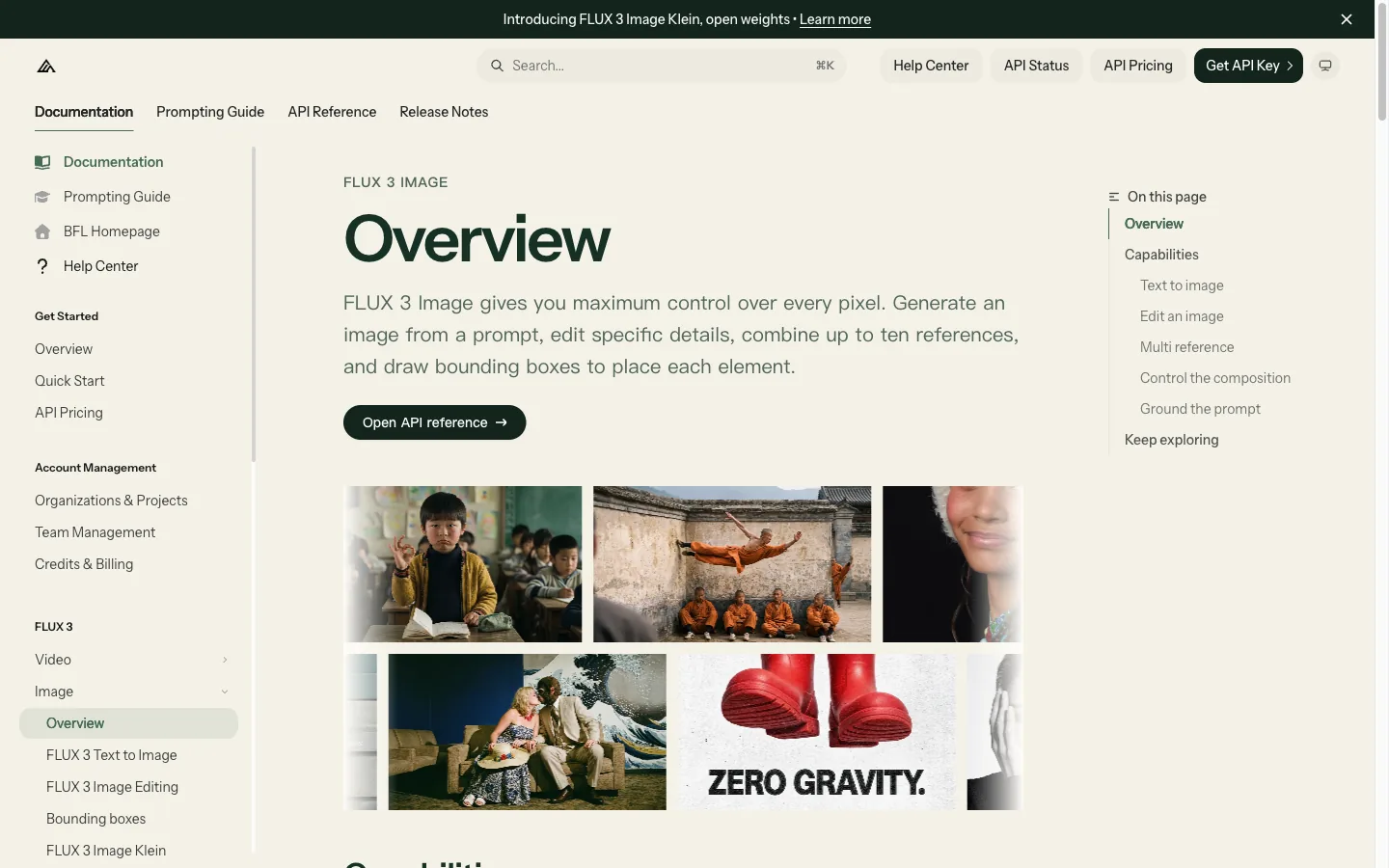
| Official capability | What it changes for a creator | Practical example |
|---|---|---|
| Text to image | Describe subject, setting, light, style and framing in one prompt. | Create an ad with a product, a headline and defined copy space. |
| Edit an image | Describe the exact detail to change and the details to preserve. | Recolor a label without requesting a new scene. |
| Multi-reference | Combine up to ten references and explain what each image contributes. | Use image 1 for the product and image 2 for the setting. |
| Bounding boxes | Use [top, left, bottom, right] coordinates on a 0–1000 grid to guide placement. | Reserve the right side for text and constrain the product to the left. |
| Grounding | The docs describe web grounding for real-world subjects, with a false setting for faster prompt-only generation. | Use current visual references for a real-world subject; turn grounding off for a fictional product concept. |
You can try the model in BFL’s browser Playground or integrate it through the API. Start with the current FLUX 3 Image documentation: older FLUX examples use different controls, and an app may expose only a subset of the API’s options.
Give each reference a job
A reference is more useful when the prompt explains what to borrow from it. For a campaign, image 1 might define the bottle, image 2 the bathroom setting, and image 3 the lighting. Say which product features must remain recognizable, then describe how the materials and shadows should fit the new scene. Up to ten inputs are supported; more references are useful only when their roles are clear.
Control placement instead of hoping for empty space
BFL’s bounding boxes use [top, left, bottom, right] on a 0–1000 grid. This makes them relevant to poster layouts, product placement and targeted edits. A prompt asking for “space for a headline” leaves room for interpretation; a specified region gives the composition a more concrete structure. The official composition examples show boxes assigned to objects and text areas. These boxes guide placement and scale; they are not clipping masks, and an object can extend beyond its box.
Choose whether the image needs web grounding
FLUX 3 can search the web for real-world subjects. BFL enables grounding by default and documents grounding: false for faster prompt-only results. Use the distinction deliberately: a current event poster and an invented skincare bottle have different reference needs. Grounding helps with visual context; check names, dates and factual text before publishing.
How to use FLUX 3 Image
Start with the official BFL routes
For a no-code start, open BFL Playground and sign in or create a BFL account. Select FLUX 3 Image, rather than the Video or Klein model. Start with a text prompt for a new picture; add a source image when you want to edit an existing one. Choose the available output format settings, review the account’s credit cost, generate and download the result. Compare the downloaded image with your brief before making the next revision.
For explicit API parameters or an automated workflow, use BFL’s official text-to-image quickstart:
- Set up access: create an API key in the BFL dashboard and make sure the account has sufficient credits. Store the key as
BFL_API_KEYin your local environment. - Submit a generation: send a POST request to
https://api.bfl.ai/v1/flux-3-image, with your key in thex-keyheader. Supplyprompt,aspect_ratioand, when needed, aresolutiontier. - Retrieve the image: poll the returned
polling_urluntil the status isReady. Downloadresult.samplewithin one hour. Send the API key only to BFL’s API, not to the image-download URL. - Make an edit: submit another request with the source image in the
imagesarray. Describe the single change and the details to preserve. For several references, number their roles in the prompt.
Official API: example request body
{
  "prompt": "A studio photograph of a matte blue desk lamp on a pale oak desk, soft daylight from the left, empty space on the right. No text.",
  "aspect_ratio": "3:2",
  "resolution": "1k",
  "grounding": false
}
Send this JSON to the endpoint above with your own BFL API key. The initial response is a task receipt; the completed image comes from the polling result.
The most reliable workflow is to decide whether you are creating, editing or recomposing before writing the prompt. Each mode needs a different instruction.
A simple three-mode workflow
- Create: name the subject, destination, camera or visual style, layout, lighting and any exact short text.
- Edit: start from the original image, name one change, then list the shape, words, camera angle and lighting that must remain.
- Recompose: identify each reference by number and say what it contributes. If layout matters, describe empty space and element positions explicitly.
Keep the first prompt concrete. Add one correction at a time so you can tell whether the model followed the edit.
Use GlobalGPT when the image belongs to a larger project
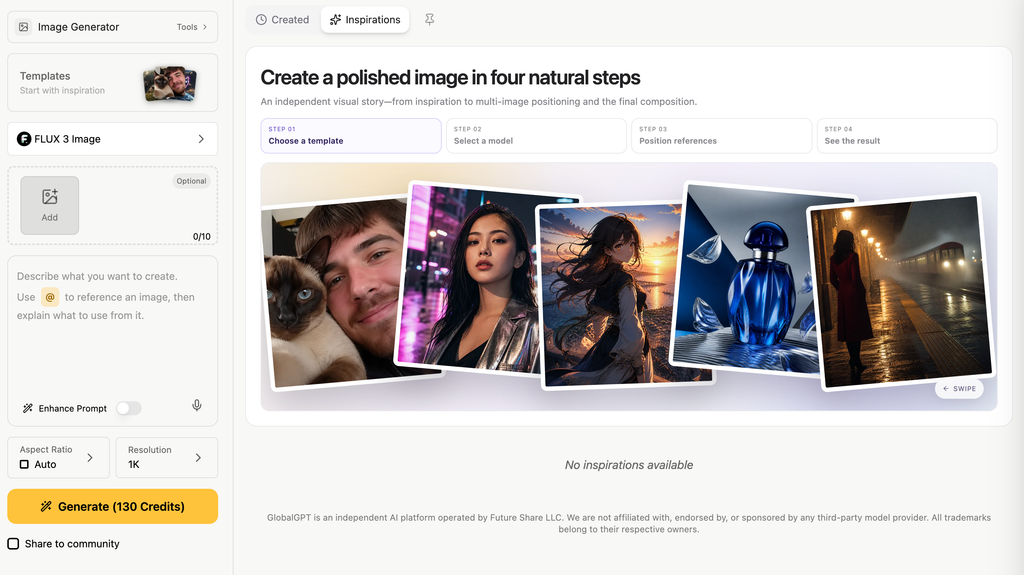
Once the brief is ready, GlobalGPT offers a browser workflow for the same model alongside the writing and video tools needed to build out a campaign.
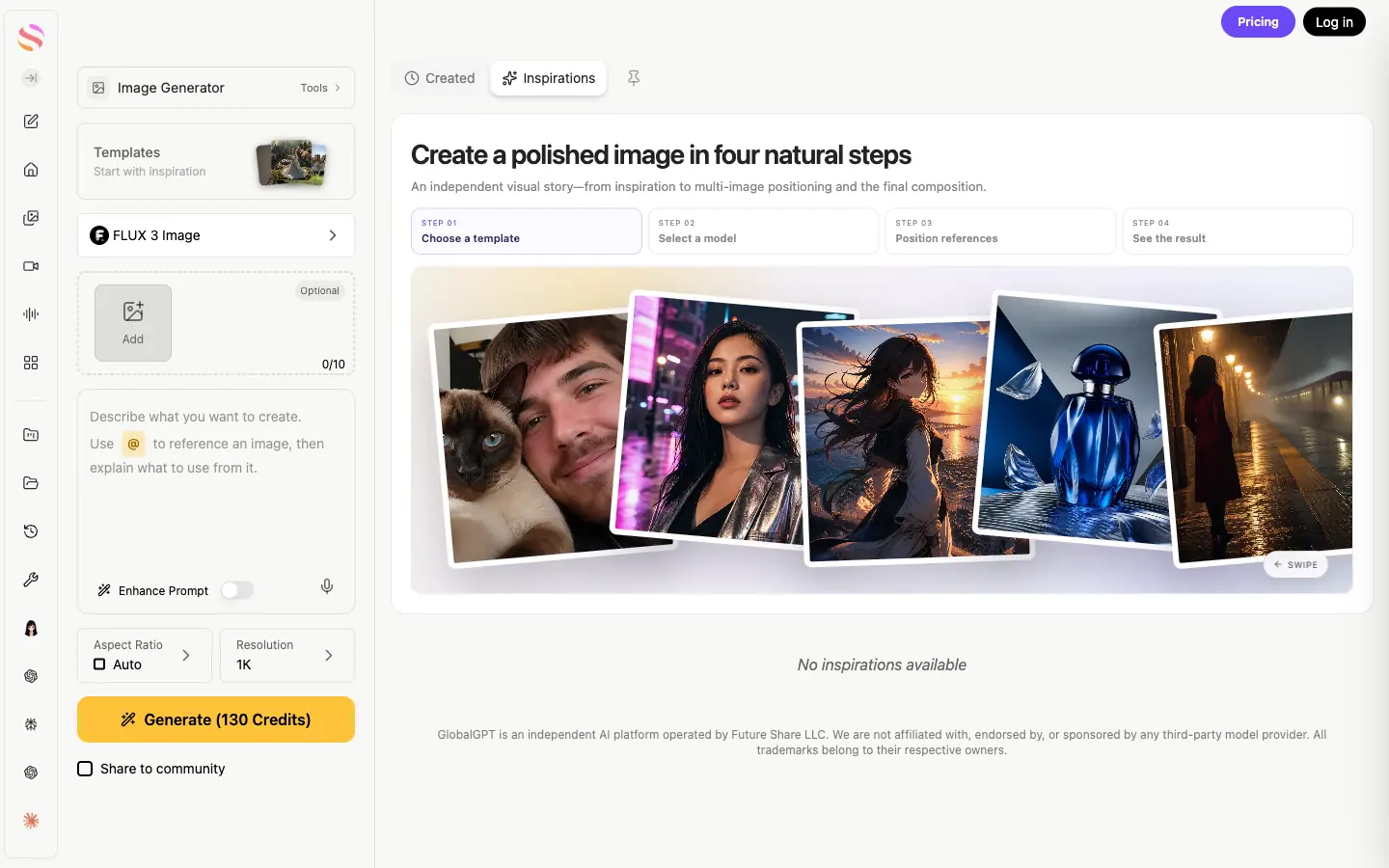
- Open the image workspace and select FLUX 3 Image.
- Enter your scene description, select the ratio and resolution, and review the displayed credit charge.
- Generate the image, then inspect the wording, object details and layout at full size.
- For a revision, add the original result as a reference and specify what to change and what to preserve. Download the approved version for the next creative step.
What the first outputs looked like
We used a fictional skincare bottle so the tests measured instruction following and visible consistency without making claims about a real brand. The first task created the ad; the two reference tasks used that original first output.
Test setup
Model: FLUX 3 Image. Venue: GlobalGPT. Date: October 18, 2026. We reviewed wording, object count, product details, layout and the practical usefulness of each result. These examples show task fit; they do not establish a general success rate.
Test 1: short copy in a product advertisement
Prompt and turnaround
Open the exact prompt
Create a polished landscape 3:2 studio advertisement for a fictional skincare product. A single amber glass pump bottle with a black pump and a cream rectangular label stands on a pale ivory stone plinth on the right. On the bottle label print exactly "MORA" and underneath "DAILY SERUM". On the left set the headline exactly "LESS, BUT BETTER" and below it "30 ml / Everyday care". Warm directional daylight, subtle natural shadows, refined editorial product photography, ample clean space, highly readable lettering. Only the supplied text appears in the image.
Submission to completed result: 27 seconds.
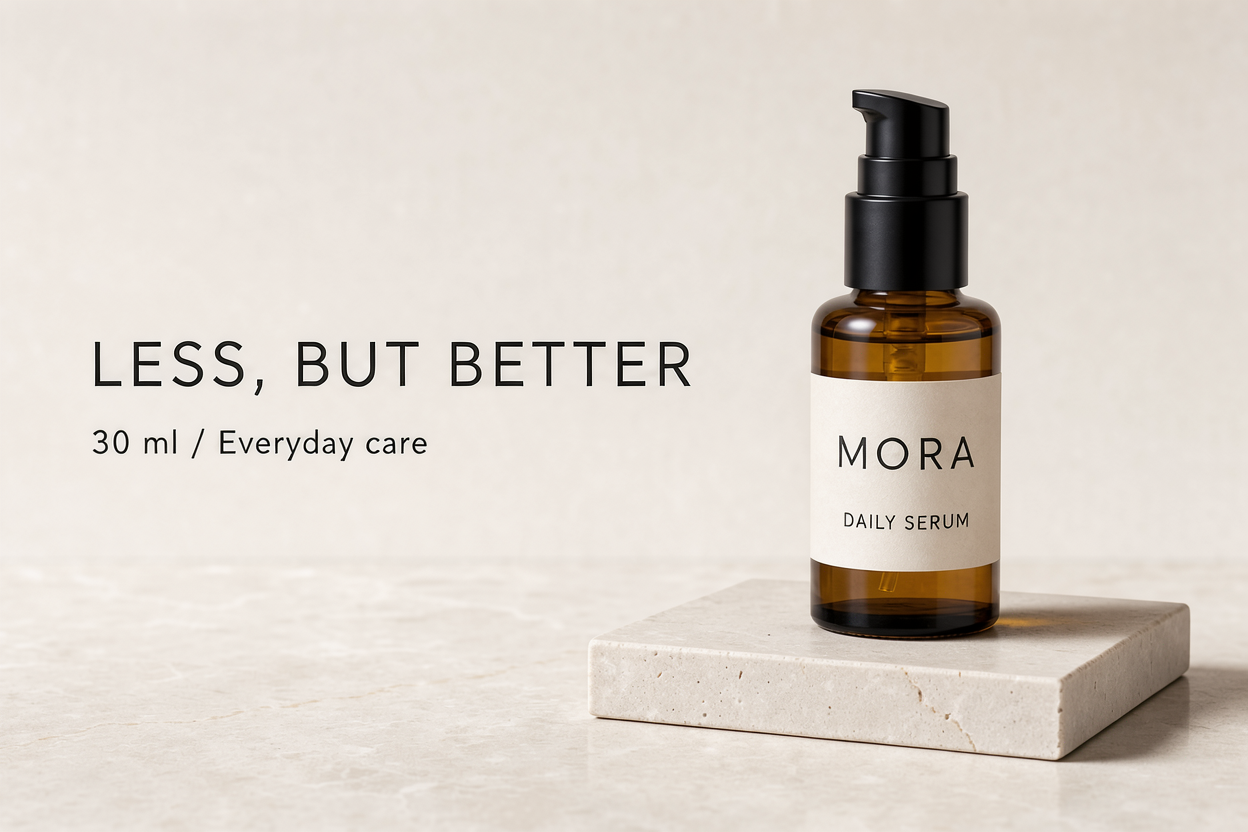
The bottle, black pump and ivory plinth read clearly, and the short headline was usable as a campaign concept. This is a meaningful strength for an image model because the prompt required both a visual layout and exact short copy. It is still not a guarantee for paragraphs, tiny packaging text or multilingual typography.
Test 2: a single controlled label edit
Prompt and turnaround
Open the exact prompt
Using Image 1, change only the cream bottle label to a muted sage green label (#8A9A86). Keep the exact bottle silhouette, black pump, amber glass, plinth, camera angle, lighting, headline, and every existing word unchanged. This is the same advertisement with only the label color changed. Preserve the landscape 3:2 framing.
Submission to completed result: 55 seconds.
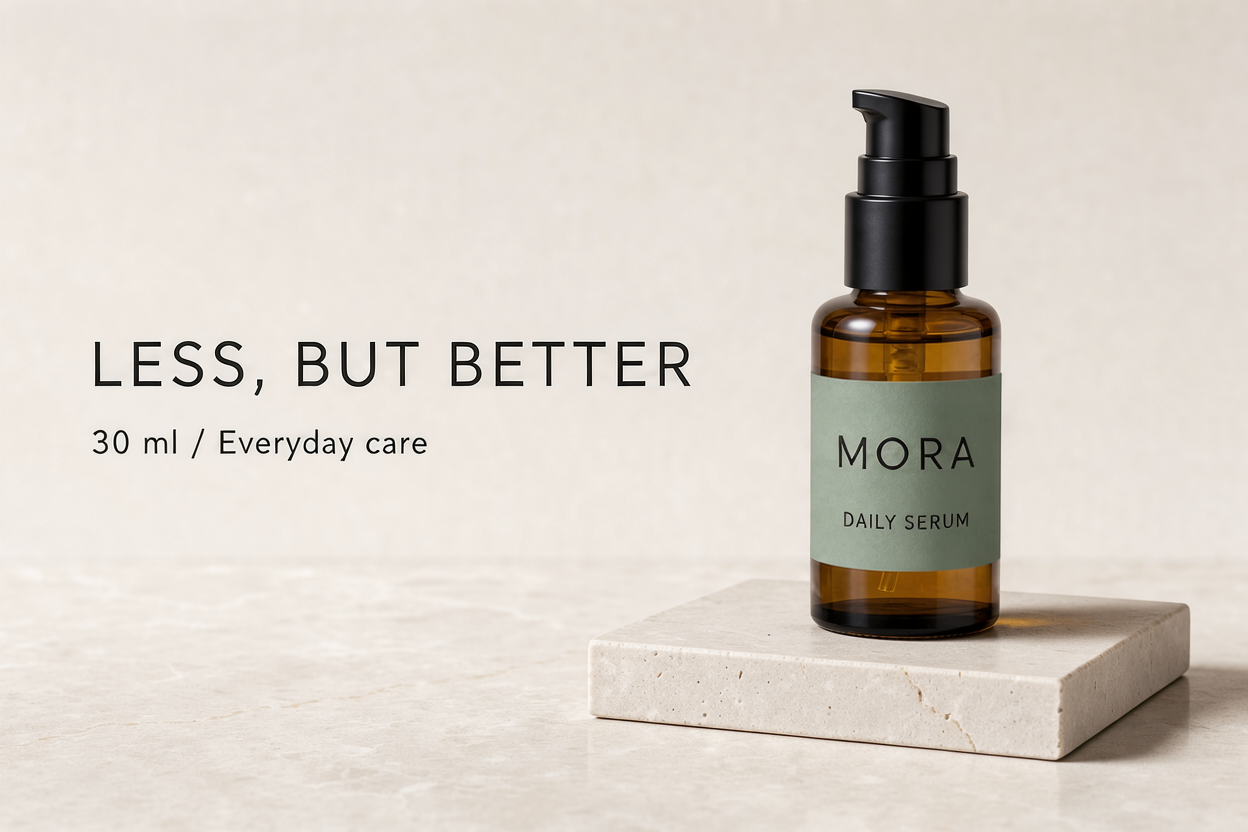
This was the most controlled result. The model changed the requested label color while keeping the main bottle, pump, headline and scene in place. We judged the color visually; we did not measure it against the requested HEX value, so this is not a claim of exact brand-color accuracy.
Test 3: carry a product into a new scene
Prompt and turnaround
Open the exact prompt
Use the bottle from Image 1 as the exact product reference. Create a new landscape 3:2 lifestyle product photograph with that same amber glass bottle, black pump, cream label, and the exact label words "MORA" and "DAILY SERUM". Place the bottle on the left side of a warm travertine bathroom counter beside one folded white hand towel and one small olive branch. Soft morning window light. Keep the bottle shape, cap geometry, amber color, and label design faithful to Image 1. The right half is clean stone wall for future copy. A single bottle; product photography, no extra headline.
Submission to completed result: 39 seconds.
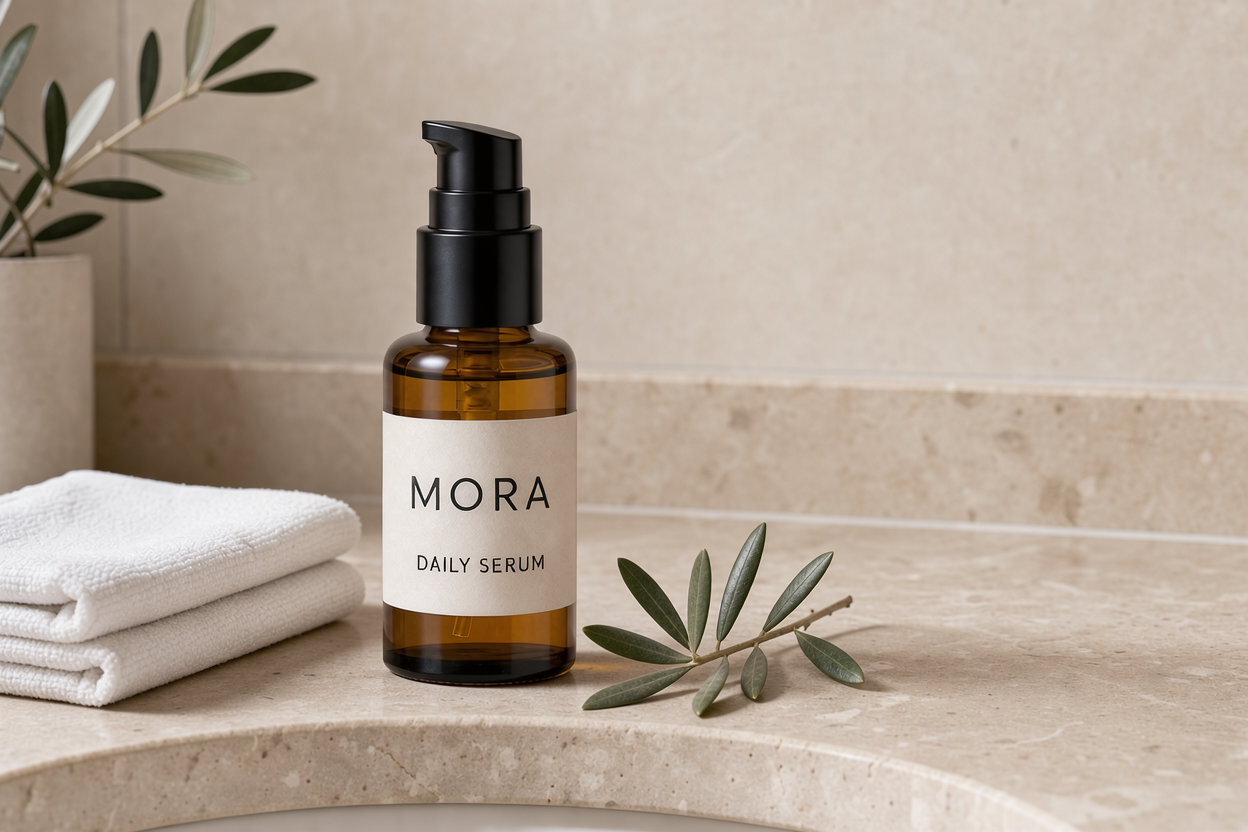
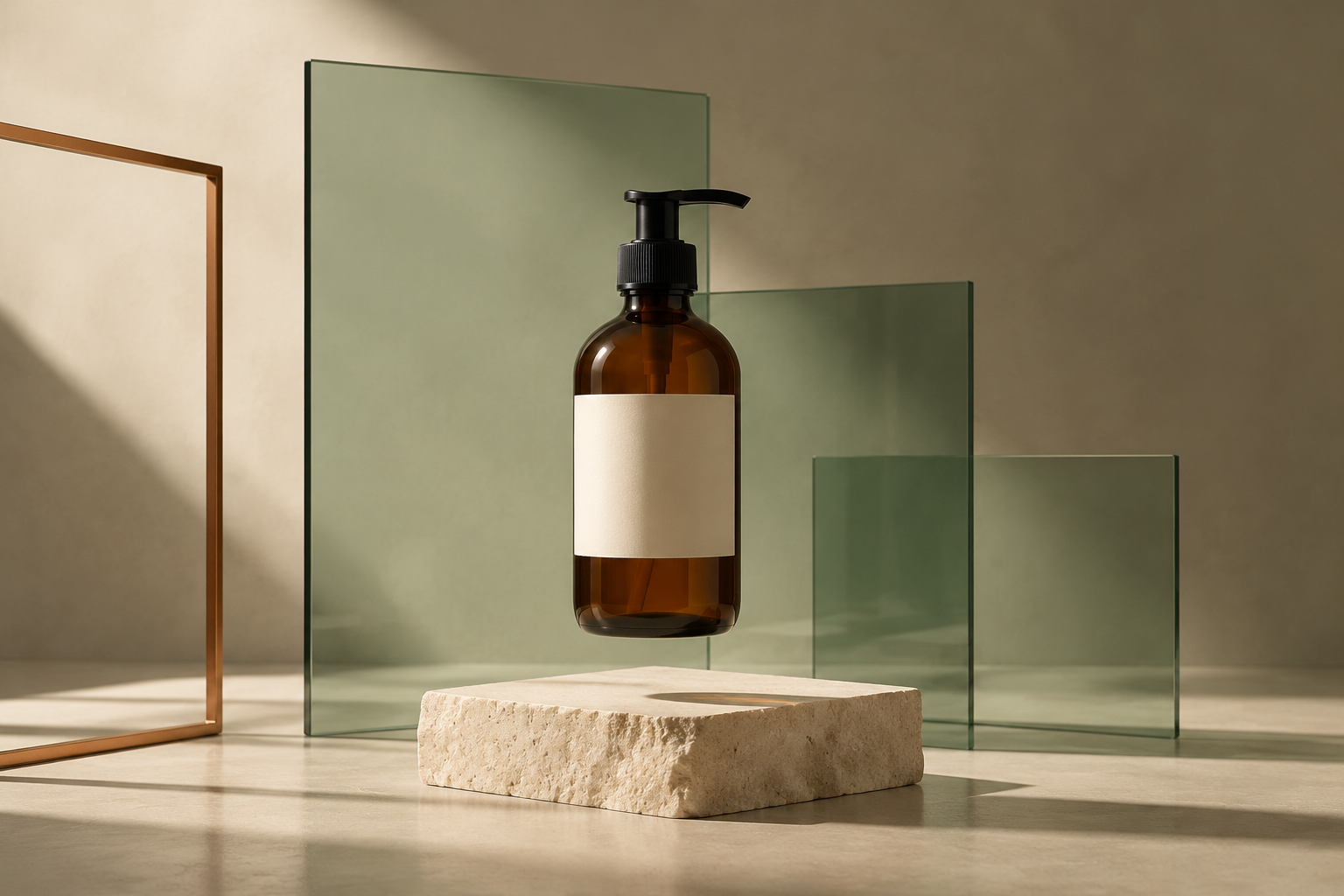
The result kept a recognizable amber bottle, black pump and label wording, then moved it to a warm travertine bathroom counter. It also added more olive foliage than requested. The right side offers useful wall space, but the branch intrudes into it, so a second corrective edit would still be sensible before treating the image as final campaign artwork.
Strengths and limits
| Where it is strong | Where to be careful |
|---|---|
| Short English copy in a clearly structured layout. | Dense copy and small print still need manual inspection. |
| Single-change reference edits. | Exact colors are visually close, not a measured brand-color guarantee. |
| Product-led scene variations. | Prop counts and “clean space” can drift from the brief. |
| Prompt, reference and composition controls. | Documented features such as ten references, grounding and bounding boxes were not part of this test. |
For real packaging, compare cap geometry, label position, product proportions, color and every printed claim with the source photograph. The model is valuable for concept development and controlled iteration; final production still benefits from an editable design file and a human check.
If you are moving from an earlier version, the FLUX.2 Pro guide provides background on reference-led workflows. Keep FLUX 3’s current parameters and pricing separate.
FLUX 3 Image pricing
BFL’s direct API pricing charges per output image by resolution tier. These are the standard FLUX 3 Image rates checked on October 19, 2026:
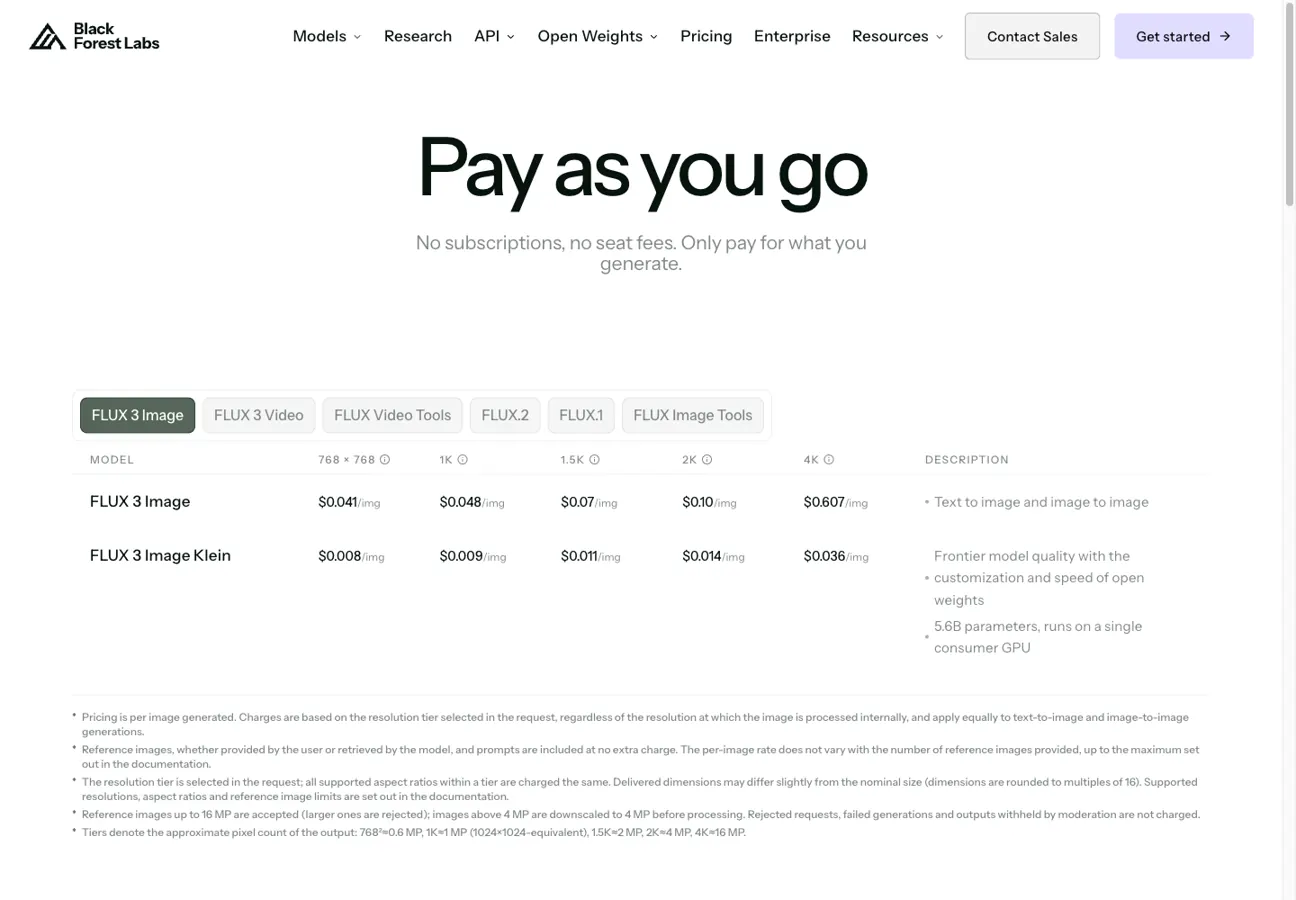
| Tier | Approximate pixel count | Price per image | 100 images |
|---|---|---|---|
| 768 × 768 | About 0.6 MP | $0.041 | $4.10 |
| 1K | About 1 MP | $0.048 | $4.80 |
| 1.5K | About 2 MP | $0.070 | $7.00 |
| 2K | About 4 MP | $0.100 | $10.00 |
| 4K | About 16 MP | $0.607 | $60.70 |
For web concepts, 1K is a reasonable starting point. Moving the same 100-image batch from 1K to 4K increases the listed cost from $4.80 to $60.70. Reserve 4K for a chosen image that needs a large deliverable or substantial crop; higher resolution does not repair an incorrect prop or a misspelled word.
BFL says the same tier rate applies to text-to-image and image-to-image, and reference images do not add a separate charge. That is the direct API pricing model. GlobalGPT uses a separate subscription and credits, so its displayed credit charge should not be converted with BFL’s dollar rates.
Budget for 100 standard FLUX 3 images
768 square — 4.1 USD
1K — 4.8 USD
1.5K — 7 USD
2K — 10 USD
4K — 60.7 USD
Calculated from BFL’s rates, October 19, 2026. Output resolution changes the bill much more than the number of reference images.
A practical multi-model workflow
If the project is bigger than one image, the useful question is where the rest of the work happens. A multi-model workspace lets you keep the brief, copy, image generation and follow-up creative steps together. In GlobalGPT, you can select FLUX 3 Image for the still-image stage and then continue with other models or functions when the campaign needs a different output.
For a small creative team, one subscription covering writing, still images and video can simplify the tool stack. Use FLUX for the product visual, a writing model for the campaign copy, and a video model when the same concept needs motion. Review the selected model and credit charge before submitting each task.
Who should use it?
- Choose it when you need product concepts, short marketing copy, reference-led edits or controlled scene variations.
- Use extra review when packaging, brand colors, tiny print, exact prop counts or legal copy matter.
- Choose another route when you need a video model, a fully editable design file, or a measured color and typography pipeline.
For another image-model decision, see the Seedream 5.0 Pro and GPT Image 2 comparison, particularly when weighing editing against new image creation.
FAQ
Is FLUX 3 Image the same as FLUX 3 Video?
No. FLUX 3 Image is the still-image model for generation and editing; FLUX 3 Video is a separate route with separate pricing.
What can FLUX 3 Image do?
The official documentation covers text-to-image generation, reference-image editing, multi-reference composition and bounding-box layout control.
How many reference images can it use?
FLUX 3 Image accepts up to ten reference images. Number them in the prompt and explain whether each supplies a product, setting, style or other visual detail.
How much does FLUX 3 Image cost?
BFL’s published standard API rates checked October 19, 2026 were $0.041 at 768 square, $0.048 at 1K, $0.070 at 1.5K, $0.100 at 2K and $0.607 at 4K per image. GlobalGPT uses a separate subscription and credit system.
Can I use FLUX 3 Image without code?
Yes. BFL offers a browser Playground, and GlobalGPT provides an image workspace with model, prompt and reference controls. Use the direct API when you need programmatic integration.
Is it suitable for product images?
It is useful for product concepts, controlled edits and scene variations. Check real packaging, proportions, colors and copy before using an output as a final commercial asset.
Verdict
FLUX 3 Image earns its place when the job is to develop and refine a visual, not simply request a one-off picture. The label edit was the strongest result, and the first ad also handled short copy well. The product scene also worked, with a small but useful reminder that props and empty space need a second pass.
Start with the official capabilities and price tier that match your deliverable. If you want to move from brief to image and then into a wider creative workflow, try the FLUX 3 Image route in GlobalGPT and keep the model name and generation settings visible while you work.