Quick answer
Veo 3.1 is not offered as an uncensored video generator. Google’s policy prohibits sexually explicit content made for pornography or sexual gratification in products that reference it. Flow explicitly references that policy. Non-explicit creative contexts require a separate judgment, and a policy rule does not guarantee a particular filtering result.
Sources: Google’s use policy and Flow help.
The word “can” hides two different questions: what a model might produce, and what its service allows you to create. For pornography, the policy answer is no. A clip appearing online does not establish that it was permitted, that it came from the claimed model, or that another user could reproduce it.
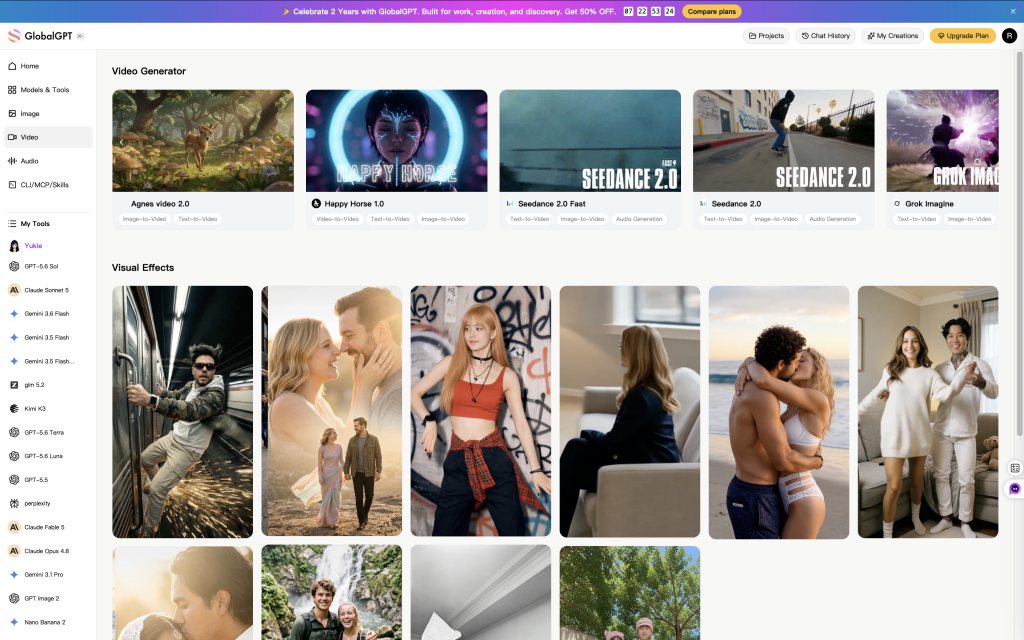
For a non-explicit video project, GlobalGPT brings a multi-model AI subscription and a connected creative workflow into one dashboard. You can develop the script, prepare reference images and move into Veo 3.1 video creation without rebuilding the brief across several separate tools.
What counts as NSFW in Google’s policy?
NSFW is an informal label, not one precise policy category. It can refer to sexual material, graphic violence or content someone would rather not open at work. That breadth matters: a fashion scene, a medical illustration and pornography should not be described as the same request.
Google’s Generative AI Prohibited Use Policy applies to Google products and services that refer to it. Its sexual-content rule prohibits sexually explicit material created for pornography or sexual gratification. It separately prohibits child sexual abuse or exploitation and non-consensual intimate imagery. Consent between adults does not turn pornography into an allowed use under the sexual-content rule.
- Explicit sexual entertainment: prohibited when created for pornography or sexual gratification.
- Abusive sexual content: child sexual abuse or exploitation and non-consensual intimate imagery are expressly prohibited.
- Non-explicit romance or fashion: a different creative task, assessed in context; suggestive framing can still encounter a safety filter.
- Educational, documentary, scientific or artistic material: the policy says Google may make exceptions based on these considerations, or where substantial public benefit outweighs potential harms. That is a discretionary exception, not automatic approval.
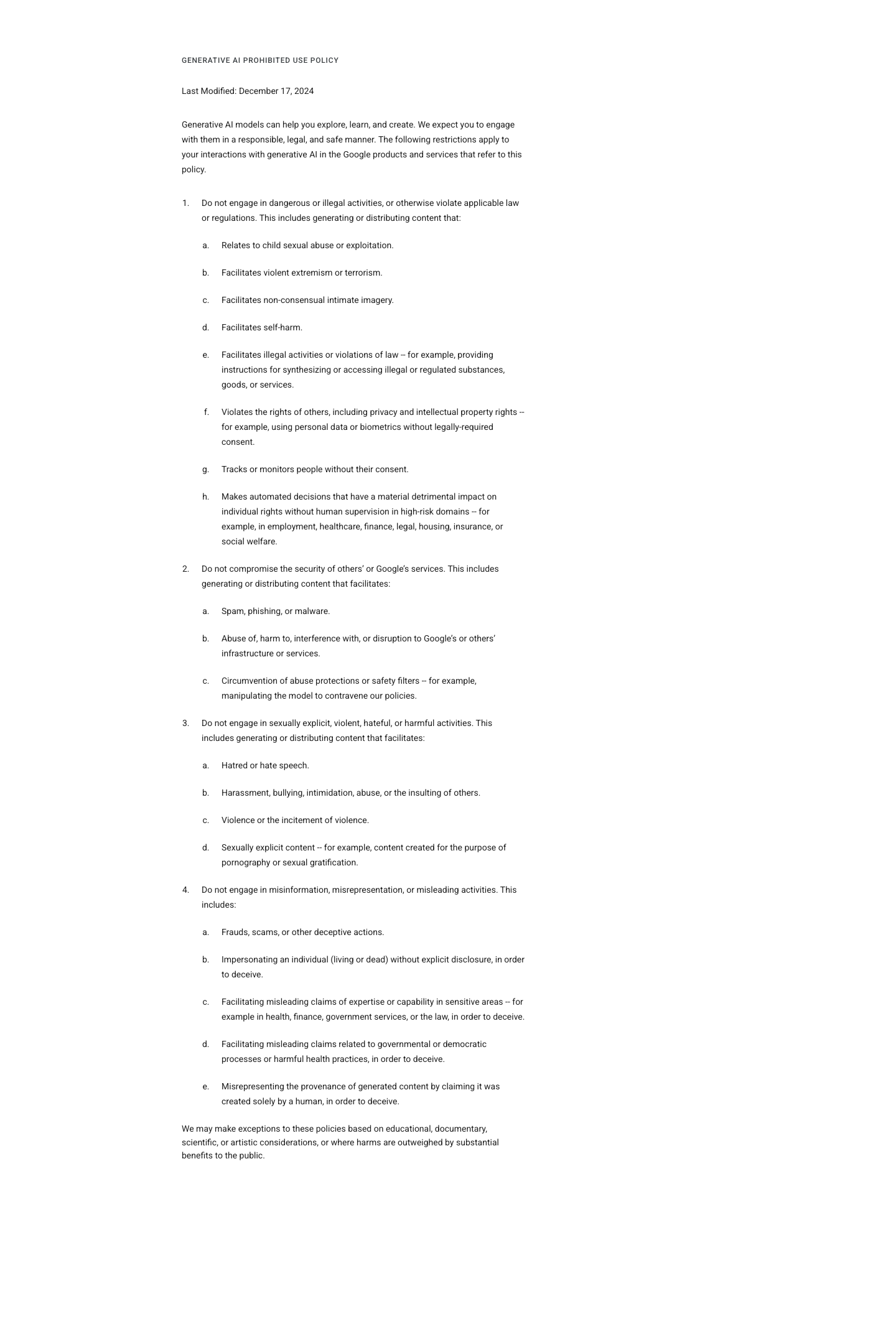
This policy distinguishes prohibited sexual content from discretionary contextual exceptions. “May” leaves the decision to Google, and the stated scope is Google products and services that reference this policy. The text does not promise any particular filtering outcome.
Calling a request “art” or “educational” does not settle the question. The actual material, its purpose and its likely effect still matter. For a medical explainer, for example, a clinical diagram that conveys the required information serves a different purpose from sexualized imagery with a medical label attached.
Veo 3.1, Flow, Gemini and APIs: which rules apply?
Veo 3.1 is a video model. Flow and the Gemini app are Google products through which people encounter video generation; developer APIs are another route. A model name alone does not tell you the subscription, available controls or product rules for a particular session.
The consumer connection is explicit for Flow. Its getting-started help links the Generative AI Prohibited Use Policy under “What are the Google Flow user policies?” It also says certain queries may not generate, notes additional precautions for minors and uploaded photos, and invites feedback about unexpected blocks.
The Gemini API video documentation describes developer video workflows. It does not establish which features a Gemini or Flow consumer subscription includes. Use the product you are actually opening as the starting point; our Veo 3.1 access guide explains the main entry routes.
| Product or scope | Primary source | Rule or category | What is documented | What it does not establish |
|---|---|---|---|---|
| Google products that reference the use policy | Generative AI use policy | Sexually explicit pornography or sexual-gratification content is prohibited. | A usage rule; it does not publish a Veo block rate. | A forbidden request is not proof that every attempted output will be blocked. |
| Flow consumer product | Flow help | Flow explicitly points users to that policy. | Some queries may not generate; feedback is available for unexpected blocks. | The help page does not document identical filtering internals across all Google products. |
| Cloud / Enterprise Agent Platform Veo route | Veo safety documentation | The documentation describes safety filtering, including sexual or suggestive content. | Input checks can produce a policy error; output filtering can return fewer videos than requested. | These documented behaviors do not establish the implementation of Flow or the Gemini app. |
| Veo model family | Veo 3 model card | The card covers Veo 3 and subsequent versions and discusses harmful-content safeguards. | Safety evaluation and mitigation are described. | No Veo 3.1-specific NSFW pass rate, false-positive rate or jailbreak success rate is supplied. |
Sources reviewed September 28–30, 2026. This is a policy comparison, not a performance benchmark. On a small screen, scroll the table horizontally.
The practical distinction is permission versus outcome. A rejection tells you something about that request in that service. A returned video tells you that an output was returned. Neither event, by itself, rewrites the policy or measures the reliability of the entire system.
What Veo’s documented safety filters actually do
The Cloud Veo safety documentation says prompts are assessed against safety filters. Its support categories include “Sexual,” described as “Sexual or suggestive content.” The page describes two observable outcomes: a policy-violation error can mean the input triggered a filter, and receiving fewer videos than requested can mean some generated outputs were blocked.
Those details are useful when diagnosing a Cloud request. They are not evidence of a universal threshold called “Block High/Medium,” live frame-by-frame termination, or an identical process in every consumer interface. General Gemini API safety settings should not be presented as a Veo-specific switch for turning sexual-content restrictions off.
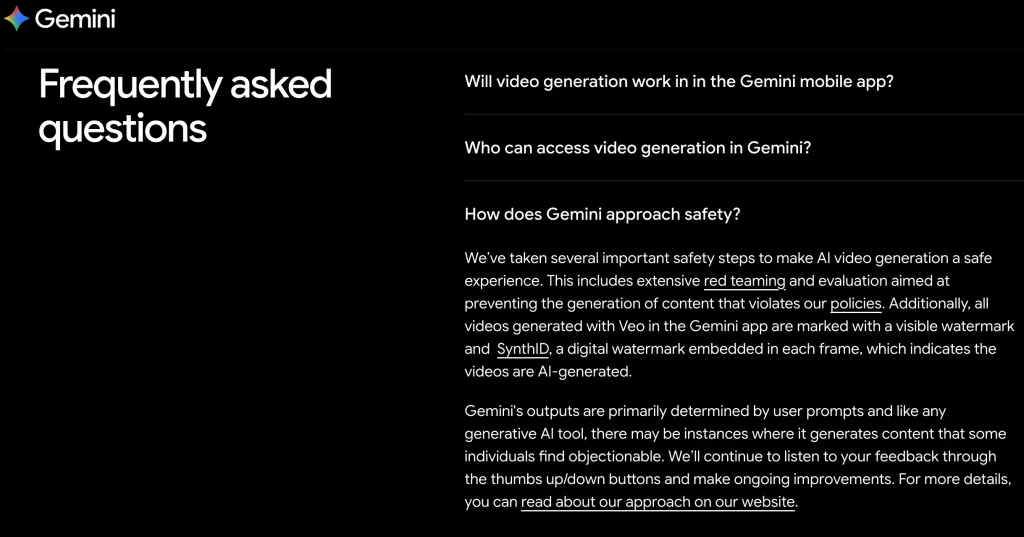
The historical Gemini FAQ above makes a narrower and more useful point than “the model can never make a mistake”: safety measures exist, yet objectionable outputs can still occur. Current rules should come from the applicable policy and product documentation, while a dated interface image provides context for what was explained at that time.
The Veo 3 model card, updated January 13, 2026 and covering Veo 3 and subsequent versions, discusses safety testing and mitigations. It does not give a Veo 3.1-specific sexual-content blocking percentage. There is therefore no basis here for a numerical “strictness” score or a claim that one model is a proven uncensored substitute.
How to plan a non-explicit creative project
Start with the scene you actually need. A useful brief describes the subject, wardrobe, action, setting, camera and mood. If the goal is a clothing campaign or a romantic story, make those choices concrete rather than letting an ambiguous description carry the whole scene.
- Fashion: “An adult model in a tailored linen suit walks across a sunlit courtyard. Wide shot, natural movement, soft afternoon light.”
- Romance: “Two adults share an umbrella on a rainy evening, exchange a smile and walk toward a café. Fully clothed, gentle mood, no sexual activity.”
- Education: “A clean, labeled animation explains how the knee joint bends during walking, using a simplified anatomical diagram and a neutral background.”
These are writing examples, not tested outputs or promises that a service will accept them. Their value is that they express a legitimate task clearly. For more detail on shot composition, see the camera, subject and lighting approach in our Veo prompting guide.
If a legitimate request is blocked
- Read the message and identify the product, selected model and supplied inputs. In the documented Cloud route, distinguish an input-policy error from fewer returned outputs.
- Check that the brief and reference materials fit the actual permitted task. Remove material you do not have rights or consent to use; make an unclear non-explicit scene clearer.
- If the request still appears permitted, use the product’s feedback or support route. Flow help specifically asks for feedback about unexpected blocks.
- For a deadline, switch to an approved stock shot, a diagram, practical filming or another non-explicit treatment that communicates the same idea.
The objective is to change or clarify the creative task so it fits the rules. Rewording a prohibited request solely to evade a filter is a different activity, and Google’s policy explicitly prohibits circumventing its protections. A paid plan should not be read as permission to do that.
Build the script, references and video in GlobalGPT
A short video usually starts well before generation: a concept becomes a script, a script becomes a shot list, and the shot list needs consistent visual references. Veo 3.1 on GlobalGPT fits into that wider workflow, with writing, image and video tools in one subscription workspace.
For a fashion campaign, draft the scene and voiceover first, prepare a reference that preserves the garment and palette, then use the video controls to set up the shot. Keeping the same brief close at hand makes it easier to check whether each stage still serves the campaign’s purpose.
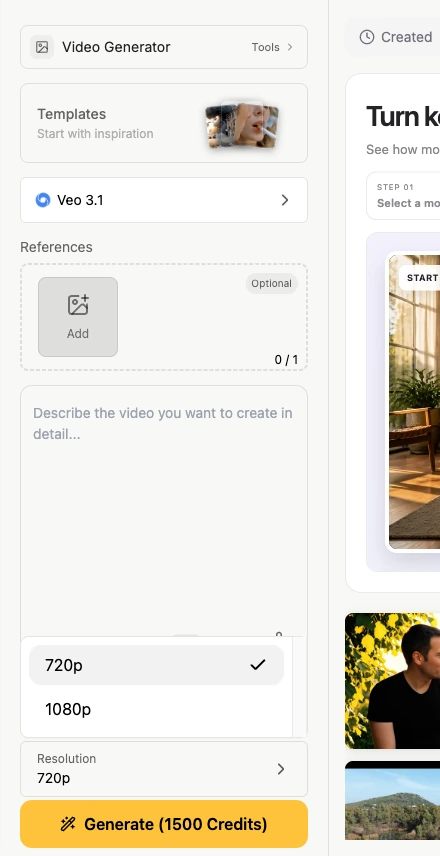
The control panel shows where reference material and resolution enter the workflow. Review the selected settings and the displayed credit estimate before submitting a job. The choices in a captured panel describe that moment; they do not establish the cost of every combination or demonstrate a successful generation.
Visible watermarks and SynthID mean different things
A visible logo and an embedded provenance mark answer different questions. SynthID helps identify AI-generated or AI-altered media. Google DeepMind says Veo videos are marked with SynthID; that is an AI-origin claim, not a statement that the mark publicly identifies the person or account that generated a video.
Flow’s help page says all Flow outputs include SynthID. The version captured on September 28, 2026 also describes a visible-watermark toggle and automatic visible watermarks for users in India, South Korea and Vietnam. These are Flow-specific instructions and regional conditions, not a universal rule for every Veo integration.
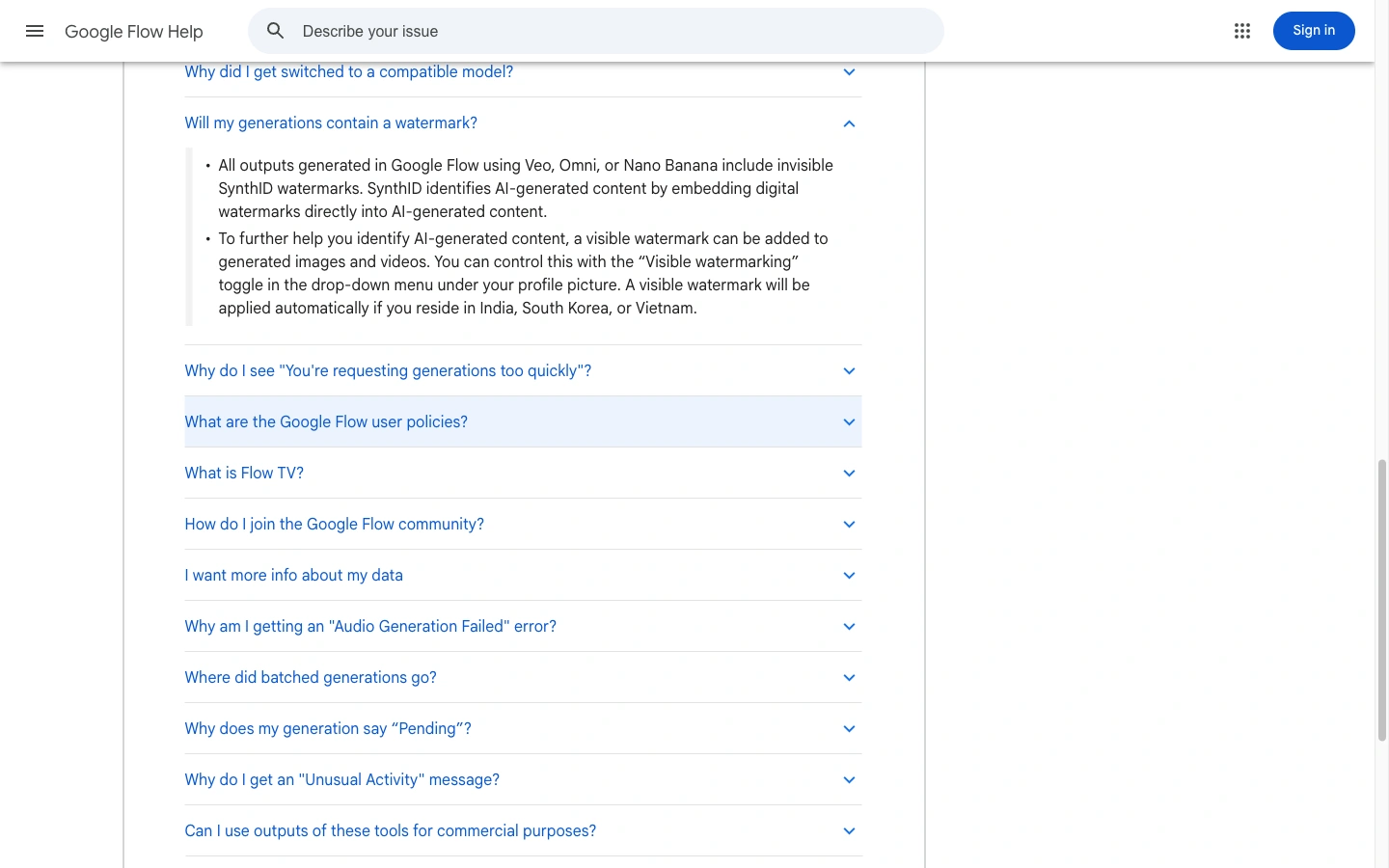
The older Gemini FAQ and the newer Flow help image therefore need to be read in their own contexts. Removing a visible mark does not establish that SynthID is gone. Likewise, the presence or absence of a logo does not show whether the content was allowed under the service’s policy.
Frequently asked questions
Can Veo 3.1 generate porn?
Google’s Generative AI Prohibited Use Policy prohibits sexually explicit content created for pornography or sexual gratification in products that reference it. Flow explicitly references that policy. A prohibited use is not the same as a technical guarantee that an unwanted output can never occur.
Does Google Flow allow NSFW content?
Flow links Google’s Generative AI Prohibited Use Policy, which prohibits pornography and other harmful content. NSFW is a broad informal label, so non-explicit romance, fashion and educational material need to be considered in context rather than treated as one category.
Does an artistic or medical purpose guarantee approval?
No. Google says it may make exceptions based on educational, documentary, scientific or artistic considerations, or where substantial public benefit outweighs potential harms. That wording does not automatically approve a particular prompt, image or video.
Can I turn off Veo’s NSFW filter?
The Veo safety sources reviewed here do not document an end-user switch that makes pornography a permitted use. General Gemini API safety settings should not be treated as Veo-specific controls, and Google’s use policy prohibits circumventing its protections.
Why might a harmless Veo prompt be rejected?
A safety filter evaluates the request in its product context, and a rejection alone does not explain every part of that assessment. Check the message and supplied inputs, clarify the legitimate non-explicit task, and use feedback or support if it still appears permitted. Flow help invites feedback about unexpected blocks.
Does paying for access change the sexual-content rules?
A subscription or payment arrangement does not by itself change the applicable content policy. Access, quotas and features are product questions; whether a request is permitted is a separate question governed by that service’s rules.
Does SynthID reveal who created a video?
The official SynthID explanation concerns detection of AI-generated or AI-altered content. It does not establish public identification of the creator’s personal identity or account. Visible watermark behavior also varies by product and should be checked separately.
Sources and review scope
Policy and documentation reviewed September 28–30, 2026. This article explains published rules and documented behavior; it does not report a sexual-content generation test or a cross-model safety benchmark.
- Google Generative AI Prohibited Use Policy — applicability, prohibited sexual content, exceptions and circumvention.
- Get started with Flow — consumer policy reference, feedback and watermark conditions.
- Veo responsible AI and safety documentation — Cloud-route input and output filtering.
- Google DeepMind: Veo and Veo 3 model card — model identity, safety work and the card’s version scope.
- Video generation in the Gemini API — developer workflow context.
- Google DeepMind: SynthID — AI provenance and detection.