

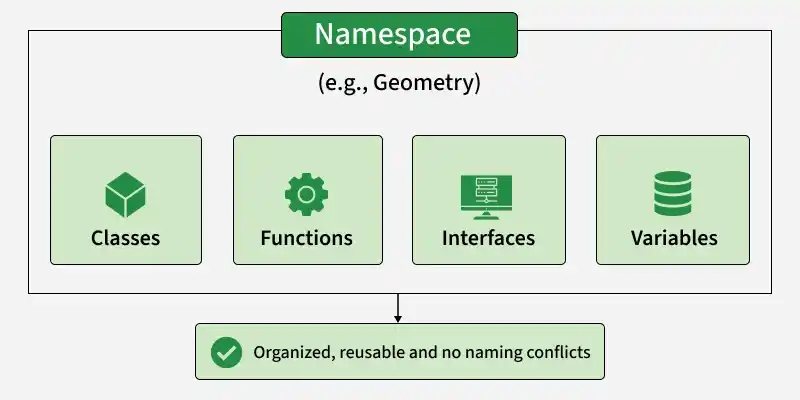
Namespaces in TypeScript provide a way to group related declarations such as classes, functions, interfaces, and variables under a single name.
- Organize related declarations under a common namespace.
- Reduce naming conflicts between declarations.
- Control which members are accessible using the export keyword.
- Useful mainly for organizing legacy or non-module TypeScript code.
Declaring and Using a Namespace
A namespace is declared using the namespace keyword. Members that need to be accessed from outside the namespace must be marked with export.
namespace Geometry {
    export class Circle {
        constructor(public radius: number) {}

        area(): number {
            return Math.PI * this.radius ** 2;
        }
    }
}

const circle = new Geometry.Circle(5);

console.log(circle.area());
Output:
78.53981633974483- Geometry groups the related functionality.
- Circle is exported so it can be accessed outside the namespace.
- Geometry.Circle is used to access the class.
Simple Namespace
A namespace can contain functions, classes, variables, and other declarations.
Example:
namespace MyNamespace {
    export function greet(): void {
        console.log("Hello from MyNamespace!");
    }
}

MyNamespace.greet();
Output:
Hello from MyNamespace!- greet() is defined inside MyNamespace.
- export makes the function accessible outside the namespace.
- The function is accessed using MyNamespace.greet().
Nested Namespace
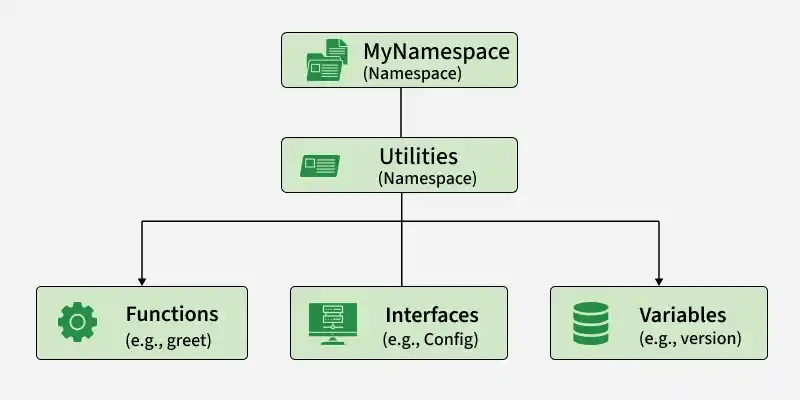
Namespaces can be nested to create a hierarchical structure.
Example:
namespace MyNamespace {
    export namespace Utilities {
        export function greet(): void {
            console.log("Hello from Utilities!");
        }
    }
}

MyNamespace.Utilities.greet();
Output:
Hello from Utilities!- Utilities is nested inside MyNamespace.
- Both namespaces use export to make their members accessible.
- The function is accessed using MyNamespace.Utilities.greet().
Benefits of Namespaces
- Organize Code: Group related declarations under a common name.
- Avoid Naming Conflicts: Keep declarations within a dedicated namespace.
- Control Accessibility: Use export to expose only required members.
- Create Hierarchies: Nested namespaces can organize related functionality.
Namespaces vs Modules
Here are the main differences between Namespaces and Modules in TypeScript:
Namespaces | Modules |
|---|---|
Use the namespace keyword. | Use import and export. |
Primarily used for grouping declarations within a namespace. | Used to organize code across separate files. |
Can work without ES module imports and exports. | Explicitly defines dependencies between files. |
TypeScript-specific feature. | Based on the standard JavaScript module system. |
Less commonly used in modern applications. | Recommended for modern TypeScript projects. |
Note: Namespaces were more common in older TypeScript applications. For new projects, prefer ES modules because they provide better dependency management, scalability, and compatibility with modern JavaScript tooling.
