

Optional parameters allow functions to be called without providing values for every parameter, making them more flexible.
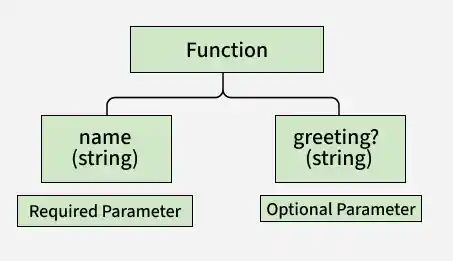
- Declared using the ? operator.
- Must be placed after required parameters.
- If omitted, their value is undefined.
Syntax
function functionName(param1: type, param2?: type): returnType {
    // function body
}
- param1: A required parameter of the specified type.
- param2?: An optional parameter; if omitted, its value is undefined.
Greeting Function with Optional Parameter
Optional parameters can be omitted when calling a function, allowing the function to handle both provided and missing values.
function greet(name: string, greeting?: string): string {
    if (greeting) {
        return `${greeting}, ${name}!`;
    } else {
        return `Hello, ${name}!`;
    }
}

console.log(greet("Alen"));
console.log(greet("Ben", "Good morning"));
Output:
Hello, Alen!
Good morning, Ben!
- name is a required parameter.
- greeting is optional.
- If greeting is omitted, the function returns the default greeting.
Function with Multiple Optional Parameters
A function can have multiple optional parameters to support different combinations of arguments.
function createUser(username: string, age?: number, email?: string): string {
    let userInfo = `Username: ${username}`;

    if (age !== undefined) {
        userInfo += `, Age: ${age}`;
    }

    if (email !== undefined) {
        userInfo += `, Email: ${email}`;
    }

    return userInfo;
}

console.log(createUser("john_doe"));
console.log(createUser("jane_doe", 28));
console.log(createUser("sam_smith", 30, "sam@example.com"));
Output:
Username: john_doe
Username: jane_doe, Age: 28
Username: sam_smith, Age: 30, Email: sam@example.com
- username is required.
- age and email are optional.
- The function includes only the values that are provided.
