

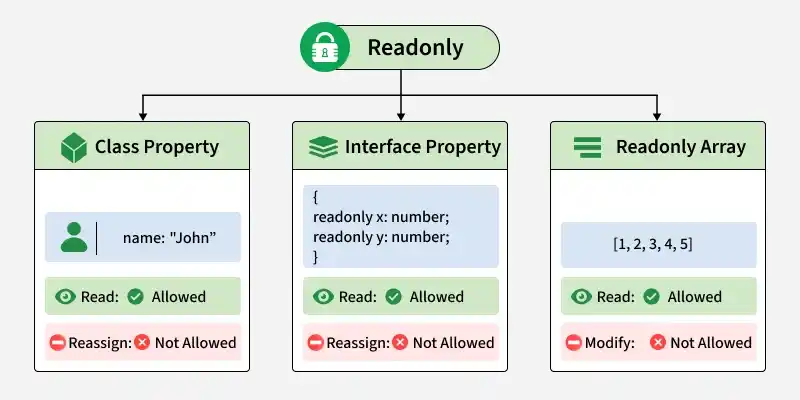
In TypeScript, the readonly modifier prevents a property from being reassigned after it has been initialized.
- It helps prevent accidental modifications and improves code reliability.
- It can be used with class properties, interface properties, type aliases, and arrays.
- A readonly property can be read normally but cannot be reassigned after initialization.
Readonly Property in a Class
A readonly property in a class can be initialized in the constructor but cannot be reassigned afterward.
class User {
  readonly name: string;

  constructor(name: string) {
    this.name = name;
  }

  getName(): string {
    return this.name;
  }
}

const user = new User("John");

console.log(user.getName());

// user.name = "Alex"; // Error: Cannot assign to 'name' because it is read-only
Output:
JohnHere, name is assigned through the constructor and can be read afterward, but it cannot be reassigned.
Readonly Properties in an Interface
The readonly modifier can also be used in interfaces to prevent object properties from being reassigned.
interface Point {
  readonly x: number;
  readonly y: number;
}

const point: Point = {
  x: 10,
  y: 20
};

console.log(`Point coordinates: (${point.x}, ${point.y})`);

// point.x = 15; // Error: Cannot assign to 'x' because it is read-only
Output:
Point coordinates: (10, 20)Here, x and y can be read but cannot be reassigned after the object is created.
Readonly Array
TypeScript provides ReadonlyArray<T> and the readonly T[] syntax for creating arrays that cannot be modified.
const numbers: readonly number[] = [1, 2, 3, 4, 5];

console.log(numbers);

// numbers.push(6); // Error: Property 'push' does not exist on type 'readonly number[]'
Output:
[1, 2, 3, 4, 5]A readonly array allows elements to be read, but methods such as push(), pop(), and splice() cannot be used to modify it.
Readonly with Constructor Parameter Properties
The readonly modifier can also be combined with constructor parameter properties to create and initialize a readonly property in a single line.
class Product {
  constructor(public readonly name: string) {}
}

const product = new Product("Laptop");

console.log(product.name);

// product.name = "Tablet"; // Error: Cannot assign to 'name'
Output:
LaptopHere, name is automatically created as a public readonly property and initialized through the constructor.
