

In web applications, open new tabs or windows for tasks like viewing external links, displaying pop-ups, or handling authentication flows.
For example, clicking a "Sign in with Google" button might open a new window for the login process. As a tester, you need to switch between these windows to interact with elements, verify content, or close unnecessary windows.
Methods of Window Handling
- get.windowhandle(): It is used to return the handle of the currently active window.
- get.windowhandles(): This method is used to get the handle of all opened windows.
- set: It will set the window handles in the form of a string. set<string> set= driver.get.windowhandles();
- switch to: This function is used to switch between the windows.
- action: This method helps to perform actions on windows.
- close(): Closes the currently focused window or tab.
- quit(): Closes all windows and terminates the WebDriver session.
Prerequisite
Complete the requirements below to handle multiple windows in Selenium:
- Install JDK (Java Development Kit).
- Install Eclipse.
- Selenium WebDriver dependencies.
- Maven or Gradle for dependency management.
- TestNG for running tests.
Below is a simple BaseTest class that initializes the WebDriver:
BaseTest.java
package io.learn;

import org.openqa.selenium.WebDriver;
import org.openqa.selenium.chrome.ChromeDriver;
import org.testng.annotations.AfterMethod;
import org.testng.annotations.BeforeMethod;

public class BaseTest {

    protected WebDriver driver;


    // Set up the ChromeDriver
    @BeforeMethod
    public void setup() {
        // Set the path to your chromedriver executable
        System.setProperty("webdriver.chrome.driver", "C:\\Users\\change the path of the ChromeDriver\\drivers\\chromedriver.exe");

        // Initialize the ChromeDriver
        driver = new ChromeDriver();

    }

    // Close the browser after each test
    @AfterMethod
    public void teardown() {
        if (driver != null) {
            driver.quit();
        }
    }
}
1. Opening a New Tab
To test how multiple tabs work, we can open a new tab using switchTo().newWindow(WindowType.TAB) and perform actions on both the original and new tab.
WindowHandlingTestsNewTab.java
package io.learn.window;

import static org.assertj.core.api.Assertions.assertThat;

import org.openqa.selenium.WindowType;
import org.testng.annotations.Test;

import io.learn.BaseTest;

public class WindowHandlingTestsNewTab extends BaseTest {

    @Test
    void testNewTab() {
        // Navigate to an initial URL
        driver.get("https://bonigarcia.dev/selenium-webdriver-java/");
        String initialHandle = driver.getWindowHandle();

        // Open a new tab and navigate to another URL
        driver.switchTo().newWindow(WindowType.TAB);
        driver.get("https://bonigarcia.dev/selenium-webdriver-java/web-form.html");

        // Ensure there are two windows open (main window + new tab)
        assertThat(driver.getWindowHandles().size()).isEqualTo(2);

        // Switch back to the original window (main window)
        driver.switchTo().window(initialHandle);

        // Close the main window and verify only one window is left
        driver.close();
        assertThat(driver.getWindowHandles().size()).isEqualTo(1);
    }
}
Output:
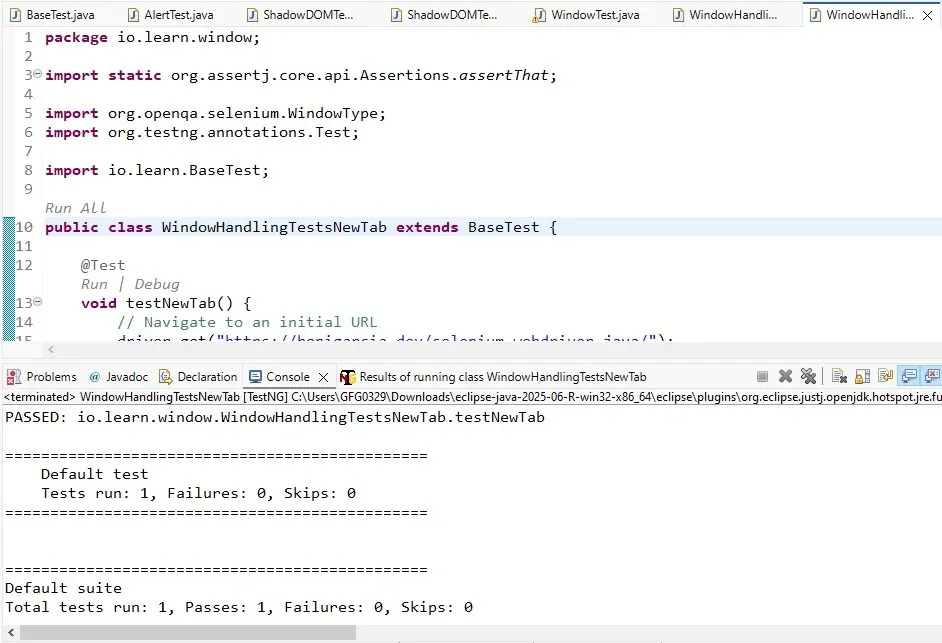
Here we open a new tab in Selenium, we use switchTo().newWindow(WindowType.TAB) and navigate to a different URL in that tab. We then use getWindowHandles() to confirm that two windows are open. To switch back to the original window, we use its stored handle and call close() to shut it, leaving only one window open.
2. Opening a New Window
In addition to handling tabs, you might need to open an entirely new window. The process is similar to opening a new tab, but we use WindowType.WINDOW instead of WindowType.TAB:
WindowHandlingTestsNewWindow.java
package io.learn.window;


import io.learn.BaseTest;
import org.openqa.selenium.WindowType;
import org.testng.annotations.Test;

import static org.assertj.core.api.Assertions.assertThat;

public class WindowHandlingTestsNewWindow extends BaseTest {

    @Test
    void testNewWindow() {
        // Open the initial URL in the main window
        driver.get("https://bonigarcia.dev/selenium-webdriver-java/");
        String initialHandle = driver.getWindowHandle();

        // Open a new window and navigate to another URL
        driver.switchTo().newWindow(WindowType.WINDOW);
        driver.get("https://bonigarcia.dev/selenium-webdriver-java/web-form.html");

        // Ensure there are two windows open
        assertThat(driver.getWindowHandles()).hasSize(2);

        // Switch back to the original window (parent window)
        driver.switchTo().window(initialHandle);

        // Close the original window
        driver.close();
        assertThat(driver.getWindowHandles()).hasSize(1);
    }
}
Output:
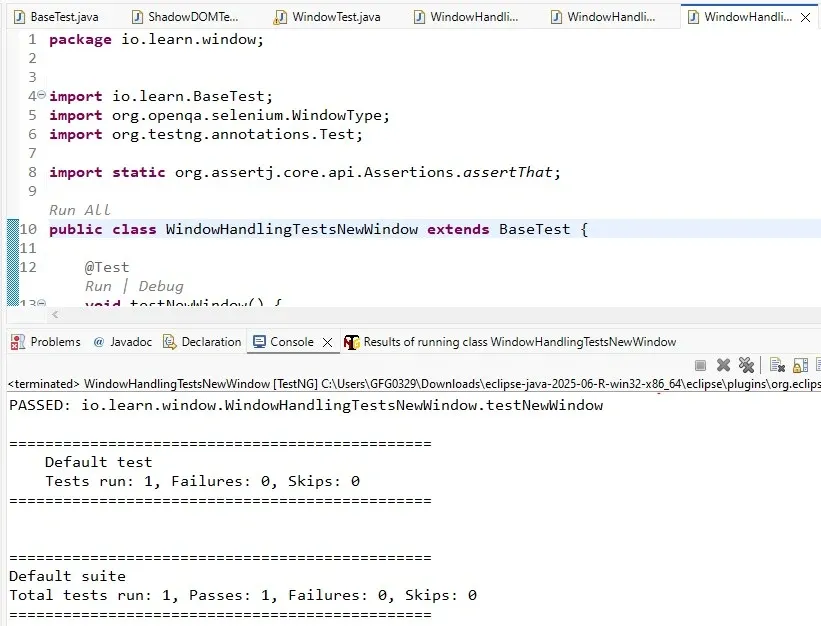
Here we seen how to open a new browser window using switchTo().newWindow(WindowType.WINDOW) instead of a tab. The remaining steps mirror the previous example, we use getWindowHandles() to verify two windows are open, switch back to the original window using its handle, and close it, ensuring only one window remains.
Note:
- Always keep track of window handles to switch between windows or tabs.
- Use
switchTo().newWindow(WindowType.TAB)andswitchTo().newWindow(WindowType.WINDOW)for opening new tabs and windows.- Use explicit waits to ensure elements are ready for interaction before performing actions.
Handling multiple windows or tabs in Selenium is an essential skill for testers dealing with complex web applications. With the right understanding of window handles and the proper use of Selenium’s window-switching features, you can easily automate tasks that involve interactions across different browser
