

An ArrayList maintains elements in their insertion order. When we need to arrange its elements in ascending order, Java provides built-in sorting methods such as Collections.sort() and List.sort().
- For numbers, ascending order means smallest to largest.
- Collections.sort() sorts the list in ascending natural order.
Examples
Input: [5, 2, 9, 1, 3]
Output: [1, 2, 3, 5, 9]Input: [2,1,4,3]
Output: [1,2,3,4]
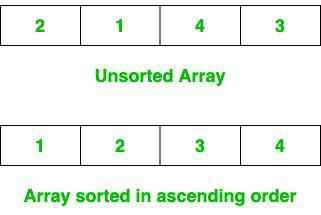
Ways To Sort ArrayList in Ascending Order
The following methods can be used to sort an ArrayList in ascending order in Java.
1. Using Collections.sort()
Java provides the Collections.sort() method to sort a list according to the natural ordering of its elements.
- For String objects, natural order means lexicographical (dictionary) order
- The sorting is done in-place, meaning the original list is modified
import java.util.*;

public class GFG {
    public static void main(String[] args) {
        ArrayList<String> list = new ArrayList<>();

        list.add("Geeks");
        list.add("For");
        list.add("ForGeeks");
        list.add("GeeksForGeeks");
        list.add("A computer portal");

        System.out.println("Unsorted ArrayList: " + list);
        Collections.sort(list);
        System.out.println("Sorted ArrayList in Ascending order: " + list);
    }
}
Output
Unsorted ArrayList: [Geeks, For, ForGeeks, GeeksForGeeks, A computer portal]
Sorted ArrayList in Ascending order: [A computer portal, For, ForGeeks, Geeks, GeeksForGeeks]
Explanation:
- An ArrayList<String> is created and populated with string values
- Collections.sort(list) sorts the elements based on their natural ordering
- The method modifies the original list and does not return a new one
- The sorted result is printed to the console
2. Using List.sort()
The List interface provides the sort() method, which can be used to sort an ArrayList. Passing null as the comparator tells Java to use the elements' natural ordering.
import java.util.*;

public class GFG {
    public static void main(String[] args) {
        ArrayList<String> list = new ArrayList<>(
            Arrays.asList("Geeks", "For", "ForGeeks", "GeeksForGeeks", "A computer portal")
        );
        list.sort(null); // natural ascending order
        System.out.println("Sorted ArrayList: " + list);
    }
}
Output
Sorted ArrayList: [A computer portal, For, ForGeeks, Geeks, GeeksForGeeks]
Explanation:
- list.sort(null) sorts the list using its elements' natural ordering.
- The sorting is performed on the original list.
- This approach is available through the List interface and is commonly used in modern Java code.
3. Using List.sort() with Comparator
A Comparator allows explicit control over sorting logic. For ascending order, we use Comparator.naturalOrder().
import java.util.ArrayList;
import java.util.Arrays;
import java.util.Comparator;

public class GFG {
    public static void main(String[] args) {

        ArrayList<String> list = new ArrayList<>(
            Arrays.asList(
                "Geeks",
                "For",
                "ForGeeks",
                "GeeksForGeeks",
                "A computer portal"
            )
        );

        list.sort(Comparator.naturalOrder());

        System.out.println("Sorted ArrayList in Ascending Order: " + list);
    }
}
Output
Sorted ArrayList in Ascending Order: [A computer portal, For, ForGeeks, Geeks, GeeksForGeeks]
Explanation:
- Comparator.naturalOrder() returns a comparator that compares elements according to their natural ordering.
- list.sort() uses this comparator to sort the list.
- This approach is useful when we want to explicitly specify or later change the sorting logic.
Why use Comparator?
- Makes the sorting rule explicit.
- Allows custom sorting logic.
- Makes it easy to switch between ascending and descending order.
4. Sorting an ArrayList of Numbers in Ascending Order
The same sorting methods can be used with numeric ArrayList objects.
import java.util.*;

public class GFG {
    public static void main(String[] args) {
        ArrayList<Integer> numbers = new ArrayList<>(
            Arrays.asList(5, 2, 9, 1, 3)
        );
        Collections.sort(numbers);
        System.out.println("Sorted Numbers: " + numbers);
    }
}
Output
Sorted Numbers: [1, 2, 3, 5, 9]
Explanation:
- An ArrayList<Integer> is created with unsorted numbers.
- Collections.sort(numbers) uses the natural ordering of Integer.
- The smallest value is placed first and the largest value last.
- The original list is modified.
