

NoSQL Workbench for Amazon DynamoDB is a cross-platform graphical tool available for Windows, macOS, and Linux that helps developers design, visualise and manage scalable DynamoDB data models efficiently.
- Designing for NoSQL is fundamentally different from relational databases (SQL).
- You don't just create tables and normalize data; you design for specific access patterns.
- NoSQL Workbench simplifies this complex process by allowing you to build and test your schema before you write a single line of code or create a table in AWS.
Uses
- Visual Design: See your data model, partition keys, and sort keys in action.
- Access Pattern Validation: Ensure your Single Table Design works for all your query needs.
- Code Generation: Automatically generate Python, Node.js, or Java code for your operations.
- Cost Savings: Test locally with DynamoDB Local to avoid AWS charges during development.
Core Features
NoSQL Workbench provides three major tools that simplify DynamoDB data modelling and development.
1. Data Modeller
The Data Modeler helps users create and manage DynamoDB table schemas visually.
- Define table names, Partition Keys (PK), and Sort Keys (SK)
- Add Global Secondary Indexes (GSIs) for alternative query patterns
- Insert or import sample data for testing
- Design tables based on application access patterns
- Simplify single-table design implementation
2. Visualizer
The Visualizer helps developers understand how data is distributed inside DynamoDB tables.
- Visualize how items are grouped using Partition Keys
- Validate access patterns using sample data
- Create facets to simulate specific query patterns
- Switch between base tables and GSIs
- Simplify understanding of NoSQL schema structures
3. Operation Builder
The Operation Builder helps users create DynamoDB operations using a graphical interface.
- Build operations like PutItem, UpdateItem, Query, and Scan
- Generate SDK-compatible code automatically
- Support for Python, Node.js, and Java
- Simplify query generation and testing
- Reduce manual coding effort and improve development speed
Accessing DynamoDB Console
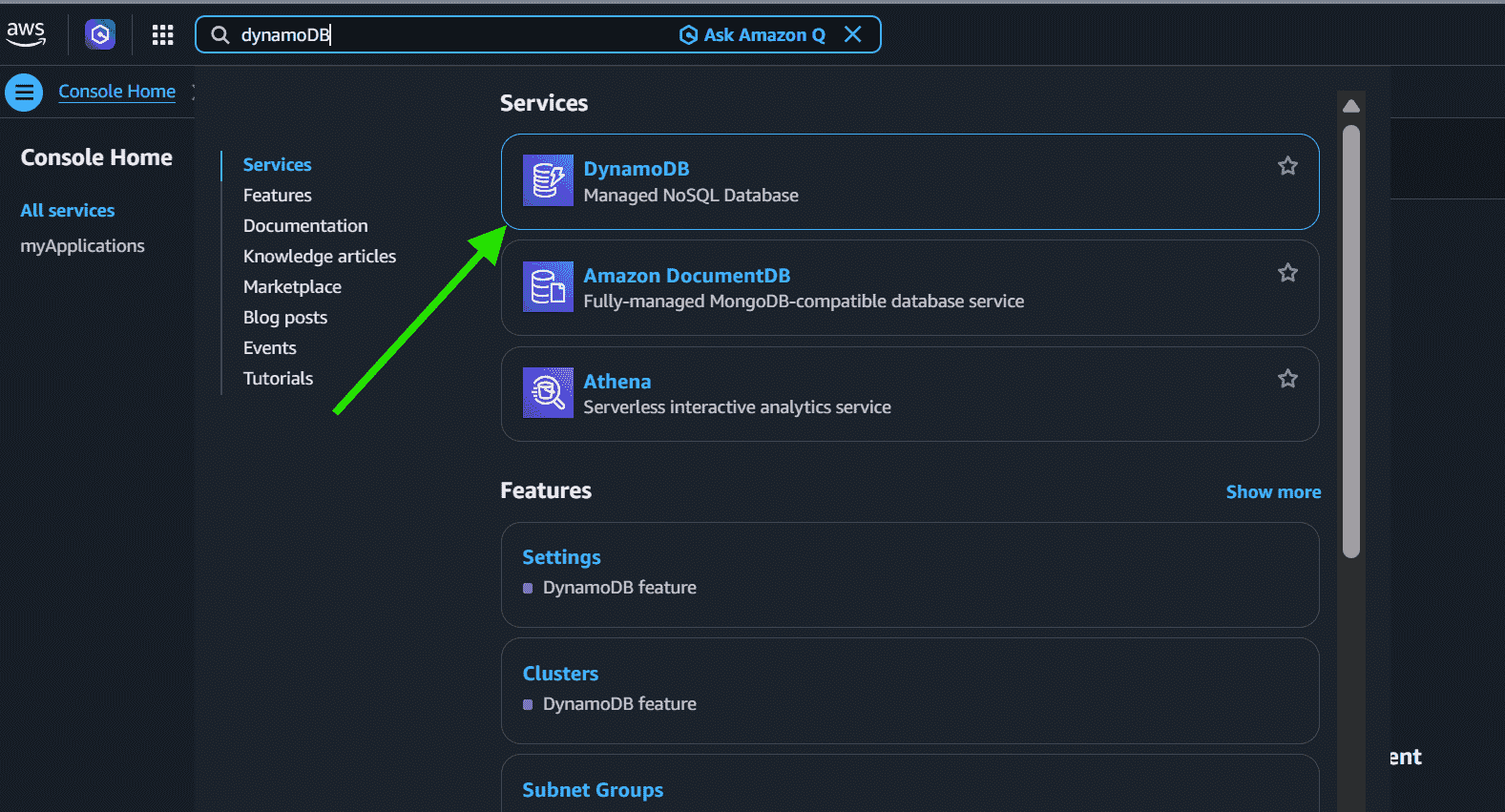
Step 1:
- Log in to the AWS Management Console.
- Search for DynamoDB in the Services section.
Step 2:
- Open the DynamoDB dashboard.
- Create and manage DynamoDB tables.
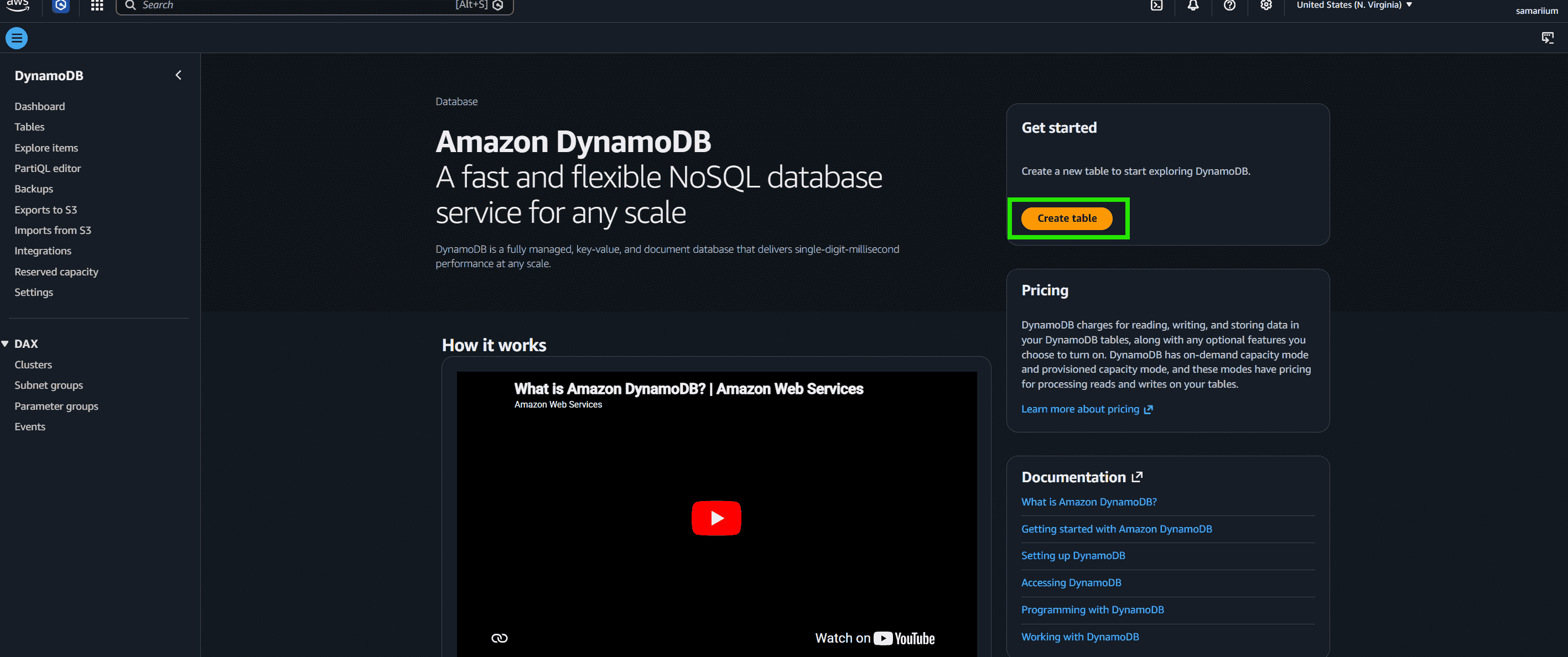
From here, you can create tables and use all the services issued by DynamoDB. This was a small and brief introduction to the NoSQL Workbench.
Note: In order to reduce the overall monthly bill amount of your AWS account, one should always ensure deleting all the services before logging out from your AWS Account.
Benefits
- Reduces database design complexity
- Saves development time
- Helps detect schema issues early
- Makes DynamoDB easier for beginners
- Improves understanding of NoSQL design
- Reduces AWS development costs through local testing
