

Amazon EC2 provides scalable virtual computing resources in the AWS cloud. Users run applications without managing physical hardware and pay only for what they consume.
- EC2 uses a consumption-based pricing model, shifting businesses from capital expenditures (CapEx) to operational expenses (OpEx).
- EC2 offers resizable compute capacity to handle changing workloads without upfront hardware investment.
- AWS offers On-Demand, Spot, Reserved, Savings Plans, and Dedicated Host options to match different workload and budget patterns.
- Cost Optimization Services like Auto Scaling, Compute Optimizer, and the Pricing Calculator help minimize unnecessary spending.
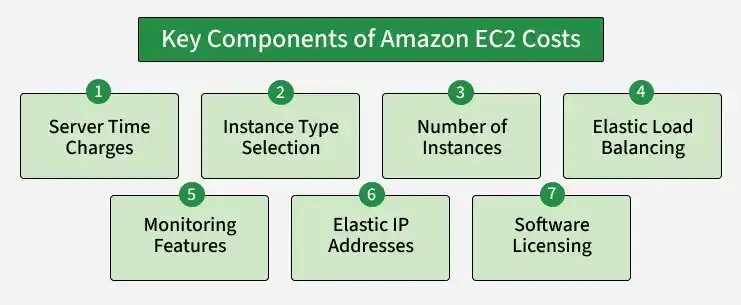
Key Components of Amazon EC2 Costs
- Server Time Charges: Billing starts when an instance is launched and continues until it is terminated. Charges also apply to allocated Elastic IP addresses until they are released.
- Instance Type Selection: EC2 instances vary in CPU, memory, networking, and storage configuration. The chosen instance type directly impacts pricing.
- Number of Instances: Running more instances simultaneously increases overall cost proportionally.
- Elastic Load Balancing: Distributing traffic across EC2 instances via Elastic Load Balancing adds to monthly expenses based on usage.
- Monitoring Features: Basic monitoring is free; detailed monitoring through Amazon CloudWatch incurs an additional monthly charge.
- Elastic IP Addresses: One Elastic IP address per running instance is free; additional addresses incur charges.
- Software Licensing: Costs vary depending on whether you use AWS-provided licenses or bring your own.
Amazon EC2 Pricing Models
| EC2 Pricing Option | Billing / Pricing | Best For | Key Features |
|---|---|---|---|
| Free Tier | New customers can get up to $200 in AWS credits | Learning, testing & small applications | Free plan for 6 months or until credits are used; eligible EC2 usage can use these credits |
| On-Demand | Pay per second for supported instances | Variable or unpredictable workloads | No upfront cost; no long-term commitment; flexible |
| Spot Instances | Up to 90% discount vs. On-Demand | Flexible, fault-tolerant workloads | Uses spare AWS capacity; instances can be interrupted |
| Reserved Instances (RIs) | Commitment for 1 or 3 years | Predictable workloads | Lower cost for a specific instance configuration and Region |
| Savings Plans | Commitment to consistent usage for 1 or 3 years | Long-term, consistent workloads | Can provide up to 72% savings compared with On-Demand |
| Dedicated Host | Pay for a dedicated physical host | Compliance & licensed software | Physical server dedicated to your use; supports existing per-socket, per-core or per-VM licenses |
Estimating Costs with the EC2 Pricing Calculator
AWS provides an EC2 Pricing Calculator to help estimate costs before provisioning resources.
- One-Time Estimate: A quick configuration for estimating costs of a specific set of EC2 resources.
- Advanced Estimate: A detailed evaluation that factors in data transfer costs, storage types, and additional services for a comprehensive cost projection.
Ways to Save on Amazon EC2
1. AWS Savings Plans: AWS Savings Plans offer discounts of up to 72% when you commit to a consistent level of compute usage over a 1- or 3-year term. Unlike Reserved Instances, Savings Plans apply flexibly across EC2 instance types, regions, and operating systems.
| Feature | Savings Plans (SP) | Reserved Instances (RI) |
|---|---|---|
| Commitment Basis | Committed Spend (e.g., $10/hour). | Committed Usage (e.g., 1x m6g.large). |
| Service Scope | EC2, Fargate, Lambda, SageMaker, and now some Database services. | EC2 and RDS only. |
| Flexibility | High. Automatically follows you if you change instance families (e.g., M5 to M7g) or regions. | Low. Standard RIs are locked to a family/region. Convertible RIs allow changes but require manual effort. |
| Capacity Reservation | No. Only a financial discount. | Optional. Zonal RIs can guarantee hardware is available in a specific AZ. |
| Management | Simple, Well-suited for FinOps teams prioritizing low overhead. | Complex, Requires tracking specific instance inventory. |
| Secondary Market | No. You cannot sell a savings plan. | Yes. You can sell unused Standard EC2 RIs on the AWS Marketplace. |
2. EC2 Auto Scaling: EC2 Auto Scaling automatically adjusts the number of running instances based on real-time application demand, preventing you from paying for idle capacity during low-traffic periods.
3. AWS Compute Optimizer: AWS Compute Optimizer uses machine learning to analyze historical usage patterns and recommend more cost-efficient instance types for your workloads.
4. Spot Instances: For non-critical, interruption-tolerant workloads, Spot Instances offer the largest available discount up to 90% off On-Demand prices making them ideal for batch jobs, testing, and data processing.
