

PowerDNS-Admin now refuses to support any PowerDNS Authoritative Server older than 5.0, and Ubuntu 24.04 still ships 4.8. That one mismatch decides how you install PowerDNS on Ubuntu in 2026: the server has to come from the official PowerDNS repository. The Ubuntu archive is not an option on 24.04.
This guide installs PowerDNS Authoritative Server with a MariaDB backend, runs the PowerDNS-Admin web interface in Docker behind Nginx with a free TLS certificate, and signs a zone with DNSSEC. It covers the real errors on the way: the systemd-resolved port clash, the new pdnsutil syntax that rejects short record names, zones that answer REFUSED until the cache refreshes, and a UFW rule that silently cuts PowerDNS-Admin off from the API. Every command was run on Ubuntu 26.04 LTS and Ubuntu 24.04 LTS in October 2026, with PowerDNS Authoritative 5.1.4 and PowerDNS-Admin 2026.08.1.
How the pieces fit together
One server runs four things. pdns_server answers DNS on port 53 and reads zones from MariaDB. PowerDNS-Admin runs in a container and talks to the PowerDNS HTTP API on port 8081. Nginx terminates TLS and proxies the web interface. Apart from SSH, only DNS on 53 and Nginx on 80/443 face the network:

The API never leaves the host. A firewall rule lets the Docker bridge reach it and nothing else, which is the part most guides get wrong.
Prerequisites
- A server running Ubuntu 26.04 LTS or Ubuntu 24.04 LTS, with sudo access.
- A DNS name for the web interface (this guide uses
dns.example.com) with an A record pointing at the server, and port 80 reachable for the HTTP-01 certificate challenge. Any DNS provider works. - UDP and TCP port 53 reachable from whoever must resolve your zones.
Size the box from the workload. The whole stack measured about 1 GB of RAM in use on the test servers: PowerDNS-Admin took 344 to 392 MiB with its four Gunicorn workers, MariaDB 107 to 129 MiB, pdns_server 63 to 73 MiB. Our lab VMs had 2 vCPU and 3 GB RAM, a floor for following along, not a production recommendation. In production the drivers are query rate (PowerDNS answers most queries from its packet cache, so CPU matters more than RAM) and zone count, which sets the MariaDB buffer pool. As an estimate, a few hundred zones fit in 2 vCPU and 4 GB; we tested two.
Set the variables
The database name, password, API key and zone repeat across the guide. Export them once:
export PDNS_DB="powerdns"
export PDNS_USER="pdns"
export PDNS_PASS="ChangeMe-Db-2026"
export API_KEY="$(openssl rand -hex 16)"
export ZONE="example.com"
export SERVER_IP="10.0.1.50"
export PDA_DOMAIN="dns.example.com"
export ADMIN_EMAIL="[email protected]"
Pick a real database password. Avoid / and & in it, because a later sed step writes it into a config file. SERVER_IP is the address that the ns1 name record will point to. The values live only in this shell, so print them before going further and save the API key somewhere safe:
echo "DB ${PDNS_DB} / ${PDNS_USER} | zone ${ZONE} | UI ${PDA_DOMAIN} | API key ${API_KEY}"If you reconnect later, re-export the block with the same API key, not a fresh openssl one.
Free port 53 from systemd-resolved
Ubuntu runs the systemd-resolved stub listener on 127.0.0.53 and 127.0.0.54, port 53. PowerDNS binds 0.0.0.0:53 and fails to start while the stub holds the port. Check first:
sudo ss -lntup 'sport = :53'A fresh Ubuntu 26.04 server shows the stub on both addresses:
Netid State  Recv-Q Send-Q Local Address:Port Peer Address:PortProcess
udp   UNCONN 0      0         127.0.0.54:53        0.0.0.0:*    users:(("systemd-resolve",pid=14849,fd=19))
udp   UNCONN 0      0      127.0.0.53%lo:53        0.0.0.0:*    users:(("systemd-resolve",pid=14849,fd=17))
tcp   LISTEN 0      4096      127.0.0.54:53        0.0.0.0:*    users:(("systemd-resolve",pid=14849,fd=20))
tcp   LISTEN 0      4096   127.0.0.53%lo:53        0.0.0.0:*    users:(("systemd-resolve",pid=14849,fd=18))
Turn the stub off, point /etc/resolv.conf at the real upstream servers so the host can still resolve names, and restart resolved:
sudo sed -i 's/^#\?DNSStubListener=.*/DNSStubListener=no/' /etc/systemd/resolved.conf
sudo ln -sf /run/systemd/resolve/resolv.conf /etc/resolv.conf
sudo systemctl restart systemd-resolved
Run the ss check again. It should print only the header line. Confirm the host still resolves external names with getent hosts repo.powerdns.com before moving on, since the next steps download packages.
Install MariaDB and create the database
The archive MariaDB is fine here. Ubuntu 26.04 installs 11.8 and Ubuntu 24.04 installs 10.11, and PowerDNS works with both:
sudo apt update
sudo apt install -y mariadb-server mariadb-client
Create the database and a user that can only reach it from localhost:
sudo mariadb -e "CREATE DATABASE ${PDNS_DB} CHARACTER SET utf8mb4 COLLATE utf8mb4_unicode_ci;"
sudo mariadb -e "CREATE USER '${PDNS_USER}'@'localhost' IDENTIFIED BY '${PDNS_PASS}';"
sudo mariadb -e "GRANT ALL PRIVILEGES ON ${PDNS_DB}.* TO '${PDNS_USER}'@'localhost'; FLUSH PRIVILEGES;"
Log in as the new user to prove the grant works:
mariadb -u "${PDNS_USER}" -p"${PDNS_PASS}" -e "SHOW DATABASES;"The powerdns database appears next to information_schema:
Database
information_schema
powerdns
The MariaDB install guide covers tuning and remote access if you need more than this.
Install PowerDNS from the official repository
Skip the Ubuntu archive for PowerDNS. The table compares both sources, checked with apt-cache policy pdns-server on the test servers:
| Source | Ubuntu 26.04 | Ubuntu 24.04 |
|---|---|---|
| Ubuntu archive | 5.0.2 | 4.8.3 (upstream end of life June 2026) |
| repo.powerdns.com auth-51 | 5.1.4 | 5.1.4 |
| Works with current PowerDNS-Admin | Both | Repository only |
PowerDNS-Admin is tested against Authoritative 5.0 and 5.1 only, per its project README. The official repository gives both Ubuntu releases the same current 5.1 line, so the rest of the guide is identical on each. Add the signing key, the repository and a pin so its pdns-* packages win over the archive:
sudo install -d /etc/apt/keyrings
curl -fsSL https://repo.powerdns.com/FD380FBB-pub.asc | sudo tee /etc/apt/keyrings/auth-51-pub.asc >/dev/null
echo "deb [signed-by=/etc/apt/keyrings/auth-51-pub.asc] http://repo.powerdns.com/ubuntu $(. /etc/os-release && echo "$VERSION_CODENAME")-auth-51 main" | sudo tee /etc/apt/sources.list.d/pdns.list
printf 'Package: pdns-*\nPin: origin repo.powerdns.com\nPin-Priority: 600\n' | sudo tee /etc/apt/preferences.d/auth-51
The $VERSION_CODENAME expansion picks resolute on 26.04 and noble on 24.04. Refresh the package lists and check which version apt will install:
sudo apt update
apt-cache policy pdns-server | head -6
The candidate must come from repo.powerdns.com with priority 600. If it still shows the archive version, the pin file has a typo:
pdns-server:
  Installed: (none)
  Candidate: 5.1.4-1pdns.ubuntu26.04
  Version table:
     5.1.4-1pdns.ubuntu26.04 600
        500 http://repo.powerdns.com/ubuntu resolute-auth-51/main amd64 Packages
Install the server and the MySQL backend:
sudo apt install -y pdns-server pdns-backend-mysqlThe package also pulls in pdns-backend-bind and starts the service with a BIND-file backend from /etc/powerdns/pdns.d/bind.conf. That default gets replaced in the next step. Confirm the version:
sudo pdns_control versionIt prints 5.1.4 on both releases.
Configure the MariaDB backend and the API
Load the schema that ships with the backend package:
sudo mariadb "${PDNS_DB}" < /usr/share/pdns-backend-mysql/schema/schema.mysql.sql
sudo mariadb "${PDNS_DB}" -e "SHOW TABLES;"
Seven tables confirm the import:
Tables_in_powerdns
comments
cryptokeys
domainmetadata
domains
records
supermasters
tsigkeys
Move the BIND backend file out of the include directory so PowerDNS only reads MariaDB:
sudo mv /etc/powerdns/pdns.d/bind.conf /etc/powerdns/bind.conf.disabledCreate one file for the local settings:
sudo vim /etc/powerdns/pdns.d/pdns.local.confPaste the following. The uppercase placeholders get replaced from your variables in the next command, so leave them as they are:
# MariaDB backend
launch+=gmysql
gmysql-host=127.0.0.1
gmysql-port=3306
gmysql-dbname=PDNS_DB_HERE
gmysql-user=PDNS_USER_HERE
gmysql-password=PDNS_PASS_HERE
gmysql-dnssec=yes

# New zones get a real SOA instead of a.misconfigured.dns.server.invalid
default-soa-content=ns1.@ hostmaster.@ 0 10800 3600 604800 3600

# HTTP API for PowerDNS-Admin, reachable from localhost and the Docker bridge only
api=yes
api-key=API_KEY_HERE
webserver=yes
webserver-address=0.0.0.0
webserver-port=8081
webserver-allow-from=127.0.0.1,::1,172.17.0.0/16
Without default-soa-content, PowerDNS 5.1 stamps every new zone with the primary name a.misconfigured.dns.server.invalid, which is what our first zone got. webserver-address=0.0.0.0 is needed because the container reaches the API through the Docker bridge address 172.17.0.1; the allow list and the firewall keep everyone else out. Fill in the placeholders, lock down the file and restart:
sudo sed -i -e "s/PDNS_DB_HERE/${PDNS_DB}/" -e "s/PDNS_USER_HERE/${PDNS_USER}/" -e "s/PDNS_PASS_HERE/${PDNS_PASS}/" -e "s/API_KEY_HERE/${API_KEY}/" /etc/powerdns/pdns.d/pdns.local.conf
sudo chown root:pdns /etc/powerdns/pdns.d/pdns.local.conf
sudo chmod 640 /etc/powerdns/pdns.d/pdns.local.conf
sudo systemctl restart pdns
Query the API with your key. PowerDNS-Admin will reach the API from the Docker bridge, 172.17.0.0/16 by default; if your hosts already use that range, Docker picks another subnet and webserver-allow-from must match it. A JSON object describing the server means the backend loaded and the API is up:
curl -s -H "X-API-Key: ${API_KEY}" http://127.0.0.1:8081/api/v1/servers/localhost | python3 -m json.toolLook for the daemon type and version:
{
    "autoprimaries_url": "/api/v1/servers/localhost/autoprimaries{/autoprimary}",
    "config_url": "/api/v1/servers/localhost/config{/config_setting}",
    "daemon_type": "authoritative",
    "id": "localhost",
    "type": "Server",
    "url": "/api/v1/servers/localhost",
    "version": "5.1.4",
    "zones_url": "/api/v1/servers/localhost/zones{/zone}"
}
Create a zone and query it
PowerDNS 5 switched pdnsutil to a noun-verb syntax: zone create, rrset add, zone list. Record names are now absolute. A short name like www fails, so always pass the full name:
sudo pdnsutil zone create "${ZONE}" "ns1.${ZONE}"
sudo pdnsutil rrset add "${ZONE}" "ns1.${ZONE}" A 3600 "${SERVER_IP}"
sudo pdnsutil rrset add "${ZONE}" "${ZONE}" A 3600 "${SERVER_IP}"
sudo pdnsutil rrset add "${ZONE}" "www.${ZONE}" CNAME 3600 "${ZONE}."
sudo pdnsutil rrset add "${ZONE}" "${ZONE}" MX 3600 "10 mail.${ZONE}."
New zones are invisible to the running server until the zone cache refreshes, which happens every 300 seconds by default. Until then every query for the zone gets REFUSED. Refresh it now and check the zone:
sudo pdns_control rediscover
sudo pdnsutil zone check "${ZONE}"
The check should report zero errors:
Checked 6 records of 'example.com', 0 errors, 0 warnings.Ask the server directly. Install dig first if the box does not have it (sudo apt install -y bind9-dnsutils):
dig @127.0.0.1 "${ZONE}" SOA +noall +answer
dig @127.0.0.1 "www.${ZONE}" +noall +answer
dig @127.0.0.1 "${ZONE}" MX +short
The SOA now names ns1 instead of the placeholder, and the CNAME chases to the A record:
example.com.		3600	IN	SOA	ns1.example.com. hostmaster.example.com. 0 10800 3600 604800 3600
www.example.com.	3600	IN	CNAME	example.com.
example.com.		3600	IN	A	10.0.1.50
10 mail.example.com.
If you queried before running rediscover, the REFUSED answer sits in the packet cache for up to 20 seconds. Wait, or run sudo pdns_control purge 'example.com$'. Zones created through the API or PowerDNS-Admin skip this, because the API updates the cache itself.
Run PowerDNS-Admin in Docker
The PowerDNS-Admin project ships its supported build as a container. The image is still called pda-legacy for historical reasons; it is the maintained version, released as 2026.08.1 at the end of August 2026. The Ubuntu docker.io package is enough to run it:
sudo apt install -y docker.io
sudo systemctl enable --now docker
Run the container. It listens on 127.0.0.1:9191 so only Nginx can reach it, keeps its own users and history in SQLite on the pda-data volume, and maps host.docker.internal to the host so it can find the API:
sudo docker run -d --name powerdns-admin --restart unless-stopped \
  -p 127.0.0.1:9191:80 \
  --add-host host.docker.internal:host-gateway \
  -e SECRET_KEY="$(openssl rand -hex 32)" \
  -e SQLALCHEMY_DATABASE_URI="sqlite:////data/powerdns-admin.db" \
  -v pda-data:/data \
  powerdnsadmin/pda-legacy:latest
The first start runs the database migrations, which took 3 to 19 seconds on the test servers. Then check the container and the login page:
sudo docker ps --format "table {{.Names}}\t{{.Image}}\t{{.Status}}\t{{.Ports}}"
curl -s -o /dev/null -w "login page HTTP %{http_code}\n" http://127.0.0.1:9191/login
The port mapping should show 127.0.0.1 only, and the login page returns 200:
NAMES            IMAGE                             STATUS          PORTS
powerdns-admin   powerdnsadmin/pda-legacy:latest   Up 19 seconds   127.0.0.1:9191->80/tcp
login page HTTP 200
Register the administrator now, while the interface is only on loopback. The first account created becomes the admin, and sign-up stays open to anyone who can reach the page until you turn it off, so do this before Nginx and the firewall expose port 80. From your workstation, open a tunnel with ssh -L 9191:127.0.0.1:9191 user@server, browse to http://127.0.0.1:9191, click Create an account and fill in the form shown in the browser setup section below.
Open the firewall
DNS needs UDP and TCP on 53 (TCP carries large answers and zone transfers). Nginx needs 80 for the certificate challenge and the HTTPS redirect, and 443 for the interface. The API on 8081 stays closed to the network, with one exception explained below the commands:
sudo ufw allow OpenSSH
sudo ufw allow 53/tcp
sudo ufw allow 53/udp
sudo ufw allow 80/tcp
sudo ufw allow 443/tcp
sudo ufw allow in on docker0 to any port 8081 proto tcp
sudo ufw --force enable
Keep OpenSSH first. If sshd listens on another port, open that port before enabling UFW or you lock yourself out. The docker0 rule is the one people miss: traffic from a container to a service on the host goes through the INPUT chain of the host, and the UFW default deny drops it. Without that rule PowerDNS-Admin times out on every API call, while the API still works perfectly from the host itself. The rule only matches packets arriving on the Docker bridge, so 8081 stays shut from outside. From another machine on the network, nc -zv 10.0.1.50 8081 timed out while dig @10.0.1.50 www.example.com answered. The UFW guide covers rate limiting and logging if you want more.
Put Nginx and Let’s Encrypt in front
Install Nginx and certbot with its Nginx plugin:
sudo apt install -y nginx certbot python3-certbot-nginxCreate the site file:
sudo vim /etc/nginx/sites-available/powerdns-adminAdd this plain HTTP server block. Certbot adds the TLS parts in a moment:
server {
    listen 80;
    listen [::]:80;
    server_name PDA_DOMAIN_HERE;

    location / {
        proxy_pass http://127.0.0.1:9191;
        proxy_set_header Host $host;
        proxy_set_header X-Real-IP $remote_addr;
        proxy_set_header X-Forwarded-For $proxy_add_x_forwarded_for;
        proxy_set_header X-Forwarded-Proto $scheme;
    }
}
Swap in your hostname, enable the site, test and reload:
sudo sed -i "s/PDA_DOMAIN_HERE/${PDA_DOMAIN}/" /etc/nginx/sites-available/powerdns-admin
sudo ln -s /etc/nginx/sites-available/powerdns-admin /etc/nginx/sites-enabled/
sudo nginx -t && sudo systemctl reload nginx
Request the certificate. Certbot proves the domain over HTTP on port 80, edits the site to listen on 443 with the new certificate, and adds the HTTP to HTTPS redirect:
sudo certbot --nginx -d "${PDA_DOMAIN}" --non-interactive --agree-tos --redirect -m "${ADMIN_EMAIL}"Our lab servers had no public address, so this exact command ran against a local Pebble ACME test server (the only difference was a --server flag pointing at it). The install half is identical to a real run:
Successfully received certificate.
Certificate is saved at: /etc/letsencrypt/live/dns.example.com/fullchain.pem
Key is saved at:         /etc/letsencrypt/live/dns.example.com/privkey.pem

Deploying certificate
Successfully deployed certificate for dns.example.com to /etc/nginx/sites-enabled/powerdns-admin
Congratulations! You have successfully enabled HTTPS on https://dns.example.com
Plain HTTP now returns a 301 to HTTPS, and the HTTPS login page returns 200. Renewal runs from certbot.timer; test it once with sudo certbot renew --dry-run.
No public port 80? Use a DNS-01 challenge
An internal DNS admin interface often lives on a private network where the certificate authority cannot reach port 80. Certbot can prove the domain through a TXT record at your DNS provider instead. Install the plugin for your provider:
| DNS provider | Ubuntu package | certbot flag |
|---|---|---|
| Cloudflare | python3-certbot-dns-cloudflare | –dns-cloudflare |
| Amazon Route 53 | python3-certbot-dns-route53 | –dns-route53 |
| DigitalOcean | python3-certbot-dns-digitalocean | –dns-digitalocean |
| Google Cloud DNS | python3-certbot-dns-google | –dns-google |
| Any RFC 2136 server | python3-certbot-dns-rfc2136 | –dns-rfc2136 |
Cloudflare is the worked example here. If you are on another provider, use that plugin and credentials file instead. Put an API token with Zone DNS Edit permission in a root-only file:
sudo apt install -y python3-certbot-dns-cloudflare
echo "dns_cloudflare_api_token = your-token-here" | sudo tee /etc/letsencrypt/cloudflare.ini >/dev/null
sudo chmod 600 /etc/letsencrypt/cloudflare.ini
Request the certificate, then let the certbot Nginx installer add it to the site. The deploy hook reloads Nginx after every renewal, which a DNS-01 certificate does not do on its own:
sudo certbot certonly --dns-cloudflare --dns-cloudflare-credentials /etc/letsencrypt/cloudflare.ini -d "${PDA_DOMAIN}" --non-interactive --agree-tos -m "${ADMIN_EMAIL}" --deploy-hook "systemctl reload nginx"
sudo certbot install --nginx --cert-name "${PDA_DOMAIN}" --redirect
The DNS-01 path was not exercised end to end in our lab. The HTTP-01 flow above was.
Set up PowerDNS-Admin in the browser
Open https://dns.example.com. The login page has a Create an account link:

If you registered through the SSH tunnel earlier, just sign in. Otherwise register now: the first account becomes the administrator. The form asks for a name, email, username, password and a six-digit CAPTCHA. The CAPTCHA digits are distorted and easy to misread; a wrong guess clears both password fields, so retype them before submitting again:

After the first login, PowerDNS-Admin opens Settings > Server because it has no API connection yet. Enter http://host.docker.internal:8081 as the API URL and your ${API_KEY} value as the key, then click Save Settings:

Open the Dashboard. The example.com zone you made with pdnsutil is listed, which proves the API link works. If the dashboard hangs and then shows nothing, the docker0 firewall rule is missing.
Now close the door behind you. Self-registration stays on after the first account, so anyone who can reach the page can create a login. Go to Settings > Authentication, uncheck Allow users to sign up on the Local tab and save:

The Create an account link disappears from the login page, and the registration URL stops working. Add further users from Users instead.
Manage zones and records from the web interface
Click Create Zone. Enter the zone name, leave the type on Native for a single server, and set SOA-EDIT-API to INCREASE so every change bumps the serial by one:

The new zone opens in the zone editor with an empty record table. The SOA exists but is hidden, and there is no NS record yet. Click Add Record, fill in the name, type, TTL and data, and confirm the row. Edits are staged in the browser until you click Save Changes and then Apply Changes in the confirmation dialog:

The record answers immediately, with no rediscover needed:
dig @127.0.0.1 app.example.org +noall +answerThe answer carries the TTL set in the editor:
app.example.org. 3600 IN A 10.0.1.60Add an NS record for the zone apex before you delegate it. pdnsutil zone check example.org flags the gap as [Error] No NS record at zone apex in zone 'example.org'.
Sign a zone with DNSSEC
PowerDNS signs answers on the fly, so securing a zone is one command plus a rectify. The default key is a single ECDSA P-256 key (a CSK) that signs both keys and records:
sudo pdnsutil zone secure "${ZONE}"
sudo pdnsutil zone rectify "${ZONE}"
The output names the key it created:
Securing zone with default key size
Adding CSK (257) with algorithm ecdsa256
Zone example.com secured
Adding NSEC ordering information for zone 'example.com', 3 updates
Adding NSEC ordering information for zone 'example.com', 1 updates
Signatures do not appear straight away. It is the cache again: the running server caches keys and answers, and on the 26.04 test server RRSIG records showed up about 30 seconds after zone secure. Purging the zone from the cache shows them immediately, which is what the output below (from the 24.04 server) used:
sudo pdns_control purge "${ZONE}\$"
dig @127.0.0.1 "${ZONE}" A +dnssec +noall +answer
The A record now comes with its RRSIG (key tag 20447 on the 24.04 server):
example.com.		3600	IN	A	10.0.1.50
example.com.		3600	IN	RRSIG	A 13 2 3600 20261015000000 20260924000000 20447 example.com. 05G5qcVjKSVUwCvZbiN2mNElfIN4usqDzACVQyObg5CtgJ2n+9fxnA6g cGi+jmE69dVq10BinpGqIN1KM4Gd8w==
Resolvers only trust the signatures once the parent zone holds a DS record. Print it and give the SHA-256 line to your registrar:
sudo pdnsutil zone export-ds "${ZONE}"You get one DS per digest type:
example.com. IN DS 20447 13 2 abd5121e3d46a783c7bc0795f8f631b107ea46b67928f0bb470771d8ddec13c6 ; ( SHA256 digest )
example.com. IN DS 20447 13 4 5fca6166ef1b8a2ba07745bc9c2b1ca46fb8e8900db6f489f54c689a5dfc8a7e1dc8641b42caa3b45e62d1beaa537772 ; ( SHA-384 digest )
The PowerDNS-Admin dashboard marks signed zones with a green padlock in the DNSSEC column:

The example.com serial still reads 0 because pdnsutil does not bump it. Zones edited through the web interface or API with SOA-EDIT-API set get a new serial on every change, as example.org shows. Run sudo pdnsutil zone increase-serial example.com after command-line edits if a secondary server pulls the zone.
Errors we hit and how to fix them
Error: Name “ns1.” to add is not part of zone “example.com.”
This is pdnsutil rrset add on PowerDNS 5.1 getting a short name. It treats ns1 as the absolute name ns1.. Use the full name, ns1.example.com, and the zone name itself for the apex (@ fails the same way). Scripts written for 4.x add-record hit the same error, because 5.1 handles the old syntax the same way.
dig returns status: REFUSED for a zone that exists
The zone was created with pdnsutil and the server’s zone cache has not refreshed. Run sudo pdns_control rediscover. If you already got REFUSED once, it stays cached for up to 20 seconds more.
PowerDNS-Admin times out but curl to the API works
From inside the container, the call failed with urllib.error.URLError: <urlopen error timed out> as soon as UFW was enabled, while the same request from the host returned 200. Add sudo ufw allow in on docker0 to any port 8081 proto tcp. If you get HTTP 401 instead, the key in Settings does not match api-key in pdns.local.conf. A ConnectionResetError: [Errno 104] Connection reset by peer means the container subnet is not in webserver-allow-from; journalctl -u pdns then shows Webserver closing socket: remote (172.17.0.2) does not match the set ACL. Docker uses 172.17.0.0/16 unless that clashes with a local network, so check ip -4 addr show docker0 and put that subnet in the allow list.
Unable to bind UDP socket to ‘0.0.0.0:53’: Address already in use
PowerDNS was installed while the systemd-resolved stub still owned port 53, so the first start after install fails with Fatal error: Unable to bind to UDP socket in journalctl -u pdns. Apply the systemd-resolved step above and run sudo systemctl restart pdns. We reproduced this one on the Debian build of this stack, which also adds a secondary server.
Back up, upgrade and keep it running
Two things hold state: the powerdns database with every zone and DNSSEC key, and the pda-data volume with PowerDNS-Admin users and history. Dump both:
sudo mariadb-dump --single-transaction "${PDNS_DB}" | gzip > powerdns-$(date +%F).sql.gz
sudo docker run --rm -v pda-data:/data -v "$PWD":/backup alpine tar czf /backup/pda-data-$(date +%F).tgz -C /data .
Copy those files off the server. The private DNSSEC keys are inside the SQL dump, so treat it like a secret.
PowerDNS upgrades come through apt from the pinned repository; sudo apt upgrade picks up 5.1.x point releases. The auth-51 repository stays on the 5.1 line, so moving to 5.2 later means changing the -auth-51 suite in /etc/apt/sources.list.d/pdns.list (the pin matches any repo.powerdns.com package and needs no edit) after reading the upgrade notes. For PowerDNS-Admin, pull the new image and recreate the container with the same command as before. The volume keeps the data:
sudo docker pull powerdnsadmin/pda-legacy:latest
sudo docker stop powerdns-admin && sudo docker rm powerdns-admin
Then rerun the docker run command from the install step. A new SECRET_KEY only signs everyone out; accounts and zones survive. After a recreate on the test server, the admin login and both zones were intact. A reboot of the 24.04 server brought pdns, MariaDB, Nginx, Docker and the container back without help.
For production, run a second name server before you delegate a real domain. The Debian guide sets one up as an automatic secondary and measures how fast changes reach it. To watch query rates and latency, scrape the PowerDNS statistics with Prometheus and Grafana. If you are still choosing a DNS server, BIND vs dnsmasq vs PowerDNS vs Unbound compares them on the same hardware.





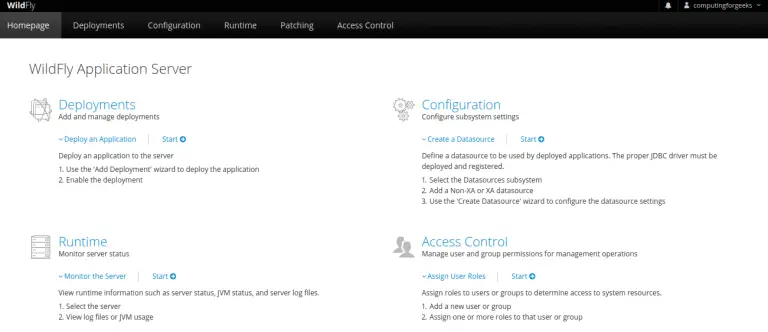

not complete like https://computingforgeeks.com/install-powerdns-and-powerdns-admin-on-debian/
example
source ./venv/bin/activate
where deactivate ? where ./venv ? where (flask)$? are you ripping your self but totally wrong
Hi, thanks for the great tutorial!
I have used it before on Ubuntu 18.04, but now the updated version of tutorial for Ubuntu 22.04 has error:
flask db upgrade
Traceback (most recent call last):
File “/root/flask/bin/flask”, line 8, in
sys.exit(main())
File “/root/flask/lib/python3.10/site-packages/flask/cli.py”, line 967, in main
cli.main(args=sys.argv[1:], prog_name=”python -m flask” if as_module else None)
File “/root/flask/lib/python3.10/site-packages/flask/cli.py”, line 586, in main
return super(FlaskGroup, self).main(*args, **kwargs)
File “/root/flask/lib/python3.10/site-packages/click/core.py”, line 1055, in main
rv = self.invoke(ctx)
File “/root/flask/lib/python3.10/site-packages/click/core.py”, line 1657, in invoke
return _process_result(sub_ctx.command.invoke(sub_ctx))
File “/root/flask/lib/python3.10/site-packages/click/core.py”, line 1657, in invoke
return _process_result(sub_ctx.command.invoke(sub_ctx))
File “/root/flask/lib/python3.10/site-packages/click/core.py”, line 1404, in invoke
return ctx.invoke(self.callback, **ctx.params)
File “/root/flask/lib/python3.10/site-packages/click/core.py”, line 760, in invoke
return __callback(*args, **kwargs)
File “/root/flask/lib/python3.10/site-packages/click/decorators.py”, line 26, in new_func
return f(get_current_context(), *args, **kwargs)
File “/root/flask/lib/python3.10/site-packages/flask/cli.py”, line 425, in decorator
with __ctx.ensure_object(ScriptInfo).load_app().app_context():
File “/root/flask/lib/python3.10/site-packages/flask/cli.py”, line 388, in load_app
app = locate_app(self, import_name, name)
File “/root/flask/lib/python3.10/site-packages/flask/cli.py”, line 257, in locate_app
return find_best_app(script_info, module)
File “/root/flask/lib/python3.10/site-packages/flask/cli.py”, line 83, in find_best_app
app = call_factory(script_info, app_factory)
File “/root/flask/lib/python3.10/site-packages/flask/cli.py”, line 119, in call_factory
return app_factory()
File “/opt/web/powerdns-admin/powerdnsadmin/__init__.py”, line 44, in create_app
app.config.from_envvar(‘FLASK_CONF’)
File “/root/flask/lib/python3.10/site-packages/flask/config.py”, line 111, in from_envvar
return self.from_pyfile(rv, silent=silent)
File “/root/flask/lib/python3.10/site-packages/flask/config.py”, line 132, in from_pyfile
exec(compile(config_file.read(), filename, “exec”), d.__dict__)
File “/opt/web/powerdns-admin/powerdnsadmin/../configs/production.py”, line 21, in
urllib.parse.quote_plus(SQLA_DB_USER),
NameError: name ‘urllib’ is not defined
I got it:
in /opt/web/powerdns-admin/configs/production.py
uncomment the line #import urllib.parse
Hello thanks for this good job !
If i want to create zone after install, I had this error
Error: GSQLBackend unable to retrieve information about domain ‘example.com’: Could not prepare statement: select id,name,master,last_check,notified_serial,type,options,catalog,account from domains where name=?: Unknown column ‘options’ in ‘field list’
Confirm your domain as configured.
I have followed the provided guide, but unfortunately, I keep encountering an “Internal Server Error” when attempting to browse to the dashboard.
Additionally, during the installation process, I encountered errors related to installing the requirements for psycopg2 version 2.9.5. However, I discovered that changing the requirement to psycopg2-binary version 2.9.5 resolved this issue.
I have made sure to follow the guide carefully, and I’m wondering if anyone else has encountered similar issues or has any suggestions for troubleshooting and resolving the “Internal Server Error” problem.
I have followed the provided guide, but unfortunately, I keep encountering an “Internal Server Error” when attempting to browse to the dashboard.
Additionally, during the installation process, I encountered errors related to installing the requirements for psycopg2 version 2.9.5. However, I discovered that changing the requirement to psycopg2-binary version 2.9.5 resolved this issue.
I have made sure to follow the guide carefully, and I’m wondering if anyone else has encountered similar issues or has any suggestions for troubleshooting and resolving the “Internal Server Error” problem. im using Ubuntu 22.04
I tried on Debian Bookworm and the result is identical to Kareem.
Wonder if anybody is able to shed light on the possible error/mis-configuration.
Hi Kareem, I tried the steps on Debian Bookworm and get the same “Internal Server Error”. Took me a couple of days to trial and error and manage to bypass by turning off the CAPTCHA feature.
Thanks for sharing the feedback.
Am I missing something good people:
dataco@powerdns:~$ flask db upgrade
Error: Could not import ‘powerdnsadmin’.
Usage: flask [OPTIONS] COMMAND [ARGS]…
Try ‘flask –help’ for help.
Error: No such command ‘db’.
dataco@powerdns:~$