

The link speed printed on the box doesn’t decide whether a NIC works in your firewall. The FreeBSD driver does. The best NIC for OPNsense or pfSense has a mature driver, native netmap for inline IPS and, on pfSense, ALTQ support. So an Intel I350 that tops out at 1 Gbps can beat a cheaper 2.5 Gbps Realtek, and two Intel cards that look alike on paper behave differently once you plug in a generic SFP+ module.
Our picks follow the driver: the I350 on igb, the I226 on igc, the X520 on ix, the X710 on ixl, the ConnectX-4 Lx on mlx5en, and Realtek on FreeBSD. Still choosing the box itself? Start with our pfSense and OPNsense hardware picks. Every driver fact below was checked in October 2026 against the FreeBSD 15.1 man pages and source, plus the OPNsense 26.7 and pfSense 2.9 release notes.
The short list, by port speed
Each pick has a mature in-kernel driver on the FreeBSD release that both firewalls ship today. You won’t need a plugin or a loader hack to bring any of them up:
- Best 1GbE multi-port card: Intel I350-T4V2. Four igb ports, ALTQ and native netmap, about $110-120.
- Best 2.5GbE card: Intel I226-T1. The igc driver, one port, about $65-80. Third-party I226-V cards cost a quarter of that.
- Best value 10GbE: 10Gtek X520-DA2. Intel 82599ES on ix, two SFP+ ports, ALTQ capable, about $55-65.
- Best low-power 10GbE: Intel X710-DA2. The ixl driver, 3.3 W typical with DAC cables, about $145-155.
- Best for 25GbE headroom: Mellanox ConnectX-4 Lx MCX4121A-ACAT. Two SFP28 ports on mlx5en, about $80-95.
Prices are bands from the live listings in late October 2026. Several of these cards sell through third-party sellers with thin stock, so check the listing before you buy. Realtek is left off on purpose, and a later section explains what changes on a Realtek port.
How these NICs were picked
We did not put these cards through a throughput bench, and nothing here claims we did. The picks come from the driver side, because that is what fails on a firewall. For each chip we read the FreeBSD man page and confirmed the driver is compiled into the amd64 GENERIC kernel on releng/14.3 and releng/15.1. Then we looked the chip up in the altq(4) supported-devices list and in the netmap code path.
OPNsense needs no separate check, because the project states that all FreeBSD drivers are included in the OPNsense kernel, so FreeBSD’s support list is OPNsense’s support list.
Both firewalls moved to a newer FreeBSD base this year, which is why the version matters:
- OPNsense 26.7 (current point release 26.7.7) runs on FreeBSD 15.1.
- pfSense CE 2.9.0 and pfSense Plus 26.07 run on a FreeBSD 16.0-CURRENT snapshot.
- Product specs come from Intel and NVIDIA spec pages, and price, stock and seller come from each exact Amazon ASIN.
Both vendors give you the same advice on chip choice. The Netgate hardware page calls Intel NICs “the best practice” because “they have solid drivers in FreeBSD and they perform well”. OPNsense calls Intel LAN NICs “reliable, fast and not error-prone”. The picks follow that advice, then sort the Intel families by what each driver can and cannot do for you.
The driver decides what a NIC can do
Three driver properties matter on a firewall, and a spec sheet shows you none of them. You need the driver in the kernel. You need native netmap, so inline IPS in Suricata and Zenarmor don’t fall back to the slower emulated path. And you need ALTQ if you plan to use the pfSense ALTQ shaper. This table is the core of the buying decision:
| Chip (example card) | FreeBSD driver | Interface name | Native netmap | ALTQ on pfSense |
|---|---|---|---|---|
| Intel I350, I210, I211 | em(4), igb mode | igb0, igb1 | Yes (iflib) | Yes |
| Intel I225, I226 | igc(4) | igc0, igc1 | Yes (iflib) | Yes |
| Intel 82599 (X520) | ix(4) | ix0, ix1 | Yes (iflib) | Yes |
| Intel X710, XL710 | ixl(4) | ixl0, ixl1 | Yes (iflib) | No |
| Mellanox ConnectX-4 Lx | mlx5en(4) | mce0, mce1 | No (emulated) | No |
| Realtek RTL8111/8168 | re(4) | re0, re1 | Yes | Yes |
| Realtek RTL8125 (2.5GbE) | realtek-re-kmod on OPNsense, rge(4) on FreeBSD 16 | re0 or rge0 | Depends on the driver | Yes as re, not listed as rge |
The ALTQ column follows the list pfSense itself enforces, and it disagrees with the FreeBSD man page. The altq(4) supported-devices list names em, igb, ix and re but leaves out igc. The pfSense check, is_altq_capable() in its interfaces code, lists igc next to igb, ix and re, and FreeBSD’s iflib sends every iflib driver through an ALTQ transmit routine when ALTQ is compiled in. So the I226 ports on a fanless mini PC can run ALTQ queues on pfSense.
Two drivers miss out on both lists: ixl and mlx5en. On those ports Netgate tells you to shape with Limiters instead.
What if you run OPNsense? Then the column doesn’t apply to you, because the OPNsense shaper is built on ipfw and dummynet rather than ALTQ.
Netmap works the other way round. Every iflib driver (em/igb, igc, ix, ixl) gets native netmap from iflib itself, while mlx5en has no netmap code and runs in emulated mode. When a card isn’t fully supported, the OPNsense IPS documentation tells you to set the tunable dev.netmap.admode to 2, which forces emulated mode.
Intel I350-T4: four igb ports that just work
Buy the I350-T4 when you need more 1GbE ports than the box came with, for a DMZ, a guest VLAN trunk or a dedicated port per segment:

You get the oldest and most exercised driver path in FreeBSD. The em(4) driver covers the I350 and names its ports igb0 to igb3. That path supports both ALTQ and native netmap, so it is the one card here with no asterisk on either firewall. Intel rates it at 5 W on PCIe 2.1 at 5 GT/s over four lanes, and the retail box ships with both low-profile and full-height brackets.
- For pfSense users who want ALTQ on every port
- Not for a WAN faster than 1 Gbps
- Needs an x4 slot or wider
Genuine Intel I350-T4V2 cards on Amazon come from third-party sellers with only a handful of reviews, at about $110-120. The cheaper route is a third-party board on the same chip. The ipolex quad-port card at about $50-55 says plainly that it uses an Intel I350-AM4 controller on a board not made by Intel. That honesty matters more than the price, because you can’t check the controller on a no-name board from a listing. A listing that calls the chip “I350-T4” (the Intel name for the retail card, not the controller) is already confusing the two.
Intel I226: 2.5GbE on the igc driver
On a 2.5 Gbps WAN, or a box whose onboard Realtek port you want to retire, a single I226 card is the cheapest correct answer:

Most multi-port firewall mini PCs use this same chip, and FreeBSD drives it with igc(4). The igc device table covers the I226-V, I226-LM, I226-IT, I226-K and I226-LMvP, so whichever variant a vendor fitted will attach. The retail I226-T1 runs a PCIe x1 link at 5 GT/s. That gives about 4 Gbps of raw bandwidth each way, which clears 2.5 Gbps line rate.
igc has a known weak spot, and it was patched this year. In August 2026 the FreeBSD stable/15 branch disabled ASPM L1.2 on the I226. An Intel erratum showed that L1.2 exit latency can exceed what the packet buffer tolerates under load, and you see that as receive stalls. OPNsense shipped its own fix, “igc: disable PCIe ASPM to improve stability”, in 26.7.2. If you run an older release or pfSense, the drops and their workarounds are covered in our I226 link drop fix.
- For a 2 or 2.5 Gbps fiber WAN
- ALTQ works on pfSense, despite the man page
- Budget pick: XikeStor I226-V card, about $15-25
The XikeStor card uses the same igc driver and holds a 4.0 rating over 250 reviews. If you need four 2.5GbE ports in one slot, the GLOTRENDS ST7419 (about $75-85) puts four I226-V controllers behind a Diodes PI7C9X2G608GP PCIe 2.0 switch with an x4 uplink.
That uplink carries 16 Gbps each way against 10 Gbps of line rate, so it is not the bottleneck in a real x4 slot. In an x1 slot, though, all four ports share about 4 Gbps. The listing sits at 3.9 stars on 33 reviews and we found no independent review, so treat it as the option when slots are scarce.
10Gtek X520-DA2: the cheapest stable 10GbE
If you run a 10GbE LAN trunk, or a fiber WAN with an SFP+ handoff, an 82599-based X520 is still the cheapest card with a mature FreeBSD driver:
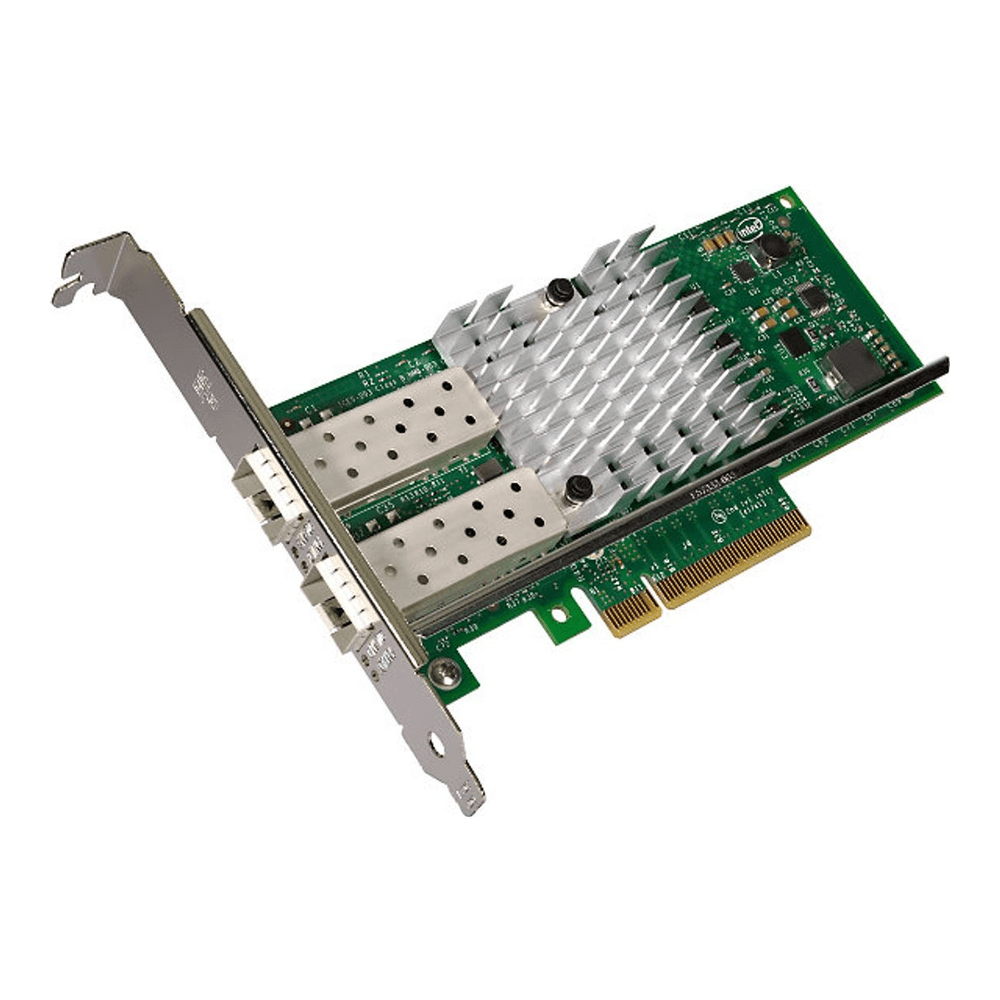
FreeBSD drives the 82599 with ix(4), which is in GENERIC and on both ALTQ lists. That makes it the only 10GbE card here that can run the pfSense ALTQ shaper. The 10Gtek card uses the original Intel 82599ES, runs on a PCIe x8 slot, ships with both brackets and is sold by 10Gtek and fulfilled by Amazon at about $55-65. A single-port X520-DA1 (82599EN) costs about the same.
What happens when you plug in a non-Intel SFP+ optic? The ix driver refuses it and logs “Unsupported SFP+ module type was detected.” You fix that with the loader tunable hw.ix.unsupported_sfp=1, which the driver describes as “use at your own risk”. Don’t copy the name from the ix(4) man page: it prints hw.ix.allow_unsupported_sfp, but the code in if_ix.c registers hw.ix.unsupported_sfp, and a loader tunable with the wrong name fails silently. On OPNsense add it under System, Settings, Tunables; on pfSense put it in /boot/loader.conf.local and reboot. A passive DAC cable or an Intel-coded optic avoids the question entirely.
- For ALTQ shaping at 10 Gbps on pfSense
- Needs an x8 slot and airflow
- SFP+ only, no RJ45 copper
Intel X710-DA2: lower power, stricter optics
Intel built the X710-DA2 as its newer 10GbE family. It gives up the easy optics policy of the X520 in exchange for much lower power:
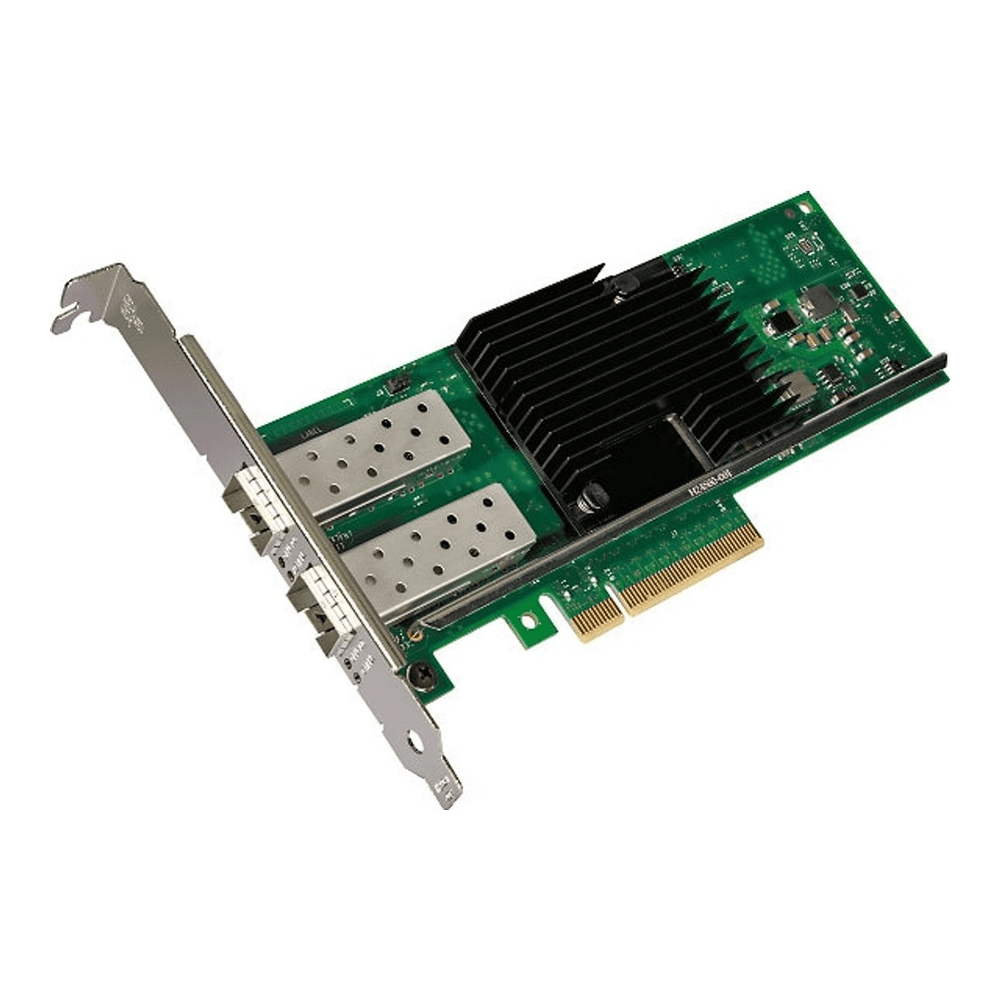
Intel’s product brief puts the dual-port card at 3.3 W typical and 3.7 W maximum with DAC cables, which you notice in a box that runs all year. FreeBSD drives it with ixl(4), with native netmap through iflib, so Suricata inline and Zenarmor both use the fast path. It runs on PCIe 3.0 x8, and Intel backs the genuine card with a limited lifetime warranty. Need RJ45 copper at 10GbE instead? That takes a different chip, compared in our 10GbE NIC roundup.
Optics are the catch. The ixl(4) man page says most X710 adapters with SFP+ cages “have firmware that requires that Intel qualified modules are used”, and that “this qualification check cannot be disabled by the driver”. There is no tunable like the one ix has. The driver logs “Link failed because an unqualified module was detected!” and the port stays down. Passive and active DAC cables that meet SFF-8431 are accepted, so a DAC or an Intel-coded optic is the plan.
- For inline IPS at 10 Gbps
- Not for generic optics or ALTQ
- About $145-155, third-party sellers
ConnectX-4 Lx: 25GbE on mlx5en
Pick the ConnectX-4 Lx for a firewall that routes between 10GbE and 25GbE segments, or one you want to keep when the core switch moves past 10 Gbps:
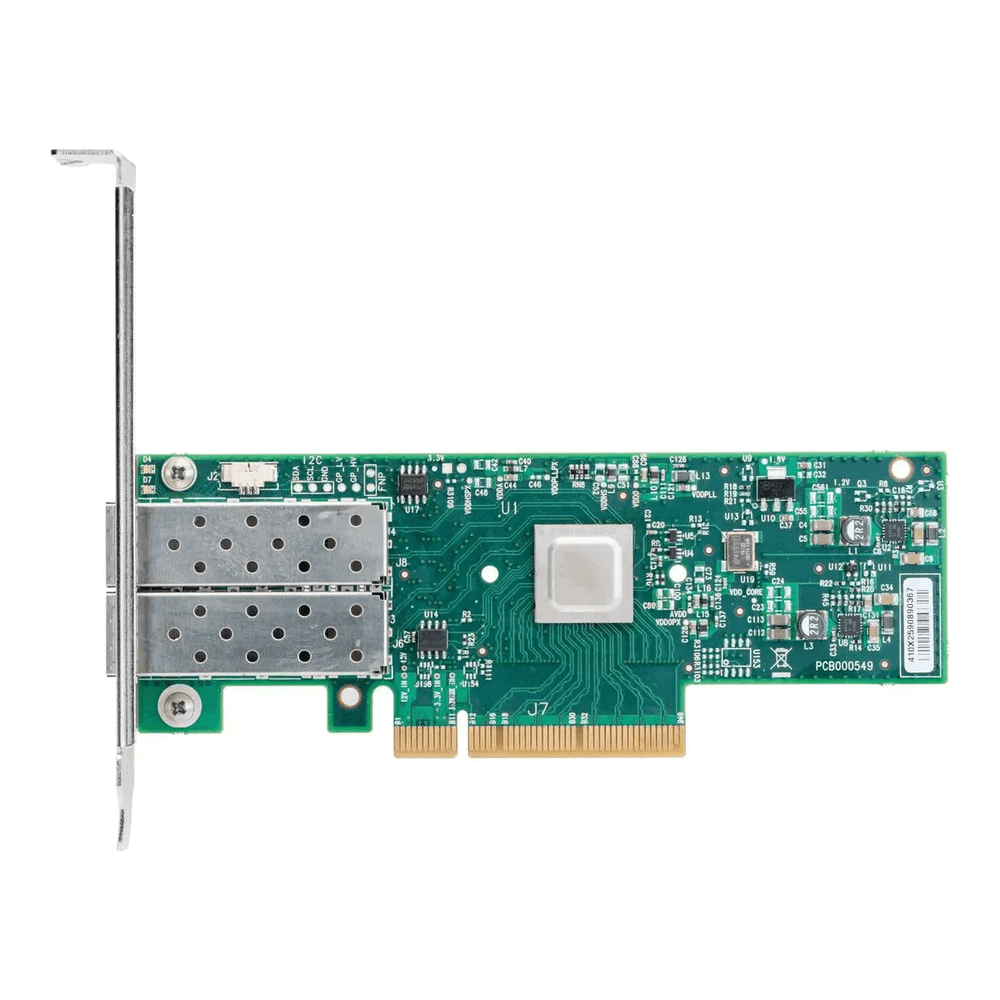
NVIDIA lists the MCX4121A-ACAT as dual SFP28 at 1, 10 or 25GbE on PCIe 3.0 x8, drawing 9.6 W typical and 11.6 W maximum with passive cables. FreeBSD drives it with mlx5en(4), names the ports mce0 and mce1, and compiles the driver into GENERIC. If the ports don’t show up on your firewall, add the loader line from the man page, mlx5en_load="YES", as a tunable under System, Settings, Tunables on OPNsense.
You get two real gaps on a firewall with this pick. mlx5en has no native netmap, so IPS runs in emulated mode, and it isn’t on the pfSense ALTQ list. The Amazon listing is thin as well, with a reseller, 10 reviews and bullets that never mention SFP28 or 25GbE. The -ACAT part number in the title is still the NVIDIA 25GbE model.
- For routing between 10 and 25GbE segments
- Not for Suricata IPS or Zenarmor
- Needs a PCIe 3.0 x8 slot
Realtek works on FreeBSD, with a plugin
Realtek isn’t broken on FreeBSD. The 2.5GbE chip just isn’t in the base driver yet. The stock re(4) driver lists the RTL8139C+, 8169, 8168, 8111 and 810x families, and the if_re.c source on releng/14.3 and releng/15.1 has no RTL8125 entry. The new rge(4) driver for the RTL8125, 8126 and 8127 landed only in the main branch, so OPNsense 26.7 on FreeBSD 15.1 doesn’t have it.
pfSense is a different case. CE 2.9.0 and Plus 26.07 build on a FreeBSD 16-CURRENT snapshot from June 2026, months after rge entered main, whose GENERIC kernel carries device rge. Netgate’s release notes don’t mention it, so treat RTL8125 support on pfSense as likely rather than promised, and check pciconf for an rge0 line before you rely on it.
On OPNsense the supported route is the os-realtek-re plugin, which installs the Realtek vendor driver from the net/realtek-re-kmod port and loads it in place of the built-in one after a reboot. Its package description says to use it “if you experience issues with it (eg. watchdog timeouts), or your card is not supported”, and re0: watchdog timeout is the line re(4) logs when the device stops responding. So the vendor driver is how you make a Realtek port work. It is not proof that the in-kernel driver is fine.
- Keep an onboard RTL8111 or RTL8168 LAN port
- Use the plugin for an RTL8125 on OPNsense
- Replace any Realtek WAN port that logs timeouts
Netgate gives no Realtek-specific advice beyond its Intel recommendation, which is why the WAN goes to Intel. A $20-30 card like the TP-Link TX201 is a poor fit too. The TP-Link page lists Windows and Linux support only and doesn’t name the chip. An I226-V card costs about the same, and it puts you back on an in-kernel Intel driver that every OPNsense and pfSense release already ships.
What to check before you buy a firewall NIC
Most bad NIC purchases for a firewall fail on something the listing never tells you. Go through these in order, because the first one rules out the most cards:
- The slot. Mini PCs often have no PCIe slot, an x1 slot, or room only for a low-profile card. An I350-T4 needs x4 and an X520 or X710 needs x8.
- The driver. Find the controller chip, not the card name, and look it up in the driver table above.
- The features you’ll turn on. Inline IPS wants native netmap, and pfSense ALTQ rules out ixl and mlx5en.
- The optics. X520 cards accept other optics with a tunable, X710 cards don’t, and DAC cables work on both.
- The seller. Genuine Intel cards on Amazon are mostly third-party listings, so a third-party board that names the Intel chip openly is a safer buy than a “genuine” listing with two reviews.
If the box has no slot at all, a NIC is not the answer. The fix is a box with the ports built in, and our firewall hardware guide ranks those by port count. Our OPNsense vs pfSense comparison covers what throughput those built-in I226 ports reach with IDS and WireGuard turned on.
Confirm the driver after install
Once the card is in, check which driver claimed it before you assign a single interface. If SSH isn’t on yet, enable SSH on OPNsense or pick the shell option on the console. Start with the PCI view, which lists every network device with the driver that attached to it:
pciconf -lv | grep -B4 'subclass.*ethernet'Each match starts with the driver and unit, such as igc0@pci0:1:0:0 or ix0@pci0:3:0:0, followed by the vendor and device strings. A line that starts with none0@ means no driver attached, which on a Realtek 2.5GbE card is the cue to install the os-realtek-re plugin. Then read what the driver printed for you at boot. The saved boot log is safer than dmesg on a box with weeks of uptime, because the live buffer rotates:
grep -E '^(igb|igc|ix|ixl|mce|re|rge)[0-9]+:' /var/run/dmesg.bootYou’re looking for the link-state lines and for any of the warnings quoted above: an unsupported SFP+ module on ix, an unqualified module on ixl, or a watchdog timeout on re. If you’ll run Suricata in IPS mode, check which netmap mode is set:
sysctl dev.netmap.admodeA value of 0, the default, uses native netmap when the driver has it and falls back to emulated when it doesn’t, and 2 forces emulated mode for every card. On the igb, igc, ix and ixl picks leave it at 0. On a ConnectX-4 Lx you’re on the emulated path either way. If IPS throughput matters more to you than 25GbE, swap it for an X710. For more 25GbE options, including the Intel E810, see our 25GbE NIC guide.


