
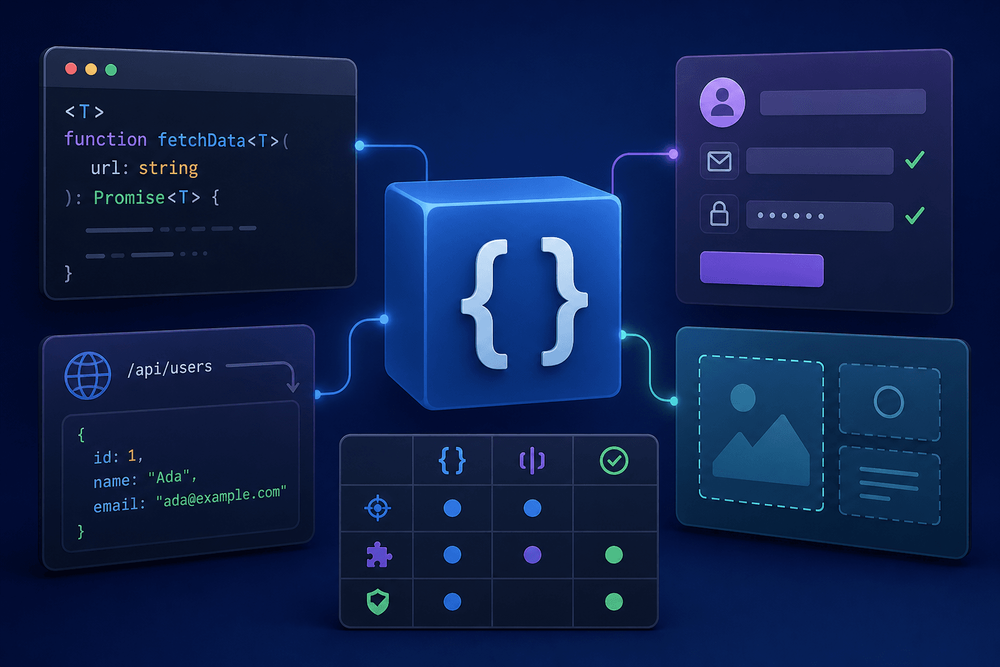
Every TypeScript tutorial introduces generics with the identity function, but generics unlock reusable, type-safe abstractions across data fetching, form handling, and UI component composition. This guide builds three production-ready patterns and provides a decision table for choosing between generics, unions, and Zod schema inference.
Table of Contents
- Why Generics Matter Beyond the Identity Function
- Quick Refresher: Generic Functions, Interfaces, and Constraints
- Pattern 1: Typed Fetch Wrapper with Runtime Validation
- Pattern 2: Form Validator with Schema Inference
- Pattern 3: Polymorphic React Component Props
- Decision Table: Generics vs. Unions vs. Zod Schema Inference
- Common Pitfalls and How to Avoid Them
- Next Steps
Why Generics Matter Beyond the Identity Function
Every TypeScript tutorial introduces generics with the same example:
function identity<Type>(arg: Type): Type {
  return arg;
}
This three-line function captures the core syntax of TypeScript generics: a type parameter <Type> that flows through the function signature, ensuring the return type matches the input. The TypeScript handbook uses this exact example as its starting point. Most tutorials stop here.
The identity function demonstrates mechanics but reveals nothing about where generics solve actual problems in production code. Generics unlock reusable, type-safe abstractions across data fetching, form handling, and UI component composition. They let developers write a single function, hook, or component that works correctly across dozens of concrete types without sacrificing the compiler's ability to catch errors.
This guide builds three production-ready patterns: a typed fetch wrapper with Zod runtime validation, a generic form hook with schema-inferred field types, and a polymorphic React component that preserves native element props. Each pattern's core implementation is copy-pasteable and designed for immediate use in real codebases; usage examples require a wrapping component or function context. A decision table at the end clarifies when to reach for generics versus discriminated unions versus Zod schema inference.
Prerequisites: intermediate TypeScript (familiarity with type aliases, interfaces, and utility types), basic React with hooks, and a standard npm-based project setup. Code in this article targets TypeScript ≥ 4.7, React ≥ 17, and Zod 3 or 4.
Quick Refresher: Generic Functions, Interfaces, and Constraints
Generic Functions and Type Parameters
Generic functions declare one or more type parameters in angle brackets before the parameter list. A single parameter <T> covers most cases, while multiple parameters <T, U> handle transformations where input and output types differ. TypeScript infers type arguments from usage when possible, so callers rarely need to specify them explicitly. When inference falls short or ambiguity arises, explicit type arguments (functionName<string>(arg)) pin down the intended type.
Generic Interfaces and Type Aliases
Why parameterize the shape of an object? Consider an ApiResponse<T> interface that will recur throughout this article as the standard return type for data-fetching utilities:
type ErrorKind = "network" | "validation" | "json_parse" | "http" | "unknown";

interface ApiResponse<T> {
  data: T | null;
  error: string | null;
  errorKind: ErrorKind | null;
  status: number;
}
This interface captures four concerns in a single reusable shape: the typed payload, an error message, a machine-readable error category, and the HTTP status code. Every function that returns ApiResponse<T> inherits the same contract regardless of what T resolves to. The errorKind field lets callers branch on error category without string-matching the error message. Type aliases work identically here (type ApiResponse<T> = { ... }), though interfaces are conventional for object shapes that authors expect to extend.
Generic Constraints with extends
Unconstrained type parameters accept anything, which limits what operations the function body can perform. The extends keyword narrows the set of acceptable types:
function getProperty<T extends Record<string, unknown>, K extends keyof T>(obj: T, key: K): T[K] {
  return obj[key];
}
Here, T extends Record<string, unknown> ensures T is an object type, and K extends keyof T restricts the second argument to actual keys of that object. The return type T[K] is an indexed access type that resolves to the specific property's type. This constraint pattern underpins the form validator built in Pattern 2.
Pattern 1: Typed Fetch Wrapper with Runtime Validation
The Problem with Untyped fetch
The fetch API returns Promise<Response>, and calling .json() on that response yields Promise<any>. That any type disables the compiler entirely. Developers commonly cast the result with as T, but type assertions provide no runtime guarantee. If the API returns a payload shaped differently than expected, such as a renamed field or a null where a string was assumed, the mismatch surfaces as a runtime error far from the fetch call. The assertion told the compiler to trust the developer, and the developer was wrong.
In Node.js environments prior to v18, you must install a polyfill such as node-fetch. The RequestInit and Response types will differ from the browser standard in minor ways; check the polyfill's type definitions.
Building typedFetch<T>
A typed fetch wrapper solves this by combining generics with Zod schema validation. The generic parameter T is inferred from the Zod schema via z.infer<typeof schema>, so callers never specify the type manually. The function validates the response at runtime, and if validation succeeds, the wrapper returns data that carries the correct type through the rest of the application.
The wrapper includes an AbortController-based timeout to prevent indefinitely hanging promises on stalled connections. Callers can also pass their own signal via options for manual cancellation.
import { z } from "zod";

type ErrorKind = "network" | "validation" | "json_parse" | "http" | "unknown";

interface ApiResponse<T> {
  data: T | null;
  error: string | null;
  errorKind: ErrorKind | null;
  status: number;
}

async function typedFetch<T>(
  url: string,
  schema: z.ZodType<T>,
  options?: RequestInit & { timeoutMs?: number }
): Promise<ApiResponse<T>> {
  const { timeoutMs = 10_000, ...fetchOptions } = options ?? {};
  const controller = new AbortController();
  const timeoutId = setTimeout(() => controller.abort(), timeoutMs);

  try {
    const response = await fetch(url, {
      ...fetchOptions,
      signal: controller.signal,
    });

    if (!response.ok) {
      return {
        data: null,
        error: `HTTP error ${response.status}`,
        errorKind: "http",
        status: response.status,
      };
    }

    const contentType = response.headers.get("content-type");
    if (contentType !== null && !contentType.includes("application/json")) {
      return {
        data: null,
        error: "Non-JSON response",
        errorKind: "http",
        status: response.status,
      };
    }

    let json: unknown;
    try {
      json = await response.json();
    } catch {
      return {
        data: null,
        error: "Failed to parse response as JSON",
        errorKind: "json_parse",
        status: response.status,
      };
    }

    const parseResult = schema.safeParse(json);
    if (!parseResult.success) {
      const summary = parseResult.error.issues
        .map((e) => `${e.path.join(".")}: ${e.message}`)
        .join("; ");
      return {
        data: null,
        error: `Validation failed: ${summary}`,
        errorKind: "validation",
        status: response.status,
      };
    }

    return { data: parseResult.data, error: null, errorKind: null, status: response.status };
  } catch (err) {
    if (err instanceof Error && err.name === "AbortError") {
      return {
        data: null,
        error: `Request timed out after ${timeoutMs}ms`,
        errorKind: "network",
        status: 0,
      };
    }
    if (err instanceof Error) {
      return { data: null, error: err.message, errorKind: "network", status: 0 };
    }
    return { data: null, error: "Unknown error", errorKind: "unknown", status: 0 };
  } finally {
    clearTimeout(timeoutId);
  }
}

// Usage
const UserSchema = z.object({
  id: z.number(),
  name: z.string(),
  email: z.string().email(),
});

type User = z.infer<typeof UserSchema>;

// result is ApiResponse<{ id: number; name: string; email: string }>
const result = await typedFetch("/api/users/1", UserSchema);

if (result.data) {
  console.log(result.data.name); // fully typed, autocompletes correctly
}

// Callers can branch on errorKind without string-matching:
if (result.errorKind === "validation") {
  console.error("API returned unexpected shape:", result.error);
} else if (result.errorKind === "network") {
  console.error("Network failure:", result.error);
}
At the call site, the developer passes only the URL and the schema. The generic T resolves automatically from z.ZodType<T>, meaning the type parameter never appears in calling code. The ApiResponse<T> interface from the refresher section structures every return value uniformly.
Note: the status field in ApiResponse reflects the HTTP status when one was received, or 0 when the request failed at the network level (including timeouts) before an HTTP response was available. The errorKind field distinguishes the failure category without requiring callers to parse the error string.
Where the Type Boundary Lives
Generics enforce compile-time contracts: they guarantee that code handling the response treats data as the correct type. Zod enforces the runtime contract: it guarantees the actual bytes from the network conform to the expected shape. These are complementary mechanisms, not alternatives.
Data from any external source, whether a REST API, a WebSocket, or a third-party SDK, crosses a trust boundary. At that edge, the application should validate and parse incoming data. Once validated, the parsed result carries a Zod-inferred type that generics propagate inward through the application. Code downstream of the boundary can rely on the compiler without further runtime checks.
Pattern 2: Form Validator with Schema Inference
Defining a Generic Form Hook
A generic useForm<T> hook accepts a Zod schema typed to z.ZodType<T>, ensuring the schema's output type matches T and keeping state, handlers, and validation in sync. The type parameter T flows through every part of the hook's API: the current values, the error map, the change handler, and the submit handler.
Constraining Field Names with keyof T
The handleChange function uses a nested generic constraint: <K extends keyof T>(field: K, value: T[K]). This ensures that the field name is an actual key of the form type and the value matches that field's type. Compare this to the untyped alternative, (field: string, value: any), which accepts any string as a field name and any value regardless of type. The typed version catches misspelled field names and wrong value types at compile time.
import { useState, useCallback, useRef } from "react";
import { z } from "zod";

function useForm<T extends Record<string, unknown>>(
  schema: z.ZodType<T>,
  initialValues: T,
  onSuccess: (data: T) => void
) {
  const [values, setValues] = useState<T>(initialValues);
  const [errors, setErrors] = useState<Partial<Record<keyof T, string>>>({});
  const onSuccessRef = useRef(onSuccess);
  onSuccessRef.current = onSuccess;

  function handleChange<K extends keyof T>(field: K, value: T[K]) {
    setValues((prev) => ({ ...prev, [field]: value }));
    setErrors((prev) => {
      const next = { ...prev };
      delete next[field];
      return next;
    });
  }

  const handleSubmit = useCallback(
    (e?: React.FormEvent) => {
      e?.preventDefault();
      const result = schema.safeParse(values);
      if (result.success) {
        setErrors({});
        onSuccessRef.current(result.data);
      } else {
        const fieldErrors: Partial<Record<keyof T, string>> = {};
        result.error.issues.forEach((err) => {
          const topLevelField = err.path[0];
          if (topLevelField !== undefined && typeof topLevelField === "string") {
            if (!fieldErrors[topLevelField as keyof T]) {
              fieldErrors[topLevelField as keyof T] =
                err.path.length > 1
                  ? `${err.path.slice(1).join(".")}: ${err.message}`
                  : err.message;
            }
          }
        });
        setErrors(fieldErrors);
      }
    },
    [schema, values]
  );

  return { values, errors, handleChange, handleSubmit };
}

// Usage
const LoginSchema = z.object({
  email: z.string().email(),
  password: z.string().min(8),
});

type LoginForm = z.infer<typeof LoginSchema>;

function LoginPage() {
  const { values, errors, handleChange, handleSubmit } = useForm<LoginForm>(
    LoginSchema,
    { email: "", password: "" },
    (data) => {
      // Call your API here, e.g.:
      // fetch("/api/login", { method: "POST", body: JSON.stringify(data) });
    }
  );

  return (
    <form onSubmit={handleSubmit}>
      <input
        value={values.email}
        onChange={(e) => handleChange("email", e.target.value)}
      />
      {errors.email && <span>{errors.email}</span>}
      <input
        type="password"
        value={values.password}
        onChange={(e) => handleChange("password", e.target.value)}
      />
      {errors.password && <span>{errors.password}</span>}
      <button type="submit">Log in</button>
    </form>
  );
}
Passing "emal" (misspelled) to handleChange triggers a compile-time error. Passing a number where a string is expected does the same. The generic constraint turns the form handler into a type-checked contract between the schema and the UI.
The onSuccess callback is passed as a hook parameter and stored in a ref so that handleSubmit maintains a stable identity across renders. This allows handleSubmit to be wrapped in useCallback and passed directly to the form's onSubmit without causing unnecessary re-renders.
Error Mapping with Mapped Types
The error state type, Partial<Record<keyof T, string>>, is a mapped type derived from the generic. Record<keyof T, string> creates an object with every key of T mapped to string. Partial makes every property optional, reflecting the reality that not all fields are in an error state simultaneously. When the schema changes, this type updates automatically, so you never synchronize the error type manually.
When a field error is cleared by handleChange, the key is deleted from the errors object rather than set to undefined. This ensures that checks using "field" in errors or Object.keys(errors) accurately reflect which fields currently have errors.
Pattern 3: Polymorphic React Component Props
The as Prop Pattern
Design systems frequently need a single component, such as <Button>, that renders different HTML elements depending on context. A button might render as an <a> for navigation, a <button> for actions, or a router <Link> for client-side transitions. The challenge is preserving the rendered element's native props: href should autocomplete when rendering as <a>, and type should autocomplete when rendering as <button>.
Building the Generic Component
The pattern uses a generic function component with a type parameter constrained to React.ElementType. A utility type merges custom props with the rendered element's native props, using Omit to prevent conflicts between custom and native prop names. The component uses React.forwardRef to ensure ref works correctly for all as variants, a requirement for focus management, animation libraries, and form libraries.
import React from "react";

type PolymorphicRef<C extends React.ElementType> =
  React.ComponentPropsWithRef<C>["ref"];

type PolymorphicComponentProps<
  C extends React.ElementType,
  Props = {}
> = Props &
  Omit<React.ComponentPropsWithRef<C>, keyof Props | "as" | "ref"> & {
    as?: C;
    ref?: PolymorphicRef<C>;
  };

type ButtonOwnProps = {
  variant?: "primary" | "secondary";
  children?: React.ReactNode;
};

type ButtonProps<C extends React.ElementType = "button"> =
  PolymorphicComponentProps<C, ButtonOwnProps>;

function ButtonInner<C extends React.ElementType = "button">(
  { as, variant = "primary", children, className, ...rest }: ButtonProps<C>,
  ref: PolymorphicRef<C>
) {
  const Component = (as ?? "button") as React.ElementType;
  return (
    <Component
      ref={ref}
      className={
        [variant ? `btn btn-${variant}` : "btn", className]
          .filter(Boolean)
          .join(" ")
      }
      {...rest}
    >
      {children}
    </Component>
  );
}

const Button = React.forwardRef(
  ButtonInner as React.ForwardRefRenderFunction<unknown, Record<string, unknown>>
) as <C extends React.ElementType = "button">(
  props: ButtonProps<C> & { ref?: PolymorphicRef<C> }
) => React.ReactElement | null;

export { Button };

// Usage
function Example() {
  const linkRef = React.useRef<HTMLAnchorElement>(null);
  const buttonRef = React.useRef<HTMLButtonElement>(null);

  return (
    <>
      {/* Renders <a> — `href` autocompletes, `disabled` does not */}
      <Button as="a" href="/about" variant="secondary" ref={linkRef}>
        About
      </Button>

      {/* Renders <button> — `type` autocompletes, `href` is flagged as invalid */}
      <Button type="submit" variant="primary" ref={buttonRef}>
        Submit
      </Button>
    </>
  );
}


The default type parameter = "button" means that omitting the as prop defaults to button element semantics and props. When as="a" is specified, C resolves to "a", and React.ComponentPropsWithRef<"a"> injects anchor-specific props like href and target. The ref is forwarded through React.forwardRef, so callers can attach refs for focus management or animation libraries on any as variant.


Tradeoffs and When to Stop


This pattern demands three utility types, a forwardRef cast, and a type assertion that every contributor must understand before modifying the component. For design-system-level components consumed across an organization, the type safety justifies that cost. For application-level components with only two or three rendering variants, a simple union prop (element: "a" | "button") with conditional rendering is clearer and easier to maintain.


Decision Table: Generics vs. Unions vs. Zod Schema Inference


.tbl-001 table { border-collapse: collapse; width: 100%; }
.tbl-001 th, .tbl-001 td { border: 1px solid #e5e7eb; padding: 12px; text-align: left; vertical-align: top; }
.tbl-001 thead th { background: #f5f5f5; }


  CriterionGenericsDiscriminated UnionsZod Schema InferenceBest forReusable utilities, wrappers, hooksFinite, known variant setsRuntime-validated external dataType Safety LevelCompile-timeCompile-timeCompile-time + runtimeFlexibilityOpen (caller decides type)Closed (author defines variants)Open (schema defines type)ComplexityMediumLowMediumRuntime CostNoneNoneParsing overhead (microseconds per call for small schemas; benchmark with large or nested payloads)Combine WithConstraints, keyof, mapped typesPattern-match via switch on discriminant fieldz.infer<> + genericsAvoid WhenThe set of types is fixed and enumerable at authoring time (prefer discriminated unions instead)Variants will grow unboundedlyInternal-only data already typed


Start with discriminated unions when the set of types is small and known at authoring time. Graduate to generics when the number of types is unknown or the pattern recurs across multiple call sites. Layer Zod schema inference when data crosses a trust boundary, such as network responses, user input, or third-party API payloads, and combine it with generics to propagate the validated type through the application.


Common Pitfalls and How to Avoid Them


Over-Genericizing


If a type parameter appears only once in a function signature, it adds no value. A function <T>(arg: T): void gains nothing from the generic since T is never used to connect input to output. TypeScript does not warn about this; it is a design smell that must be caught in review. Removing the parameter and using a concrete type or unknown simplifies the signature without losing safety.


Forgetting Constraints


Accessing .length on an unconstrained T fails because the compiler rejects the access when T has no guaranteed length property. The fix is a constraint: <T extends { length: number }>. This explicitly tells the compiler what operations the generic body requires, and it communicates the requirement to callers.


Generic Defaults


Default type parameters (<T = string>) improve developer experience for the most common case. Callers working with the default type skip the angle brackets entirely, while callers with a different type specify it explicitly. The polymorphic Button pattern above uses this technique with <C extends React.ElementType = "button">.


Next Steps


The three patterns covered here, typed fetch wrappers, generic form hooks, and polymorphic components, represent the most common production use cases for TypeScript generics. The decision table provides a framework for choosing between generics, unions, and schema inference based on the specific problem at hand. For further reading, the TypeScript handbook's "Generics" chapter covers conditional types and inference in infer clauses, while the Zod documentation's sections on .safeParse, z.infer, and schema composition (z.intersection, z.discriminatedUnion) cover the runtime validation side. Pick one untyped utility or any-laden wrapper in an existing codebase and refactor it using the patterns above.
