

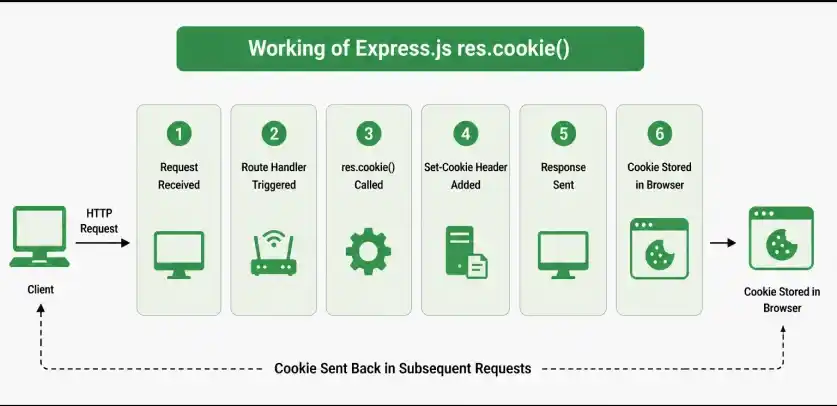
The res.cookie() function is used to set a cookie in the client's browser. It adds a Set-Cookie HTTP response header to the response. The cookie can contain a string value or an object, which Express serializes as JSON.
Syntax:
res.cookie(name, value [, options])Parameters:
- name: The name of the cookie.
- value: The value of the cookie. It can be a string, number, object, or other supported value.
- options (Optional): An object used to configure the cookie, such as maxAge, expires, domain, path, httpOnly, secure, and sameSite.
Return Value: Returns the response object (res), allowing method chaining.
Installation of the Express Module:
Step 1: You can install this package by using this command.
npm install expressStep 2: After installing the express module, you can check your express version in the command prompt using the command.
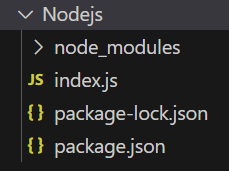
npm version expressStep 3: Create a folder and add a file named index.js. Run the file using:
node index.jsProject Structure:
Example 1: Below is the code example of the res.cookie() Function.
const express = require('express');
const app = express();
const PORT = 3000;
app.get('/', (req, res) => {
    res.cookie('name', 'GeeksforGeeks');
    res.send('Cookie Set');
});
app.listen(PORT, () => {
    console.log(`Server listening on PORT ${PORT}`);
});
Steps to run the program:
node index.jsOutput:
Console Output:
Server listening on PORT 3000Browser Output: Visit http://localhost:3000/ . You will see:

Example 2: Below is the code example of the res.cookie() Function.
const express = require('express');
const app = express();
const PORT = 3000;
app.get('/', (req, res) => {
    res.cookie('title', 'GeeksforGeeks', {
        maxAge: 60000,
        httpOnly: true
    });
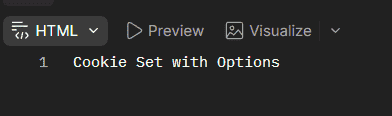
    res.send('Cookie Set with Options');
});
app.listen(PORT, () => {
    console.log(`Server listening on PORT ${PORT}`);
});
Steps to run the program:
Run the index.js file using the below command:
node index.jsOutput:
Console Output:
Server listening on PORT 3000Browser Output: Visit http://localhost:3000/ . You will see:
Working of res.cookie()
- An Express application receives a client request.
- The route handler gets access to the response object through res.
- res.cookie() creates a Set-Cookie response header.
- The browser receives the response and stores the cookie according to its attributes.
- The cookie can be sent back to the server in subsequent requests when its conditions are satisfied.
Use Cases of res.cookie()
- Storing session identifiers.
- Managing user preferences.
- Maintaining authentication-related cookies.
- Storing temporary client-side state.
- Configuring cookie security and expiration behavior.
