In this article, we will see how we can do convolution of the image in mahotas. Convolution is a simple mathematical operation which is fundamental to many common image processing operators. Convolution provides a way of `multiplying together' two arrays of numbers, generally of different sizes, but of the same dimensionality, to produce a third array of numbers of the same dimensionality.
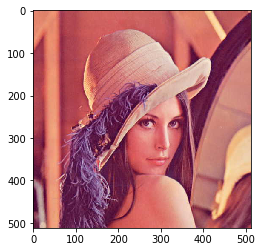
In this tutorial, we will use “lena” image, below is the command to load it.
mahotas.demos.load('lena')
Below is the lena image
In order to do this we will use mahotas.convolve method
Syntax : mahotas.convolve(img, weight)
Argument : It takes image object and numpy nd array objectas argument
Return : It returns image object
Note : Input image should be filtered or should be loaded as grey
In order to filter the image we will take the image object which is numpy.ndarray and filter it with the help of indexing, below is the command to do this
image = image[:, :, 0]
Below is the implementation
# importing required libraries
import mahotas
import mahotas.demos
from pylab import gray, imshow, show
import numpy as np

# loading image
img = mahotas.demos.load('lena')

# filtering image
img = img.max(2)

# otsu method
T_otsu = mahotas.otsu(img)

# image values should be greater than otsu value
img = img > T_otsu

print("Image threshold using Otsu Method")

# showing image
imshow(img)
show()

# weight
weight = np.ones((5, 5), float)

# convolving image
new_img = mahotas.convolve(img, weight)


print("Convolved Image")

# showing image
imshow(new_img)
show()
Output :
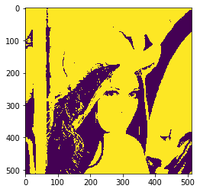
Image threshold using Otsu Method
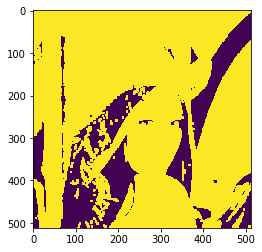
Convolved Image
Another example
# importing required libraries
import mahotas
import numpy as np
from pylab import gray, imshow, show
import os

# loading image
img = mahotas.imread('dog_image.png')


# filtering image
img = img[:, :, 0]

# otsu method
T_otsu = mahotas.otsu(img)

# image values should be greater than otsu value
img = img > T_otsu

print("Image threshold using Otsu Method")

# showing image
imshow(img)
show()

# weight
weight = np.ones((5, 5), float)

# convolving image
new_img = mahotas.convolve(img, weight)


print("Convolved Image")

# showing image
imshow(new_img)
show()
Output :
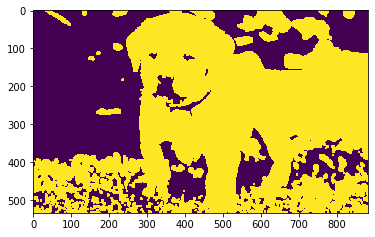
Image threshold using Otsu Method
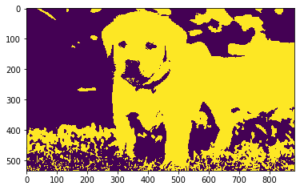
Convolved Image