

In Express.js, HTTP methods indicate the intended operation for a client request, such as retrieving, creating, updating, or deleting a resource. Express.js provides routing methods such as app.get(), app.post(), app.put(), app.patch(), and app.delete() to handle requests based on these HTTP methods.
HTTP Methods
Here are the Common HTTP Methods:
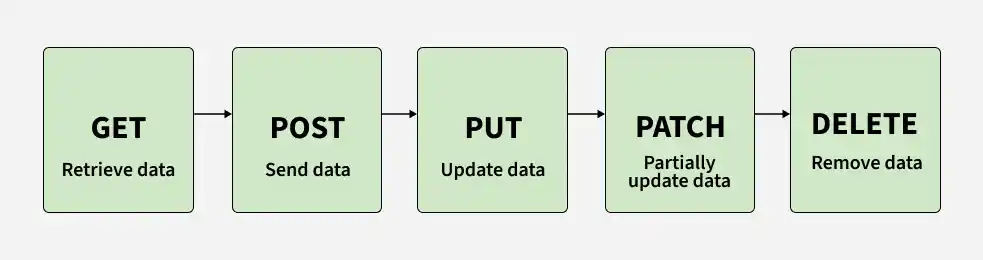
1. GET Method
The GET method is commonly used to retrieve data from a server. In Express.js, app.get() defines a route that handles GET requests for a specified path.
Syntax:
app.get("URL", (req, res) => {})- app.get: Defines a route that handles GET requests.
- "URL": Specifies the path the route listens to.
- (req, res) => {}: Callback function where req represents the client request and res represents the server response.
2. POST Method
The POST method is commonly used to send data to the server, often to create a new resource or submit data for processing. In Express.js, app.post() defines a route that handles POST requests.
Syntax:
app.post("URL", (req, res) => {})- app.post: Defines a route that handles POST requests.
- "URL": Specifies the path the route listens to.
- (req, res) => {}: Callback function where req contains the client request data and res sends the server response.
If the client sends JSON data, Express can parse it using the express.json() middleware, making the parsed data available through req.body.
3. PUT Method
The PUT method is commonly used to update or replace an existing resource on the server. In Express.js, app.put() defines a route that handles PUT requests.
Syntax:
app.put("URL", (req, res) => {})- app.put: Defines a route that handles PUT requests.
- "URL": Specifies the path the route listens to.
- (req, res) => {}: Callback function where req can contain the updated resource data, usually in the request body, and res sends the server response.
4. DELETE Method
The DELETE method is used to request the removal of a resource from the server. In Express.js, app.delete() defines a route that handles DELETE requests.
Syntax:
app.delete("URL", (req, res) => {})- app.delete: Defines a route that handles DELETE requests.
- "URL": Specifies the path the route listens to.
- (req, res) => {}: Callback function where req contains information about the resource to be deleted and res sends the server response.
The resource identifier is often provided as a URL parameter. For example:
app.delete("/users/:id", (req, res) => {
    const id = req.params.id;
});
Here, req.params.id contains the ID provided in the URL.
5. PATCH Method
The PATCH method is commonly used to partially update an existing resource on the server. Unlike a complete replacement, PATCH can be used to modify only specific fields of a resource.
Syntax:
app.patch("URL", (req, res) => {})- app.patch: Defines a route that handles PATCH requests.
- "URL": Specifies the path the route listens to.
- (req, res) => {}: Callback function where req can contain the fields to update, usually in the request body, and res sends the server response.
For example:
app.patch("/users/:id", (req, res) => {
    const id = req.params.id;
    const updatedData = req.body;
});
Here, req.params.id identifies the resource, while req.body can contain the fields that need to be modified.
Example: Implementation of HTTP Methods
const express = require('express');
const app = express();
const PORT = 3000;
app.use(express.json());

app.get("/", (req, res) => {
	console.log("GET Request Successfull!");
	res.send("Get Req Successfully initiated");
})

app.put("/put", (req, res) => {
	console.log("PUT REQUEST SUCCESSFUL");
	console.log(req.body);
	res.send(`Data Update Request Recieved`);
})

app.post("/post", (req, res) => {
	console.log("POST REQUEST SUCCESSFUL");
	console.log(req.body);
	res.send(`Data POSt Request Recieved`);
})

app.delete("/delete", (req, res) => {
	console.log("DELETE REQUEST SUCCESSFUL");
	console.log(req.body);
	res.send(`Data DELETE Request Recieved`);
})

app.listen(PORT, () => {
	console.log(`Server established at ${PORT}`);
})
Output:
Response Methods for HTTP Handlers
Express.js provides several methods on the response object (res) for sending responses to clients.
- res.download(): Sends a file to the client as a download.
- res.redirect(): Redirects the client to a different URL.
- res.render(): Renders a view template and sends the generated HTML to the client.
- res.sendFile(): Sends a file to the client.
- res.sendStatus(): Sets the HTTP status code and sends the corresponding status message as the response body.
- res.end(): Ends the response process.
- res.json(): Sends a JSON response to the client.
- res.jsonp(): Sends a JSON response with JSONP support.
