

Error handling in Express refers to the process of managing errors that occur during the execution of a request. When an error occurs in a route or middleware, Express provides mechanisms to catch these errors and prevent the application from crashing. Error-handling middleware allows developers to:
- Log errors for debugging.
- Send structured error responses to users.
- Maintain application stability even when issues arise.
Good error handling makes an application more reliable and user-friendly, improving both developer efficiency and the user experience.
Working of Error Handling
Express ensures errors are caught and managed effectively to prevent application crashes.
- Error Detection: Errors can occur while processing requests in routes or middleware.
- Error-Handling Middleware: Uses special middleware to catch and process errors in a structured way.
- Passing Errors: Errors can be passed to the error handler using next(err).
- Asynchronous Errors: In Express 5, errors thrown in async route handlers and rejected Promises are automatically passed to the error handler.
- Logging: Errors can be logged to help developers identify and resolve issues.
- User-Friendly Responses: Custom error handlers can send clear, non-technical messages to users instead of exposing internal error details.
Installation of the Express module
You can install this package by using this command.
npm install expressAfter installing the express module, you can check your express version in the command prompt using the command.
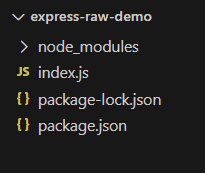
npm version expressAfter that, you can just create a folder and add a file, for example, index.js. To run this file, use the following command.
node index.jsProject Structure:
Types of Error Handling in Express
There are multiple ways to handle errors in Express; let's take a look at a few of them:
1. Default Error Handler
Express has a built-in error handler that catches any errors that are not handled. If you don't create your own error handler, Express will automatically send a simple "500 Internal Server Error" response.
const express = require("express");
const app = express();

app.get("/", (req, res) => {
  throw new Error("Something went wrong!");
});

app.listen(3000, () => {
  console.log("Server running on port 3000");
});
Output:
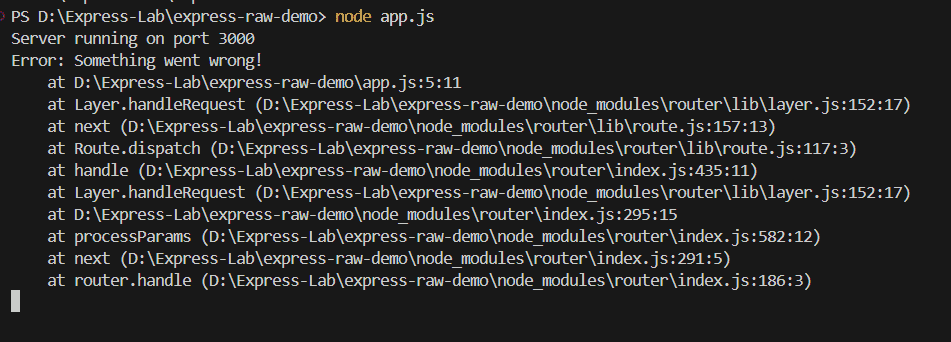
- Express automatically catches errors that are not handled.
- It prevents the server from crashing when unexpected issues occur.
- If you don’t add your own error handler, Express uses its default one.
- In development mode, the error message is shown, but in production, it is hidden.
2. Custom Error-Handling Middleware
Instead of relying on the built-in error handler, you can create a custom error middleware. This lets you log errors and send user-friendly responses.
const express = require("express");
const app = express();
app.get("/", (req, res) => {
  throw new Error("Something broke!");
});
// Custom error-handling middleware
app.use((err, req, res, next) => {
  console.log(err);
  res.status(500).json({ message: "Oops! Something went wrong." });
});
app.listen(3000, () => {
  console.log("Server running on port 3000");
});
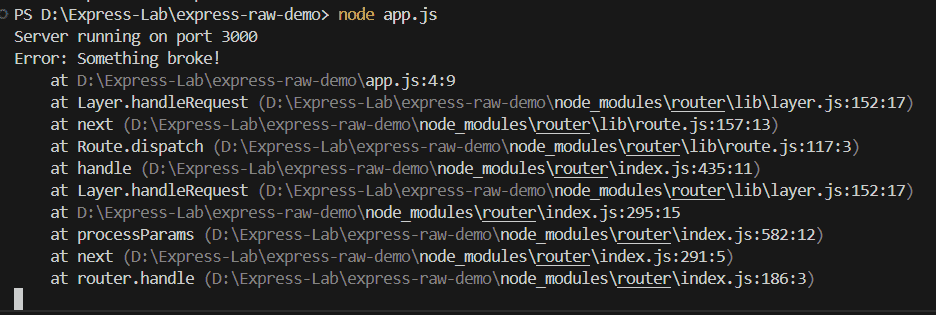
Output:
Browser Output:
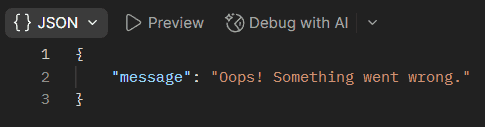
- app.use((err, req, res, next)): This middleware runs only if an error occurs in a route. It catches the error, logs it, and sends a structured JSON response to the client.
- The err object contains the error details, while the req and res objects are used for handling the request and response.
3. Synchronous Error Handling
Express automatically catches errors in synchronous functions. If an error is thrown inside a route, it is sent to the error handler.
const express = require("express");
const app = express();
app.get("/sync-error", (req, res) => {
  throw new Error("Synchronous error occurred!");
});
// Custom error handler
app.use((err, req, res, next) => {
  res.status(500).json({ message: err.message });
});
app.listen(3000, () => {
  console.log("Server running on port 3000");
});
Output:
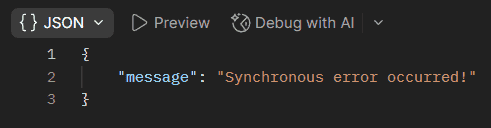
- Any error thrown in the route (throw new Error) is caught by Express and forwarded to the error-handling middleware automatically.
- The custom error handler sends the error message as a JSON response with a 500 status code.
4. Asynchronous Error Handling
Unlike errors in normal functions, errors in async functions are not caught automatically by Express. You need to handle them manually using try-catch or pass them to Express using next(err).
const express = require("express");
const app = express();
app.get("/async-error", async (req, res) => {
  throw new Error("Async error occurred!");
});
// Error handler middleware
app.use((err, req, res, next) => {
  res.status(500).json({ message: err.message });
});
app.listen(3000, () => {
  console.log("Server running on port 3000");
});
Output:
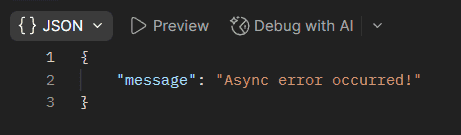
- In this code, the error is thrown inside an async route handler.
- Express 5 automatically catches the rejected Promise and passes the error to the error-handling middleware.
- The error-handling middleware responds with a 500 status code and the error message.
5. Handling Errors with next(err)
Calling next(err) inside a route manually forwards errors to Express’s error handler.
const express = require("express");
const app = express();
app.get("/manual-error", (req, res, next) => {
  const err = new Error("Manually triggered error!");
  next(err);
});
app.use((err, req, res, next) => {
  res.status(500).json({ message: err.message });
});
app.listen(3000, () => {
  console.log("Server running on port 3000");
});
Output:
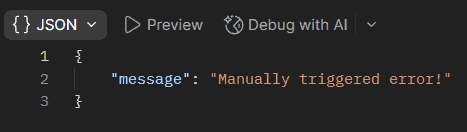
- When someone visits /manual-error, an error is manually created and passed to Express using next(err).
- The error is automatically sent to the error-handling middleware, which then sends a 500 status with the error message.
