

Aircrack-ng is a collection of command-line tools used to assess the security of wireless networks. Rather than being a single application, it consists of multiple utilities that work together throughout the wireless penetration testing process.
- Wireless packet capture, monitoring, network discovery, wireless adapter testing and traffic analysis.
- WPA/WPA2 handshake collection, verification and authorized password recovery from captured handshakes.
Components of Aircrack-ng
Aircrack-ng consists of several specialized utilities. Each utility performs a specific task during wireless security assessment.
1. Aircrack-ng
Aircrack-ng is responsible for password recovery using captured wireless handshakes.
- Performs offline password recovery.
- Supports WEP and WPA/WPA2 authentication analysis.
Example: Suppose you have captured a WPA2 handshake during an authorized security assessment. Aircrack-ng attempts to verify passwords from a wordlist until the correct one is identified.
2. Airmon-ng
Airmon-ng manages wireless adapters by enabling or disabling monitor mode.
- Enables monitor mode.
- Displays compatible wireless interfaces.
Example: Before capturing Wi-Fi traffic, a penetration tester switches the wireless adapter into monitor mode using Airmon-ng.
3. Airodump-ng
Airodump-ng captures wireless packets and gathers information about nearby access points and connected devices.
- Discovers nearby Wi-Fi networks.
- Captures authentication handshakes.
Example: While assessing a corporate wireless network, Airodump-ng records beacon frames, client information and authentication handshakes for later analysis.
4. Aireplay-ng
Aireplay-ng generates and injects wireless packets to evaluate network behavior.
- Packet injection.
- Authentication and deauthentication testing.
Example: During an authorized penetration test, Aireplay-ng sends deauthentication frames to observe client reconnection behavior and capture authentication handshakes.
5. Airdecap-ng
Airdecap-ng decrypts captured wireless traffic after valid encryption keys are available.
- Decrypt captured packets.
- Prepare traffic for protocol analysis.
Example: After successfully verifying a WPA2 password, the captured traffic can be decrypted for deeper network protocol analysis.
6. Airbase-ng
Airbase-ng creates a software-based wireless access point for wireless testing.
- Simulate wireless access points.
- Perform wireless security experiments.
Example: A security researcher creates a controlled wireless environment to test client behavior without affecting production infrastructure.
Installing Aircrack-ng in Kali Linux
Aircrack-ng is installed by default in most Kali Linux releases. To verify the installation run the below command.
aircrack-ng --helpOutput:
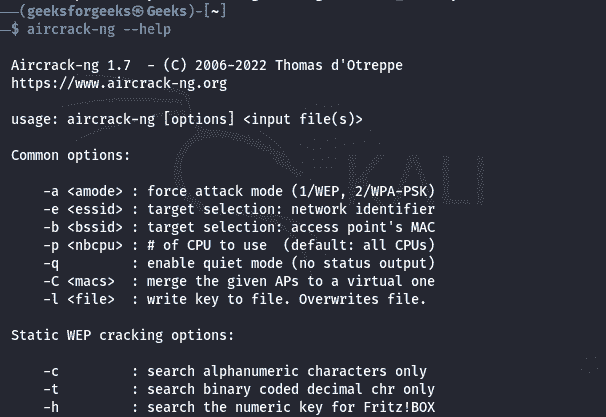
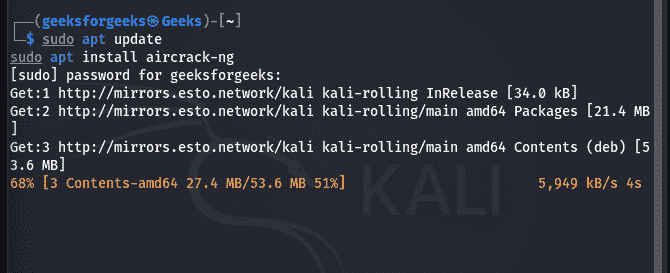
If it is not installed, update the package repository and install it using the Command:
sudo apt update
sudo apt install aircrack-ng
Output:
Basic Aircrack-ng Workflow
A typical wireless security assessment using Aircrack-ng follows these stages:
Step 1: Enable Monitor Mode
Convert the wireless adapter into monitor mode. Run the below command:
sudo airmon-ng start wlan0Step 2: Discover Wireless Networks
Identify nearby access points. The output displays: BSSID, Channel, Signal strength, Encryption type, Connected clients.
sudo airodump-ng wlan0Step 3: Capture Target Network Traffic
Focus packet capture on the authorized target network. This records wireless packets for later analysis.
sudo airodump-ng --bssid <BSSID> -c <Channel> -w capture wlan0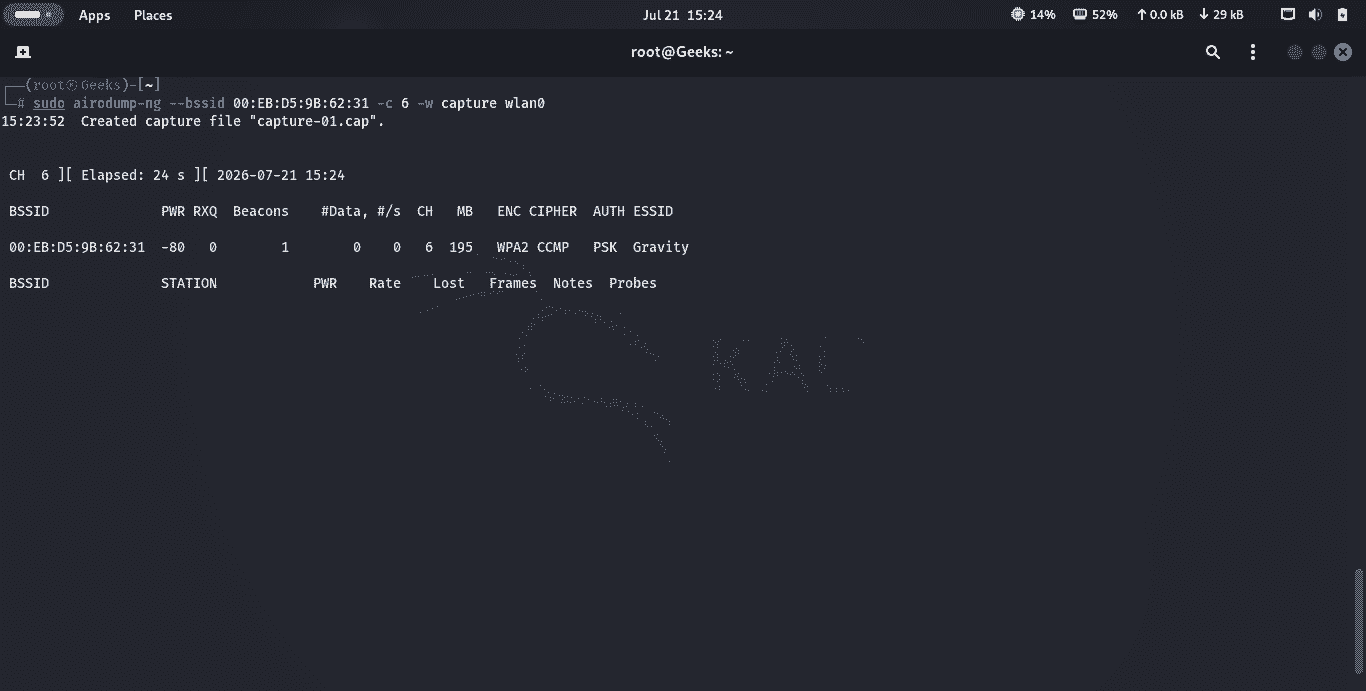
Step 4: Verify Handshake Capture
Monitor the capture until the authentication handshake is successfully collected. The handshake confirmation appears at the top-right corner of the Airodump-ng window.
Step 5: Analyze the Capture
Use Aircrack-ng to verify the captured handshake.
aircrack-ng capture-01.capIf a dictionary file is available for an authorized password audit:
aircrack-ng -w wordlist.txt capture-01.cap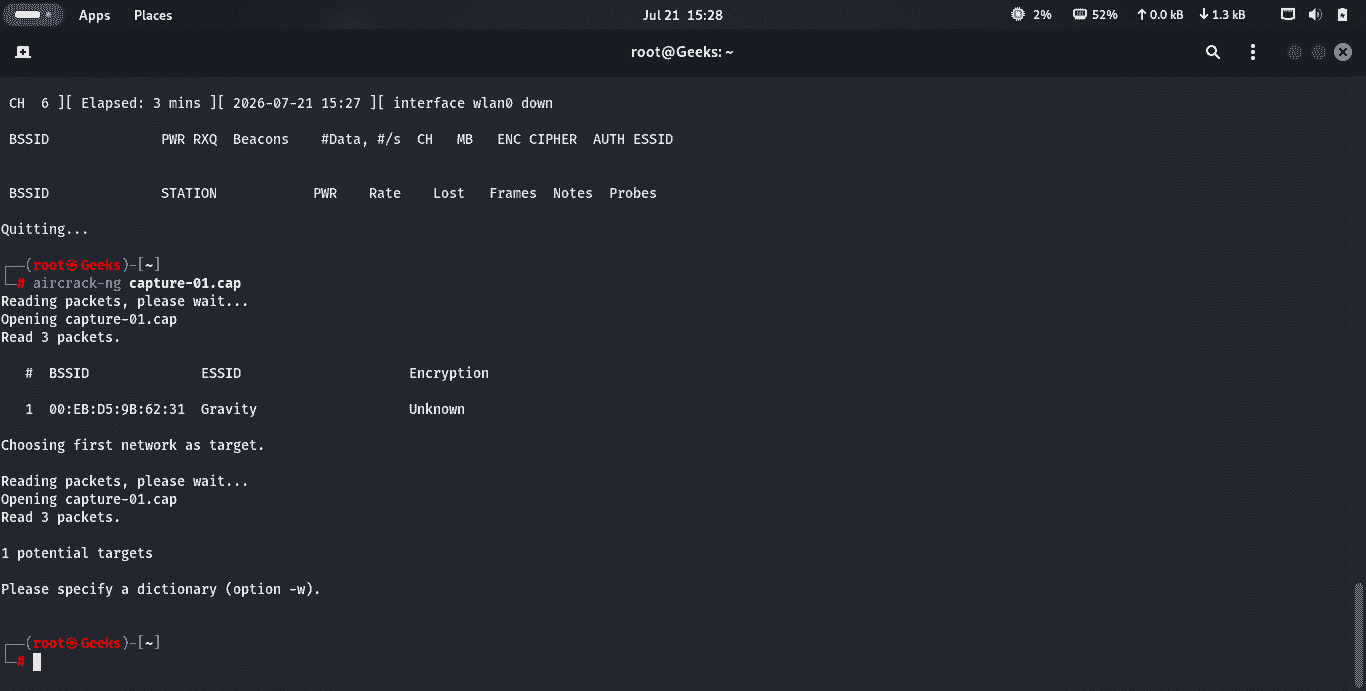
Practical Use Cases
Aircrack-ng is commonly used during authorized wireless security assessments.
- Wireless Security Audit: Organizations evaluate whether their Wi-Fi authentication mechanisms are properly configured and resistant to weak passwords.
- Network Visibility: Security professionals identify nearby access points, channels, encryption standards and connected devices.
- Wireless Adapter Testing: Engineers verify whether wireless adapters support monitor mode and packet injection before conducting assessments.
- Security Research: Researchers analyze wireless protocols, management frames and authentication mechanisms in controlled laboratory environments.
Limitations
- Requires compatible wireless hardware.
- Packet injection support varies between adapters.
- WPA3 support is limited compared to WPA2 analysis.
- Effectiveness depends on the quality of captured wireless traffic.
- Primarily designed for command-line environments.
Best Practices
- Test only networks for which you have written authorization.
- Use wireless adapters that support monitor mode and packet injection.
- Keep Aircrack-ng updated to the latest stable version.
- Perform assessments in controlled environments whenever possible.
- Securely store captured packet files, as they may contain sensitive information.
