

Kali Linux is an open-source, Debian-based operating system designed for penetration testing, security auditing and digital forensics. Maintained by Offensive Security, it evolved from BackTrack and is widely used by cybersecurity professionals worldwide.
Preinstalled Security Tools
Kali Linux includes 600+ security tools, eliminating the need for manual installation and setup.
- Nmap: A network scanning tool used to discover hosts, services and open ports.
- OpenVAS (Greenbone): A vulnerability scanner that detects known security weaknesses and generates risk reports.
- Nikto: A web server scanner that finds outdated software, risky files and configuration issues.
- Aircrack-ng: A wireless security tool used for capturing packets and testing Wi-Fi protection.
- Reaver: A tool that attacks weak WPS-enabled routers to recover Wi-Fi passwords.
- Metasploit Framework: A penetration testing platform used to find and exploit vulnerabilities.
- Autopsy: A graphical digital forensics tool used to analyze disk images and recover files.
- Sleuth Kit (TSK): A command-line forensic toolkit for examining disks and recovering deleted data.
Cross-Platform & Multi-Device Support
Kali Linux runs across a wide range of systems, making it highly adaptable.
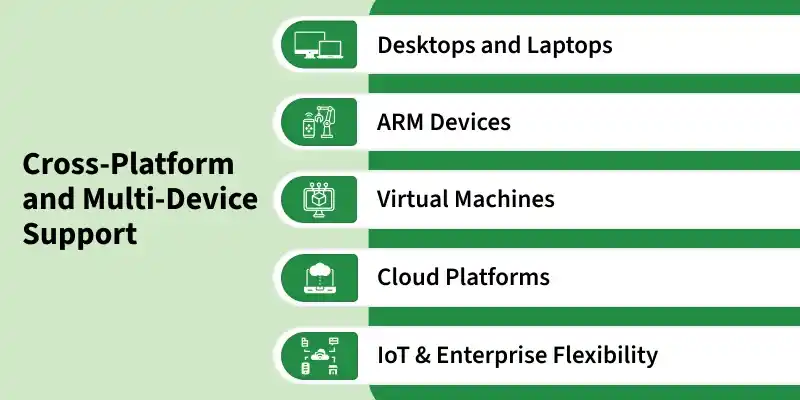
- Desktops and Laptops: Kali Linux runs smoothly on standard computers for cybersecurity and penetration testing tasks.
- ARM Devices: It supports devices like Raspberry Pi for portable and lightweight security testing.
- Virtual Machines: Prebuilt images are available for VMware, VirtualBox and Hyper-V for isolated testing environments.
- Cloud Platforms: Kali Linux can be deployed on AWS, Azure and Google Cloud for remote security operations.
- IoT & Enterprise Flexibility: It works across IoT devices and enterprise systems with reliable performance.
Customization & Live Boot Capability
Kali offers strong flexibility for portable and temporary testing environments.
- Live Boot Mode: Kali Linux can run directly from a USB or DVD without installation.
- Persistence Mode: It can save files, settings and tools even after restarting the system.
- Custom ISO Builds: Users can create personalized Kali versions with selected packages and tools.
- Quick Setup and Portability: Kali Linux boots quickly and works as a portable security toolkit.
- Efficient Testing Environment: It allows safe testing without changing or damaging the host system.
Some Special Feature
1. Multiple Desktop Environments
Users can choose from different desktop environments (DEs) depending on performance and preference:
- Xfce (Default): lightweight and fast.
- GNOME: modern and user-friendly interface.
- KDE Plasma: highly customizable and visually appealing.
This flexibility ensures smooth performance across low-end and high-end systems.
2. Strong Community and Documentation
- Kali Linux has an active and global community of developers, ethical hackers and enthusiasts.
- Comprehensive official documentation, blogs and tutorials are available for users at every skill level.
- The Offensive Security team provides regular updates, bug fixes and learning resources.
3. Regular Updates and Security Patches
- Kali Linux receives frequent updates to ensure tools remain up-to-date with the latest security standards.
- New versions are released regularly, improving performance, fixing vulnerabilities and adding tools.
- This makes it a reliable and secure platform for real-world penetration testing.
4. Lightweight and Efficient Performance
- Despite its vast toolkit, Kali Linux is optimized for performance and can run smoothly on low-spec devices.
- The Xfce desktop environment ensures minimal resource usage and fast boot times.
- This makes it ideal for use on older hardware or lightweight testing setups.
5. Security and Privacy-Oriented Design
- Kali Linux is built with a security-first approach, ensuring that no unnecessary services are enabled by default.
- Users operate as non-root by default, minimizing the risk of accidental system damage or misuse.
- It includes powerful tools for network monitoring, encryption and data protection.
6. Professional Training Integration
- Developed by Offensive Security, the same organization behind certifications like OSCP (Offensive Security Certified Professional).
- Kali Linux is often used in ethical hacking training, cybersecurity courses and CTF competitions.
- It serves as a real-world lab environment for learning and applying security concepts.
