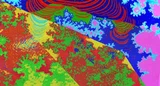
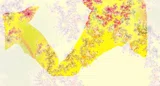
【企画】脳みそを数学で再現してみました!!

上のnoteにチェザロ曲線について書いてあったので、試しに再現してみました!!


いろは坂のように0+0.7iまで向かってます。

これらの作り方を今から述べます。
1.条件通りの曲線を大量に集める
まず、チェザロ曲線の作り方です。Pythonを使ってます。
chesaro.py
import matplotlib.pyplot as plt
import os
import piexif
from PIL import Image
import time

def draw_chesaro_curve(iterations, start, end, a, current_iteration=0, image_index=0):
    start_time = time.time()
    if current_iteration == iterations:
        plt.plot([start.real, end.real], [start.imag, end.imag], color='blue')
    else:
        p1 = start
        p2 = start + a * (end - start)
        p3 = p2 + a * (end - start) * 1j
        p4 = end
        draw_chesaro_curve(iterations, p1, p2, a, current_iteration + 1, image_index)
        draw_chesaro_curve(iterations, p2, p3, a, current_iteration + 1, image_index)
        draw_chesaro_curve(iterations, p3, p4, a, current_iteration + 1, image_index)
    end_time = time.time()
    elapsed_time = end_time - start_time
    print(f"Image {image_index}: Iteration {current_iteration}/{iterations}, Time taken for this level: {elapsed_time:.4f} seconds")

def add_metadata_to_image(image_path, output_path, metadata):
    img = Image.open(image_path)
    img = img.convert("RGB")
    zeroth_ifd = {piexif.ImageIFD.Make: "CameraModel"}
    exif_dict = {"0th": zeroth_ifd}
    exif_dict['0th'][piexif.ImageIFD.ImageDescription] = metadata.encode('utf8')
    exif_bytes = piexif.dump(exif_dict)
    img.save(output_path, "jpeg", exif=exif_bytes)

# メイン処理
output_dir = "cesaro_curves"
os.makedirs(output_dir, exist_ok=True)
iterations = 10 # +1するごとに処理時間が3倍ずつになります。15で強制終了になりました。
start_point = 0 + 0j
end_point = 1 + 0j

total_images = 0
for real_part in range(101):
for imag_part in range(101):
if real_part * 0.01 + imag_part * 0.01 <= 0.7:
total_images += 1

#こういう書き方もできます。
#for real_part in range(40, 60):
#    for imag_part in range(3, 16):
#        x = real_part * 0.01
#        y = imag_part * 0.01
#
#        # 条件: 0.4 <= x <= 0.5 かつ x + y = 0.55
#        if 0.4 <= x <= 0.5 and abs(x + y - 0.55) < 1e-6:
#            total_images += 1
#        # 条件: 0.51 <= x <= 0.53 かつ x + y = 0.56
#        elif 0.51 <= x <= 0.53 and abs(x + y - 0.56) < 1e-6:
#            total_images += 1
#        # 条件: 0.54 <= x <= 0.56 かつ y = 0.03
#        elif 0.54 <= x <= 0.56 and abs(y - 0.03) < 1e-6:
#            total_images += 1
#        # 条件: 0.57 <= x <= 0.59 かつ x + y = 0.65
#        elif 0.57 <= x <= 0.59 and abs(x + y - 0.65) < 1e-6:
#            total_images += 1

##for real_part in range(15, 61): # 15から60まで(60を含む)
##    for imag_part in range(0, 21): # 0から20まで(20を含む)
##        x = real_part * 0.01
##        y = imag_part * 0.01
##        # 条件: 0 <= y <= 0.2 かつ 0.35 - y <= x <= max(0.65 - y, 0.6)
##        if 0 <= y <= 0.2 and (0.35 - y <= x <= max(0.65 - y, 0.6)):
##            total_images += 1

processed_images = 0

# タイマー開始
start_time = time.time()

for real_part in range(101): # 0.00 to 1.00 (inclusive)
for imag_part in range(101): # 0.00 to 1.00 (inclusive)
if real_part * 0.01 + imag_part * 0.01 <= 0.7:
a = complex(real_part * 0.01, imag_part * 0.01)

#for real_part in range(40, 60):
#    for imag_part in range(3, 16):
#        x = real_part * 0.01
#        y = imag_part * 0.01
#
#        # 条件: 0.4 <= x <= 0.5 かつ x + y = 0.55
#        if 0.4 <= x <= 0.5 and abs(x + y - 0.55) < 1e-6:
#            a = complex(x, y)
#        # 条件: 0.51 <= x <= 0.53 かつ x + y = 0.56
#        elif 0.51 <= x <= 0.53 and abs(x + y - 0.56) < 1e-6:
#            a = complex(x, y)
#        # 条件: 0.54 <= x <= 0.56 かつ y = 0.03
#        elif 0.54 <= x <= 0.56 and abs(y - 0.03) < 1e-6:
#            a = complex(x, y)
#        # 条件: 0.57 <= x <= 0.59 かつ x + y = 0.65
#        elif 0.57 <= x <= 0.59 and abs(x + y - 0.65) < 1e-6:
#            a = complex(x, y)
#        else:
#            continue

##for real_part in range(15, 61):
##    for imag_part in range(0, 21):
##        x = real_part * 0.01
##        y = imag_part * 0.01
##        # 条件: 0 <= y <= 0.2 かつ 0.35 - y <= x <= max(0.65 - y, 0.6)
##        if 0 <= y <= 0.2 and (0.35 - y <= x <= max(0.65 - y, 0.6)):
##            a = complex(x, y)

        plt.figure(figsize=(4, 4))
        plt.title(f'Cesàro Curve a={a.real:.2f}+{a.imag:.2f}i')
        draw_chesaro_curve(iterations, start_point, end_point, a, image_index=processed_images)
        plt.axis('equal')
        plt.axis('off')

        img_filename = f"{output_dir}/{a.real:.2f}+{a.imag:.2f}i.png"
        img_with_meta_filename = f"{output_dir}/{a.real:.2f}+{a.imag:.2f}i_with_meta.jpg"

        plt.savefig(img_filename, dpi=150, bbox_inches='tight')
        plt.close()

        metadata_str = f"a={a.real:.2f}+{a.imag:.2f}i"
        add_metadata_to_image(img_filename, img_with_meta_filename, metadata_str)

        processed_images += 1
        print(f"Processing image {processed_images} of {total_images}.")

        elapsed_time = time.time() - start_time
        remaining_images = total_images - processed_images
        estimated_total_time = elapsed_time / processed_images * total_images if processed_images > 0 else float('inf')
        estimated_remaining_time = estimated_total_time - elapsed_time

        print(f"Estimated remaining time: {estimated_remaining_time:.2f} seconds")

total_time = time.time() - start_time
print(f"Total time for generating {processed_images} images: {total_time:.2f} seconds")
0.01刻みで作成したので、スプライン補間(0.001刻みの画像を推測すること)は必要ありません。
ちなみに、WindowsからUbuntuを導入したユーザーの場合、LinuxシステムではWindowsシステムのNTFSで作業すると、CやC++が上手く行きません。mount | grep /dev/sdXやumount /dev/sdX、mount -o remount,exec

/mount/pointは、危険な操作なので辞めたほうがいいです。
C++
bash #コマンド

g++ -o chesaro chesaro.cpp `pkg-config --cflags --libs opencv4`
chmod +x ./chesaro
./chesaro
chesaro.cpp
#include <iostream>
#include <opencv2/opencv.hpp>
#include <complex>
#include <string>
#include <vector>
void draw_chesaro_curve(cv::Mat& image, int iterations, std::complex<double> start, std::complex<double> end, std::complex<double> a) {
if (iterations == 0) {
// 描画
cv::line(image,
cv::Point(static_cast<int>(start.real() * image.cols), image.rows - static_cast<int>(start.imag() * image.rows)),
cv::Point(static_cast<int>(end.real() * image.cols), image.rows - static_cast<int>(end.imag() * image.rows)),
cv::Scalar(255, 0, 0), 1);
// デバッグ出力
std::cout << "Recursion ended with: Start: (" << start.real() * image.cols << ", "
<< image.rows - start.imag() * image.rows << ") End: ("
<< end.real() * image.cols << ", " << image.rows - end.imag() * image.rows << ")" << std::endl;
} else {
// 各詳細をデバッグ出力
std::complex<double> p1 = start;
std::complex<double> p2 = start + a * (end - start);
std::complex<double> p3 = p2 + a * (end - start) * std::complex<double>(0, 1);
std::complex<double> p4 = end;
// 再帰コール
draw_chesaro_curve(image, iterations - 1, p1, p2, a);
draw_chesaro_curve(image, iterations - 1, p2, p3, a);
draw_chesaro_curve(image, iterations - 1, p3, p4, a);
}
}
int main() {
int iterations = 13;
std::complex<double> start_point(0, 0);
std::complex<double> end_point(1, 0);
int image_size = 800;
std::vector<std::complex<double>> complex_numbers = {
{0.44, 0.11},
{0.44, 0.03},
{0.50, 0.00},
{0.39, 0.02},
{0.34, 0.00}
};
for (const auto& a : complex_numbers) {
cv::Mat img(image_size, image_size, CV_8UC3, cv::Scalar(255, 255, 255));
draw_chesaro_curve(img, iterations, start_point * image_size, end_point * image_size, a * image_size);
std::string filename = "chesaro_curve_" + std::to_string(a.real()) + "_" + std::to_string(a.imag()) + ".png";
cv::imwrite(filename, img);
std::cout << "Iteration: " << iterations
<< ", Start point: (" << start.real() * image.cols << ", " << image.rows - start.imag() * image.rows << ")"
<< ", End point: (" << end.real() * image.cols << ", " << image.rows-end.imag() * image.rows << ")"
<< std::endl;
}
return 0;
}C言語
bash #コマンド

sudo apt update
sudo apt install libopencv-dev
gcc -o chesaro chesaro.c -I/usr/include/opencv4 -lopencv_core -lopencv_imgproc -lopencv_highgui
pkg-config --cflags --libs opencv4
chesaro.c
#include <opencv2/opencv.hpp>
#include <complex.h>
#include <stdio.h>
void draw_line(IplImage* img, double complex start, double complex end) {
cvLine(img,
cvPoint((int)creal(start), (int)cimag(start)),
cvPoint((int)creal(end), (int)cimag(end)),
CV_RGB(255, 0, 0), 1, 8, 0);
}
void draw_chesaro_curve(IplImage* img, int iterations, double complex start, double complex end, double complex a) {
if (iterations == 0) {
draw_line(img, start, end);
} else {
double complex p1 = start;
double complex p2 = start + a * (end - start);
double complex p3 = p2 + a * (end - start) * I;
double complex p4 = end;
draw_chesaro_curve(img, iterations - 1, p1, p2, a);
draw_chesaro_curve(img, iterations - 1, p2, p3, a);
draw_chesaro_curve(img, iterations - 1, p3, p4, a);
}
}
int main() {
const int image_size = 800;
const int iterations = 15;
double complex start_point = 0 + 0 * I;
double complex end_point = 1 + 0 * I;
double complex complex_numbers[] = {
0.44 + 0.11*I,
0.44 + 0.03*I,
0.50 + 0.00*I,
0.39 + 0.02*I,
0.34 + 0.00*I
};
int num_points = sizeof(complex_numbers) / sizeof(complex_numbers[0]);
for (int i = 0; i < num_points; ++i) {
IplImage* img = cvCreateImage(cvSize(image_size, image_size), IPL_DEPTH_8U, 3);
cvSet(img, CV_RGB(255, 255, 255), NULL);
draw_chesaro_curve(img, iterations, start_point * image_size, end_point * image_size, complex_numbers[i] * image_size);
char filename[64];
snprintf(filename, sizeof(filename), "chesaro_curve_%.2f+%.2fi_with_meta.png", creal(complex_numbers[i]), cimag(complex_numbers[i]));
cvSaveImage(filename, img, 0);
printf("Generated: %s\n", filename);
cvReleaseImage(&img);
}
return 0;
}

失敗画像が5枚出力されます。

C++はテストもしてます。
test.cpp //C++ simple_test.cpp
#include <iostream>
#include <complex>

int main() {
    std::complex<double> z1(1.0, 2.0);
    std::complex<double> z2(3.0, 4.0);
    auto result = z1 * z2;
    std::cout << "z1 * z2 = (" << result.real() << ", " << result.imag() << ")" << std::endl;
    return 0;
}
デバッグもしてます。
bash

g++ -g -o chesaro chesaro.cpp `pkg-config --cflags --libs opencv4`
gdb ./chesaro
**gdbコマンド一覧**
- `break main`: `main`関数の開始部分でブレークします。
- `run`: プログラムを開始します。
- `next`: 現在の処理を1行だけ進めます。他の関数を呼び出す際には、その関数の内部には入らずに次の行へ進みます。
- `step`: 現在の処理を1行だけ進めます。その行が関数呼び出しであればその関数の中に入ります。
- `list` (`l`): ソースコードを表示します。その位置に基づいて次に実行されるコードが見えます。
- `continue` (`c`): 次のブレークポイントまで実行を続けます。
- `info locals`: 現在の関数で使用されているすべてのローカル変数を表示します。
- `backtrace` (`bt`): 現在の関数呼び出しスタックを表示します。
- `print variable`: 変数の値を出力します。
- `quit`: `gdb`を終了します。「Ctrl+C」はQuitなので反応しません。
(gdb) break main
Breakpoint 1 at 0x55555555697b: file chesaro.cpp, line 22.
(gdb) run
Starting program: /media/owner/EA5AB6F35AB6BB9F/チェザロ/chesaro
[Thread debugging using libthread_db enabled]
Using host libthread_db library "/lib/x86_64-linux-gnu/libthread_db.so.1".

Breakpoint 1, main () at chesaro.cpp:22
22	int main() {
(gdb) print
The history is empty.
(gdb) step
23	    int iterations = 15;
(gdb) step
24	    std::complex<double> start_point(0, 0);
(gdb) step
25	    std::complex<double> end_point(800, 0);
(gdb) step
26	    int image_size = 800;
(gdb) step
34	    };
(gdb) step
std::allocator<std::complex<double> >::allocator (this=<optimized out>)
    at /usr/include/c++/13/bits/allocator.h:163
163	      allocator() _GLIBCXX_NOTHROW { }
(gdb) print
The history is empty.
(gdb) step
std::__new_allocator<std::complex<double> >::__new_allocator (
    this=0x7fffffffdb90) at /usr/include/c++/13/bits/new_allocator.h:88
88	      __new_allocator() _GLIBCXX_USE_NOEXCEPT { }
(gdb) step
std::allocator<std::complex<double> >::allocator (this=<optimized out>)
    at /usr/include/c++/13/bits/allocator.h:163
163	      allocator() _GLIBCXX_NOTHROW { }
(gdb) step
main () at chesaro.cpp:34
34	    };
(gdb) step
std::vector<std::complex<double>, std::allocator<std::complex<double> > >::vector (this=0x7fffffffdb50, __l=std::initializer_list of length 5 = {...}, __a=...)
    at /usr/include/c++/13/bits/stl_vector.h:678
678	      vector(initializer_list<value_type> __l,
(gdb) step
680	      : _Base(__a)
(gdb) step
std::_Vector_base<std::complex<double>, std::allocator<std::complex<double> > >::_Vector_base (this=0x7fffffffdb50, __a=...)
    at /usr/include/c++/13/bits/stl_vector.h:322
322	      : _M_impl(__a) { }
(gdb) step
std::_Vector_base<std::complex<double>, std::allocator<std::complex<double> > >::_Vector_impl::_Vector_impl (this=0x7fffffffdb50, __a=...)
    at /usr/include/c++/13/bits/stl_vector.h:147
147		: _Tp_alloc_type(__a)
(gdb) step
std::allocator<std::complex<double> >::allocator (__a=..., this=0x7fffffffdb50)
    at /usr/include/c++/13/bits/allocator.h:168
168	      : __allocator_base<_Tp>(__a) { }
(gdb) step
std::__new_allocator<std::complex<double> >::__new_allocator (
    this=0x7fffffffdb50) at /usr/include/c++/13/bits/new_allocator.h:92
92	      __new_allocator(const __new_allocator&) _GLIBCXX_USE_NOEXCEPT { }
(gdb) step
std::allocator<std::complex<double> >::allocator (__a=..., this=0x7fffffffdb50)
    at /usr/include/c++/13/bits/allocator.h:168
168	      : __allocator_base<_Tp>(__a) { }
(gdb) step
std::_Vector_base<std::complex<double>, std::allocator<std::complex<double> > >::_Vector_impl::_Vector_impl (this=0x7fffffffdb50, __a=...)
    at /usr/include/c++/13/bits/stl_vector.h:147
147		: _Tp_alloc_type(__a)
(gdb) step
std::_Vector_base<std::complex<double>, std::allocator<std::complex<double> > >::_Vector_impl_data::_Vector_impl_data (this=0x7fffffffdb50)
    at /usr/include/c++/13/bits/stl_vector.h:100
100		: _M_start(), _M_finish(), _M_end_of_storage()
(gdb) step
101		{ }
(gdb) step
std::_Vector_base<std::complex<double>, std::allocator<std::complex<double> > >::_Vector_impl::_Vector_impl (this=0x7fffffffdb50, __a=...)
    at /usr/include/c++/13/bits/stl_vector.h:148
148		{ }
(gdb) step
std::_Vector_base<std::complex<double>, std::allocator<std::complex<double> > >::_Vector_base (this=0x7fffffffdb50, __a=...)
    at /usr/include/c++/13/bits/stl_vector.h:322
322	      : _M_impl(__a) { }
(gdb) run
The program being debugged has been started already.
Start it from the beginning? (y or n) n
Program not restarted.
(gdb) step
std::vector<std::complex<double>, std::allocator<std::complex<double> > >::vector (this=0x7fffffffdb50, __l=std::initializer_list of length 5 = {...}, __a=...)
    at /usr/include/c++/13/bits/stl_vector.h:682
682		_M_range_initialize(__l.begin(), __l.end(),
(gdb) step
std::initializer_list<std::complex<double> >::end (this=0x7fffffffdab0)
    at /usr/include/c++/13/initializer_list:77
77	      end() const noexcept { return begin() + size(); }
(gdb) step
std::initializer_list<std::complex<double> >::begin (this=0x7fffffffdab0)
    at /usr/include/c++/13/initializer_list:73
73	      begin() const noexcept { return _M_array; }
(gdb) step
std::initializer_list<std::complex<double> >::size (this=0x7fffffffdab0)
    at /usr/include/c++/13/initializer_list:69
69	      size() const noexcept { return _M_len; }
(gdb) step
std::initializer_list<std::complex<double> >::begin (this=0x7fffffffdab0)
    at /usr/include/c++/13/initializer_list:73
73	      begin() const noexcept { return _M_array; }
(gdb) step
std::vector<std::complex<double>, std::allocator<std::complex<double> > >::_M_range_initialize<std::complex<double> const*> (this=0x7fffffffdb50,
    __first=0x7fffffffdc70, __last=0x7fffffffdcc0)
    at /usr/include/c++/13/bits/stl_vector.h:1687
1687		_M_range_initialize(_ForwardIterator __first, _ForwardIterator __last,
(gdb) step
1690		  const size_type __n = std::distance(__first, __last);
(gdb) step
std::distance<std::complex<double> const*> (__last=0x7fffffffdcc0,
    __first=0x7fffffffdc70)
    at /usr/include/c++/13/bits/stl_iterator_base_funcs.h:152
152				     std::__iterator_category(__first));
(gdb) step
std::__iterator_category<std::complex<double> const*> ()
    at /usr/include/c++/13/bits/stl_iterator_base_types.h:240
240	    { return typename iterator_traits<_Iter>::iterator_category(); }
(gdb) step
std::distance<std::complex<double> const*> (__last=0x7fffffffdcc0,
    __first=0x7fffffffdc70)
    at /usr/include/c++/13/bits/stl_iterator_base_funcs.h:151
151	      return std::__distance(__first, __last,
(gdb) step
std::__distance<std::complex<double> const*> (__last=0x7fffffffdcc0,
    __first=0x7fffffffdc70)
    at /usr/include/c++/13/bits/stl_iterator_base_funcs.h:106
106	      return __last - __first;
(gdb) step
std::distance<std::complex<double> const*> (__last=0x7fffffffdcc0,
    __first=0x7fffffffdc70)
    at /usr/include/c++/13/bits/stl_iterator_base_funcs.h:152
152				     std::__iterator_category(__first));
(gdb) step
std::vector<std::complex<double>, std::allocator<std::complex<double> > >::_M_range_initialize<std::complex<double> const*> (this=0x7fffffffdb50,
    __first=0x7fffffffdc70, __last=0x7fffffffdcc0)
    at /usr/include/c++/13/bits/stl_vector.h:1690
1690		  const size_type __n = std::distance(__first, __last);
(gdb) step
1692		    = this->_M_allocate(_S_check_init_len(__n, _M_get_Tp_allocator()));
(gdb) step
std::_Vector_base<std::complex<double>, std::allocator<std::complex<double> > >::_M_get_Tp_allocator (this=0x7fffffffdb50)
    at /usr/include/c++/13/bits/stl_vector.h:302
302	      { return this->_M_impl; }
(gdb) step
std::vector<std::complex<double>, std::allocator<std::complex<double> > >::_S_check_init_len (__n=5, __a=...) at /usr/include/c++/13/bits/stl_vector.h:1907
1907	      _S_check_init_len(size_type __n, const allocator_type& __a)
(gdb) step
1909		if (__n > _S_max_size(_Tp_alloc_type(__a)))
(gdb) step
std::allocator<std::complex<double> >::allocator (__a=...,
    this=<optimized out>) at /usr/include/c++/13/bits/allocator.h:168
168	      : __allocator_base<_Tp>(__a) { }
(gdb) step
std::__new_allocator<std::complex<double> >::__new_allocator (
    this=0x7fffffffd9ff) at /usr/include/c++/13/bits/new_allocator.h:92
92	      __new_allocator(const __new_allocator&) _GLIBCXX_USE_NOEXCEPT { }
(gdb) step
std::allocator<std::complex<double> >::allocator (__a=...,
    this=<optimized out>) at /usr/include/c++/13/bits/allocator.h:168
168	      : __allocator_base<_Tp>(__a) { }
(gdb) step
std::vector<std::complex<double>, std::allocator<std::complex<double> > >::_S_check_init_len (__n=5, __a=...) at /usr/include/c++/13/bits/stl_vector.h:1909
1909		if (__n > _S_max_size(_Tp_alloc_type(__a)))
(gdb) step
std::vector<std::complex<double>, std::allocator<std::complex<double> > >::_S_max_size (__a=...) at /usr/include/c++/13/bits/stl_vector.h:1916
1916	      _S_max_size(const _Tp_alloc_type& __a) _GLIBCXX_NOEXCEPT
(gdb) step
1921		const size_t __diffmax
(gdb) step
1923		const size_t __allocmax = _Alloc_traits::max_size(__a);
(gdb) step
std::allocator_traits<std::allocator<std::complex<double> > >::max_size (
    __a=...) at /usr/include/c++/13/bits/alloc_traits.h:574
574		return __a.max_size();
(gdb) step
std::__new_allocator<std::complex<double> >::max_size (this=0x7fffffffd9ff)
    at /usr/include/c++/13/bits/new_allocator.h:183
183	      { return _M_max_size(); }
(gdb) step
std::__new_allocator<std::complex<double> >::_M_max_size (this=0x7fffffffd9ff)
    at /usr/include/c++/13/bits/new_allocator.h:233
233		return std::size_t(__PTRDIFF_MAX__) / sizeof(_Tp);
(gdb) step
std::__new_allocator<std::complex<double> >::max_size (this=0x7fffffffd9ff)
    at /usr/include/c++/13/bits/new_allocator.h:183
183	      { return _M_max_size(); }
(gdb) step
std::allocator_traits<std::allocator<std::complex<double> > >::max_size (
    __a=...) at /usr/include/c++/13/bits/alloc_traits.h:574
574		return __a.max_size();
(gdb) step
std::vector<std::complex<double>, std::allocator<std::complex<double> > >::_S_max_size (__a=...) at /usr/include/c++/13/bits/stl_vector.h:1923
1923		const size_t __allocmax = _Alloc_traits::max_size(__a);
(gdb) step
1924		return (std::min)(__diffmax, __allocmax);
(gdb) step
std::min<unsigned long> (__a=@0x7fffffffd9a0: 576460752303423487,
    __b=@0x7fffffffd9a8: 576460752303423487)
    at /usr/include/c++/13/bits/stl_algobase.h:238
238	      if (__b < __a)
(gdb) step
240	      return __a;
(gdb) step
241	    }
(gdb) step
std::vector<std::complex<double>, std::allocator<std::complex<double> > >::_S_max_size (__a=...) at /usr/include/c++/13/bits/stl_vector.h:1925
1925	      }
(gdb) step
std::allocator<std::complex<double> >::~allocator (this=<optimized out>,
    __in_chrg=<optimized out>) at /usr/include/c++/13/bits/allocator.h:184
184	      ~allocator() _GLIBCXX_NOTHROW { }
(gdb) step
std::__new_allocator<std::complex<double> >::~__new_allocator (
    this=0x7fffffffd9ff, __in_chrg=<optimized out>)
    at /usr/include/c++/13/bits/new_allocator.h:104
104	      ~__new_allocator() _GLIBCXX_USE_NOEXCEPT { }
(gdb) step
std::vector<std::complex<double>, std::allocator<std::complex<double> > >::_S_check_init_len (__n=5, __a=...) at /usr/include/c++/13/bits/stl_vector.h:1909
1909		if (__n > _S_max_size(_Tp_alloc_type(__a)))
(gdb) step
1912		return __n;
(gdb) step
1913	      }
(gdb) step
std::_Vector_base<std::complex<double>, std::allocator<std::complex<double> > >::_M_allocate (this=0x7fffffffdb50, __n=5)
    at /usr/include/c++/13/bits/stl_vector.h:381
381		return __n != 0 ? _Tr::allocate(_M_impl, __n) : pointer();
(gdb) step
std::allocator_traits<std::allocator<std::complex<double> > >::allocate (
    __n=5, __a=...) at /usr/include/c++/13/bits/alloc_traits.h:482
482	      { return __a.allocate(__n); }
(gdb) step
std::__new_allocator<std::complex<double> >::allocate (this=0x7fffffffdb50,
    __n=5) at /usr/include/c++/13/bits/new_allocator.h:134
134		if (__builtin_expect(__n > this->_M_max_size(), false))
(gdb) step
std::__new_allocator<std::complex<double> >::_M_max_size (this=0x7fffffffdb50)
    at /usr/include/c++/13/bits/new_allocator.h:233
233		return std::size_t(__PTRDIFF_MAX__) / sizeof(_Tp);
(gdb) step
std::__new_allocator<std::complex<double> >::allocate (this=0x7fffffffdb50,
    __n=5) at /usr/include/c++/13/bits/new_allocator.h:134
134		if (__builtin_expect(__n > this->_M_max_size(), false))
(gdb) step
151		return static_cast<_Tp*>(_GLIBCXX_OPERATOR_NEW(__n * sizeof(_Tp)));
(gdb) step
Downloading source file /build/gcc-14-OQFzmN/gcc-14-14-20240412/build/x86_64-linux-gnu/libstdc++-v3/libsupc++/../../../../src/libstdc++-v3/libsupc++/new_op.cc
operator new (sz=80) at ../../../../src/libstdc++-v3/libsupc++/new_op.cc:43
warning: 43	../../../../src/libstdc++-v3/libsupc++/new_op.cc: そのようなファイルやディレクトリはありません
(gdb) step
47	in ../../../../src/libstdc++-v3/libsupc++/new_op.cc
(gdb) step
50	in ../../../../src/libstdc++-v3/libsupc++/new_op.cc
(gdb) step
Download failed: 無効な引数です.  Continuing without source file ./malloc/./malloc/malloc.c.
0x00007ffff6cad654 in __GI___libc_malloc (bytes=80) at ./malloc/malloc.c:3301
warning: 3301	./malloc/malloc.c: そのようなファイルやディレクトリはありません
(gdb) step
3305	in ./malloc/malloc.c
(gdb) step
checked_request2size (req=80) at ./malloc/malloc.c:1326
1326	in ./malloc/malloc.c
(gdb) step
1345	in ./malloc/malloc.c
(gdb) step
3306	in ./malloc/malloc.c
(gdb) step
3313	in ./malloc/malloc.c
(gdb) step
3316	in ./malloc/malloc.c
(gdb) step
3326	in ./malloc/malloc.c
(gdb) step
3328	in ./malloc/malloc.c
(gdb) step
_int_malloc (av=av@entry=0x7ffff6e03ac0 <main_arena>, bytes=80)
    at ./malloc/malloc.c:3878
3878	in ./malloc/malloc.c
(gdb) step
checked_request2size (req=80) at ./malloc/malloc.c:1326
1326	in ./malloc/malloc.c
(gdb) step
1345	in ./malloc/malloc.c
(gdb) step
_int_malloc (av=av@entry=0x7ffff6e03ac0 <main_arena>, bytes=80)
    at ./malloc/malloc.c:3887
3887	in ./malloc/malloc.c
(gdb) step
3914	in ./malloc/malloc.c
(gdb) step
get_max_fast () at ./malloc/malloc.c:1794
1794	in ./malloc/malloc.c
(gdb) step
3919	in ./malloc/malloc.c
(gdb) step
3921	in ./malloc/malloc.c
(gdb) step
3930	in ./malloc/malloc.c
(gdb) step
3980	in ./malloc/malloc.c
(gdb) print
The history is empty.
(gdb) next
3982	in ./malloc/malloc.c
(gdb) mext
Undefined command: "mext".  Try "help".
(gdb) next
4059	in ./malloc/malloc.c
(gdb) next
4060	in ./malloc/malloc.c
(gdb) next
4064	in ./malloc/malloc.c
(gdb) next
4070	in ./malloc/malloc.c
(gdb) next
4257	in ./malloc/malloc.c
(gdb) next
4330	in ./malloc/malloc.c
(gdb) next
4331	in ./malloc/malloc.c
(gdb) next
4332	in ./malloc/malloc.c
(gdb) next
4333	in ./malloc/malloc.c
(gdb) next
4334	in ./malloc/malloc.c
(gdb) next
4339	in ./malloc/malloc.c
(gdb) next
4343	in ./malloc/malloc.c
(gdb) next
4346	in ./malloc/malloc.c
(gdb) next
4343	in ./malloc/malloc.c
(gdb) next
4346	in ./malloc/malloc.c
(gdb) next
4343	in ./malloc/malloc.c
(gdb) next
4346	in ./malloc/malloc.c
(gdb) next
4343	in ./malloc/malloc.c
(gdb) next
4443	in ./malloc/malloc.c
(gdb) next
4444	in ./malloc/malloc.c
(gdb) next
4446	in ./malloc/malloc.c
(gdb) next
4449	in ./malloc/malloc.c
(gdb) next
4453	in ./malloc/malloc.c
(gdb) next
4454	in ./malloc/malloc.c
(gdb) next
4456	in ./malloc/malloc.c
(gdb) next
4459	in ./malloc/malloc.c
(gdb) Quit
(gdb) run
The program being debugged has been started already.
Start it from the beginning? (y or n) n
Program not restarted.
(gdb) next
4460	in ./malloc/malloc.c
(gdb) next
4461	in ./malloc/malloc.c
(gdb) next
__GI___libc_malloc (bytes=<optimized out>) at ./malloc/malloc.c:3329
3329	in ./malloc/malloc.c
(gdb) next
operator new (sz=80) at ../../../../src/libstdc++-v3/libsupc++/new_op.cc:58
warning: 58	../../../../src/libstdc++-v3/libsupc++/new_op.cc: そのようなファイルやディレクトリはありません
(gdb) next
std::__new_allocator<std::complex<double> >::allocate (this=0x7fffffffdb50,
    __n=5) at /usr/include/c++/13/bits/new_allocator.h:151
151		return static_cast<_Tp*>(_GLIBCXX_OPERATOR_NEW(__n * sizeof(_Tp)));
(gdb) next
152	      }
(gdb) next
std::allocator_traits<std::allocator<std::complex<double> > >::allocate (
    __n=5, __a=...) at /usr/include/c++/13/bits/alloc_traits.h:482
482	      { return __a.allocate(__n); }
(gdb) next
std::_Vector_base<std::complex<double>, std::allocator<std::complex<double> > >::_M_allocate (this=0x7fffffffdb50, __n=5)
    at /usr/include/c++/13/bits/stl_vector.h:382
382	      }
(gdb) next
std::vector<std::complex<double>, std::allocator<std::complex<double> > >::_M_range_initialize<std::complex<double> const*> (this=0x7fffffffdb50,
    __first=0x7fffffffdc70, __last=0x7fffffffdcc0)
    at /usr/include/c++/13/bits/stl_vector.h:1693
1693		  this->_M_impl._M_end_of_storage = this->_M_impl._M_start + __n;
(gdb) next
1697						_M_get_Tp_allocator());
(gdb) next
1695		    std::__uninitialized_copy_a(__first, __last,
(gdb) next
1694		  this->_M_impl._M_finish =
(gdb) next
1698		}
(gdb) next
std::vector<std::complex<double>, std::allocator<std::complex<double> > >::vector (this=0x7fffffffdb50, __l=std::initializer_list of length 5 = {...}, __a=...)
    at /usr/include/c++/13/bits/stl_vector.h:684
684	      }
(gdb) next
main () at chesaro.cpp:34
34	    };
(gdb) next
36	    for (const auto& a : complex_numbers) {
(gdb) next
37	        cv::Mat img(image_size, image_size, CV_8UC3, cv::Scalar(255, 255, 255));
(gdb) next
38	        draw_chesaro_curve(img, iterations, start_point, end_point, a * static_cast<double>(image_size));
(gdb) next
next
next
next40	        std::string filename = "chesaro_curve_" + std::to_string(a.real()) + "+" + std::to_string(a.imag()) + "i_with_meta.png";
(gdb) next
41	        cv::imwrite(filename, img);
(gdb) next
43	        std::cout << "Generated: " << filename << std::endl;
(gdb) next
Generated: chesaro_curve_0.440000+0.110000i_with_meta.png
44	    }
(gdb) next
36	    for (const auto& a : complex_numbers) {
(gdb) next
37	        cv::Mat img(image_size, image_size, CV_8UC3, cv::Scalar(255, 255, 255));
(gdb) next
38	        draw_chesaro_curve(img, iterations, start_point, end_point, a * static_cast<double>(image_size));
(gdb) next
40	        std::string filename = "chesaro_curve_" + std::to_string(a.real()) + "+" + std::to_string(a.imag()) + "i_with_meta.png";
(gdb) next
41	        cv::imwrite(filename, img);
(gdb) next
43	        std::cout << "Generated: " << filename << std::endl;
(gdb) next
Generated: chesaro_curve_0.440000+0.030000i_with_meta.png
44	    }
(gdb) next
36	    for (const auto& a : complex_numbers) {
(gdb) next
37	        cv::Mat img(image_size, image_size, CV_8UC3, cv::Scalar(255, 255, 255));
(gdb) next
38	        draw_chesaro_curve(img, iterations, start_point, end_point, a * static_cast<double>(image_size));
(gdb) next
next
40	        std::string filename = "chesaro_curve_" + std::to_string(a.real()) + "+" + std::to_string(a.imag()) + "i_with_meta.png";
(gdb) next
41	        cv::imwrite(filename, img);
(gdb) next
43	        std::cout << "Generated: " << filename << std::endl;
(gdb) next
Generated: chesaro_curve_0.500000+0.000000i_with_meta.png
44	    }
(gdb) next
36	    for (const auto& a : complex_numbers) {
(gdb) next
37	        cv::Mat img(image_size, image_size, CV_8UC3, cv::Scalar(255, 255, 255));
(gdb) next
38	        draw_chesaro_curve(img, iterations, start_point, end_point, a * static_cast<double>(image_size));
(gdb) next
next
40	        std::string filename = "chesaro_curve_" + std::to_string(a.real()) + "+" + std::to_string(a.imag()) + "i_with_meta.png";
(gdb) next
41	        cv::imwrite(filename, img);
(gdb) next
43	        std::cout << "Generated: " << filename << std::endl;
(gdb) next
Generated: chesaro_curve_0.390000+0.020000i_with_meta.png
44	    }
(gdb) next
36	    for (const auto& a : complex_numbers) {
(gdb) next
37	        cv::Mat img(image_size, image_size, CV_8UC3, cv::Scalar(255, 255, 255));
(gdb) next
38	        draw_chesaro_curve(img, iterations, start_point, end_point, a * static_cast<double>(image_size));
(gdb) next
next
next40	        std::string filename = "chesaro_curve_" + std::to_string(a.real()) + "+" + std::to_string(a.imag()) + "i_with_meta.png";
(gdb) next
41	        cv::imwrite(filename, img);
(gdb) next
43	        std::cout << "Generated: " << filename << std::endl;
(gdb) next
Generated: chesaro_curve_0.340000+0.000000i_with_meta.png
44	    }
(gdb) next
36	    for (const auto& a : complex_numbers) {
(gdb) next
46	    return 0;
(gdb) next
47	}
(gdb) next
Download failed: 無効な引数です.  Continuing without source file ./csu/../sysdeps/nptl/libc_start_call_main.h.
__libc_start_call_main (main=main@entry=0x55555555696b <main()>,
    argc=argc@entry=1, argv=argv@entry=0x7fffffffde18)
    at ../sysdeps/nptl/libc_start_call_main.h:74
warning: 74	../sysdeps/nptl/libc_start_call_main.h: そのようなファイルやディレクトリはありません
(gdb) print
The history is empty.
(gdb) next
[Inferior 1 (process 55461) exited normally]
(gdb) next
The program is not being run.
(gdb) next
The program is not being run.
(gdb) Quit
(gdb) Quit
(gdb) run
Starting program: /media/owner/EA5AB6F35AB6BB9F/チェザロ/chesaro
[Thread debugging using libthread_db enabled]
Using host libthread_db library "/lib/x86_64-linux-gnu/libthread_db.so.1".
Downloading separate debug info for /lib/x86_64-linux-gnu/libz.so.1
Downloading separate debug info for /lib/x86_64-linux-gnu/liblapack.so.3
Downloading separate debug info for /lib/x86_64-linux-gnu/libblas.so.3
Downloading separate debug info for /lib/x86_64-linux-gnu/libuuid.so.1
Downloading separate debug info for /lib/x86_64-linux-gnu/libzstd.so.1
Downloading separate debug info for /lib/x86_64-linux-gnu/liblzma.so.5
Downloading separate debug info for /lib/x86_64-linux-gnu/libdeflate.so.0
Downloading separate debug info for /lib/x86_64-linux-gnu/libcrypto.so.3
Downloading separate debug info for /lib/x86_64-linux-gnu/liblz4.so.1
Downloading separate debug info for /lib/x86_64-linux-gnu/libpoppler.so.134
Downloading separate debug info for /lib/x86_64-linux-gnu/libpq.so.5
Downloading separate debug info for /lib/x86_64-linux-gnu/libmysqlclient.so.21
Downloading separate debug info for /lib/x86_64-linux-gnu/libssl.so.3
Downloading separate debug info for /lib/x86_64-linux-gnu/libicuuc.so.74
Downloading separate debug info for /lib/x86_64-linux-gnu/libbz2.so.1.0
Downloading separate debug info for /lib/x86_64-linux-gnu/libminizip.so.1
Downloading separate debug info for /lib/x86_64-linux-gnu/libgnutls.so.30
Downloading separate debug info for /lib/x86_64-linux-gnu/libhogweed.so.6
Downloading separate debug info for /lib/x86_64-linux-gnu/libnettle.so.8
Downloading separate debug info for /lib/x86_64-linux-gnu/libcom_err.so.2
Downloading separate debug info for /lib/x86_64-linux-gnu/libsasl2.so.2
Downloading separate debug info for /lib/x86_64-linux-gnu/libicudata.so.74
Downloading separate debug info for /lib/x86_64-linux-gnu/libp11-kit.so.0

Breakpoint 1, main () at chesaro.cpp:22
22	int main() {
(gdb) quit
A debugging session is active.

	Inferior 1 [process 55808] will be killed.

Quit anyway? (y or n) y
2.入力値と曲線の関係を視覚化する
次に、MRI画像みたいにしたくて、Unityを使ってみたのですが、見事に失敗しました。
bash #コマンド

wget -qO - https://hub.unity3d.com/linux/keys/public | gpg --dearmor | sudo tee /usr/share/keyrings/Unity_Technologies_ApS.gpg > /dev/null
sudo sh -c 'echo "deb [signed-by=/usr/share/keyrings/Unity_Technologies_ApS.gpg] https://hub.unity3d.com/linux/repos/deb stable main" > /etc/apt/sources.list.d/unityhub.list'
sudo apt update
sudo apt upgrade
sudo apt-get install unityhub
sudo apt install linux-generic
unityhub --no-sandbox
visualization.cs #Unity
using UnityEngine;
using System.Collections;
using System.IO;
public class SplineVisualizer : MonoBehaviour
{
public string filePath = "interpolated_data.csv";
void Start()
{
StartCoroutine(LoadData());
}
IEnumerator LoadData()
{
string path = Path.Combine(Application.streamingAssetsPath, filePath);
using (StreamReader reader = new StreamReader(path))
{
while (!reader.EndOfStream)
{
var line = reader.ReadLine();
if (line != null && line.Length > 0)
{
var values = line.Split(',');
float x = float.Parse(values[0]);
float y = float.Parse(values[1]);
// データポイントをUnity上でビジュアライズ
GameObject point = GameObject.CreatePrimitive(PrimitiveType.Sphere);
point.transform.position = new Vector3(x, y, 0);
point.transform.localScale = Vector3.one * 0.01f;
}
}
}
yield return null;
}
}根本的に、Unity Hubが使えず、どうにもなりませんでした。てことで、Pythonで画像を抽出してみました。
subset.py #サブセット
import pandas as pd
import plotly.express as px
import plotly.graph_objects as go
from plotly.subplots import make_subplots

# CSVファイルの読み込み
data = pd.read_csv('interpolated_data.csv')

# データの1%をサンプリング
data_subset = data.sample(frac=0.01, random_state=42)

# サブセットのサイズ確認
print(f"サブセットのサイズ: {len(data_subset)}")
print(data_subset.head())

# スライダーを用いてビジュアライゼーションを構成
fig = make_subplots(
    rows=1, cols=2,
    subplot_titles=("Input Complex Plane", "Output Visualization"),
)

# コンプレックスプレーンの描画
fig.add_trace(
    go.Scatter(x=data_subset['x'], y=data_subset['y'], mode='markers',
               marker=dict(size=5, color=data_subset['z'], colorscale='Viridis')),
    row=1, col=1
)

# 出力の可視化
fig.add_trace(
    go.Scatter(x=data_subset['x'], y=data_subset['y'], mode='markers',
               marker=dict(size=5, color=data_subset['z'], colorscale='Viridis')),
    row=1, col=2
)

# スライダーによるフィルタリング設定
unique_real = sorted(data_subset['x'].unique())[:10]   # 最初の10個のユニークな実部
unique_imag = sorted(data_subset['y'].unique())[:10]   # 最初の10個のユニークな虚部

sliders = [
    go.layout.Slider(
        active=0,
        currentvalue={"prefix": "Real part: "},
        pad={"t": 50},
        steps=[
            {"label": str(r), "method": "update", "args": [{"visible": [(d == r) for d in data['x']]}]}
            for r in unique_real
        ],
    ),
    go.layout.Slider(
        active=0,
        currentvalue={"prefix": "Imaginary part: "},
        pad={"t": 100},
        steps=[
            {"label": str(i), "method": "update", "args": [{"visible": [(d == i) for d in data['y']]}]}
            for i in unique_imag
        ],
    )
]

fig.update_layout(
    sliders=sliders,
    height=600,
    width=1200,
    title="Interactive Visualization of Complex Input and Corresponding Output (Subset)"
)

fig.show()
これも上手く行きません。なので、次のことをしました。
bash #コマンド
pip install pandas matplotlib plotly
visualization.py
import cv2
import numpy as np
import os
import re
import dash
from dash import dcc, html
from dash.dependencies import Input, Output
import plotly.express as px
# ディレクトリのパス
directory = "chesaro_curves"
blue_lower = np.array([100, 0, 0]) # 青色の下限
blue_upper = np.array([255, 100, 100]) # 青色の上限
data_points = []
z_images = []
def process_files(directory):
if not os.path.exists(directory):
print(f"Directory not found: {directory}")
return [], []
files = os.listdir(directory)
pattern = re.compile(r"([\d\.]+)\+([\d\.]+)i_with_meta\.jpg")
for filename in files:
if filename.endswith('.jpg'):
img_path = os.path.join(directory, filename)
match = pattern.match(filename)
if match:
real = float(match.group(1))
imag = float(match.group(2))
data_points.append((real, imag))
img = cv2.imread(img_path)
if img is not None:
mask = cv2.inRange(img, blue_lower, blue_upper)
z_images.append(mask)
else:
z_images.append(np.zeros((100, 100))) # ダミー画像
return np.array(data_points), z_images
data_points, z_images = process_files(directory)
# Dashアプリの設定
app = dash.Dash(__name__)
app.layout = html.Div([
dcc.Graph(
id='complex-plane',
figure=px.scatter(x=data_points[:, 0], y=data_points[:, 1], labels={'x': 'Real', 'y': 'Imag'}),
hoverData={'points': [{'pointIndex': 0}]} # 初期状態として最初の点を選択
),
dcc.Graph(id='output-image'),
])
# コールバック
@app.callback(
Output('output-image', 'figure'),
Input('complex-plane', 'hoverData')
)
def display_image(hoverData):
if hoverData is not None:
point_index = hoverData['points'][0]['pointIndex']
image_data = z_images[point_index]
fig = px.imshow(image_data, binary_string=True)
return fig
return {}
if __name__ == '__main__':
app.run_server(debug=True)3.カーソルをグラフに合わせてスクショビデオを撮る(Ubuntu)
キーボードのPrtSc(プリントスクリーン)ボタンを押すと、Linuxの場合は、動画をスクリーンショットできます。Windowsの場合は、『Windows』+『G』でゲームバーを開き、録画を始めます。
4.動画をGIFに変換する(Linux)
MacOSはsudo aptの代わりにbrew、Windowsはダウンロードですが、Linuxは以下の通りです。
owner@Linux-for-owner:~$ sudo apt update
   sudo apt install ffmpeg
すると、こうなります。
[sudo] owner のパスワード:
ヒット:1 https://brave-browser-apt-release.s3.brave.com stable InRelease
ヒット:2 https://dl.google.com/linux/chrome/deb stable InRelease
ヒット:3 http://security.ubuntu.com/ubuntu noble-security InRelease
ヒット:4 http://archive.ubuntu.com/ubuntu noble InRelease
取得:5 http://archive.ubuntu.com/ubuntu noble-updates InRelease [126 kB]
ヒット:6 https://hub-dist.unity3d.com/artifactory/hub-debian-prod-local stable InRelease
ヒット:7 http://archive.ubuntu.com/ubuntu noble-backports InRelease
取得:8 http://archive.ubuntu.com/ubuntu noble-updates/main amd64 Packages [542 kB]
取得:9 http://archive.ubuntu.com/ubuntu noble-updates/universe amd64 Packages [386 kB]
1,054 kB を 3秒 で取得しました (332 kB/s)
パッケージリストを読み込んでいます... 完了
依存関係ツリーを作成しています... 完了
状態情報を読み取っています... 完了
アップグレードできるパッケージが 18 個あります。表示するには 'apt list --upgradable' を実行してください。
パッケージリストを読み込んでいます... 完了
依存関係ツリーを作成しています... 完了
状態情報を読み取っています... 完了
以下の追加パッケージがインストールされます:
  i965-va-driver intel-media-va-driver libaacs0 libass9 libavcodec60
  libavdevice60 libavfilter9 libavformat60 libavutil58 libbdplus0 libbluray2
  libbs2b0 libchromaprint1 libcjson1 libcodec2-1.2 libdav1d7 libdc1394-25
  libegl-mesa0 libegl1-mesa-dev libfftw3-double3 libflite1 libgbm1
  libgl1-mesa-dri libglapi-mesa libglx-mesa0 libgme0 libgsm1 libhwy1t64
  libigdgmm12 libjack-jackd2-0 libjxl0.7 liblilv-0-0 libmbedcrypto7t64
  libmysofa1 libnorm1t64 libopenal-data libopenal1 libopenmpt0t64
  libpgm-5.3-0t64 libplacebo338 libpocketsphinx3 libpostproc57 librabbitmq4
  librav1e0 librist4 librubberband2 libsdl2-2.0-0 libserd-0-0 libshine3
  libsnappy1v5 libsndio7.0 libsord-0-0 libsoxr0 libsphinxbase3t64
  libsratom-0-0 libsrt1.5-gnutls libssh-gcrypt-4 libsvtav1enc1d1
  libswresample4 libswscale7 libudfread0 libunibreak5 libva-drm2 libva-x11-2
  libva2 libvidstab1.1 libvpl2 libx264-164 libx265-199 libxatracker2
  libxvidcore4 libzimg2 libzix-0-0 libzmq5 libzvbi-common libzvbi0t64
  mesa-va-drivers mesa-vdpau-drivers mesa-vulkan-drivers ocl-icd-libopencl1
  pocketsphinx-en-us va-driver-all
提案パッケージ:
  ffmpeg-doc i965-va-driver-shaders libcuda1 libnvcuvid1 libnvidia-encode1
  libbluray-bdj libfftw3-bin libfftw3-dev jackd2 libportaudio2 serdi sndiod
  sordi
以下のパッケージが新たにインストールされます:
  ffmpeg i965-va-driver intel-media-va-driver libaacs0 libass9 libavcodec60
  libavdevice60 libavfilter9 libavformat60 libavutil58 libbdplus0 libbluray2
  libbs2b0 libchromaprint1 libcjson1 libcodec2-1.2 libdav1d7 libdc1394-25
  libfftw3-double3 libflite1 libgme0 libgsm1 libhwy1t64 libigdgmm12
  libjack-jackd2-0 libjxl0.7 liblilv-0-0 libmbedcrypto7t64 libmysofa1
  libnorm1t64 libopenal-data libopenal1 libopenmpt0t64 libpgm-5.3-0t64
  libplacebo338 libpocketsphinx3 libpostproc57 librabbitmq4 librav1e0 librist4
  librubberband2 libsdl2-2.0-0 libserd-0-0 libshine3 libsnappy1v5 libsndio7.0
  libsord-0-0 libsoxr0 libsphinxbase3t64 libsratom-0-0 libsrt1.5-gnutls
  libssh-gcrypt-4 libsvtav1enc1d1 libswresample4 libswscale7 libudfread0
  libunibreak5 libva-drm2 libva-x11-2 libva2 libvidstab1.1 libvpl2 libx264-164
  libx265-199 libxvidcore4 libzimg2 libzix-0-0 libzmq5 libzvbi-common
  libzvbi0t64 mesa-va-drivers ocl-icd-libopencl1 pocketsphinx-en-us
  va-driver-all
以下のパッケージはアップグレードされます:
  libegl-mesa0 libegl1-mesa-dev libgbm1 libgl1-mesa-dri libglapi-mesa
  libglx-mesa0 libxatracker2 mesa-vdpau-drivers mesa-vulkan-drivers
アップグレード: 9 個、新規インストール: 74 個、削除: 0 個、保留: 9 個。
117 MB のアーカイブを取得する必要があります。
この操作後に追加で 221 MB のディスク容量が消費されます。
続行しますか? [Y/n] Y
取得:1 http://archive.ubuntu.com/ubuntu noble/universe amd64 libva2 amd64 2.20.0-2build1 [66.2 kB]
取得:2 http://archive.ubuntu.com/ubuntu noble/universe amd64 libva-drm2 amd64 2.20.0-2build1 [7,124 B]
取得:3 http://archive.ubuntu.com/ubuntu noble/universe amd64 libva-x11-2 amd64 2.20.0-2build1 [12.0 kB]
取得:4 http://archive.ubuntu.com/ubuntu noble/universe amd64 libvpl2 amd64 2023.3.0-1build1 [99.8 kB]
取得:5 http://archive.ubuntu.com/ubuntu noble/universe amd64 ocl-icd-libopencl1 amd64 2.3.2-1build1 [38.5 kB]
取得:6 http://archive.ubuntu.com/ubuntu noble/universe amd64 libavutil58 amd64 7:6.1.1-3ubuntu5 [401 kB]
取得:7 http://archive.ubuntu.com/ubuntu noble/universe amd64 libcodec2-1.2 amd64 1.2.0-2build1 [8,998 kB]
取得:8 http://archive.ubuntu.com/ubuntu noble/universe amd64 libdav1d7 amd64 1.4.1-1build1 [604 kB]
取得:9 http://archive.ubuntu.com/ubuntu noble/universe amd64 libgsm1 amd64 1.0.22-1build1 [27.8 kB]
取得:10 http://archive.ubuntu.com/ubuntu noble/universe amd64 libhwy1t64 amd64 1.0.7-8.1build1 [584 kB]
取得:11 http://archive.ubuntu.com/ubuntu noble/universe amd64 libjxl0.7 amd64 0.7.0-10.2ubuntu6 [999 kB]
取得:12 http://archive.ubuntu.com/ubuntu noble/universe amd64 librav1e0 amd64 0.7.1-2 [1,022 kB]
取得:13 http://archive.ubuntu.com/ubuntu noble/universe amd64 libshine3 amd64 3.1.1-2build1 [23.2 kB]
取得:14 http://archive.ubuntu.com/ubuntu noble/main amd64 libsnappy1v5 amd64 1.1.10-1build1 [28.6 kB]
取得:15 http://archive.ubuntu.com/ubuntu noble/universe amd64 libsvtav1enc1d1 amd64 1.7.0+dfsg-2build1 [2,425 kB]
取得:16 http://archive.ubuntu.com/ubuntu noble/universe amd64 libsoxr0 amd64 0.1.3-4build3 [80.0 kB]
取得:17 http://archive.ubuntu.com/ubuntu noble/universe amd64 libswresample4 amd64 7:6.1.1-3ubuntu5 [63.8 kB]
取得:18 http://archive.ubuntu.com/ubuntu noble/universe amd64 libx264-164 amd64 2:0.164.3108+git31e19f9-1 [604 kB]
取得:19 http://archive.ubuntu.com/ubuntu noble/universe amd64 libx265-199 amd64 3.5-2build1 [1,226 kB]
取得:20 http://archive.ubuntu.com/ubuntu noble/universe amd64 libxvidcore4 amd64 2:1.3.7-1build1 [219 kB]
取得:21 http://archive.ubuntu.com/ubuntu noble/universe amd64 libzvbi-common all 0.2.42-2 [42.4 kB]
取得:22 http://archive.ubuntu.com/ubuntu noble/universe amd64 libzvbi0t64 amd64 0.2.42-2 [261 kB]
取得:23 http://archive.ubuntu.com/ubuntu noble/universe amd64 libavcodec60 amd64 7:6.1.1-3ubuntu5 [5,851 kB]
取得:24 http://archive.ubuntu.com/ubuntu noble/universe amd64 libunibreak5 amd64 5.1-2build1 [25.0 kB]
取得:25 http://archive.ubuntu.com/ubuntu noble/universe amd64 libass9 amd64 1:0.17.1-2build1 [104 kB]
取得:26 http://archive.ubuntu.com/ubuntu noble/universe amd64 libudfread0 amd64 1.1.2-1build1 [19.0 kB]
取得:27 http://archive.ubuntu.com/ubuntu noble/universe amd64 libbluray2 amd64 1:1.3.4-1build1 [159 kB]
取得:28 http://archive.ubuntu.com/ubuntu noble/universe amd64 libchromaprint1 amd64 1.5.1-5 [30.5 kB]
取得:29 http://archive.ubuntu.com/ubuntu noble/universe amd64 libgme0 amd64 0.6.3-7build1 [134 kB]
取得:30 http://archive.ubuntu.com/ubuntu noble/universe amd64 libopenmpt0t64 amd64 0.7.3-1.1build3 [647 kB]
取得:31 http://archive.ubuntu.com/ubuntu noble/main amd64 librabbitmq4 amd64 0.11.0-1build2 [37.4 kB]
取得:32 http://archive.ubuntu.com/ubuntu noble/universe amd64 libcjson1 amd64 1.7.17-1 [24.8 kB]
取得:33 http://archive.ubuntu.com/ubuntu noble/universe amd64 libmbedcrypto7t64 amd64 2.28.8-1 [209 kB]
取得:34 http://archive.ubuntu.com/ubuntu noble/universe amd64 librist4 amd64 0.2.10+dfsg-2 [74.9 kB]
取得:35 http://archive.ubuntu.com/ubuntu noble/universe amd64 libsrt1.5-gnutls amd64 1.5.3-1build2 [316 kB]
取得:36 http://archive.ubuntu.com/ubuntu noble/main amd64 libssh-gcrypt-4 amd64 0.10.6-2build2 [223 kB]
取得:37 http://archive.ubuntu.com/ubuntu noble/universe amd64 libnorm1t64 amd64 1.5.9+dfsg-3.1build1 [154 kB]
取得:38 http://archive.ubuntu.com/ubuntu noble/universe amd64 libpgm-5.3-0t64 amd64 5.3.128~dfsg-2.1build1 [167 kB]
取得:39 http://archive.ubuntu.com/ubuntu noble/universe amd64 libzmq5 amd64 4.3.5-1build2 [260 kB]
取得:40 http://archive.ubuntu.com/ubuntu noble/universe amd64 libavformat60 amd64 7:6.1.1-3ubuntu5 [1,153 kB]
取得:41 http://archive.ubuntu.com/ubuntu noble/universe amd64 libbs2b0 amd64 3.1.0+dfsg-7build1 [10.6 kB]
取得:42 http://archive.ubuntu.com/ubuntu noble/universe amd64 libflite1 amd64 2.2-6build3 [13.6 MB]
取得:43 http://archive.ubuntu.com/ubuntu noble/universe amd64 libserd-0-0 amd64 0.32.2-1 [43.6 kB]
取得:44 http://archive.ubuntu.com/ubuntu noble/universe amd64 libzix-0-0 amd64 0.4.2-2build1 [23.6 kB]
取得:45 http://archive.ubuntu.com/ubuntu noble/universe amd64 libsord-0-0 amd64 0.16.16-2build1 [15.8 kB]
取得:46 http://archive.ubuntu.com/ubuntu noble/universe amd64 libsratom-0-0 amd64 0.6.16-1build1 [17.3 kB]
取得:47 http://archive.ubuntu.com/ubuntu noble/universe amd64 liblilv-0-0 amd64 0.24.22-1build1 [41.0 kB]
取得:48 http://archive.ubuntu.com/ubuntu noble/universe amd64 libmysofa1 amd64 1.3.2+dfsg-2ubuntu2 [1,158 kB]
取得:49 http://archive.ubuntu.com/ubuntu noble/universe amd64 libplacebo338 amd64 6.338.2-2build1 [2,654 kB]
取得:50 http://archive.ubuntu.com/ubuntu noble/universe amd64 libsphinxbase3t64 amd64 0.8+5prealpha+1-17build2 [126 kB]
取得:51 http://archive.ubuntu.com/ubuntu noble/universe amd64 libpocketsphinx3 amd64 0.8.0+real5prealpha+1-15ubuntu5 [133 kB]
取得:52 http://archive.ubuntu.com/ubuntu noble/universe amd64 libpostproc57 amd64 7:6.1.1-3ubuntu5 [49.9 kB]
取得:53 http://archive.ubuntu.com/ubuntu noble/main amd64 libfftw3-double3 amd64 3.3.10-1ubuntu3 [838 kB]
取得:54 http://archive.ubuntu.com/ubuntu noble/universe amd64 librubberband2 amd64 3.3.0+dfsg-2build1 [130 kB]
取得:55 http://archive.ubuntu.com/ubuntu noble/universe amd64 libswscale7 amd64 7:6.1.1-3ubuntu5 [193 kB]
取得:56 http://archive.ubuntu.com/ubuntu noble/universe amd64 libvidstab1.1 amd64 1.1.0-2build1 [38.5 kB]
取得:57 http://archive.ubuntu.com/ubuntu noble/universe amd64 libzimg2 amd64 3.0.5+ds1-1build1 [254 kB]
取得:58 http://archive.ubuntu.com/ubuntu noble/universe amd64 libavfilter9 amd64 7:6.1.1-3ubuntu5 [4,235 kB]
取得:59 http://archive.ubuntu.com/ubuntu noble/universe amd64 libdc1394-25 amd64 2.2.6-4build1 [90.1 kB]
取得:60 http://archive.ubuntu.com/ubuntu noble/main amd64 libjack-jackd2-0 amd64 1.9.21~dfsg-3ubuntu3 [289 kB]
取得:61 http://archive.ubuntu.com/ubuntu noble/universe amd64 libopenal-data all 1:1.23.1-4build1 [161 kB]
取得:62 http://archive.ubuntu.com/ubuntu noble/universe amd64 libsndio7.0 amd64 1.9.0-0.3build3 [29.6 kB]
取得:63 http://archive.ubuntu.com/ubuntu noble/universe amd64 libopenal1 amd64 1:1.23.1-4build1 [540 kB]
取得:64 http://archive.ubuntu.com/ubuntu noble-updates/main amd64 libgl1-mesa-dri amd64 24.0.9-0ubuntu0.2 [8,950 kB]
取得:65 http://archive.ubuntu.com/ubuntu noble-updates/main amd64 libglx-mesa0 amd64 24.0.9-0ubuntu0.2 [154 kB]
取得:66 http://archive.ubuntu.com/ubuntu noble-updates/main amd64 libegl-mesa0 amd64 24.0.9-0ubuntu0.2 [115 kB]
取得:67 http://archive.ubuntu.com/ubuntu noble-updates/main amd64 libglapi-mesa amd64 24.0.9-0ubuntu0.2 [42.3 kB]
取得:68 http://archive.ubuntu.com/ubuntu noble-updates/main amd64 libgbm1 amd64 24.0.9-0ubuntu0.2 [42.7 kB]
取得:69 http://archive.ubuntu.com/ubuntu noble/main amd64 libsdl2-2.0-0 amd64 2.30.0+dfsg-1build3 [685 kB]
取得:70 http://archive.ubuntu.com/ubuntu noble/universe amd64 libavdevice60 amd64 7:6.1.1-3ubuntu5 [82.3 kB]
取得:71 http://archive.ubuntu.com/ubuntu noble/universe amd64 ffmpeg amd64 7:6.1.1-3ubuntu5 [1,879 kB]
取得:72 http://archive.ubuntu.com/ubuntu noble/universe amd64 libigdgmm12 amd64 22.3.17+ds1-1 [145 kB]
取得:73 http://archive.ubuntu.com/ubuntu noble/universe amd64 intel-media-va-driver amd64 24.1.0+dfsg1-1 [4,022 kB]
取得:74 http://archive.ubuntu.com/ubuntu noble/universe amd64 libaacs0 amd64 0.11.1-2build1 [62.9 kB]
取得:75 http://archive.ubuntu.com/ubuntu noble/universe amd64 libbdplus0 amd64 0.2.0-3build1 [52.2 kB]
取得:76 http://archive.ubuntu.com/ubuntu noble-updates/main amd64 libegl1-mesa-dev amd64 24.0.9-0ubuntu0.2 [21.9 kB]
取得:77 http://archive.ubuntu.com/ubuntu noble-updates/main amd64 libxatracker2 amd64 24.0.9-0ubuntu0.2 [2,165 kB]
取得:78 http://archive.ubuntu.com/ubuntu noble-updates/universe amd64 mesa-va-drivers amd64 24.0.9-0ubuntu0.2 [4,245 kB]
取得:79 http://archive.ubuntu.com/ubuntu noble-updates/main amd64 mesa-vdpau-drivers amd64 24.0.9-0ubuntu0.2 [3,904 kB]
取得:80 http://archive.ubuntu.com/ubuntu noble-updates/main amd64 mesa-vulkan-drivers amd64 24.0.9-0ubuntu0.2 [11.0 MB]
取得:81 http://archive.ubuntu.com/ubuntu noble/universe amd64 i965-va-driver amd64 2.4.1+dfsg1-1build2 [332 kB]
取得:82 http://archive.ubuntu.com/ubuntu noble/universe amd64 va-driver-all amd64 2.20.0-2build1 [4,844 B]
取得:83 http://archive.ubuntu.com/ubuntu noble/universe amd64 pocketsphinx-en-us all 0.8.0+real5prealpha+1-15ubuntu5 [27.4 MB]
117 MB を 11秒 で取得しました (11.1 MB/s)
パッケージからテンプレートを展開しています: 100%
以前に未選択のパッケージ libva2:amd64 を選択しています。
(データベースを読み込んでいます ... 現在 230505 個のファイルとディレクトリがイン
ストールされています。)
.../00-libva2_2.20.0-2build1_amd64.deb を展開する準備をしています ...
libva2:amd64 (2.20.0-2build1) を展開しています...
以前に未選択のパッケージ libva-drm2:amd64 を選択しています。
.../01-libva-drm2_2.20.0-2build1_amd64.deb を展開する準備をしています ...
libva-drm2:amd64 (2.20.0-2build1) を展開しています...
以前に未選択のパッケージ libva-x11-2:amd64 を選択しています。
.../02-libva-x11-2_2.20.0-2build1_amd64.deb を展開する準備をしています ...
libva-x11-2:amd64 (2.20.0-2build1) を展開しています...
以前に未選択のパッケージ libvpl2 を選択しています。
.../03-libvpl2_2023.3.0-1build1_amd64.deb を展開する準備をしています ...
libvpl2 (2023.3.0-1build1) を展開しています...
以前に未選択のパッケージ ocl-icd-libopencl1:amd64 を選択しています。
.../04-ocl-icd-libopencl1_2.3.2-1build1_amd64.deb を展開する準備をしています ...
ocl-icd-libopencl1:amd64 (2.3.2-1build1) を展開しています...
以前に未選択のパッケージ libavutil58:amd64 を選択しています。
.../05-libavutil58_7%3a6.1.1-3ubuntu5_amd64.deb を展開する準備をしています ...
libavutil58:amd64 (7:6.1.1-3ubuntu5) を展開しています...
以前に未選択のパッケージ libcodec2-1.2:amd64 を選択しています。
.../06-libcodec2-1.2_1.2.0-2build1_amd64.deb を展開する準備をしています ...
libcodec2-1.2:amd64 (1.2.0-2build1) を展開しています...
以前に未選択のパッケージ libdav1d7:amd64 を選択しています。
.../07-libdav1d7_1.4.1-1build1_amd64.deb を展開する準備をしています ...
libdav1d7:amd64 (1.4.1-1build1) を展開しています...
以前に未選択のパッケージ libgsm1:amd64 を選択しています。
.../08-libgsm1_1.0.22-1build1_amd64.deb を展開する準備をしています ...
libgsm1:amd64 (1.0.22-1build1) を展開しています...
以前に未選択のパッケージ libhwy1t64:amd64 を選択しています。
.../09-libhwy1t64_1.0.7-8.1build1_amd64.deb を展開する準備をしています ...
libhwy1t64:amd64 (1.0.7-8.1build1) を展開しています...
以前に未選択のパッケージ libjxl0.7:amd64 を選択しています。
.../10-libjxl0.7_0.7.0-10.2ubuntu6_amd64.deb を展開する準備をしています ...
libjxl0.7:amd64 (0.7.0-10.2ubuntu6) を展開しています...
以前に未選択のパッケージ librav1e0:amd64 を選択しています。
.../11-librav1e0_0.7.1-2_amd64.deb を展開する準備をしています ...
librav1e0:amd64 (0.7.1-2) を展開しています...
以前に未選択のパッケージ libshine3:amd64 を選択しています。
.../12-libshine3_3.1.1-2build1_amd64.deb を展開する準備をしています ...
libshine3:amd64 (3.1.1-2build1) を展開しています...
以前に未選択のパッケージ libsnappy1v5:amd64 を選択しています。
.../13-libsnappy1v5_1.1.10-1build1_amd64.deb を展開する準備をしています ...
libsnappy1v5:amd64 (1.1.10-1build1) を展開しています...
以前に未選択のパッケージ libsvtav1enc1d1:amd64 を選択しています。
.../14-libsvtav1enc1d1_1.7.0+dfsg-2build1_amd64.deb を展開する準備をしています .
..
libsvtav1enc1d1:amd64 (1.7.0+dfsg-2build1) を展開しています...
以前に未選択のパッケージ libsoxr0:amd64 を選択しています。
.../15-libsoxr0_0.1.3-4build3_amd64.deb を展開する準備をしています ...
libsoxr0:amd64 (0.1.3-4build3) を展開しています...
以前に未選択のパッケージ libswresample4:amd64 を選択しています。
.../16-libswresample4_7%3a6.1.1-3ubuntu5_amd64.deb を展開する準備をしています ..
.
libswresample4:amd64 (7:6.1.1-3ubuntu5) を展開しています...
以前に未選択のパッケージ libx264-164:amd64 を選択しています。
.../17-libx264-164_2%3a0.164.3108+git31e19f9-1_amd64.deb を展開する準備をしてい
ます ...
libx264-164:amd64 (2:0.164.3108+git31e19f9-1) を展開しています...
以前に未選択のパッケージ libx265-199:amd64 を選択しています。
.../18-libx265-199_3.5-2build1_amd64.deb を展開する準備をしています ...
libx265-199:amd64 (3.5-2build1) を展開しています...
以前に未選択のパッケージ libxvidcore4:amd64 を選択しています。
.../19-libxvidcore4_2%3a1.3.7-1build1_amd64.deb を展開する準備をしています ...
libxvidcore4:amd64 (2:1.3.7-1build1) を展開しています...
以前に未選択のパッケージ libzvbi-common を選択しています。
.../20-libzvbi-common_0.2.42-2_all.deb を展開する準備をしています ...
libzvbi-common (0.2.42-2) を展開しています...
以前に未選択のパッケージ libzvbi0t64:amd64 を選択しています。
.../21-libzvbi0t64_0.2.42-2_amd64.deb を展開する準備をしています ...
libzvbi0t64:amd64 (0.2.42-2) を展開しています...
以前に未選択のパッケージ libavcodec60:amd64 を選択しています。
.../22-libavcodec60_7%3a6.1.1-3ubuntu5_amd64.deb を展開する準備をしています ...
libavcodec60:amd64 (7:6.1.1-3ubuntu5) を展開しています...
以前に未選択のパッケージ libunibreak5:amd64 を選択しています。
.../23-libunibreak5_5.1-2build1_amd64.deb を展開する準備をしています ...
libunibreak5:amd64 (5.1-2build1) を展開しています...
以前に未選択のパッケージ libass9:amd64 を選択しています。
.../24-libass9_1%3a0.17.1-2build1_amd64.deb を展開する準備をしています ...
libass9:amd64 (1:0.17.1-2build1) を展開しています...
以前に未選択のパッケージ libudfread0:amd64 を選択しています。
.../25-libudfread0_1.1.2-1build1_amd64.deb を展開する準備をしています ...
libudfread0:amd64 (1.1.2-1build1) を展開しています...
以前に未選択のパッケージ libbluray2:amd64 を選択しています。
.../26-libbluray2_1%3a1.3.4-1build1_amd64.deb を展開する準備をしています ...
libbluray2:amd64 (1:1.3.4-1build1) を展開しています...
以前に未選択のパッケージ libchromaprint1:amd64 を選択しています。
.../27-libchromaprint1_1.5.1-5_amd64.deb を展開する準備をしています ...
libchromaprint1:amd64 (1.5.1-5) を展開しています...
以前に未選択のパッケージ libgme0:amd64 を選択しています。
.../28-libgme0_0.6.3-7build1_amd64.deb を展開する準備をしています ...
libgme0:amd64 (0.6.3-7build1) を展開しています...
以前に未選択のパッケージ libopenmpt0t64:amd64 を選択しています。
.../29-libopenmpt0t64_0.7.3-1.1build3_amd64.deb を展開する準備をしています ...
libopenmpt0t64:amd64 (0.7.3-1.1build3) を展開しています...
以前に未選択のパッケージ librabbitmq4:amd64 を選択しています。
.../30-librabbitmq4_0.11.0-1build2_amd64.deb を展開する準備をしています ...
librabbitmq4:amd64 (0.11.0-1build2) を展開しています...
以前に未選択のパッケージ libcjson1:amd64 を選択しています。
.../31-libcjson1_1.7.17-1_amd64.deb を展開する準備をしています ...
libcjson1:amd64 (1.7.17-1) を展開しています...
以前に未選択のパッケージ libmbedcrypto7t64:amd64 を選択しています。
.../32-libmbedcrypto7t64_2.28.8-1_amd64.deb を展開する準備をしています ...
libmbedcrypto7t64:amd64 (2.28.8-1) を展開しています...
以前に未選択のパッケージ librist4:amd64 を選択しています。
.../33-librist4_0.2.10+dfsg-2_amd64.deb を展開する準備をしています ...
librist4:amd64 (0.2.10+dfsg-2) を展開しています...
以前に未選択のパッケージ libsrt1.5-gnutls:amd64 を選択しています。
.../34-libsrt1.5-gnutls_1.5.3-1build2_amd64.deb を展開する準備をしています ...
libsrt1.5-gnutls:amd64 (1.5.3-1build2) を展開しています...
以前に未選択のパッケージ libssh-gcrypt-4:amd64 を選択しています。
.../35-libssh-gcrypt-4_0.10.6-2build2_amd64.deb を展開する準備をしています ...
libssh-gcrypt-4:amd64 (0.10.6-2build2) を展開しています...
以前に未選択のパッケージ libnorm1t64:amd64 を選択しています。
.../36-libnorm1t64_1.5.9+dfsg-3.1build1_amd64.deb を展開する準備をしています ...
libnorm1t64:amd64 (1.5.9+dfsg-3.1build1) を展開しています...
以前に未選択のパッケージ libpgm-5.3-0t64:amd64 を選択しています。
.../37-libpgm-5.3-0t64_5.3.128~dfsg-2.1build1_amd64.deb を展開する準備をしていま
す ...
libpgm-5.3-0t64:amd64 (5.3.128~dfsg-2.1build1) を展開しています...
以前に未選択のパッケージ libzmq5:amd64 を選択しています。
.../38-libzmq5_4.3.5-1build2_amd64.deb を展開する準備をしています ...
libzmq5:amd64 (4.3.5-1build2) を展開しています...
以前に未選択のパッケージ libavformat60:amd64 を選択しています。
.../39-libavformat60_7%3a6.1.1-3ubuntu5_amd64.deb を展開する準備をしています ...
libavformat60:amd64 (7:6.1.1-3ubuntu5) を展開しています...
以前に未選択のパッケージ libbs2b0:amd64 を選択しています。
.../40-libbs2b0_3.1.0+dfsg-7build1_amd64.deb を展開する準備をしています ...
libbs2b0:amd64 (3.1.0+dfsg-7build1) を展開しています...
以前に未選択のパッケージ libflite1:amd64 を選択しています。
.../41-libflite1_2.2-6build3_amd64.deb を展開する準備をしています ...
libflite1:amd64 (2.2-6build3) を展開しています...
以前に未選択のパッケージ libserd-0-0:amd64 を選択しています。
.../42-libserd-0-0_0.32.2-1_amd64.deb を展開する準備をしています ...
libserd-0-0:amd64 (0.32.2-1) を展開しています...
以前に未選択のパッケージ libzix-0-0:amd64 を選択しています。
.../43-libzix-0-0_0.4.2-2build1_amd64.deb を展開する準備をしています ...
libzix-0-0:amd64 (0.4.2-2build1) を展開しています...
以前に未選択のパッケージ libsord-0-0:amd64 を選択しています。
.../44-libsord-0-0_0.16.16-2build1_amd64.deb を展開する準備をしています ...
libsord-0-0:amd64 (0.16.16-2build1) を展開しています...
以前に未選択のパッケージ libsratom-0-0:amd64 を選択しています。
.../45-libsratom-0-0_0.6.16-1build1_amd64.deb を展開する準備をしています ...
libsratom-0-0:amd64 (0.6.16-1build1) を展開しています...
以前に未選択のパッケージ liblilv-0-0:amd64 を選択しています。
.../46-liblilv-0-0_0.24.22-1build1_amd64.deb を展開する準備をしています ...
liblilv-0-0:amd64 (0.24.22-1build1) を展開しています...
以前に未選択のパッケージ libmysofa1:amd64 を選択しています。
.../47-libmysofa1_1.3.2+dfsg-2ubuntu2_amd64.deb を展開する準備をしています ...
libmysofa1:amd64 (1.3.2+dfsg-2ubuntu2) を展開しています...
以前に未選択のパッケージ libplacebo338:amd64 を選択しています。
.../48-libplacebo338_6.338.2-2build1_amd64.deb を展開する準備をしています ...
libplacebo338:amd64 (6.338.2-2build1) を展開しています...
以前に未選択のパッケージ libsphinxbase3t64:amd64 を選択しています。
.../49-libsphinxbase3t64_0.8+5prealpha+1-17build2_amd64.deb を展開する準備をして
います ...
libsphinxbase3t64:amd64 (0.8+5prealpha+1-17build2) を展開しています...
以前に未選択のパッケージ libpocketsphinx3:amd64 を選択しています。
.../50-libpocketsphinx3_0.8.0+real5prealpha+1-15ubuntu5_amd64.deb を展開する準備
をしています ...
libpocketsphinx3:amd64 (0.8.0+real5prealpha+1-15ubuntu5) を展開しています...
以前に未選択のパッケージ libpostproc57:amd64 を選択しています。
.../51-libpostproc57_7%3a6.1.1-3ubuntu5_amd64.deb を展開する準備をしています ...
libpostproc57:amd64 (7:6.1.1-3ubuntu5) を展開しています...
以前に未選択のパッケージ libfftw3-double3:amd64 を選択しています。
.../52-libfftw3-double3_3.3.10-1ubuntu3_amd64.deb を展開する準備をしています ...
libfftw3-double3:amd64 (3.3.10-1ubuntu3) を展開しています...
以前に未選択のパッケージ librubberband2:amd64 を選択しています。
.../53-librubberband2_3.3.0+dfsg-2build1_amd64.deb を展開する準備をしています ..
.
librubberband2:amd64 (3.3.0+dfsg-2build1) を展開しています...
以前に未選択のパッケージ libswscale7:amd64 を選択しています。
.../54-libswscale7_7%3a6.1.1-3ubuntu5_amd64.deb を展開する準備をしています ...
libswscale7:amd64 (7:6.1.1-3ubuntu5) を展開しています...
以前に未選択のパッケージ libvidstab1.1:amd64 を選択しています。
.../55-libvidstab1.1_1.1.0-2build1_amd64.deb を展開する準備をしています ...
libvidstab1.1:amd64 (1.1.0-2build1) を展開しています...
以前に未選択のパッケージ libzimg2:amd64 を選択しています。
.../56-libzimg2_3.0.5+ds1-1build1_amd64.deb を展開する準備をしています ...
libzimg2:amd64 (3.0.5+ds1-1build1) を展開しています...
以前に未選択のパッケージ libavfilter9:amd64 を選択しています。
.../57-libavfilter9_7%3a6.1.1-3ubuntu5_amd64.deb を展開する準備をしています ...
libavfilter9:amd64 (7:6.1.1-3ubuntu5) を展開しています...
以前に未選択のパッケージ libdc1394-25:amd64 を選択しています。
.../58-libdc1394-25_2.2.6-4build1_amd64.deb を展開する準備をしています ...
libdc1394-25:amd64 (2.2.6-4build1) を展開しています...
以前に未選択のパッケージ libjack-jackd2-0:amd64 を選択しています。
.../59-libjack-jackd2-0_1.9.21~dfsg-3ubuntu3_amd64.deb を展開する準備をしていま
す ...
libjack-jackd2-0:amd64 (1.9.21~dfsg-3ubuntu3) を展開しています...
以前に未選択のパッケージ libopenal-data を選択しています。
.../60-libopenal-data_1%3a1.23.1-4build1_all.deb を展開する準備をしています ...
libopenal-data (1:1.23.1-4build1) を展開しています...
以前に未選択のパッケージ libsndio7.0:amd64 を選択しています。
.../61-libsndio7.0_1.9.0-0.3build3_amd64.deb を展開する準備をしています ...
libsndio7.0:amd64 (1.9.0-0.3build3) を展開しています...
以前に未選択のパッケージ libopenal1:amd64 を選択しています。
.../62-libopenal1_1%3a1.23.1-4build1_amd64.deb を展開する準備をしています ...
libopenal1:amd64 (1:1.23.1-4build1) を展開しています...
.../63-libgl1-mesa-dri_24.0.9-0ubuntu0.2_amd64.deb を展開する準備をしています ..
.
libgl1-mesa-dri:amd64 (24.0.9-0ubuntu0.2) で (24.0.9-0ubuntu0.1 に) 上書き展開し
ています ...
.../64-libglx-mesa0_24.0.9-0ubuntu0.2_amd64.deb を展開する準備をしています ...
libglx-mesa0:amd64 (24.0.9-0ubuntu0.2) で (24.0.9-0ubuntu0.1 に) 上書き展開して
います ...
.../65-libegl-mesa0_24.0.9-0ubuntu0.2_amd64.deb を展開する準備をしています ...
libegl-mesa0:amd64 (24.0.9-0ubuntu0.2) で (24.0.9-0ubuntu0.1 に) 上書き展開して
います ...
.../66-libglapi-mesa_24.0.9-0ubuntu0.2_amd64.deb を展開する準備をしています ...
libglapi-mesa:amd64 (24.0.9-0ubuntu0.2) で (24.0.9-0ubuntu0.1 に) 上書き展開して
います ...
.../67-libgbm1_24.0.9-0ubuntu0.2_amd64.deb を展開する準備をしています ...
libgbm1:amd64 (24.0.9-0ubuntu0.2) で (24.0.9-0ubuntu0.1 に) 上書き展開しています
 ...
以前に未選択のパッケージ libsdl2-2.0-0:amd64 を選択しています。
.../68-libsdl2-2.0-0_2.30.0+dfsg-1build3_amd64.deb を展開する準備をしています ..
.
libsdl2-2.0-0:amd64 (2.30.0+dfsg-1build3) を展開しています...
以前に未選択のパッケージ libavdevice60:amd64 を選択しています。
.../69-libavdevice60_7%3a6.1.1-3ubuntu5_amd64.deb を展開する準備をしています ...
libavdevice60:amd64 (7:6.1.1-3ubuntu5) を展開しています...
以前に未選択のパッケージ ffmpeg を選択しています。
.../70-ffmpeg_7%3a6.1.1-3ubuntu5_amd64.deb を展開する準備をしています ...
ffmpeg (7:6.1.1-3ubuntu5) を展開しています...
以前に未選択のパッケージ libigdgmm12:amd64 を選択しています。
.../71-libigdgmm12_22.3.17+ds1-1_amd64.deb を展開する準備をしています ...
libigdgmm12:amd64 (22.3.17+ds1-1) を展開しています...
以前に未選択のパッケージ intel-media-va-driver:amd64 を選択しています。
.../72-intel-media-va-driver_24.1.0+dfsg1-1_amd64.deb を展開する準備をしています
 ...
intel-media-va-driver:amd64 (24.1.0+dfsg1-1) を展開しています...
以前に未選択のパッケージ libaacs0:amd64 を選択しています。
.../73-libaacs0_0.11.1-2build1_amd64.deb を展開する準備をしています ...
libaacs0:amd64 (0.11.1-2build1) を展開しています...
以前に未選択のパッケージ libbdplus0:amd64 を選択しています。
.../74-libbdplus0_0.2.0-3build1_amd64.deb を展開する準備をしています ...
libbdplus0:amd64 (0.2.0-3build1) を展開しています...
.../75-libegl1-mesa-dev_24.0.9-0ubuntu0.2_amd64.deb を展開する準備をしています .
..
libegl1-mesa-dev:amd64 (24.0.9-0ubuntu0.2) で (24.0.9-0ubuntu0.1 に) 上書き展開
しています ...
.../76-libxatracker2_24.0.9-0ubuntu0.2_amd64.deb を展開する準備をしています ...
libxatracker2:amd64 (24.0.9-0ubuntu0.2) で (24.0.9-0ubuntu0.1 に) 上書き展開して
います ...
以前に未選択のパッケージ mesa-va-drivers:amd64 を選択しています。
.../77-mesa-va-drivers_24.0.9-0ubuntu0.2_amd64.deb を展開する準備をしています ..
.
mesa-va-drivers:amd64 (24.0.9-0ubuntu0.2) を展開しています...
.../78-mesa-vdpau-drivers_24.0.9-0ubuntu0.2_amd64.deb を展開する準備をしています
 ...
mesa-vdpau-drivers:amd64 (24.0.9-0ubuntu0.2) で (24.0.9-0ubuntu0.1 に) 上書き展
開しています ...
.../79-mesa-vulkan-drivers_24.0.9-0ubuntu0.2_amd64.deb を展開する準備をしていま
す ...
mesa-vulkan-drivers:amd64 (24.0.9-0ubuntu0.2) で (24.0.9-0ubuntu0.1 に) 上書き展
開しています ...
以前に未選択のパッケージ i965-va-driver:amd64 を選択しています。
.../80-i965-va-driver_2.4.1+dfsg1-1build2_amd64.deb を展開する準備をしています .
..
i965-va-driver:amd64 (2.4.1+dfsg1-1build2) を展開しています...
以前に未選択のパッケージ va-driver-all:amd64 を選択しています。
.../81-va-driver-all_2.20.0-2build1_amd64.deb を展開する準備をしています ...
va-driver-all:amd64 (2.20.0-2build1) を展開しています...
以前に未選択のパッケージ pocketsphinx-en-us を選択しています。
.../82-pocketsphinx-en-us_0.8.0+real5prealpha+1-15ubuntu5_all.deb を展開する準備
をしています ...
pocketsphinx-en-us (0.8.0+real5prealpha+1-15ubuntu5) を展開しています...
libgme0:amd64 (0.6.3-7build1) を設定しています ...
libchromaprint1:amd64 (1.5.1-5) を設定しています ...
libssh-gcrypt-4:amd64 (0.10.6-2build2) を設定しています ...
libhwy1t64:amd64 (1.0.7-8.1build1) を設定しています ...
mesa-vulkan-drivers:amd64 (24.0.9-0ubuntu0.2) を設定しています ...
libudfread0:amd64 (1.1.2-1build1) を設定しています ...
mesa-vdpau-drivers:amd64 (24.0.9-0ubuntu0.2) を設定しています ...
libnorm1t64:amd64 (1.5.9+dfsg-3.1build1) を設定しています ...
librabbitmq4:amd64 (0.11.0-1build2) を設定しています ...
libshine3:amd64 (3.1.1-2build1) を設定しています ...
libvpl2 (2023.3.0-1build1) を設定しています ...
libx264-164:amd64 (2:0.164.3108+git31e19f9-1) を設定しています ...
libmbedcrypto7t64:amd64 (2.28.8-1) を設定しています ...
libgbm1:amd64 (24.0.9-0ubuntu0.2) を設定しています ...
libgsm1:amd64 (1.0.22-1build1) を設定しています ...
libsoxr0:amd64 (0.1.3-4build3) を設定しています ...
libzix-0-0:amd64 (0.4.2-2build1) を設定しています ...
libcodec2-1.2:amd64 (1.2.0-2build1) を設定しています ...
libmysofa1:amd64 (1.3.2+dfsg-2ubuntu2) を設定しています ...
libsvtav1enc1d1:amd64 (1.7.0+dfsg-2build1) を設定しています ...
libigdgmm12:amd64 (22.3.17+ds1-1) を設定しています ...
libcjson1:amd64 (1.7.17-1) を設定しています ...
libxvidcore4:amd64 (2:1.3.7-1build1) を設定しています ...
librav1e0:amd64 (0.7.1-2) を設定しています ...
libxatracker2:amd64 (24.0.9-0ubuntu0.2) を設定しています ...
libsnappy1v5:amd64 (1.1.10-1build1) を設定しています ...
librist4:amd64 (0.2.10+dfsg-2) を設定しています ...
libsphinxbase3t64:amd64 (0.8+5prealpha+1-17build2) を設定しています ...
libpgm-5.3-0t64:amd64 (5.3.128~dfsg-2.1build1) を設定しています ...
libplacebo338:amd64 (6.338.2-2build1) を設定しています ...
libva2:amd64 (2.20.0-2build1) を設定しています ...
libdc1394-25:amd64 (2.2.6-4build1) を設定しています ...
intel-media-va-driver:amd64 (24.1.0+dfsg1-1) を設定しています ...
libunibreak5:amd64 (5.1-2build1) を設定しています ...
libaacs0:amd64 (0.11.1-2build1) を設定しています ...
libjxl0.7:amd64 (0.7.0-10.2ubuntu6) を設定しています ...
pocketsphinx-en-us (0.8.0+real5prealpha+1-15ubuntu5) を設定しています ...
libfftw3-double3:amd64 (3.3.10-1ubuntu3) を設定しています ...
libglapi-mesa:amd64 (24.0.9-0ubuntu0.2) を設定しています ...
libx265-199:amd64 (3.5-2build1) を設定しています ...
librubberband2:amd64 (3.3.0+dfsg-2build1) を設定しています ...
libsndio7.0:amd64 (1.9.0-0.3build3) を設定しています ...
libbdplus0:amd64 (0.2.0-3build1) を設定しています ...
libjack-jackd2-0:amd64 (1.9.21~dfsg-3ubuntu3) を設定しています ...
libvidstab1.1:amd64 (1.1.0-2build1) を設定しています ...
libsrt1.5-gnutls:amd64 (1.5.3-1build2) を設定しています ...
libflite1:amd64 (2.2-6build3) を設定しています ...
libdav1d7:amd64 (1.4.1-1build1) を設定しています ...
libva-drm2:amd64 (2.20.0-2build1) を設定しています ...
ocl-icd-libopencl1:amd64 (2.3.2-1build1) を設定しています ...
libbs2b0:amd64 (3.1.0+dfsg-7build1) を設定しています ...
libzimg2:amd64 (3.0.5+ds1-1build1) を設定しています ...
libopenal-data (1:1.23.1-4build1) を設定しています ...
mesa-va-drivers:amd64 (24.0.9-0ubuntu0.2) を設定しています ...
libbluray2:amd64 (1:1.3.4-1build1) を設定しています ...
libsdl2-2.0-0:amd64 (2.30.0+dfsg-1build3) を設定しています ...
libva-x11-2:amd64 (2.20.0-2build1) を設定しています ...
libopenmpt0t64:amd64 (0.7.3-1.1build3) を設定しています ...
libzvbi-common (0.2.42-2) を設定しています ...
i965-va-driver:amd64 (2.4.1+dfsg1-1build2) を設定しています ...
libserd-0-0:amd64 (0.32.2-1) を設定しています ...
libegl1-mesa-dev:amd64 (24.0.9-0ubuntu0.2) を設定しています ...
libzmq5:amd64 (4.3.5-1build2) を設定しています ...
libzvbi0t64:amd64 (0.2.42-2) を設定しています ...
libgl1-mesa-dri:amd64 (24.0.9-0ubuntu0.2) を設定しています ...
libavutil58:amd64 (7:6.1.1-3ubuntu5) を設定しています ...
libopenal1:amd64 (1:1.23.1-4build1) を設定しています ...
libpocketsphinx3:amd64 (0.8.0+real5prealpha+1-15ubuntu5) を設定しています ...
libegl-mesa0:amd64 (24.0.9-0ubuntu0.2) を設定しています ...
libass9:amd64 (1:0.17.1-2build1) を設定しています ...
libswresample4:amd64 (7:6.1.1-3ubuntu5) を設定しています ...
va-driver-all:amd64 (2.20.0-2build1) を設定しています ...
libavcodec60:amd64 (7:6.1.1-3ubuntu5) を設定しています ...
libsord-0-0:amd64 (0.16.16-2build1) を設定しています ...
libpostproc57:amd64 (7:6.1.1-3ubuntu5) を設定しています ...
libsratom-0-0:amd64 (0.6.16-1build1) を設定しています ...
liblilv-0-0:amd64 (0.24.22-1build1) を設定しています ...
libswscale7:amd64 (7:6.1.1-3ubuntu5) を設定しています ...
libglx-mesa0:amd64 (24.0.9-0ubuntu0.2) を設定しています ...
libavformat60:amd64 (7:6.1.1-3ubuntu5) を設定しています ...
libavfilter9:amd64 (7:6.1.1-3ubuntu5) を設定しています ...
libavdevice60:amd64 (7:6.1.1-3ubuntu5) を設定しています ...
ffmpeg (7:6.1.1-3ubuntu5) を設定しています ...
man-db (2.12.0-4build2) のトリガを処理しています ...
libc-bin (2.39-0ubuntu8.3) のトリガを処理しています ...
次にコマンドをにゅうりょくします。
失敗例
owner@Linux-for-owner:~$ ffmpeg -i /home/owner/ビデオ/スクリーンキャスト/Screencast from 2024-10-11 15-35-00.webm -vf "fps=10,scale=320:-1:flags=lanczos" -c:v gif /home/owner/ビデオ/スクリーンキャスト/chesaro.gif
ffmpeg version 6.1.1-3ubuntu5 Copyright (c) 2000-2023 the FFmpeg developers built with gcc 13 (Ubuntu 13.2.0-23ubuntu3) configuration: --prefix=/usr --extra-version=3ubuntu5 --toolchain=hardened --libdir=/usr/lib/x86_64-linux-gnu --incdir=/usr/include/x86_64-linux-gnu --arch=amd64 --enable-gpl --disable-stripping --disable-omx --enable-gnutls --enable-libaom --enable-libass --enable-libbs2b --enable-libcaca --enable-libcdio --enable-libcodec2 --enable-libdav1d --enable-libflite --enable-libfontconfig --enable-libfreetype --enable-libfribidi --enable-libglslang --enable-libgme --enable-libgsm --enable-libharfbuzz --enable-libmp3lame --enable-libmysofa --enable-libopenjpeg --enable-libopenmpt --enable-libopus --enable-librubberband --enable-libshine --enable-libsnappy --enable-libsoxr --enable-libspeex --enable-libtheora --enable-libtwolame --enable-libvidstab --enable-libvorbis --enable-libvpx --enable-libwebp --enable-libx265 --enable-libxml2 --enable-libxvid --enable-libzimg --enable-openal --enable-opencl --enable-opengl --disable-sndio --enable-libvpl --disable-libmfx --enable-libdc1394 --enable-libdrm --enable-libiec61883 --enable-chromaprint --enable-frei0r --enable-ladspa --enable-libbluray --enable-libjack --enable-libpulse --enable-librabbitmq --enable-librist --enable-libsrt --enable-libssh --enable-libsvtav1 --enable-libx264 --enable-libzmq --enable-libzvbi --enable-lv2 --enable-sdl2 --enable-libplacebo --enable-librav1e --enable-pocketsphinx --enable-librsvg --enable-libjxl --enable-shared libavutil 58. 29.100 / 58. 29.100 libavcodec 60. 31.102 / 60. 31.102 libavformat 60. 16.100 / 60. 16.100 libavdevice 60. 3.100 / 60. 3.100 libavfilter 9. 12.100 / 9. 12.100 libswscale 7. 5.100 / 7. 5.100 libswresample 4. 12.100 / 4. 12.100 libpostproc 57. 3.100 / 57. 3.100 [in#0 @ 0x5d943ce5f4c0] Error opening input: No such file or directory Error opening input file /home/owner/ビデオ/スクリーンキャスト/Screencast. Error opening input files: No such file or directory
正解は太字を""で囲むことです。
owner@Linux-for-owner:~$ ffmpeg -i "/home/owner/ビデオ/スクリーンキャスト/Screencast from 2024-10-11 15-35-00.webm" -vf "fps=10,scale=320:-1:flags=lanczos" -c:v gif "/home/owner/ビデオ/スクリーンキャスト/chesaro.gif"
ffmpeg version 6.1.1-3ubuntu5 Copyright (c) 2000-2023 the FFmpeg developers
  built with gcc 13 (Ubuntu 13.2.0-23ubuntu3)
  configuration: --prefix=/usr --extra-version=3ubuntu5 --toolchain=hardened --libdir=/usr/lib/x86_64-linux-gnu --incdir=/usr/include/x86_64-linux-gnu --arch=amd64 --enable-gpl --disable-stripping --disable-omx --enable-gnutls --enable-libaom --enable-libass --enable-libbs2b --enable-libcaca --enable-libcdio --enable-libcodec2 --enable-libdav1d --enable-libflite --enable-libfontconfig --enable-libfreetype --enable-libfribidi --enable-libglslang --enable-libgme --enable-libgsm --enable-libharfbuzz --enable-libmp3lame --enable-libmysofa --enable-libopenjpeg --enable-libopenmpt --enable-libopus --enable-librubberband --enable-libshine --enable-libsnappy --enable-libsoxr --enable-libspeex --enable-libtheora --enable-libtwolame --enable-libvidstab --enable-libvorbis --enable-libvpx --enable-libwebp --enable-libx265 --enable-libxml2 --enable-libxvid --enable-libzimg --enable-openal --enable-opencl --enable-opengl --disable-sndio --enable-libvpl --disable-libmfx --enable-libdc1394 --enable-libdrm --enable-libiec61883 --enable-chromaprint --enable-frei0r --enable-ladspa --enable-libbluray --enable-libjack --enable-libpulse --enable-librabbitmq --enable-librist --enable-libsrt --enable-libssh --enable-libsvtav1 --enable-libx264 --enable-libzmq --enable-libzvbi --enable-lv2 --enable-sdl2 --enable-libplacebo --enable-librav1e --enable-pocketsphinx --enable-librsvg --enable-libjxl --enable-shared
  libavutil      58. 29.100 / 58. 29.100
  libavcodec     60. 31.102 / 60. 31.102
  libavformat    60. 16.100 / 60. 16.100
  libavdevice    60.  3.100 / 60.  3.100
  libavfilter     9. 12.100 /  9. 12.100
  libswscale      7.  5.100 /  7.  5.100
  libswresample   4. 12.100 /  4. 12.100
  libpostproc    57.  3.100 / 57.  3.100
Input #0, matroska,webm, from '/home/owner/ビデオ/スクリーンキャスト/Screencast from 2024-10-11 15-35-00.webm':
  Metadata:
    encoder         : GStreamer matroskamux version 1.24.2
    creation_time   : 2024-10-11T06:35:01.142885Z
  Duration: 00:01:45.59, start: 0.025000, bitrate: 439 kb/s
  Stream #0:0(eng): Video: vp8, yuv420p(tv, smpte170m, progressive), 296x291, SAR 1:1 DAR 296:291, 60 tbr, 1k tbn (default)
    Metadata:
      title           : Video
Stream mapping:
  Stream #0:0 -> #0:0 (vp8 (native) -> gif (native))
Press [q] to stop, [?] for help
Output #0, gif, to '/home/owner/ビデオ/スクリーンキャスト/chesaro.gif':
  Metadata:
    encoder         : Lavf60.16.100
  Stream #0:0(eng): Video: gif, bgr8(pc, gbr/smpte170m/smpte170m, progressive), 320x315 [SAR 777:776 DAR 296:291], q=2-31, 200 kb/s, 10 fps, 100 tbn (default)
    Metadata:
      title           : Video
      encoder         : Lavc60.31.102 gif
frame=    0 fps=0.0 q=-0.0 size=       0kB time=00:00:00.00 bitrate=N/A speed=  frame=  433 fps=0.0 q=-0.0 size=    1536kB time=00:00:43.30 bitrate= 290.6kbits/frame=  832 fps=819 q=-0.0 size=    3840kB time=00:01:23.10 bitrate= 378.5kbits/[out#0/gif @ 0x5c662b104780] video:4727kB audio:0kB subtitle:0kB other streams:0kB global headers:0kB muxing overhead: 0.000413%
frame= 1056 fps=840 q=-0.0 Lsize=    4727kB time=00:01:45.50 bitrate= 367.0kbits/s speed=83.9x
owner@Linux-for-owner:~$
5.noteにアップできるサイズにする
まず、GIF画像のいらないフレームを間引きします。
bash #コマンド

sudo apt update
sudo apt install gifsicle
mkdir frames
gifsicle --explode chesaro.gif -o frames/frame%03d.gif
すると、以下のように作成されます。
gifsicle:frames/frame%03d.gif.0001: warning: background color not in colormap
gifsicle:frames/frame%03d.gif.0002: warning: background color not in colormap
gifsicle:frames/frame%03d.gif.0003: warning: background color not in colormap
...
...
以下のように生成されます。そして、いらないファイルを一旦deleteに入れます。

で、いらないファイルを間引いてアップするコマンドを、ファイル化してアップしようとしました。
bash #コマンド

chmod +x reduce_gif.sh
./reduce_gif.sh
reduce_gif.sh #シェルファイル
#!/bin/bash
# Set directory paths based on your given directory structure
frames_dir="$HOME/ビデオ/スクリーンキャスト/frames" # Path to the directory with all frames
delete_dir="$frames_dir/delete" # Path to the directory with frames to delete
# Prepare a temporary directory for the frames to keep
keep_temp_dir="$frames_dir/keep_temp"
mkdir -p "$keep_temp_dir"
echo "Copying frames from $frames_dir excluding those in $delete_dir"
# Copy only the frames that are not in the delete directory
for frame in "$frames_dir"/*.gif.*; do
frame_name=$(basename "$frame")
echo "Checking $frame_name"
if [ ! -f "$delete_dir/$frame_name" ]; then
echo "Copying $frame to $keep_temp_dir"
cp "$frame" "$keep_temp_dir/"
else
echo "Skipping $frame"
fi
done
# Verify if there are files to work with
if [ "$(ls -A $keep_temp_dir)" ]; then
echo "Combining frames into reduced GIF"
gifsicle --loopcount -O3 "$keep_temp_dir"/*.gif.* > "$HOME/ビデオ/スクリーンキャスト/reduced.gif"
else
echo "No frames to combine"
fi
# Clean up
echo "Cleaning up"
rm -rf "$keep_temp_dir"
echo "Done"ですが、5MBを切っているのにも関わらず、noteにアップできません。フレーム数のせいでしょうか?
なので、3分割してアップすることにしました。
split_gif.sh #シェルファイル
#!/bin/bash

# Set directory paths
frames_dir="$HOME/ビデオ/スクリーンキャスト/frames"
keep_temp_dir1="$frames_dir/keep_temp1"
keep_temp_dir2="$frames_dir/keep_temp2"
keep_temp_dir3="$frames_dir/keep_temp3"

# Prepare temporary directories
mkdir -p "$keep_temp_dir1" "$keep_temp_dir2" "$keep_temp_dir3"

# Copy frames based on the specified range
for frame in "$frames_dir"/*.gif.*; do
    frame_name=$(basename "$frame")
    frame_number=$(echo "$frame_name" | sed -E 's/.*\.([0-9]+)$/\1/')
    echo "Processing $frame_name with frame number $frame_number"
    if [ "$frame_number" -le 308 ]; then
        cp "$frame" "$keep_temp_dir1/"
    elif [ "$frame_number" -ge 310 ] && [ "$frame_number" -le 690 ]; then
        cp "$frame" "$keep_temp_dir2/"
    else
        cp "$frame" "$keep_temp_dir3/"
    fi
done

# Create GIFs for each range
gifsicle --loopcount -O3 "$keep_temp_dir1"/*.gif.* > "$HOME/ビデオ/スクリーンキャスト/reduced1.gif"
gifsicle --loopcount -O3 "$keep_temp_dir2"/*.gif.* > "$HOME/ビデオ/スクリーンキャスト/reduced2.gif"
gifsicle --loopcount -O3 "$keep_temp_dir3"/*.gif.* > "$HOME/ビデオ/スクリーンキャスト/reduced3.gif"

# Clean up
rm -rf "$keep_temp_dir1" "$keep_temp_dir2" "$keep_temp_dir3"

echo "GIFs have been created"
chmod +x split_gif.sh
./split_gif.shこれでやっとアップできます。
良さそうな画像一覧
以下の6枚が割と良さそうなので、ピックアップしました。