Customize the Connect Customer agent workspace
The agent workspace integrates all of the agent-facing capabilities in Connect Customer out of the
box. You can access the agent workspace at https://.instance-name.my.connect.aws/agent/
You can customize the agent workspace by integrating third-party applications and creating custom visual workflows with step-by-step guides.
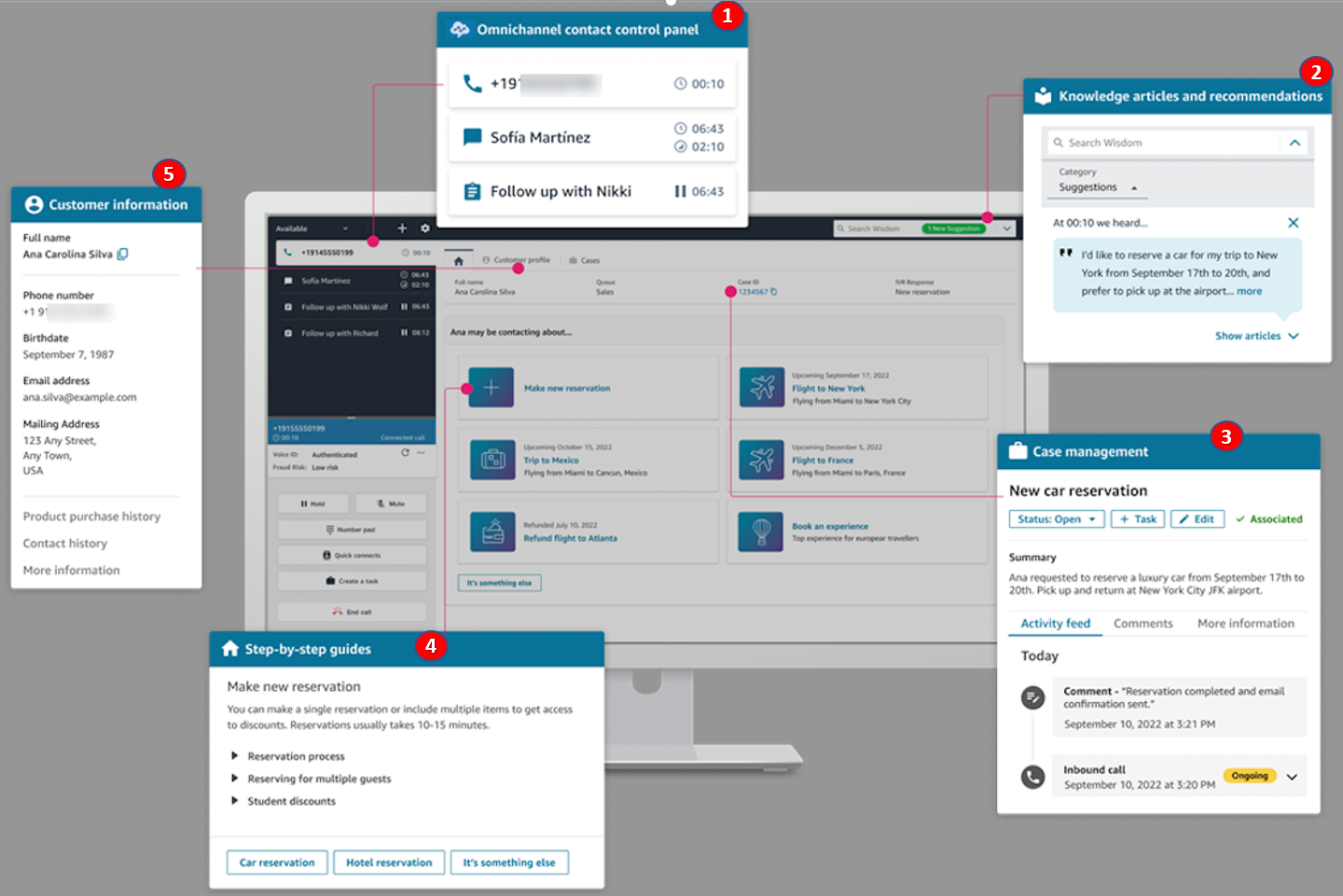
The following image shows the parts of the agent workspace:
-
The contact controls, which agents use to handle calls, chats, emails, and tasks.
-
Third-party applications, which you can add to the workspace to reduce the number of windows that an agent has to toggle between.
-
Real-time recommendations from agent assist.
-
Tasks to assign work or follow-up activities.
-
Case management, powered by Connect Customer Cases.
-
Step-by-step guides, which offer visual guidance for common workflows in your contact center.
-
Customer information, powered by Customer Profiles.
Topics

