Carbonio CE does not install on Rocky Linux 10. The packages Zextras builds for RHEL 9 resolve on an EL10 box once one missing library is side-loaded, and then carbonio-bootstrap dies on its first line because the bundled Perl modules were compiled against libperl.so.5.32. Rocky Linux 9 and AlmaLinux 9 are where Carbonio CE, the maintained Zimbra fork, runs today, and both completed the full install on the test box.
Tested October 2026 on Carbonio CE 26.6.2 (Rocky Linux 9).
This guide installs Carbonio CE on Rocky Linux 9 in the order that the vendor manual for RHEL 9 lays out: PostgreSQL 16 from the PGDG repository, the Zextras package set, carbonio-bootstrap, the Carbonio Mesh wizard and the four database bootstraps. It then covers DKIM, firewalld rules that keep the admin port private, the ACME certificate flow that is built into the admin panel, and the errors that appeared along the way. Readers still running the frozen Zimbra Open Source Edition can read why it was retired in the Zimbra OSE end of support notes; the Ubuntu equivalent of this guide is the Carbonio CE install on Ubuntu.
How Carbonio CE fits on one server
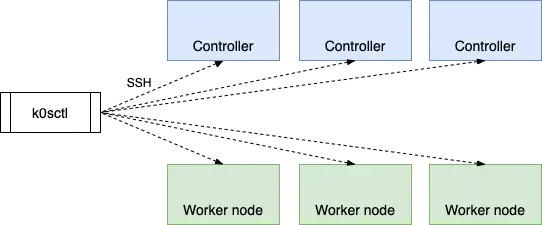
A single-server Carbonio CE install runs 61 systemd services. Only the nginx proxy and Postfix need to be reachable from outside. The rest talk over loopback, the host address or the Carbonio Mesh sidecars (Consul under a different name), and several of those internal ports listen on every interface, and the firewall step is what keeps them private. The memory figures in the diagram are the cgroup charge of each service on the idle 10 GB test box.

Two databases ship with the stack, and they are easy to confuse. MariaDB on 127.0.0.1:7306 holds mailbox metadata and is managed by Carbonio itself. PostgreSQL 16 is the one the administrator installs, and it holds the Files, Tasks, Chats and Message Dispatcher databases.
Which RHEL family releases run Carbonio CE
The Carbonio CE requirements page lists RHEL 8 and RHEL 9 as supported, and states that rebuilds such as Rocky Linux and AlmaLinux “may be used” without official support. The repository has no EL10 build: https://repo.zextras.io/release/rhel9/repodata/repomd.xml returns HTTP 200, while the same path under rhel10 returns HTTP 403. Each release below was installed on a fresh VM from its GenericCloud image:
| Release | Zextras status | Result on the test box |
|---|---|---|
| Rocky Linux 9 | Not official, RHEL 9 compatible | Full install, mail flow, DKIM, certificate and admin panel verified |
| AlmaLinux 9 | Not official, RHEL 9 compatible | Full install, 60 services running, mail delivered over 587 and read over IMAPS |
| RHEL 9 | Supported | Same Carbonio packages and commands; EPEL and CodeReady Builder are enabled differently (see Step 5) |
| Rocky Linux 10 | Not supported, no repository | Fails: pcre missing at install, then libperl.so.5.32 missing at bootstrap |
RHEL 9 itself was not part of the lab; its repository setup differs only in how EPEL and CodeReady Builder are enabled. The Rocky Linux 10 failure is covered in detail in the errors section, because it is the question most readers arrive with.
Prerequisites and sizing
Memory is the number that matters on this stack, far more than CPU or disk. Zextras specifies 16 GB of RAM as the minimum and 32 GB or more as the recommendation, with 4 cores minimum and 50 GB of disk for the operating system and Carbonio. The test box had 10 GB of RAM and 4 vCPU, and at idle, with three test accounts, the services were charged 8.9 GB and free reported 973 MB available. That is a floor for following along, not a production size. Disk grows with mailbox quota, so 20 users at 10 GB each needs roughly 250 GB, according to the sizing note in the vendor documentation.
- A fresh Rocky Linux 9 or AlmaLinux 9 server (Server or GenericCloud image, not a minimized container image) with root or sudo access
- 16 GB RAM, 4 vCPU and 50 GB disk at minimum, sized up for mailbox quotas
- A domain with an A record for the mail host, an MX record and a PTR record set by the hosting provider (any DNS provider works)
- Outbound TCP 25 open at the provider, and TCP 80 reachable from the internet for the ACME HTTP-01 challenge
- The
en_US.UTF-8system locale, which Carbonio requires strictly
Check the locale before going further, although the Rocky Linux and AlmaLinux cloud images already ship with it set:
localectl status | grep LANGAnything other than LANG=en_US.UTF-8 should be fixed with sudo localectl set-locale LANG=en_US.UTF-8 before the packages go on; minimal images may need sudo dnf install -y glibc-langpack-en first. The vendor procedure also brings the system fully up to date before installing, and the test boxes were patched and rebooted first:
sudo dnf upgrade -y
sudo systemctl reboot
Reconnect after the reboot before moving on to the variables.
Step 1: Set the shell variables
The hostname, domain, server IP and the network allowed to reach the admin panel repeat across the guide. Export them once in the SSH session, replacing the example values with the real ones:
export MAIL_HOSTNAME="mail.example.com"
export MAIL_DOMAIN="example.com"
export HOST_IP="10.0.1.50"
export ADMIN_CIDR="203.0.113.10/32"
HOST_IP is the address that the network interface of the server carries (the private address on a cloud VM that sits behind a public IP). ADMIN_CIDR is the public address of the workstation that will open the admin panel; curl -4 ifconfig.me run on that workstation prints it. Confirm the values before any later command writes them into a configuration file:
echo "${MAIL_HOSTNAME} ${MAIL_DOMAIN} ${HOST_IP} ${ADMIN_CIDR}"The exports last for the current shell only, so after a reconnect the block has to be pasted again before continuing.
Step 2: Set the FQDN and a clean /etc/hosts
The bootstrap binds services to whatever the FQDN resolves to, and Zextras requires an /etc/hosts with no IPv6 entries. Set both:
sudo hostnamectl set-hostname "${MAIL_HOSTNAME}"
echo -e "127.0.0.1 localhost\n${HOST_IP} ${MAIL_HOSTNAME} ${MAIL_HOSTNAME%%.*}" | sudo tee /etc/hosts
hostname -f
The last command must print the full name, not the short host name:
127.0.0.1 localhost
10.0.1.50 mail.example.com mail
mail.example.com
Cloud and VPS images add a trap at this point that only shows up after the first reboot. With the manage_etc_hosts option of cloud-init enabled, which the test box had through its user-data, every reboot regenerated /etc/hosts with the cloud hostname mapped to 127.0.0.1 and ::1 lines added. A drop-in under /etc/cloud/cloud.cfg.d/ did not stop it, because user-data overrides it. Editing the template that cloud-init renders the file from is what finally stopped it:
ls /etc/cloud/templates/hosts.redhat.tmpl && sudo cp /etc/hosts /etc/cloud/templates/hosts.redhat.tmplA server installed from the regular ISO has no cloud-init and the ls fails harmlessly. On the cloud image, /etc/hosts kept both lines through two further reboots.
Step 3: Create the DNS records
carbonio-bootstrap queries the A record of the hostname and the MX record of the domain, and stops to ask for a new hostname if either is wrong. Create these records at the DNS provider before running anything else:
| Type | Name | Value |
|---|---|---|
| A | mail.example.com | public IP of the server |
| MX | example.com | 10 mail.example.com. |
| PTR | public IP (set by the provider) | mail.example.com. |
| TXT (SPF) | example.com | v=spf1 mx -all |
| TXT (DMARC) | _dmarc.example.com | v=DMARC1; p=none; rua=mailto:[email protected] |
Start DMARC at p=none and move to p=quarantine once the reports show SPF and DKIM passing. Verify the records from the server itself, since that is the resolver the bootstrap will use:
sudo dnf install -y bind-utils
dig +short A "${MAIL_HOSTNAME}"
dig +short MX "${MAIL_DOMAIN}"
Both queries must return an answer. The lab had no public DNS, so a resolver on the VM served the same records; the answers looked like this:
10.0.1.50
10 mail.example.com.
Cloud VMs behind NAT: answer the MX host with the private IP
The bootstrap compares the address the MX host resolves to with the addresses on the local interfaces. On AWS, GCP, Azure and other providers that put the public IP on a NAT gateway, public DNS returns an address the VM does not own, and the bootstrap stops to offer a domain name change. The lab solved the same mismatch with a local dnsmasq that answers only for the mail names and forwards everything else; this is the configuration that ran on the test boxes:
sudo dnf install -y dnsmasq
sudo vim /etc/dnsmasq.d/carbonio.conf
Add the lines below, replacing the address with HOST_IP and the names with the real ones; the two server lines are the upstream resolvers that answer every other name:
listen-address=127.0.0.1
bind-interfaces
no-resolv
server=1.1.1.1
server=8.8.8.8
address=/mail.example.com/10.0.1.50
mx-host=example.com,mail.example.com,10
Start it and point the system resolver at it through NetworkManager, so the setting survives reboots. The connection is looked up from the device that carries the default route, and dev reapply applies the change without taking the link down under the SSH session:
sudo systemctl enable --now dnsmasq
DEV=$(ip -o route show default | awk '{print $5; exit}')
CON=$(nmcli -g GENERAL.CONNECTION dev show "${DEV}")
sudo nmcli con mod "${CON}" ipv4.dns 127.0.0.1 ipv4.ignore-auto-dns yes
sudo nmcli dev reapply "${DEV}"
dig +short MX "${MAIL_DOMAIN}"
On a cloud image where cloud-init writes /etc/resolv.conf itself (the Rocky Linux test box had dns = none in /etc/NetworkManager/conf.d/99-cloud-init.conf), put nameserver 127.0.0.1 into /etc/resolv.conf directly instead. A server whose public IP sits on its own interface needs none of this.
Step 4: Set SELinux to permissive
Zextras requires SELinux in permissive or disabled mode on RHEL 9, and the test confirmed why. With SELinux enforcing, the package install finished but carbonio-catalog looped on Failed to mark memory page as executable. No AVC denial was logged, even with the dontaudit rules switched off through semodule -DB, which leaves no boolean or local policy module that could be written to fix it. Permissive mode at least keeps logging what would have been denied, which disabled mode does not:
sudo setenforce 0
sudo sed -i 's/^SELINUX=enforcing/SELINUX=permissive/' /etc/selinux/config
getenforce
The output reads Permissive, and the config change survives reboots.
Step 5: Install PostgreSQL 16 for Carbonio CE on Rocky Linux 9
Carbonio needs EPEL, the CRB repository and PostgreSQL 16 from PGDG. AppStream carries older PostgreSQL module streams, so the module is disabled first:
sudo dnf install -y epel-release
sudo dnf config-manager --set-enabled crb
sudo dnf install -y https://download.postgresql.org/pub/repos/yum/reporpms/EL-9-x86_64/pgdg-redhat-repo-latest.noarch.rpm
sudo dnf -qy module disable postgresql
sudo dnf install -y postgresql16 postgresql16-server
sudo /usr/pgsql-16/bin/postgresql-16-setup initdb
sudo systemctl enable --now postgresql-16
RHEL 9 has no epel-release package in its own repositories, so the first two lines are replaced there by the pair below; the PGDG lines stay the same:
sudo subscription-manager repos --enable=codeready-builder-for-rhel-9-x86_64-rpms
sudo dnf install -y https://dl.fedoraproject.org/pub/epel/epel-release-latest-9.noarch.rpm
Next, create the administrative role Carbonio uses to build its databases. The password is read into a variable so it never lands in shell history:
read -s -p "Carbonio DB admin password: " DB_ADM_PWD; echo
sudo su - postgres -c "psql --command=\"CREATE ROLE carbonio_adm WITH LOGIN SUPERUSER encrypted password '${DB_ADM_PWD}';\""
sudo su - postgres -c "psql --command=\"CREATE DATABASE carbonio_adm owner carbonio_adm;\""
sudo su - postgres -c "psql --command=\"ALTER SYSTEM SET max_connections = 500;\""
sudo su - postgres -c "psql --command=\"ALTER SYSTEM SET shared_buffers = 5000;\""
sudo systemctl restart postgresql-16
Keep DB_ADM_PWD set in this shell until Step 8, because the database bootstraps read it. The vendor procedure also sets listen_addresses to '*' and appends host all all 0.0.0.0/0 md5 to pg_hba.conf. On a single server neither change is needed, because the PGDG default already accepts password logins on 127.0.0.1, and every Carbonio database client connected from 127.0.0.1 on the test box. Leaving PostgreSQL on localhost keeps it off the network entirely. Verify the password login and the two tuned settings over TCP:
PGPASSWORD="${DB_ADM_PWD}" psql -h 127.0.0.1 -U carbonio_adm -d carbonio_adm -tAc "show max_connections; show shared_buffers; show listen_addresses"The setting is in 8 kB pages, so 5000 shows up as 40 MB:
500
40000kB
localhost
Step 6: Add the Zextras repository and install the packages
Create the repository file for the Zextras packages:
sudo vim /etc/yum.repos.d/zextras.repoPaste the RHEL 9 definition from the Zextras documentation unchanged; the repository metadata is signed, the packages are not, which is why gpgcheck is 0:
[zextras]
name=zextras
baseurl=https://repo.zextras.io/release/rhel9
enabled=1
repo_gpgcheck=1
gpgcheck=0
gpgkey=https://repo.zextras.io/repomd.xml.key
The install happens in two parts, and Carbonio Mesh (the service-discover packages) goes first:
sudo dnf install -y service-discover-serverWith -y, dnf imports the repository key without asking and prints it while fetching the metadata; the fingerprint should read 5DC7 680B C437 8C47 1A7F A80F 52FD 4024 3E58 4A21. Then the rest of the stack, exactly as the manual installation procedure lists it for RHEL 9:
sudo dnf install -y carbonio-directory-server carbonio-proxy \
  carbonio-webui carbonio-files-ui carbonio-mta \
  carbonio-appserver \
  carbonio-user-management carbonio-preview-ce \
  carbonio-files-ce carbonio-files-public-folder-ui \
  carbonio-files-db carbonio-tasks-ce carbonio-tasks-db \
  carbonio-tasks-ui carbonio-storages-ce \
  carbonio-docs-connector-ce carbonio-docs-editor \
  carbonio-prometheus \
  carbonio-message-broker carbonio-message-dispatcher-ce \
  carbonio-message-dispatcher-db \
  carbonio-ws-collaboration-db carbonio-ws-collaboration-ui \
  carbonio-ws-collaboration-ce carbonio-videoserver-ce \
  carbonio-catalog carbonio-memcached
On the test box this transaction pulled 187 packages, 1.2 GB downloaded and 3.1 GB installed, and took 1 minute 57 seconds. Root filesystem usage went from 3.3 GB to 6.6 GB. On the first Rocky Linux run, made with SELinux still enforcing to see what breaks, the summary ended with these two lines:
Job for carbonio-catalog.service failed because the control process exited with error code.
post-transaction-actions: Error: Unsupported OS: Rocky Linux 9.8 (Blue Onyx)
The catalog failure is the SELinux case from Step 4 and does not appear when Step 4 was done first, as on the AlmaLinux box. The Unsupported OS line comes from /usr/local/sbin/node_packages.sh, a dnf hook that exports the installed package list to Prometheus. It accepts only Ubuntu and RHEL by name, so it prints this after every dnf transaction on Rocky or Alma and changes nothing else.
Step 7: Run carbonio-bootstrap
The bootstrap initialises LDAP, MariaDB, Postfix and the mailbox, creates the domain and the zextras@ admin account, then starts everything:
sudo carbonio-bootstrapIt checks DNS and port conflicts, then stops at a menu. Press y to apply the configuration; it saves the answers to /opt/zextras/config.NNNN and runs to the end without further questions, where Enter exits:
Querying DNS for "A" record of mail.example.com...	MX: mail.example.com (10.0.1.50)

	Interface: 127.0.0.1
	Interface: ::1
	Interface: 10.0.1.50

Main menu

   1) Common Configuration:
   2) carbonio-antivirus:                      Enabled
   3) carbonio-directory-server:               Enabled
   4) carbonio-mta:                            Enabled
   5) carbonio-appserver:                      Enabled
   6) carbonio-proxy:                          Enabled
   s) Save config to file
   x) Expand menu
   q) Quit

*** CONFIGURATION COMPLETE - press 'y' to apply configuration
Select from menu, or press 'y' to apply config (? - help)
The run took 4 minutes 39 seconds on Rocky Linux 9 and 6 minutes 23 seconds on AlmaLinux 9. Its last lines create the admin account and aliases, then stop and start the four systemd targets in order (the spam, ham and quarantine account lines are trimmed here):
Creating admin account [email protected].
Creating root alias...done.
Creating postmaster alias...done.
Initializing store sql database...done.
Setting up syslog.conf...done.
Starting servers...
	stopping carbonio-directory-server.target...Done.
	stopping carbonio-appserver.target...Done.
	stopping carbonio-proxy.target...Done.
	stopping carbonio-mta.target...Done.
	starting carbonio-directory-server.target...Done.
	starting carbonio-appserver.target...Done.
	starting carbonio-proxy.target...Done.
	starting carbonio-mta.target...Done.
done.
Creating galsync account for default domain...done.
Setting up zextras crontab...done.

Configuration complete - press return to exit
Step 8: Configure Carbonio Mesh and bootstrap the databases
The order in this step matters, and getting it wrong is hard to undo. The database bootstraps store each database password in the Mesh key-value store, using tokens under /etc/carbonio/*-db/service-discover/ that the first pending-setups -a pass creates (scripts 111-carbonio-*-db-setup.sh). Run the bootstraps before that pass, even right after the wizard, and the databases are created but the passwords are never stored; a rerun then quits with Database already initialized!. The recovery for that case is in the errors section. The working sequence, confirmed on both test boxes, is wizard, pending setups, databases, pending setups again.
Start the wizard, which asks for the address to bind (the server IP with its prefix length, as listed on the line above the prompt) and a cluster credential password. Store that password in a password manager; every later setup asks for it:
sudo service-discover setup-wizardThese were the prompts and the answers on the Rocky Linux test box:
Setup of first service-discover server instance
eth0 10.0.1.50/24, fe80::be24:11ff:fe12:3456/64
Specify the binding address for service discovery: 10.0.1.50/24
Create the cluster credentials password (will be used for setups):
Type the credential password again:
Now run the pending setups, typing the cluster credential password each time a script asks for it:
sudo pending-setups -aThe first pass took 46 seconds on the test box. Most scripts move to done/, while Files fails to start and Message Dispatcher is kept, both because their databases do not exist yet:
Executing /etc/zextras/pending-setups.d/511-carbonio-files.sh
Job for carbonio-files.service failed because the control process exited with error code.
Setup successful, moving 511-carbonio-files.sh to /etc/zextras/pending-setups.d/done/
Executing /etc/zextras/pending-setups.d/611-carbonio-message-dispatcher.sh
Carbonio Message Dispatcher database password not found.
Please install carbonio-message-dispatcher-db and run carbonio-message-dispatcher-db-bootstrap command.
Script for Message Dispatcher terminated with error
Setup script failed, keeping it
The vendor procedure restarts the Chats sidecar at this point with sudo systemctl restart carbonio-ws-collaboration-sidecar.service. On both test boxes that restart returned Job for carbonio-ws-collaboration-sidecar.service failed, because the Chats database did not exist yet, and the later pending-setups pass brought it up; running it does no harm. Then create the four PostgreSQL databases with the DB_ADM_PWD set in Step 5 (re-run the read -s line if the shell was closed):
sudo PGPASSWORD="${DB_ADM_PWD}" carbonio-files-db-bootstrap carbonio_adm 127.0.0.1
sudo PGPASSWORD="${DB_ADM_PWD}" carbonio-tasks-db-bootstrap carbonio_adm 127.0.0.1
sudo PGPASSWORD="${DB_ADM_PWD}" carbonio-ws-collaboration-db-bootstrap carbonio_adm 127.0.0.1
sudo PGPASSWORD="${DB_ADM_PWD}" carbonio-message-dispatcher-db-bootstrap carbonio_adm 127.0.0.1
Each one ends the same way, and none printed a Consul error when the Mesh was already configured:
Check postgres connection: OK
CREATE ROLE
CREATE DATABASE
====================================================
carbonio-message-dispatcher-db database initialized successfully!
====================================================
Run the pending setups again, and repeat until nothing but done is left. Both test boxes needed two more passes, because Chats (611-carbonio-ws-collaboration.sh) failed once while its database sidecar was still coming up and succeeded on the next run:
sudo pending-setups -a
ls /etc/zextras/pending-setups.d/
When every script has succeeded, the directory listing shows only the archive directory:
doneUnset the database password once that is done with unset DB_ADM_PWD.
Step 9: Verify the services
On RHEL 9 based systems Carbonio is driven by systemd, and zmcontrol start, stop and restart no longer exist; zmcontrol -v still prints the release. Check the release string, the state of the four targets and the number of running services:
sudo -u zextras /opt/zextras/bin/zmcontrol -v
systemctl is-active carbonio-directory-server.target carbonio-appserver.target carbonio-proxy.target carbonio-mta.target
systemctl list-units 'carbonio*' 'service-discover*' --type=service --no-legend --plain | awk '{print $4}' | sort | uniq -c
All four targets report active and 61 services are running, with no unit left failed or activating:

After a reboot, the same box served the webmail login page 45 to 51 seconds after the VM went down, accepted IMAP logins after 64 to 76 seconds, and had every unit settled after about 150 seconds. Monitoring that alerts during that window after a patch reboot is reporting normal startup.
Step 10: Open the firewall
Many internal Carbonio ports listen on all interfaces, including 7071 (the admin SOAP service), 8080, 8443 and the Prometheus exporters on 9090 to 9330. The firewall is what keeps them private on a single server. Rocky Linux Server ships firewalld enabled; cloud images may not have it installed:
sudo dnf install -y firewalld
sudo systemctl enable --now firewalld
sudo firewall-cmd --permanent --add-service={smtp,smtps,smtp-submission,http,https,imaps}
sudo firewall-cmd --permanent --add-port=5222/tcp --add-port=20000-40000/udp
sudo firewall-cmd --permanent --add-rich-rule="rule family=ipv4 source address=${ADMIN_CIDR} port port=6071 protocol=tcp accept"
sudo firewall-cmd --reload
Port 5222 carries Chats and the UDP range carries video meeting media; drop both lines if those features stay unused. Plain IMAP 143 and POP3 110 and 995 stay closed. The vendor advises exposing IMAP, POP3 and 6071 only when needed and preferably through a VPN, so drop imaps as well if every user works in webmail. If the address of the admin workstation changes, the panel becomes unreachable while mail keeps flowing; add the new address with the same rich-rule command from an SSH session. Enabling firewalld over SSH is safe here because the default zone allows the ssh service on port 22; a server with sshd on another port needs that port added before enable --now. List the resulting zone to confirm every rule landed:
sudo firewall-cmd --list-allThe admin network in the lab was 10.0.1.0/24:
public (active)
  target: default
  icmp-block-inversion: no
  interfaces: eth0
  sources:
  services: cockpit dhcpv6-client http https imaps smtp smtp-submission smtps ssh
  ports: 5222/tcp 20000-40000/udp
  protocols:
  forward: yes
  masquerade: no
  forward-ports:
  source-ports:
  icmp-blocks:
  rich rules:
	rule family="ipv4" source address="10.0.1.0/24" port port="6071" protocol="tcp" accept
A port scan from a client then found 25, 465, 587, 80, 443, 993, 5222 and 6071 open, and 7071, 143, 110 and 8080 closed. With the rich rule pointed at a different source address, 6071 closed for the client as expected.
Step 11: Set the admin password and create accounts
The bootstrap creates [email protected] without any password, so set one before the admin panel can be used:
read -s -p "Admin password: " ADMIN_PASS; echo
sudo su - zextras -c "carbonio prov setPassword zextras@${MAIL_DOMAIN} '${ADMIN_PASS}'"
unset ADMIN_PASS
The password policy checks new passwords for personal data such as the user name. A first attempt containing the word “admin” printed Password violation: [email protected], violation=invalid password: password contains username or other personal data: admin. Password is set successfully., so the password was saved despite the warning; pick one without that word to keep the policy quiet. If the admin password is ever lost, the admin password reset steps apply to Carbonio unchanged.
Accounts can be created from the CLI as well as from the panel, and the display name is optional:
sudo su - zextras -c "carbonio prov createAccount klinsmann@${MAIL_DOMAIN} 'Another-Strong-Passphrase' displayName 'Klinsmann Oteyo'"The command prints the ID of the new account. The admin panel listens on port 6071, which Step 10 opened for ADMIN_CIDR only. Log in at https://mail.example.com:6071/carbonioAdmin as [email protected], and the dashboard shows the release together with the list of mailstore servers:

To add a user from the panel, open Domains, pick the domain, then Accounts and the + button. The wizard fills the address and display name from the first and last name and enables “User will change password on next login” by default:

Create With These Data saves it, and the account appears in the list next to the system accounts the bootstrap made for spam training, virus quarantine and the global address list:

The rest of the panel (classes of service, quotas, global settings) is covered in the Carbonio admin panel walkthrough.
Step 12: Issue the Let’s Encrypt certificate
The bootstrap installs a self-signed certificate that every client will warn about. Carbonio ships its own certbot under /opt/zextras/common/bin/certbot, and the admin panel drives it with an HTTP-01 webroot challenge, so the A record must resolve publicly and port 80 must be reachable. Set the attributes that the certificate flow of the panel requires (redirect proxy mode, the HTTPS public protocol and a virtual host for the domain), and then regenerate the proxy configuration:
sudo su - zextras -c "carbonio prov mcf zimbraReverseProxyMailMode redirect"
sudo su - zextras -c "carbonio prov ms ${MAIL_HOSTNAME} zimbraReverseProxyMailMode ''"
sudo su - zextras -c "carbonio prov md ${MAIL_DOMAIN} zimbraPublicServiceProtocol https zimbraPublicServiceHostname ${MAIL_HOSTNAME} zimbraVirtualHostname ${MAIL_HOSTNAME}"
sudo su - zextras -c "/opt/zextras/libexec/zmproxyconfgen"
sudo systemctl restart carbonio-proxy.target
The vendor page for this step ends with zmproxyctl restart. On RHEL 9 that command only prints Services are now handled by systemd. and exits, hence the systemctl line. Allow about 20 seconds for the restart, because carbonio-nginx failed its start twice while the config daemon restarted and came up on the third try.
In the admin panel, open the domain, then Virtual Hosts & Certificates. The virtual host is listed; Generate Certificate opens a dialog that names the certificate authority, the domain and the virtual host, and Generate starts the request. Behind the button the panel runs this command, taken from /var/log/carbonio/letsencrypt/letsencrypt.log (the log lists -d mail.example.com twice; the duplicate is dropped here). The wrapper first runs it with --dry-run against the staging server of the public CA, and the real request follows only if that dry run passes:
certbot certonly --agree-tos --email [email protected] -n --keep --webroot -w /opt/zextras --cert-name example.com -d mail.example.comThe lab has no public IP, and example.com is a reserved name, so staging refused the order with Cannot issue for "mail.example.com": The ACME server refuses to issue a certificate for this domain name, because it is forbidden by policy. To prove the rest of the chain, the same command ran as the zextras user against Pebble, the test CA that the ISRG publishes for ACME clients, running on the lab VM with HTTP-01 validation on port 80. The challenge was answered through the proxy that Carbonio runs:
Account registered.
Simulating a certificate request for mail.example.com
The dry run was successful.
Requesting a certificate for mail.example.com

Successfully received certificate.
Certificate is saved at: /opt/zextras/common/certbot/etc/letsencrypt/live/example.com/fullchain.pem
Key is saved at:         /opt/zextras/common/certbot/etc/letsencrypt/live/example.com/privkey.pem
This certificate expires on 2027-01-05.
Deploy it the way the vendor describes, then check what port 443 serves (the capture below is from a forced re-issue a few minutes later, hence a different CA suffix):
sudo su - zextras -c "/opt/zextras/libexec/zmproxyconfgen"
sudo systemctl restart carbonio-proxy.target
echo | openssl s_client -connect 127.0.0.1:443 -servername "${MAIL_HOSTNAME}" 2>/dev/null | openssl x509 -noout -issuer -dates
zmproxyconfgen copied the certbot files to /opt/zextras/conf/domaincerts/example.com.crt, and the proxy served the new certificate. On a public server the issuer line names the public CA instead of Pebble:
issuer=CN=Pebble Intermediate CA 358482
notBefore=Oct  7 18:31:50 2026 GMT
notAfter=Jan  5 18:31:49 2027 GMT
The admin panel reads the same certificate back on the Virtual Hosts & Certificates page:

Renewal is not scheduled by default, because the timer ships disabled. Enable it, and then test a renewal as the zextras user:
sudo systemctl enable --now carbonio-certbot.timer
sudo su - zextras -c "certbot renew --dry-run"
The dry run was only exercised against Pebble in the lab. The timer runs twice a day, and a renewal replaces the files without telling the proxy. A deploy hook closes that gap; certbot runs every executable in its renewal-hooks/deploy directory after a successful renewal, as the zextras user that owns the nginx master:
sudo vim /opt/zextras/common/certbot/etc/letsencrypt/renewal-hooks/deploy/carbonio-proxy-reload.shAdd the two lines below, which regenerate the proxy configuration and reload nginx without dropping connections:
#!/bin/bash
/opt/zextras/libexec/zmproxyconfgen && /opt/zextras/common/sbin/nginx -c /opt/zextras/conf/nginx.conf -s reload
Make it executable and owned by zextras:
sudo chown zextras:zextras /opt/zextras/common/certbot/etc/letsencrypt/renewal-hooks/deploy/carbonio-proxy-reload.sh
sudo chmod 755 /opt/zextras/common/certbot/etc/letsencrypt/renewal-hooks/deploy/carbonio-proxy-reload.sh
A forced renewal against Pebble ran the hook (it also ran cleanly from an empty environment, the way the timer starts it), printed two harmless conflicting server name warnings from nginx, and port 443 switched from serial 7071FB2F08D7871D to 2FEDB9AC312F05E8 with no restart. That matters more each year: Let’s Encrypt is shortening certificate lifetimes, and a proxy that is only restarted by hand will eventually serve an expired certificate.
Servers without a public port 80
The certbot build that Carbonio bundles carries only the webroot, standalone, manual and null plugins (from Discovered plugins in its log), so there are no DNS provider plugins. The manual plugin can still answer DNS-01 with --manual --preferred-challenges dns, which means pasting a TXT record by hand at every renewal. The less fragile route is any ACME client that supports the DNS provider, then load the certificate, chain and key through Upload Certificate on the same Virtual Hosts & Certificates page.
Step 13: Generate DKIM and test mail flow
Generate the DKIM key for the domain; the private key is stored in LDAP and signing starts at once:
sudo su - zextras -c "/opt/zextras/libexec/zmdkimkeyutil -a -d ${MAIL_DOMAIN}"The selector is a generated UUID, not a fixed name like default. The ParserDetails.ini line is a harmless Perl XML warning:
could not find ParserDetails.ini in /opt/zextras/common/lib/perl5/XML/SAX
DKIM Data added to LDAP for domain example.com with selector 1E7881A2-C27B-11F1-8CB7-CCF5C7F9B12B
Public signature to enter into DNS:
1E7881A2-C27B-11F1-8CB7-CCF5C7F9B12B._domainkey	IN	TXT	( "v=DKIM1; k=rsa; "
	  "p=MIIBIjANBgkqhkiG9w0BAQEFAAOCAQ8AMIIBCgKCAQEAp0Wz1MXxIrGYsEBhhZDCvb6r4Aj8/Y8eBI0ez3b7O/lLaQN0LC1ulWIMjBBAkFYpD+AErfLajAiJaqQH1LYVIEfaQUWkJ0gicf+E+QUCnWAe/tvASgZuAPQ8MKs5XANciqD8Ozc60mJt7vCEG1D7L9"
	  "nDojbAFlK7P3hie1oC3pVg/nCknWMRsVovc+FDGm0sBX13TLUEPLihMSOVR4Hw2Q/BlviHenArPOHTDVV5/lC5R5v/96HlD3bIV4b9N2PwuakH7vJqMlvg/GXZUuESnFNgXnE1jwIDAQAB" )
Publish a TXT record named <selector>._domainkey.example.com whose value is the quoted strings joined into one, without the quotes or line breaks. To test delivery without a mail client, send through the submission port with curl from any workstation; the message file needs only From, To and Subject headers and a body:
printf 'From: [email protected]\r\nTo: [email protected]\r\nSubject: dkim signing test\r\n\r\nTest body.\r\n' > test.eml
curl --url "smtp://${MAIL_HOSTNAME}:587" --ssl-reqd --mail-from [email protected] --mail-rcpt [email protected] --user '[email protected]:Another-Strong-Passphrase' -T test.eml
Add -k while the self-signed certificate is still in place. On the test box the delivered message carried a signature with the generated selector, and a check with the dkimpy library against the published key returned True:
DKIM-Signature: v=1; a=rsa-sha256; c=relaxed/relaxed; d=example.com;
	s=1E7881A2-C27B-11F1-8CB7-CCF5C7F9B12B; t=1791396959;
	bh=rlTk/ZkZnbyyO0g7SuZcgzvJickxF0oUGCnyhVRw0Dg=;
	h=From:To:Date:Message-Id;
Delivery to outside mailboxes was not possible from the lab. Once the TXT record is public, the PTR record matches the hostname and outbound port 25 is open, mail to a Gmail address should show dkim=pass, spf=pass and dmarc=pass under Show original. Webmail is served at https://mail.example.com/ on the standard HTTPS port:

Signed in as the second test user, the inbox held the messages sent over 587 during testing:

Readers who want a plain Postfix and Dovecot stack without the collaboration suite can compare this with iRedMail on Rocky Linux or a hand-built Rocky mail server; both run in a fraction of the memory measured below.
Errors hit on the test boxes
nothing provides pcre needed by carbonio-core (Rocky Linux 10)
Pointing Rocky Linux 10 at the rhel9 repository fails at the first package, because EL10 dropped the old pcre library and keeps only pcre2:
 Problem: package service-discover-server-0.7.4-1.el9.x86_64 from zextras requires service-discover-daemon, but none of the providers can be installed
  - package service-discover-daemon-0.7.4-1.el9.x86_64 from zextras requires carbonio-core, but none of the providers can be installed
  - nothing provides pcre needed by carbonio-core-4.5.14-2.el9.noarch from zextras
Side-loading the Rocky 9 pcre RPM satisfies dnf, and the full set of 523 packages then installs. That only moves the failure one step later, to the bootstrap.
Can’t load Socket.so: libperl.so.5.32: cannot open shared object file
carbonio-bootstrap on Rocky Linux 10 stops before it touches any configuration:
Can't load '/opt/zextras/common/lib/perl5/x86_64-linux-thread-multi/auto/Socket/Socket.so' for module Socket: libperl.so.5.32: cannot open shared object file: No such file or directory at /usr/share/perl5/XSLoader.pm line 94.
Compilation failed in require at /opt/zextras/common/lib/perl5/Net/LDAP.pm line 8.
Compilation failed in require at /opt/zextras/libexec/setup.pl line 17.
The Perl modules under /opt/zextras/common are compiled against the Perl 5.32 shipped in EL9. Rocky Linux 10 ships perl-libs-5.40.2, and an ABI mismatch is not something a symlink fixes. Until Zextras publishes an EL10 build, Rocky Linux 10 is not an option.
Failed to mark memory page as executable
The full journal line is Failed to mark memory page as executable - check if grsecurity/PaX is enabled. carbonio-catalog loops on it with SELinux enforcing, and ausearch -m avc shows nothing. setenforce 0 and a restart of the unit fixed it immediately, which is why Step 4 comes before the package install.
Carbonio Message Dispatcher database password not found
On the first pending-setups pass this is expected; run the database bootstraps and repeat. It becomes a real problem if the bootstraps ran before the first pending-setups pass. The AlmaLinux box ran the wizard, then the four bootstraps, then pending-setups -a, deliberately; each bootstrap printed Error connecting to Consul agent: Error loading token file /etc/carbonio/message-dispatcher-db/service-discover/token, created the database anyway, and every later rerun answered Database already initialized! Quitting. The fix is to stop the services that use those databases, drop the four databases and roles, and bootstrap them again now that the tokens exist:
sudo systemctl stop carbonio-files carbonio-tasks carbonio-ws-collaboration carbonio-message-dispatcher
for d in carbonio-files-db carbonio-tasks-db carbonio-ws-collaboration-db carbonio-message-dispatcher-db; do
  sudo su - postgres -c "psql -c \"DROP DATABASE IF EXISTS \\\"$d\\\" WITH (FORCE);\" -c \"DROP ROLE IF EXISTS \\\"$d\\\";\""
done
Then run the four bootstrap commands from Step 8, sudo pending-setups -a, and restart the dependent services:
sudo systemctl restart carbonio-files carbonio-tasks carbonio-ws-collaboration-sidecarOne more pending-setups -a pass cleared Chats and the video server, and the AlmaLinux box reached 60 running services with nothing left pending.
Memory per Carbonio service on the 10 GB test box
The table lists the cgroup memory of each service (systemctl show -p MemoryCurrent, which includes page cache the service touched) on the idle Rocky Linux 9 box with three test mailboxes. All running services on the box, including PostgreSQL, sshd and firewalld, added up to 8,973 MB, and free reported 8,711 MB used of 9,684 MB.
| Service | What it does | Memory |
|---|---|---|
| carbonio-ws-collaboration | Chats and meetings | 1,208 MB |
| carbonio-antivirus | ClamAV | 980 MB |
| carbonio-appserver-db | MariaDB, mailbox metadata | 918 MB |
| carbonio-docs-editor | Online document editor | 834 MB |
| carbonio-appserver | Mailbox (Java) | 747 MB |
| carbonio-files | Files | 405 MB |
| carbonio-openldap | Directory | 386 MB |
| carbonio-configd | Config daemon | 338 MB |
| carbonio-catalog | Component catalog | 219 MB |
| carbonio-milter | Postfix milter | 212 MB |
| carbonio-mailthreat | Mail threat scanning | 211 MB |
| carbonio-user-management | User management API | 184 MB |
Chats, ClamAV and the document editor account for 3 GB between them before anyone logs in, and the mailbox JVM grows with users. That is the headroom the 16 GB minimum is buying; on a 10 GB box the margin was under 1 GB at idle.