A NAS without Intel QuickSync hands every stream your TV cannot play straight to the CPU. A four-core appliance gives up on the first 4K HDR file. That single spec decides the best NAS for Jellyfin more than bay count or brand, yet most spec sheets hide it behind phrases like “hardware transcoding engine”.
We narrowed the field to five boxes you can buy new on Amazon US today. Each chip was read against the Intel ARK spec pages and the Jellyfin hardware acceleration docs, including where Jellyfin support ends for Jasper Lake. Plex runs on all of them too, but a lifetime Plex Pass now costs $749.99, which is why Jellyfin leads this guide. This is a spec and capability guide, not a bench test: stock, prices and chip data were checked in October 2026 against the makers’ pages and live listings, so no stream count below is borrowed from an old benchmark.
Top picks at a glance
For most homes running Jellyfin or Plex, buy the UGREEN DXP4800 Plus. Its 12th-gen Intel chip has QuickSync with AV1 decode, it ships with 10GbE, and it takes any drive. Every pick in this table was in stock on Amazon US when we checked, and every one except the Synology transcodes in hardware.
| Award | NAS | CPU | QuickSync | Bays | Price band (Oct 2026) |
|---|---|---|---|---|---|
| Best overall | UGREEN NASync DXP4800 Plus | Pentium Gold 8505 | Yes, AV1 decode | 4 + 2 M.2 | about $630 to $660 |
| Best value | TerraMaster F4-425 Plus | Intel N95 | Yes, AV1 decode | 4 + 3 M.2 | about $510 |
| Best budget | UGREEN NASync DXP2800 | Intel N100 | Yes, AV1 decode | 2 + 2 M.2 | about $370 to $390 |
| Best for Plex with PCIe | QNAP TS-664 | Celeron N5095 | Yes, no AV1 | 6 + 2 M.2 | about $800 |
| Best for DSM | Synology DS925+ | AMD Ryzen V1500B | No iGPU | 4 + 2 M.2 | about $770 |
Two picks from the last version of this page are gone. The TerraMaster F4-425 Pro with the Core i3-N305 is out of stock, and its N350 replacement sells for about $800, more than the UGREEN four-bay with built-in 10GbE, so it no longer earns a value award. The eight-bay UGREEN DXP8800 Plus is also out of stock on Amazon, and our 8-bay NAS guide covers the large-library boxes you can still buy.
How we picked these boxes
None of these units sat in our rack for a month of streaming, and we will not pretend otherwise. Competing guides quote “10 simultaneous 4K streams” figures lifted from a years-old Plex PassMark rule of thumb. That rule says nothing about Jellyfin, HDR tone mapping or AV1. We checked the things a spec sheet can prove instead:
- The codename, graphics and QuickSync flag of every CPU match the Intel ARK page for that exact chip.
- Every codec claim traces to the Intel media driver codec table or to the Jellyfin hardware acceleration docs.
- The bays, M.2 slots, shipped RAM and network ports of every pick match the current product page from its maker.
- Every Amazon ASIN resolves to the exact diskless model and was in stock, sold new, on the day of the check.
- Every price is a band from that one reading, because NAS and drive prices are moving weekly before Black Friday.
If a claim on this page could not be traced to one of those sources, we cut it. That is why you will not find a stream count here. The chip table below matters more than any award.
Jellyfin transcode support by NAS chip
Jellyfin transcodes in hardware on any Intel chip with QuickSync, but what it can decode, and how long that support lasts, depends on the graphics generation. The 12th-gen N-series and Alder Lake chips decode AV1 and handle HEVC 10-bit both ways. Jasper Lake handles HEVC 10-bit but has no AV1 at all, and Jellyfin is winding down its QuickSync path on Linux.
| CPU | Found in | Intel codename | QuickSync | HEVC 10-bit decode / encode | AV1 decode / encode | Jellyfin status |
|---|---|---|---|---|---|---|
| Intel N95 | TerraMaster F4-425 Plus | Alder Lake-N | Yes (16 EU) | Yes / Yes | Yes / No | Supported, 12th-gen N series |
| Intel N100 | UGREEN DXP2800 | Alder Lake-N | Yes (24 EU) | Yes / Yes | Yes / No | Named in the Jellyfin recommended list |
| Core i3-N305 | TerraMaster F4-425 Pro (older units), F4-424 Pro | Alder Lake-N | Yes (32 EU) | Yes / Yes | Yes / No | Supported, 12th-gen N series |
| Intel N150, Core 3 N350 | TerraMaster F4-425 Pro (N350 version) | Twin Lake | Yes (24 / 32 EU) | Yes / Yes* | Yes / No* | Supported, 12th gen or newer N series |
| Pentium Gold 8505 | UGREEN DXP4800 Plus | Alder Lake | Yes (48 EU) | Yes / Yes | Yes / No | Supported, Gen 12 graphics |
| Core i5-1235U | UGREEN DXP6800 Pro, DXP8800 Plus | Alder Lake | Yes (Iris Xe, 80 EU) | Yes / Yes | Yes / No | Supported, two codec engines |
| Celeron N5095 | QNAP TS-664 | Jasper Lake | Yes | Yes / Yes | No / No | Linux QSV being deprecated, VA-API fallback |
| AMD Ryzen V1500B | Synology DS925+ | Not Intel | No iGPU | No | No | CPU transcoding only |
Intel’s media driver lists Alder Lake-N by name but not Twin Lake. The starred N150 and N350 cells assume the same Gen 12 media block the rest of the N-series family shares. No chip in this table encodes AV1: the Jellyfin docs put AV1 encode on Arc graphics and Meteor Lake or newer. So any NAS here that advertises “AV1” means decode only, which is the half that matters when a client cannot play the file.
Read the Jasper Lake row twice. The Jellyfin Intel hardware acceleration docs say Ice Lake, Jasper Lake and Elkhart Lake “are losing support for QSV on Linux” because Intel deprecated the MediaSDK runtime. They tell buyers to pick newer hardware. VA-API keeps those chips transcoding, and Jasper Lake also needs the i915 GuC setting for low-power encoding, so it works but carries more setup and less runway.
HDR to SDR tone mapping runs in hardware on every Intel chip here, because they all decode HEVC 10-bit. Intel iGPUs also have no cap on simultaneous encode sessions, unlike consumer NVIDIA cards.
Best overall for Jellyfin and Plex: UGREEN DXP4800 Plus
The DXP4800 Plus covers every box a Jellyfin buyer needs to tick without a trade-off you’ll feel in year two. Its Pentium Gold 8505 is a 12th-gen Alder Lake chip with 48-EU UHD graphics, so QuickSync decodes AV1 and handles HEVC 10-bit with hardware tone mapping. It ships with 8GB of DDR5 (expandable to 64GB), four SATA bays plus two M.2 NVMe slots, and both a 10GbE and a 2.5GbE port.
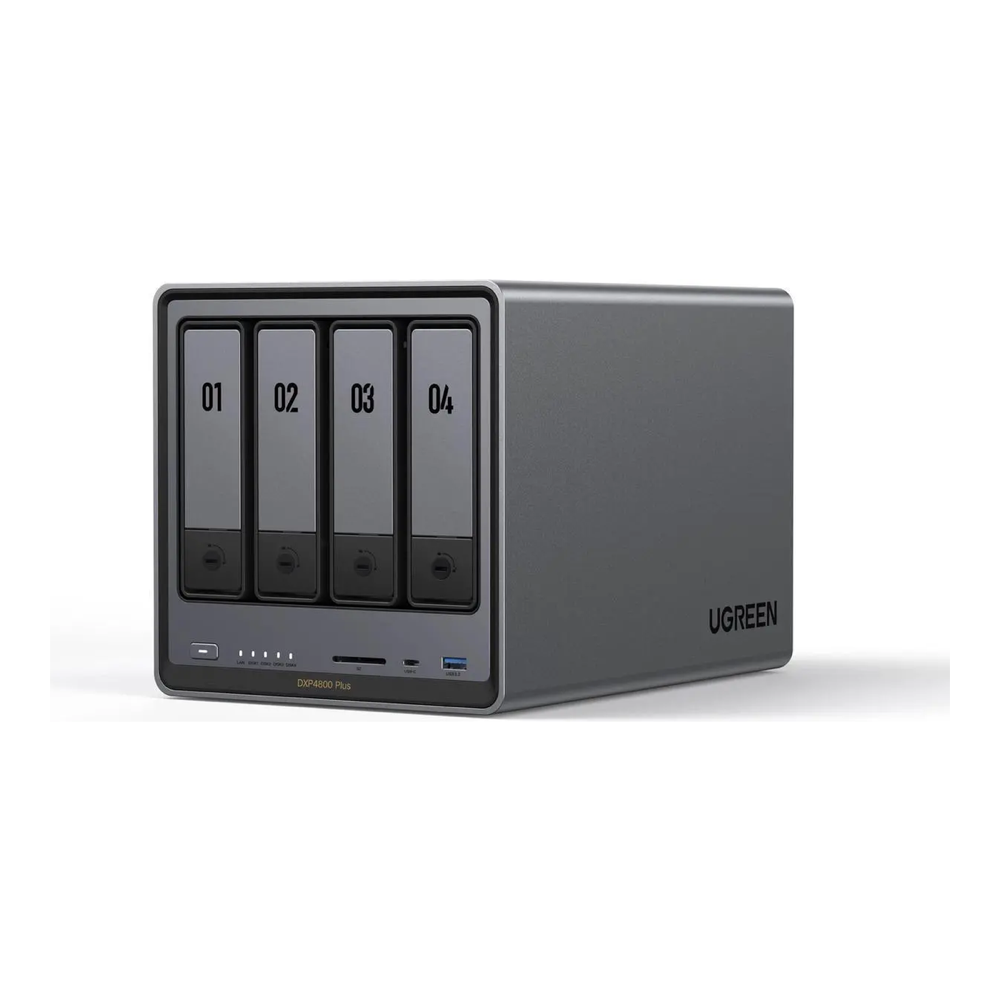
UGREEN ships Jellyfin as an App Center package on its Intel models, so there is no container to wire up by hand. UGOS Pro accepts any CMR drive and any NVMe with no compatibility list. If you outgrow the vendor OS, the x86 board boots TrueNAS SCALE or Unraid. It sells for about $630 to $660; check the live price.
Buy it for files, backups, a few containers and a transcoding media server in one chassis. Pass on it if you want the Synology DSM ecosystem, or if two bays are honestly enough, in which case the DXP2800 below costs about $250 less.
Best value QuickSync NAS: TerraMaster F4-425 Plus
The F4-425 Plus is the cheapest four-bay here that still decodes AV1 in hardware. Intel ARK lists its N95 as a four-core Alder Lake-N part with 16-EU UHD graphics and QuickSync. That puts it in the 12th-gen N series Jellyfin points low-power buyers toward. TerraMaster pairs it with 8GB of DDR4, four SATA bays, three M.2 NVMe slots and two 5GbE ports, and rates its transcoding engine for H.264 and H.265 up to 4K at 60fps.

Graphics muscle is where it gives ground. Sixteen execution units is the smallest iGPU in this guide, a third of the DXP4800 Plus, so a household with several remote viewers tone-mapping 4K HDR at once will hit its ceiling first. Intel also rates the N95 for single-channel memory up to 16GB, so treat it as a media and backup box rather than a VM host. At about $510 it undercuts the UGREEN four-bay by roughly $120; check the live price.
Buy it if one or two people stream at a time and you’d rather put the savings toward drives. Look elsewhere if you need 10GbE on one port, plan to run a pile of containers, or prefer the larger app catalogues of UGOS Pro, DSM or QTS over TerraMaster TOS.
Best budget NAS for Jellyfin: UGREEN DXP2800
The DXP2800 runs the Intel N100, the exact chip the Jellyfin hardware selection guide names as a recommended iGPU. That makes it the safest cheap entry into hardware transcoding. Its 24-EU graphics decode AV1 and HEVC 10-bit, and the box pairs two SATA bays with two M.2 NVMe slots, 8GB of DDR5 (expandable to 16GB) and a 2.5GbE port.
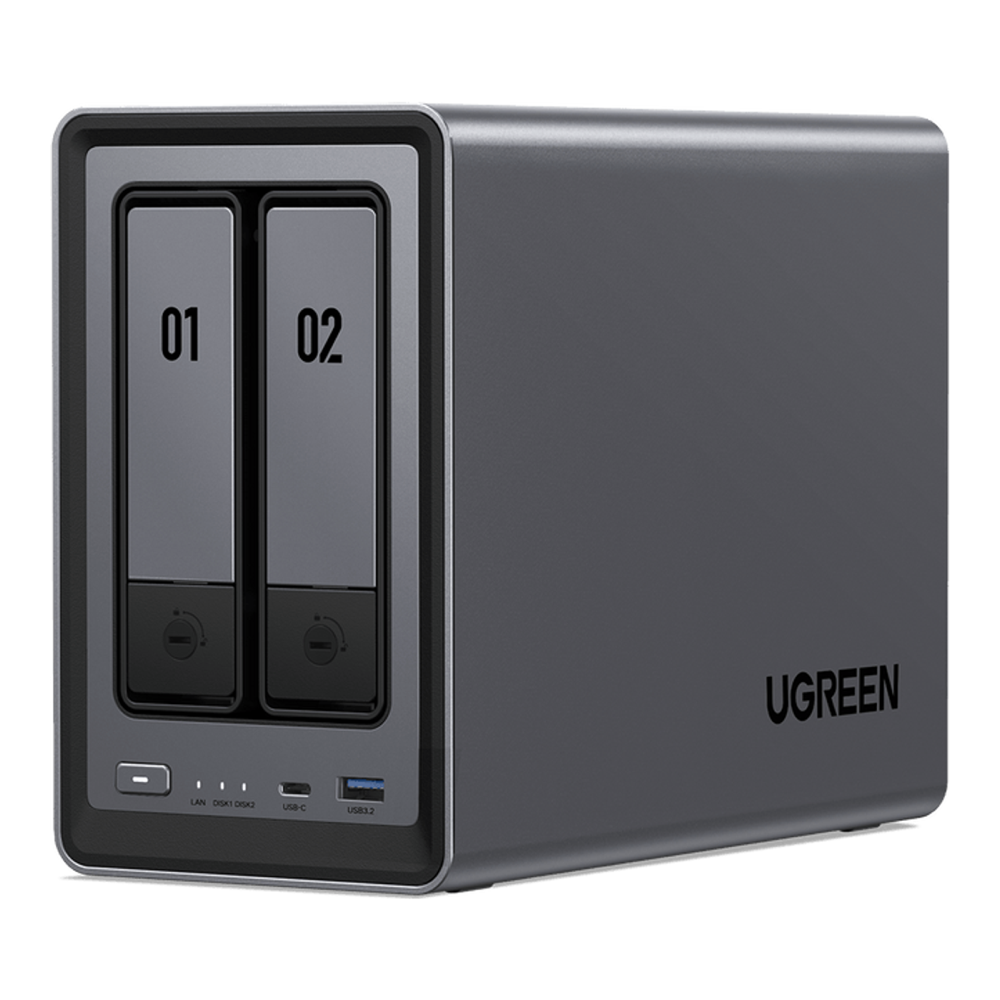
Cheap two-bays usually force a compromise here. The Synology DS225+ uses an Intel chip whose GPU driver Synology reportedly removed, so Synology Community users report it transcoding on the CPU. The DXP2800 avoids that and runs about $370 to $390; check the live price. Two bays fill faster than people expect, though. A mirrored pair gives you the space of one drive, so if your library is already past a few terabytes, a four-bay pick saves a second purchase. Our 2-bay NAS guide compares it with the other small boxes.
Best for Plex with PCIe expansion: QNAP TS-664
The TS-664 is the pick when Plex, not Jellyfin, is the media server and you want room to grow. Its Celeron N5095 is a Jasper Lake chip with QuickSync. The Plex support article on hardware streaming says NAS users need “JasperLake or better” to transcode to HEVC reliably, so the N5095 clears that bar. It ships with 8GB of RAM (16GB maximum), six SATA bays, two M.2 slots, two 2.5GbE ports, HDMI at 4K 60Hz and a PCIe Gen3 slot for a 10GbE card later.

For Jellyfin this is the weakest Intel pick on the page. Jasper Lake has no AV1 decode, its Linux QSV path is the one Jellyfin is retiring, and QTS has no official Jellyfin package, so it runs through Container Station or a community package. At about $800 it also costs more than the DXP4800 Plus with built-in 10GbE; check the live price. Choose it for six bays and Plex, not for a long-lived Jellyfin server.
Best for the DSM ecosystem: Synology DS925+
The DS925+ cannot transcode video in hardware at all, because its AMD Ryzen V1500B has no integrated GPU. Every Jellyfin or Plex transcode lands on four CPU cores, which is fine for direct play to a capable client and poor for anything else. It earns a place for DSM, still the most polished NAS software, plus ECC memory and Synology’s backup suite.
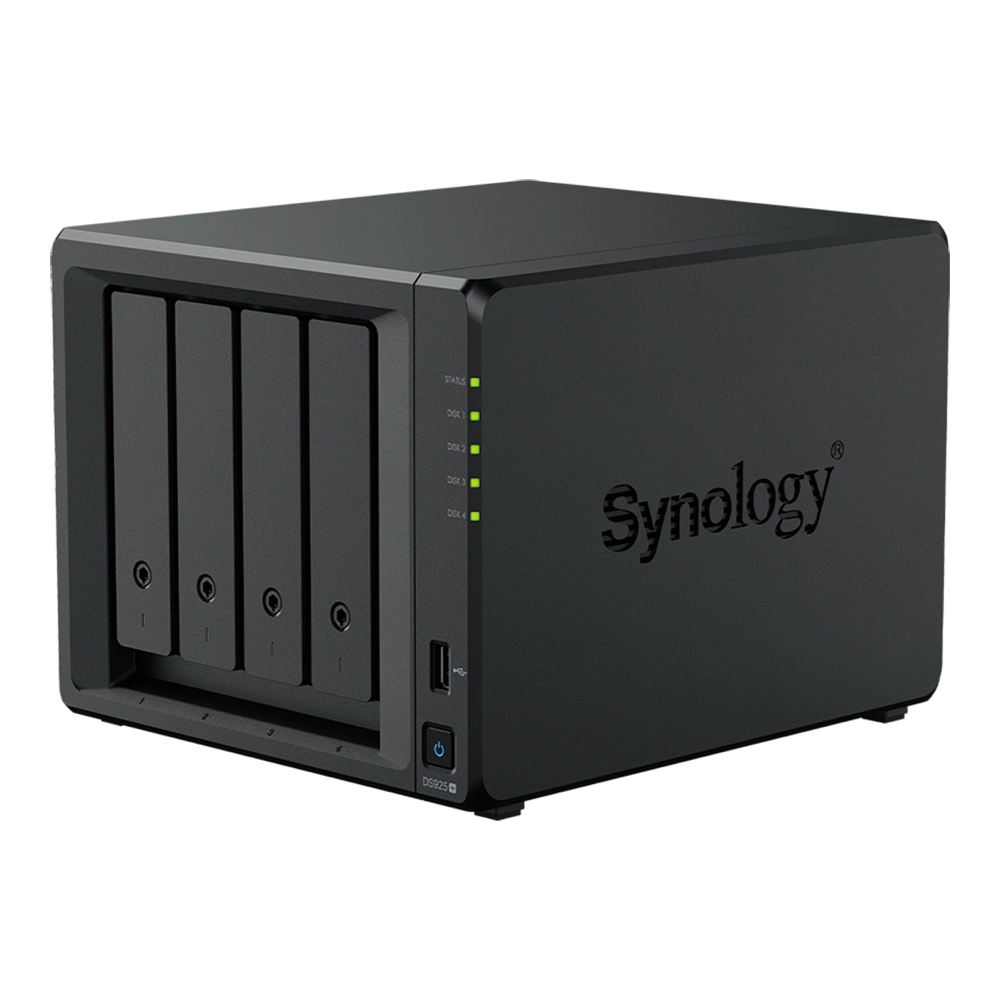
DSM 7.3 (October 2025) restored full support for third-party hard drives and 2.5-inch SATA SSDs. Creating an M.2 NVMe storage pool still requires drives on the Synology compatibility list. The box ships with 4GB of ECC RAM (32GB maximum), which fills quickly once containers start, and runs about $770; check the live price.
If your clients direct-play everything, it works. Our Synology NAS guide covers the rest of the range and why owners of the Intel DS225+ and DS425+ report the same transcoding problem.
Plex Pass pricing versus free Jellyfin
A new lifetime Plex Pass went from $249.99 to $749.99 on July 1, 2026, according to the Plex pricing announcement. The same change added a 5-Year pass at $249.99 and left monthly and annual pricing unchanged (reported at $6.99 and $69.99). Three Plex rules shape a NAS purchase:
- Hardware-accelerated streaming in Plex still requires an active Plex Pass on the server.
- Remote playback of your own video has required Plex Pass or a Remote Watch Pass ($2.99 a month) since April 29, 2025.
- Plex does not support hardware-accelerated streaming inside a virtual machine, so run it in Docker or natively on the NAS.
Jellyfin charges nothing for hardware transcoding, remote access or extra users, so the NAS is the whole bill. The lifetime pass alone now costs more than the TerraMaster F4-425 Plus. If your household already pays for Plex Pass, every Intel box here serves it well; if you’re starting fresh, Jellyfin on the DXP4800 Plus or DXP2800 avoids the subscription entirely.
Container settings that keep QuickSync working
The Jellyfin hardware selection guide warns that prebuilt NAS appliances can make third-party apps hard to install. The usual failure is a container that never sees the GPU, so every stream falls back to the CPU without an error. For the official jellyfin/jellyfin image on an Intel NAS, the Jellyfin Intel docs set three conditions:
- The container has the render node
/dev/dri/renderD128passed through from the host. - The container runs with the
rendergroup ID of the host added (some releases usevideoinstead). - QSV or VA-API is selected under Dashboard, Playback, Transcoding, with the decode codecs your chip supports ticked.
Kernel version is the other trap: the same docs note that 12th and 13th-gen Intel graphics need Linux kernel 6.2 or newer. That matters if you swap the vendor OS for an older distro. If you’d rather skip the appliance software entirely, our Jellyfin media server build uses an N150 board, and pairing any of these boxes with a streaming device that direct-plays cuts how often the NAS transcodes at all.
Drives cost more than the box
Every NAS here ships empty, and in 2026 the drives are usually the bigger bill. Four WD Red Plus 10TB drives, the value CMR pick in our best NAS hard drives guide, run about $460 each, so roughly $1,840 for a set, which is more than any four-bay on this page. Buy CMR, never SMR: the CMR vs SMR explainer shows how SMR drives stall RAID rebuilds. Expect both drive and RAM prices to keep moving while the memory and storage shortage lasts, which is also why the RAM a box ships with matters more than its upgrade ceiling.
Black Friday NAS pricing to watch
Black Friday falls on November 27, 2026 and Cyber Monday on November 30, and the NAS listings above already sit below their list prices. On the day we checked, Amazon showed the DXP4800 Plus, the DXP2800 and the DS925+ each about 13% to 14% under the list price on the listing. The F4-425 Plus showed a bigger cut against its Amazon list price, but TerraMaster’s own store listed it lower than that and out of stock, so Amazon was the only place we found it buyable. Before you call a holiday price a deal, check these conditions:
- The holiday price beats the current price band in the table above, not only the struck-through list price.
- The listing is the same diskless model and RAM configuration as the pick, not a bundle or a lower-RAM variant.
- The seller is the brand or Amazon, so the warranty and returns are straightforward.
Drives tend to see the deeper cuts. Our Black Friday NAS and drive deals page tracks both through Cyber Monday.
Which NAS fits your library
Bay count and stream count decide this more than brand. Start from how much media you already own and how many people watch at once:
- One or two viewers, a library under about 8TB: the UGREEN DXP2800, or more two-bays in our 2-bay roundup.
- A family library with room to grow on a budget: the TerraMaster F4-425 Plus.
- A family library plus containers and fast copies from a desktop: the UGREEN DXP4800 Plus, with more price tiers in the 4-bay NAS guide.
- Plex with six bays and a PCIe slot: the QNAP TS-664.
- A large library or several remote viewers: an eight-bay from our 8-bay NAS picks.
Photo libraries run on the same boxes, and our NAS for Immich guide covers the extra RAM that machine learning needs. Live TV adds an HDHomeRun tuner for Plex and Jellyfin, and if none of the appliances fit, the DIY versus prebuilt comparison works through the costs of building your own.
Pre-purchase transcode checklist
Run these checks against any NAS listing before you buy, including ones not on this page. Each one is a condition the box must meet, and each traces to a source you can open yourself:
- The CPU is an Intel chip whose ARK page shows Intel Quick Sync Video as Yes.
- The Intel codename is Alder Lake, Alder Lake-N, Twin Lake or newer, not Jasper Lake, Elkhart Lake or Ice Lake, if Jellyfin is the main server.
- The chip decodes HEVC 10-bit, so HDR to SDR tone mapping runs on the GPU.
- The chip decodes AV1 if any of your files or downloads use it.
- The vendor ships Jellyfin as a package, or the NAS runs Docker with access to
/dev/dri. - The box ships with at least 8GB of RAM, because upgrades cost several times more than they did in June 2026.
- The listing is sold new by the brand or Amazon and matches the exact model number on the spec page from the maker.
- The drives you plan to fill it with are CMR and are priced into the same budget as the box.